The first question most people ask before downloading a budgeting app is not about features or pricing. It is: "Is it safe to link my bank account?"
The question is valid. Connecting financial accounts to third-party apps creates exposure that did not exist before. But the answer is not simply yes or no. It depends on how the app connects, what data it accesses, and how that data is stored and protected.
This guide explains the security landscape for finance apps in 2026, compares the risks of bank syncing versus manual entry, and helps you make an informed decision about how much exposure you are comfortable accepting. For app comparisons, see our best money tracker apps in 2026 guide, our best expense trackers without bank login for 2026 roundup, and our deeper take on whether Rocket Money is safe in 2026. For an app-specific example, see our breakdown of whether YNAB is safe.
How Bank Syncing Actually Works
Understanding the technology behind bank connections clarifies the security implications.
Traditional Screen Scraping
The oldest method: you give the app your bank username and password. The app logs into your bank as you and scrapes the transaction data.
Security concerns:
- Your credentials are stored by a third party
- The third party has the same access you do
- If the third party is breached, attackers have your bank login
- Banks cannot distinguish legitimate app access from malicious access
This method is increasingly rare as better options exist, but some apps still use it.
Aggregator Services
Most bank-syncing apps use aggregators like Plaid, Yodlee, or MX. You authenticate directly with your bank through the aggregator's interface, and the aggregator provides transaction data to the app.
How it works:
- App directs you to aggregator's connection interface
- You enter credentials with your bank (not the app)
- Bank verifies and grants limited access token
- Aggregator fetches transactions and provides to app
- App receives data but not your credentials
Security improvements:
- App never sees your password
- Access is often read-only
- Banks can track and revoke third-party access
- Aggregators have strong security practices
Remaining concerns:
- Aggregators still access your full transaction history
- Data passes through multiple parties
- Breaches at aggregator affect millions of users
- Some aggregators store credentials for banks that do not support tokens
Open Banking APIs
The most secure option: banks provide official APIs that apps connect to directly with your permission.
How it works:
- You authorize the app through your bank's official interface
- Bank issues limited, revocable access token
- App accesses only specified data (not full account access)
- You can see and revoke permissions from your bank
Security advantages:
- Bank-controlled access
- Granular permissions (read-only, specific account types)
- Easy revocation
- No credentials shared with third parties
- Regulatory oversight
Current limitations:
- Not universally available (stronger in EU, UK than US)
- Some banks have limited API support
- Not all apps support open banking yet
Security Risks of Bank Syncing
Even with modern secure methods, bank syncing carries inherent risks.
Data Exposure
Your complete transaction history is shared with:
- The aggregator service
- The app itself
- Potentially the app's cloud infrastructure
- Any analytics or third-party services the app uses
This data reveals:
- Where you shop
- What you buy
- Your income
- Your financial relationships
- Your location patterns
Third-Party Breach Risk
Even if you trust the app, you are also trusting:
- The aggregator (Plaid, Yodlee, MX)
- The app's cloud provider
- The app's security practices
- Every employee with data access
Breaches at any point expose your data. Major aggregators have experienced breaches affecting millions of users.
Account Takeover Vector
If an attacker compromises your finance app account, they gain insight into:
- Your bank relationships
- Account balances
- Transaction patterns
- Potentially enough information for social engineering attacks
Persistent Access
Bank connections often remain active until explicitly revoked. Many users forget about old app connections, leaving access active for apps they no longer use.
Security of Manual Entry
Manual expense tracking avoids bank connections entirely. You enter transactions yourself.
Privacy Advantages
Data stays local: Apps like Finny store data on your device, not external servers.
No aggregator involvement: No third party ever accesses your bank.
Selective disclosure: You choose what to log. Sensitive transactions can be categorized generically.
No persistent connection: Nothing to revoke because nothing was connected.
For a full guide on private budget tracking methods, see our post on how to track expenses without linking your bank.
Accuracy Considerations
Manual entry is only as complete as your discipline:
| Factor | Bank Sync | Manual Entry |
|---|---|---|
| Completeness | Automatic, catches everything | Depends on user consistency |
| Accuracy | Exact amounts | Potential for typos |
| Categorization | Automatic (often wrong) | User controlled |
| Timeliness | Near real-time | Delay between purchase and logging |
| Privacy | Lower | Higher |
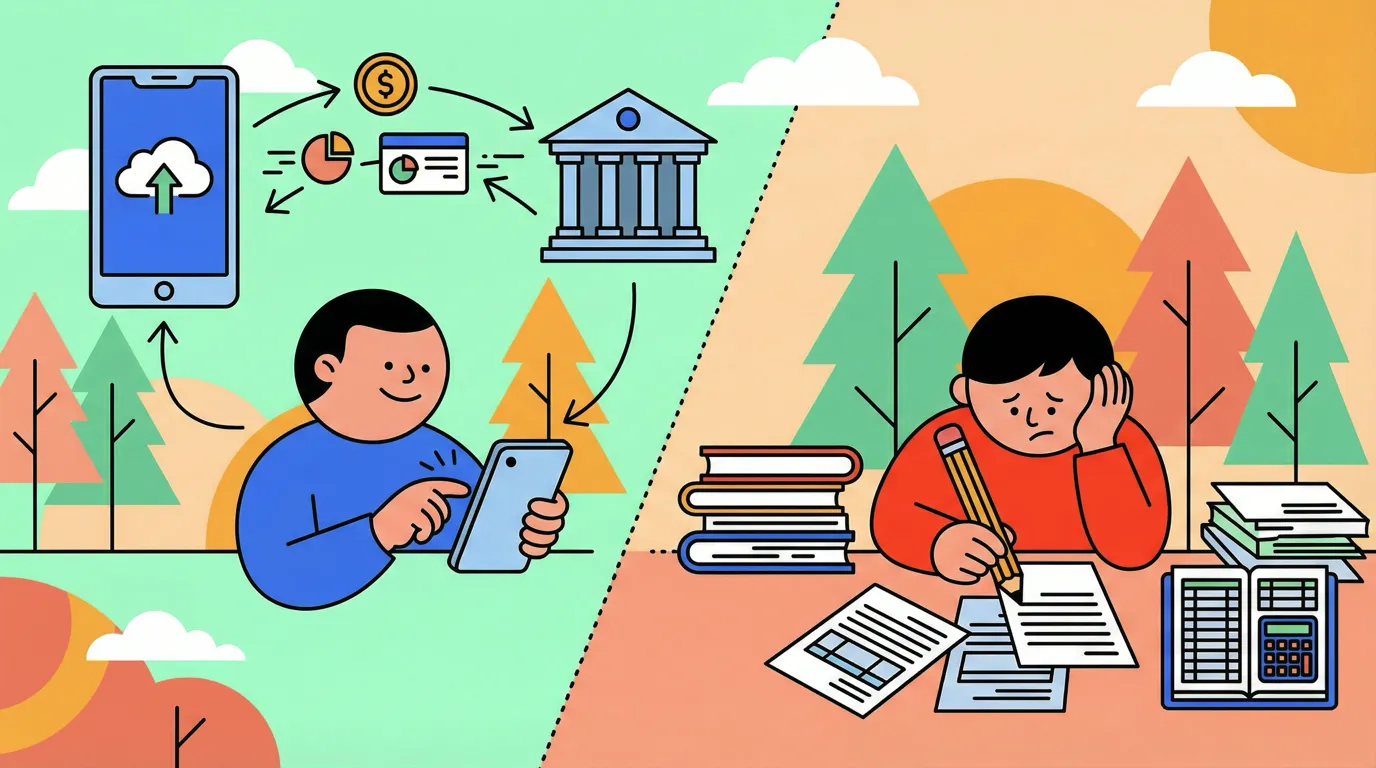
The tradeoff is clear: bank syncing offers convenience and completeness at the cost of privacy. Manual entry offers privacy and control at the cost of effort.
AI-Assisted Middle Ground
Modern apps reduce manual entry friction without bank connections:
Receipt scanning: Photograph receipts; AI extracts merchant, amount, date Natural language input: Type "coffee $4.50" and the app categorizes it Conversation interface: Describe purchases naturally
Finny uses this approach: AI assists logging to reduce friction while keeping data local and avoiding bank connections.
Evaluating Finance App Security
When assessing any finance app's security posture, evaluate:
Data Storage
| Question | Better Answer | Worse Answer |
|---|---|---|
| Where is data stored? | On-device, encrypted | Unencrypted cloud |
| Who can access it? | Only you | App employees, analytics |
| What happens if you delete the app? | Data deleted | Data retained |
| Can you export your data? | Full export available | No export |
Connection Method
| Question | Better Answer | Worse Answer |
|---|---|---|
| Does it require bank login? | No, or open banking only | Credential storage |
| What aggregator does it use? | Major provider with track record | Unknown provider |
| What permissions does it request? | Read-only, limited scope | Full account access |
| Can you revoke access easily? | Yes, from app and bank | Unclear process |
Company Practices
| Question | Better Answer | Worse Answer |
|---|---|---|
| Privacy policy | Clear, specific | Vague, extensive sharing |
| Business model | Subscription or purchase | Free with data monetization |
| Security certifications | SOC 2, ISO 27001 | None mentioned |
| Breach history | Transparent disclosure | Secretive or past incidents |
Biometric and Authentication
| Question | Better Answer | Worse Answer |
|---|---|---|
| App lock | Biometric and PIN | No lock option |
| Session timeout | Configurable | Always logged in |
| Two-factor authentication | Available | Not available |
| Password requirements | Strong | Weak or none |
Privacy-First Finance Apps
For users who prioritize privacy over convenience, several options exist:
Finny
Approach: No bank connections. AI-assisted manual entry. Local data storage.
Privacy features:
- Data stored on device, not cloud servers
- No bank aggregator involvement
- Optional sync for multi-device (user controlled)
- No data monetization
Tradeoffs: Requires manual logging (though AI reduces friction). No automatic transaction import.
Spreadsheet Tracking
Approach: Complete manual control using Excel, Google Sheets, or similar.
Privacy features:
- No third-party access
- Full control over data location
- No app dependencies
Tradeoffs: No automation whatsoever. Limited mobile convenience.
Local-Only Apps
Various apps store data locally without cloud sync or bank connections. Check app stores for "offline expense tracker" options.
Privacy features:
- Device-only storage
- No account required
- No data transmission
Tradeoffs: No sync across devices. Limited features compared to connected apps.
When Bank Syncing Makes Sense
Despite privacy concerns, bank syncing is appropriate for some users:
High Volume, Low Sensitivity
If you make dozens of daily transactions and privacy is not a major concern, automatic syncing dramatically reduces tracking effort.
Complete Picture Priority
For users who need 100% transaction capture for tax, business, or compliance purposes, manual entry has too much room for gaps.
Trust in Major Providers
If you are comfortable with major aggregators (Plaid, etc.) and major finance apps (Monarch, YNAB), the security is generally adequate for typical consumer needs.
Already Banking Digitally
If you already use banking apps, mobile payments, and digital wallets, adding one more connection may not meaningfully increase exposure.
Best Practices for Secure Finance App Usage
Regardless of approach, follow security best practices:
If Using Bank Sync
- Use strong, unique passwords for both bank and finance app
- Enable two-factor authentication on all accounts
- Review connected apps regularly through your bank's security settings
- Revoke access for unused apps immediately when you stop using them
- Monitor for unauthorized activity in all connected accounts
- Check aggregator reputation before connecting through any service
If Using Manual Entry
- Enable app-level biometric lock to protect local data
- Use device encryption (usually default on modern phones)
- Back up data securely if the app supports backup
- Be consistent to avoid gaps that defeat tracking purpose
For All Users
- Review privacy policy before using any finance app
- Understand the business model: if it is free, you may be the product
- Check permissions requested and deny unnecessary ones
- Keep app updated for security patches
- Use official app stores to avoid malicious copies
The Bottom Line
Bank syncing offers convenience and completeness at the cost of privacy and control. You trade access to your financial data for automated tracking.
Manual entry offers privacy and control at the cost of effort. You maintain data ownership but must log transactions yourself.
AI-assisted manual entry offers a middle ground: reduced friction without bank connections, keeping your data local while making logging practical.
The right choice depends on your priorities:
- Privacy paramount? Manual or AI-assisted entry with local storage
- Convenience paramount? Bank syncing with reputable provider
- Balanced? Consider which accounts to link and which to track manually
No approach is universally correct. What matters is making an informed choice rather than accepting defaults without understanding the tradeoffs.
Your financial data reveals intimate details of your life. Who has access to it should be your deliberate decision, not an accidental consequence of choosing a convenient app.
Common Questions About Finance App Security
Is Plaid safe to use?
Plaid is a major aggregator with strong security practices and regulatory compliance. It is generally considered safe for typical consumer use. However, using it means your transaction data passes through Plaid's systems. Plaid has faced FTC scrutiny over data practices, so review current policies.
Can finance apps steal money from my account?
Legitimate apps using modern aggregation methods receive read-only access. They cannot initiate transactions or move money. Always verify apps are well-established before connecting. Fraudulent apps exist; use official app stores and research providers.
How do I disconnect a finance app from my bank?
Check your bank's website or app for "Connected Apps," "Third-Party Access," or similar settings. Revoke access from there. Also delete the app itself and any associated account to prevent reconnection.
Is manual expense tracking actually more secure?
Yes, from a data exposure standpoint. No third party receives your transaction data. However, manual entry on an unsecured device or app can still be compromised. Security requires both limited exposure and good device practices.
What happens if a finance app gets hacked?
If you used bank syncing, attackers may access your transaction history, account numbers, and financial relationships. This data could enable targeted phishing or social engineering. Monitor accounts closely and consider credit freezes if highly sensitive data was exposed.
Ready to track expenses without bank connections?
Download Finny to log expenses using AI assistance, receipt scanning, or text input. Your financial data stays on your device, not in the cloud or with aggregators.