Track Expenses Without Linking Bank: Private Budget Apps
Most popular budgeting apps ask you to connect your bank account during setup. They frame it as a convenience: automatic transaction imports, real-time balance updates, effortless tracking. Those benefits are real, and so are the gaps: we compared the two approaches on accuracy in AI expense tracker vs bank sync. What they mention less prominently is what you give up in return.
You can track expenses without linking bank accounts and still maintain an accurate, detailed budget. Manual logging, AI-assisted input, receipt scanning, and screenshot imports all provide ways to record spending without handing your bank credentials to a third party. This guide explains why you might want to avoid bank connections, what alternatives exist, and which apps support this approach. For a broader comparison of tracking tools, see our best money tracker apps in 2026 guide.
Why People Avoid Linking Bank Accounts
The reasons vary, but they are all legitimate.
Security Concerns with Plaid and Open Banking
Most apps that offer bank syncing use Plaid or similar aggregators. When you "link your bank," you are often providing credentials to a middleware service that sits between you and your bank. Plaid stores your login information and maintains persistent access to your accounts.
In 2024, Plaid settled a $58 million class-action lawsuit over allegations that it collected more financial data than users expected. The company denied wrongdoing, but the settlement highlighted how opaque the data pipeline can be between your bank, the aggregator, and the app.
Even without bad actors, aggregator connections create additional attack surfaces. A breach at any point in the chain exposes your full transaction history, account balances, and potentially your login credentials.
Data Minimization Principle
Some people simply prefer not to share more data than necessary. If you only need to track spending, why give an app access to your savings balance, investment accounts, and loan details? A budget app without bank connection lets you share exactly what you choose: the transactions you manually enter.
Bank Compatibility Issues
Not all banks support aggregator connections, especially smaller credit unions, international banks, and newer fintech accounts. Users with accounts at unsupported institutions need manual alternatives regardless of their privacy preferences.
Institutional Policies
Some employers, military service members, and government workers face restrictions on connecting bank accounts to third-party apps. For these users, a manual expense tracker is not a preference but a requirement.
For a deeper look at the security landscape, read our guide on finance app security and privacy.
Three Approaches to Expense Tracking Without Bank Links
1. Fully Manual Logging
The simplest approach: you type each expense into an app, spreadsheet, or notebook. No automation, no AI, no scanning.
Pros: Complete control. No data leaves your device. Works with any tool, including pen and paper. Zero learning curve.
Cons: Time-consuming. Easy to forget transactions. Requires discipline. Most people abandon manual tracking within two weeks because the friction is too high.
Manual logging works best for people with few transactions per week or those who enjoy the ritual of recording expenses. If you are new to budgeting, our budgeting for beginners guide covers how to start simple and build from there.
2. Bank-Linked Automatic Imports
For context, here is what the bank-linked approach offers and what it costs.
Pros: Transactions appear automatically. Little effort after setup. Covers every purchase made with linked cards.
Cons: Requires sharing bank credentials with a third party. Transactions may take 1-3 days to appear. Categorization is often wrong and needs manual correction anyway. Cash transactions are missed entirely. The "automatic" experience still requires regular review and cleanup.
The irony of bank linking is that it is never truly automatic. You still need to categorize transactions, split shared expenses, and add cash purchases manually. The automation covers import, not management.
3. AI-Assisted Manual Tracking
This middle ground uses AI to reduce the friction of manual input without requiring bank access. Instead of typing structured data into form fields, you describe your purchase naturally, and AI parses the details.
Examples of AI-assisted input:
- Text: Type "coffee at Blue Bottle $5.50" and the app extracts the merchant, amount, and category.
- Voice: Say "lunch with coworkers, $32 at the Thai place" and the app transcribes and parses it.
- Receipt scanning: Photograph a receipt and the app extracts totals, dates, and merchant names.
- Screenshot import: Share a screenshot of your banking app or payment confirmation, and AI reads the transaction details.
This approach keeps you in control. The AI suggests, you confirm. No bank credentials are shared, but the logging experience is nearly as fast as automatic imports. Another bank-free option is SMS-based expense tracking, which lets you log purchases by sending a text message.
How Finny Handles Expense Tracking Without Bank Connections
Finny is built around the idea that you should not need to link your bank to track spending effectively. It captures transactions automatically in two ways that never touch your bank login: Tap to Track logs your Apple Pay purchases on their own, and Screen Log records any payment on your screen with a single press. Every other input method is designed to be fast enough that manual entry does not feel like a chore. Because nothing is linked, there is no years-long transaction feed for a third party to hold.
Automatic Capture Without Linking a Bank
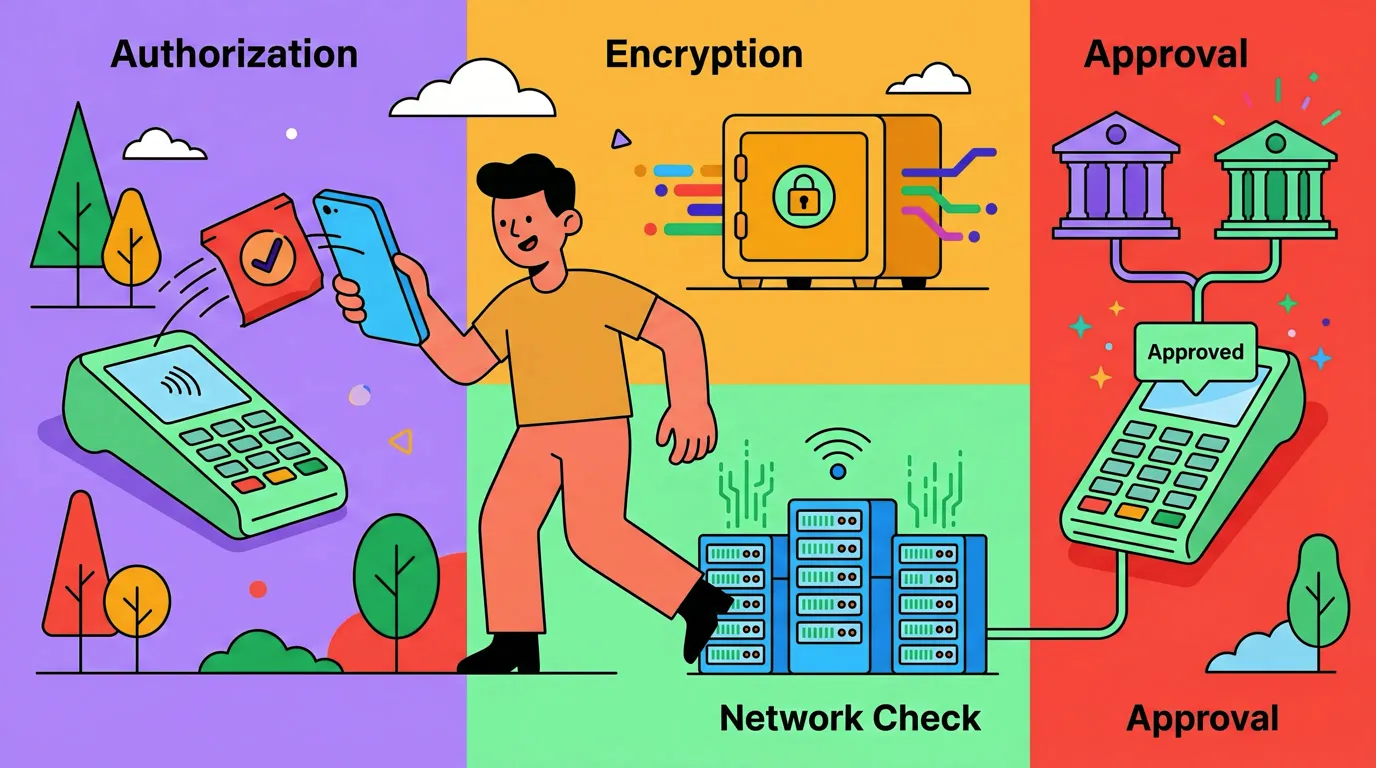
Tap to Track logs your Apple Pay purchases on their own. You tap to pay the way you always do, and the transaction lands in Finny by itself, with no bank connection sitting in between.
Here is Tap to Track logging an Apple Pay purchase with no extra steps:
Screen Log goes beyond Apple Pay. Press once on any payment on your screen, whether it is an online order, a bank transfer, a credit card app, or a receipt or renewal email, and Finny reads the amount and logs it. It works anywhere a payment shows up, still without linking a bank.
Here is Screen Log capturing a payment straight from the screen:
Manual Input with AI Parsing
Open the app, type a natural-language description of your purchase, and Finny's AI extracts the amount, category, and merchant. You review and confirm with a single tap. The entire process takes about five seconds per transaction.

Finny app's AI chat feature
Screenshot Batch Import
This is where Finny differs most from other expense tracker no bank apps. You can share screenshots from your banking app, payment apps (Venmo, Zelle, Cash App), or email receipts. Finny's AI reads the screenshots and extracts transaction details in batch.
This means you can still benefit from your bank's transaction records without giving any app access to your account. Open your banking app, take screenshots of recent transactions, and import them into Finny. The AI parses amounts, dates, and merchants from the images.

Finny app's screenshot import feature
Receipt Scanning
Photograph paper receipts and Finny's AI extracts the relevant data. You can scan up to five receipts at once, which saves time when you have accumulated several over the course of a day or week.
Offline-First Design
All of Finny's input methods work offline. Your data is stored locally on your device and does not require an internet connection to record, categorize, or review expenses. This is particularly useful for travelers or anyone in areas with unreliable connectivity. Our guide on offline expense tracking explains why this matters more than most people realize.
Comparing Budget Apps Without Bank Connections
Not every app supports bankless tracking equally. Here is how the options compare:
| Feature | Finny | DailyBean | Goodbudget | PocketGuard |
|---|---|---|---|---|
| Bank Connection Required | No | No | Optional | Yes |
| Automatic Capture (No Bank Link) | Yes | No | No | No |
| AI-Assisted Input | Yes | No | No | No |
| Receipt Scanning | Yes | No | No | No |
| Screenshot Import | Yes | No | No | No |
| Offline Support | Yes | Yes | Yes | No |
| Free Tier | Yes | Yes | Yes (limited) | Yes (limited) |
DailyBean is a simple, privacy-friendly expense tracker that works entirely offline with no bank connections, but it lacks AI assistance and advanced analytics. Goodbudget uses the envelope method and works without bank links, but it limits you to 10 envelopes on the free tier and has no AI features. PocketGuard requires bank connections for its core functionality. For a broader comparison of no-bank-login options, see our list of the best expense trackers without bank login in 2026.
For more on zero-based budgeting methods, see our zero-based budgeting guide.
Building a No-Bank Tracking Routine
Switching from automatic imports to manual tracking requires a brief adjustment period. These habits help:
- Log after every purchase: The best time to record an expense is immediately after paying. Use AI text input for speed.
- Do a daily two-minute review: Each evening, open your tracker and confirm that every purchase from the day is recorded. This catches anything you forgot.
- Batch-scan receipts weekly: If you collect paper receipts, set a weekly time to scan them all at once.
- Use screenshot imports for recurring bills: When you receive payment confirmations via email or text, screenshot them and import in batch.
- Review categories monthly: Check that your spending categories still reflect how you actually spend. Our guide on optimizing spending categories walks through this process.
Most users find that after one to two weeks, the habit becomes automatic. The key is making each logging action take under ten seconds, which is where AI-assisted input makes the difference.
Common Misconceptions About Manual Tracking
"Manual tracking is less accurate than bank syncing." Not necessarily. Bank syncing misses cash transactions, splits, and shared expenses. It also miscategorizes regularly. Manual tracking with review can be more accurate because you assign categories with full context of each purchase.
"It takes too much time." With AI-assisted input, logging an expense takes 5-10 seconds. Even with 5-8 transactions per day, that is under two minutes of total effort.
"I will forget to log things." This is the real challenge. Daily review habits and receipt scanning as backup catch most forgotten transactions. No system is perfect, but a consistent routine gets you to 95%+ accuracy.
The Bottom Line
Tracking expenses without linking your bank is practical, private, and, with the right tools, nearly as fast as automatic imports. The tradeoff is real: you invest a small amount of daily effort in exchange for keeping your financial data under your control.
For people who value privacy, work with unsupported banks, or simply dislike sharing credentials with third parties, AI-assisted manual tracking offers the best balance of speed and security. Finny combines text input, voice input, receipt scanning, and screenshot imports to make bankless tracking as low-friction as possible.
If you want to explore how AI handles the parsing side of manual input, our guide on AI financial coaching and predictive budgeting goes deeper into what AI can and cannot do for personal finance.
Common Questions About Tracking Expenses Without a Bank Link
Can I budget effectively without connecting my bank?
Yes. Manual and AI-assisted tracking can be just as accurate as bank-linked imports. The key is building a short daily habit of logging and reviewing transactions.
What is the best budget app without bank connection?
Finny is designed specifically for bankless tracking, with AI text input, receipt scanning, and screenshot imports. Goodbudget also supports manual entry without bank links, and DailyBean offers simple offline tracking, though neither includes AI features.
Is it safe to link my bank to a budgeting app?
Bank linking uses aggregators like Plaid, which introduces additional parties into your data chain. It is generally safe from major providers, but it does increase your data exposure. If privacy is a priority, manual tracking avoids this entirely.
How do I track cash expenses without a bank link?
Log cash purchases immediately using text or voice input. For example, type "farmers market vegetables $12" into an AI-assisted tracker. Receipt scanning also works well for cash purchases where you receive a paper receipt. For a more detailed routine, see our guide on how to track cash spending in a card-first world.
Ready to track spending without sharing your bank credentials?
Download Finny to log expenses with AI text input, receipt scanning, and screenshot imports. No bank connection needed, fully offline, and your data stays on your device.