How to Audit Your Subscriptions in 20 Minutes (No Cancel Service)
You spotted a charge you do not recognize. Maybe it was $14.99 from a name you cannot place, or three small fees in a row that added up to more than your last grocery run. Now you want a list of every recurring charge hitting your accounts, and you want it tonight, not next weekend.
This guide walks through how to audit your subscriptions in 20 minutes using only the tools already on your phone and laptop. No paid cancel service, no bank login handed over to a third party, no monthly fee for the privilege of seeing your own data. The plan below is six concrete steps, in the order that takes the least time, plus a printable checklist you can run again every quarter.
For the bigger picture on why these charges multiply in the first place, see our breakdown of subscription creep and how to stop it.
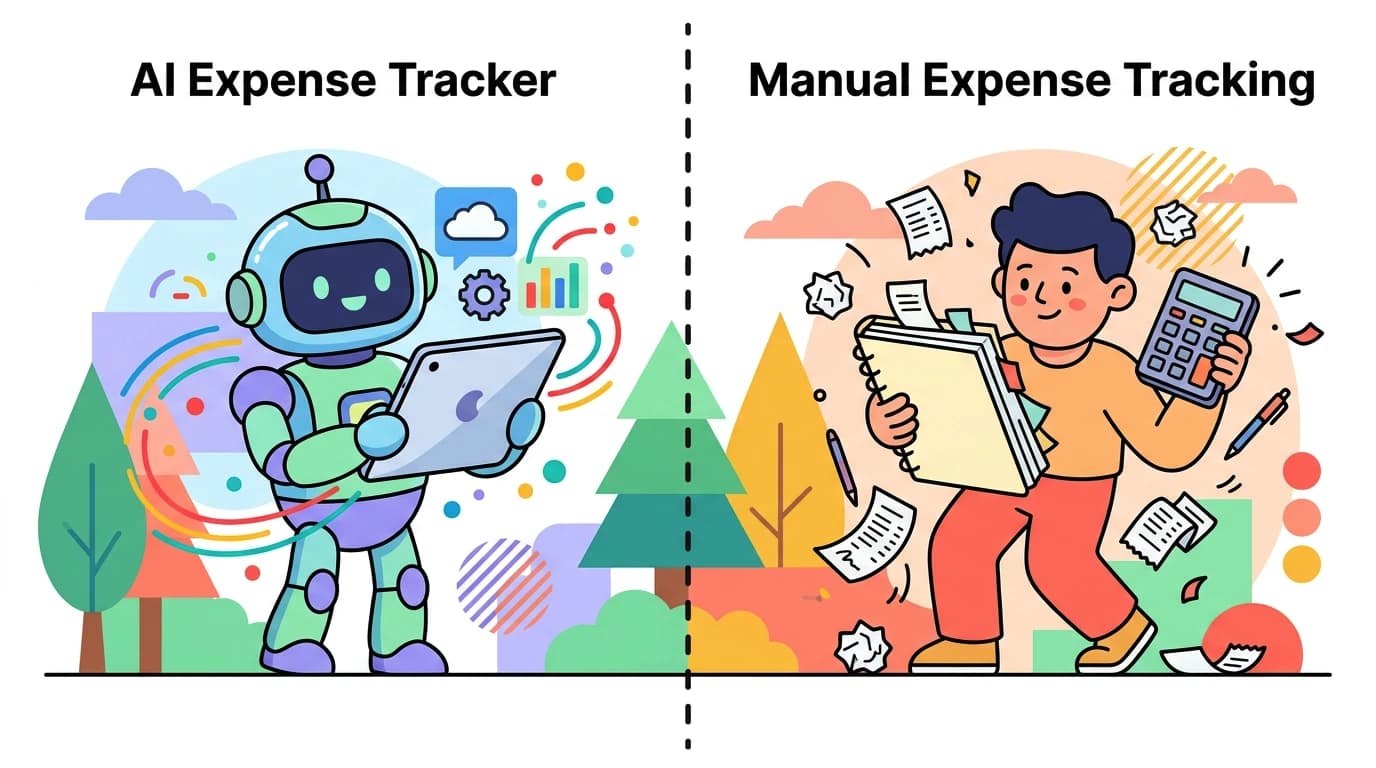
Why a 20-minute manual audit beats a paid cancel service
Apps like Rocket Money, Trim, and Hiatus promise to find and cancel your subscriptions for you. They work, but the tradeoffs are worth naming clearly before you sign up.
First, most charge a monthly fee or take a percentage of the savings they negotiate. If they cancel a $15 streaming service and keep 30 percent of the first year of savings, that is $54 from your pocket for one cancellation you could have done in two clicks.
Second, these services need read-only access to your bank and credit card accounts. That means your transaction history, your balances, and your merchant list live on their servers as long as you stay subscribed. You can revoke access, but the data does not disappear because you logged out.
Third, they keep recommending services. The whole product surface is built around staying engaged, so you keep seeing your data even when you only wanted help once.
A manual audit costs nothing, takes 20 minutes the first time, and leaves your data with you. The trick is doing it in the right order so you do not waste time clicking through five apps that all show the same Apple subscription.
Step 1: Apple subscriptions (3 minutes)
Start here because it covers most app subscriptions on an iPhone, including ones you forgot you started during a free trial.
- Open Settings on your iPhone.
- Tap your name at the top.
- Tap Subscriptions.
- Review Active and Expired sections.
Active shows what is renewing. Expired is useful too, because it reveals what you tried before and may have re-subscribed to under a different account. For each active item, decide: keep, downgrade, or cancel. Cancellation takes one tap and you keep access until the end of the current period, so there is no reason to delay.
If you share an Apple Family, also check Family subscriptions. The shared Apple One plan often hides three or four services that nobody remembers signing up for.
Step 2: Google Play and other app stores (2 minutes)
If you also use an Android device, a Chromebook, or a Google account for any app, repeat the process in Google Play.
- Open the Play Store.
- Tap your profile picture.
- Tap Payments and subscriptions, then Subscriptions.
The same logic applies. Cancel anything you do not actively use this week. If you cannot remember the last time you opened the app, you are paying for the option to maybe use it later, which is exactly how creep grows.
Microsoft, Amazon, and PlayStation all have their own subscription pages too. If you have ever bought through them, log in and check.
Step 3: Statement scan for the last 90 days (5 minutes)
App stores cover digital subscriptions, but they miss everything billed directly: gym memberships, meal kits, software you signed up for through a website, news sites, cloud storage, dating apps billed via Stripe, and so on.
Open your bank app and your credit card app. Filter to the last 90 days. Scan for:
- Identical charges from the same merchant
- Round-number amounts that repeat (commonly $4.99, $9.99, $14.99, $19.99)
- Merchants you do not immediately recognize
- Annual charges, which only appear once a year and slip through monthly reviews
Write each one down in a notes app. Do not cancel yet. The point of this step is the list, not the action. You will move faster later if you batch the cancellations together.
If your bank app makes this painful, importing a few months of statements into an expense tracker speeds it up. Apps like Finny can ingest a CSV or PDF and group transactions by merchant, so recurring charges surface visually without you handing over a bank login. That is one of the cleanest ways to do a recurring charges audit without giving anyone permission to keep watching your accounts.
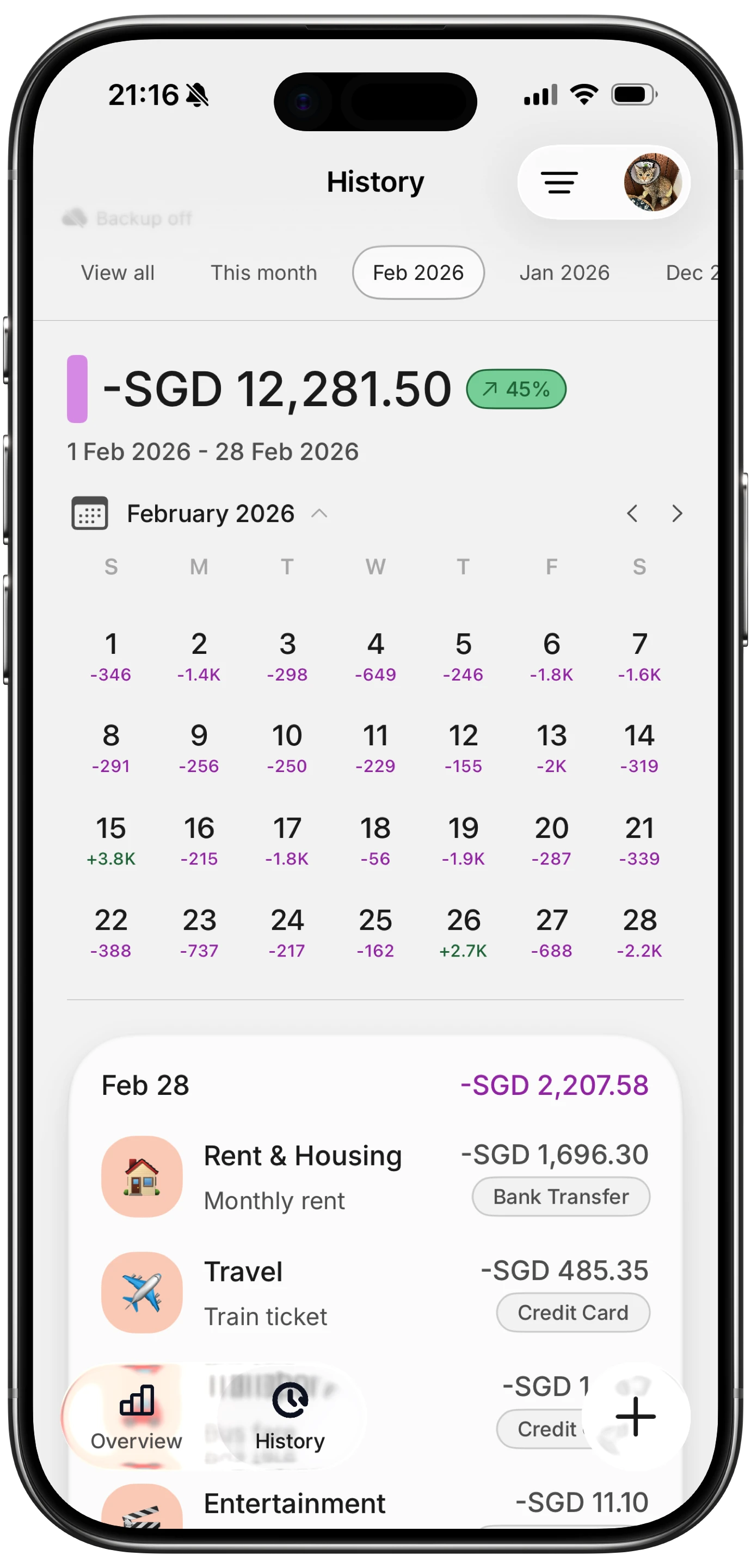
Finny app's History calendar feature
Step 4: Email search for "subscription" and "renewal" (4 minutes)
Your inbox is the second source of truth. Companies are required to email receipts and renewal reminders, even for charges you forgot.
Open your primary email and search these terms one at a time:
- subscription
- renewal
- billed
- receipt
- thank you for your order
- your trial is ending
Sort by date, newest first. Any merchant that shows up here and not on your statement scan is either billing you through a service you missed (PayPal, Apple, a different card) or about to start. Add them to your notes list.
While you are in there, search any secondary email accounts too. Free trials often go to the email you used five years ago and never check.
Step 5: Browser saved cards and password manager (3 minutes)
This step catches the subscriptions you set up on a website and never thought about again.
Open your browser settings and look at saved payment methods and saved logins. In Chrome it is under Autofill. In Safari it is under Passwords and AutoFill. In a password manager like 1Password or Bitwarden, scan the list of saved logins.
Any login for a service that takes payment is a potential subscription. Examples that often hide here: Adobe, Canva Pro, Notion AI, ChatGPT Plus, Grammarly, Spotify, LinkedIn Premium, a domain registrar, a backup tool, a VPN, a stock photo site, a niche newsletter on Substack.
Add anything new to your list. By the end of this step you should have one complete inventory of every recurring charge in your life.
Step 6: Cancel, downgrade, or keep (3 minutes per item, batched)
Now you have the list. Go through it once and tag each line with one of three labels:
- Keep: I used this in the last 14 days and would notice if it was gone.
- Downgrade: I use it, but a cheaper tier or annual plan would cover me.
- Cancel: I have not used it in 30 days, or I cannot remember why I signed up.
For cancellations, do them now while the list is in front of you. Do not save them for later. Most apps cancel in two taps. For the ones that hide the cancel button, search "cancel [service name]" and follow the official help page. If a company truly will not let you cancel from inside the app, you can dispute the charge with your card issuer as a last resort.
For downgrades, set a calendar reminder for the renewal date so you can revisit. Annual plans are usually a real saving if you actually use the service. If you are not sure, stay monthly for one more cycle and decide then.
The printable 20-minute checklist
Save this list and run it once a quarter. Twenty minutes, four times a year, keeps creep from coming back.
- Settings → Apple ID → Subscriptions (active and expired)
- Apple Family Subscriptions
- Google Play → Payments and subscriptions
- Microsoft, Amazon, PlayStation account subscription pages
- Bank app: last 90 days, flag repeats and round numbers
- Credit card app: last 90 days, flag repeats and round numbers
- Email search: subscription, renewal, billed, receipt, trial ending
- Secondary email accounts: same searches
- Browser saved payment methods
- Password manager: scan logins for paid services
- Tag each line: keep, downgrade, cancel
- Cancel everything tagged cancel, in one sitting
- Set calendar reminders for downgrades and annual renewals
- Schedule the next quarterly audit
How to keep creep from coming back
Finding the charges is half the battle. The other half is making sure new ones do not silently land on your card next month. A few habits help.
Use a single card for all subscriptions, separate from your daily spending card. This makes the next audit faster because every recurring charge lives in one statement.
Set a 24-hour rule for free trials. When you start one, immediately open the cancel screen and either turn off auto-renew or put a reminder on your phone for the day before it bills. This one habit prevents most creep.
Put the survivors on a schedule you can see. Once you know what is staying, the remaining risk is a renewal landing on a day the account cannot cover it. Our guide to never missing a bill payment covers the autopay and buffer setup that prevents it.
Track survivors in something you actually open. The subscriptions you keep should show up in whatever budget or expense tracker you already use. If you are picking one, our roundup of the best subscription management apps for 2026 compares the options that do not require a bank login.
Finny is one option here. It supports importing receipts and statements with AI, so you can pull in a month of activity and see recurring merchants grouped together without ever connecting your bank. After the initial audit, ongoing tracking takes a few seconds per charge, which keeps the list from going stale.

Finny app's Overview feature
The mindset shift behind a clean subscription list
A subscription audit is not a one-time cleanup. It is a habit that keeps your fixed costs honest. Most people overestimate what their monthly subscriptions cost by half and underestimate the count by double. The audit closes that gap.
This is the same logic behind conscious spending and the small daily choices that prevent overspending. Subscriptions are sneaky because they are designed to be forgettable. The fee is small, the value feels real on signup day, and the cancel flow is buried. A quarterly audit is the simplest defense.
If you find yourself adding new subscriptions every month and cancelling them every quarter, the underlying issue might be lifestyle creep, not the apps themselves. The audit will still help, but pair it with a hard cap on total monthly subscription spend so the number stops drifting up.
The bottom line
You do not need a paid service to find and cancel your subscriptions. Twenty minutes, six steps, and a notes app cover the whole job, and you keep your bank login to yourself. Run the audit tonight. Schedule the next one for three months from now. The first time will surprise you. The fourth time will take ten minutes and feel routine, which is the goal.
Common Questions About Auditing Subscriptions
How do I find all my subscriptions on iPhone?
Open Settings, tap your name at the top, then tap Subscriptions. This shows every active and expired subscription billed through your Apple ID, including app subscriptions and Apple services. For subscriptions billed directly by a company (gym, meal kit, software bought from a website), check your bank and credit card statements for the last 90 days, then search your email for "subscription" and "renewal" to catch anything else.
How often should I audit my subscriptions?
Once a quarter is the right cadence for most people. Monthly is overkill for a stable list, and yearly is too long because creep accumulates fast. A 20-minute quarterly audit catches free trials that converted, price increases you missed, and services you stopped using two months ago. Put it on your calendar at the start of each quarter and treat it like any other recurring chore.
Are subscription cancellation services like Rocket Money worth it?
They work, but they charge a monthly fee or take a cut of the savings they negotiate, and they need ongoing access to your bank data. If you only need help once, the math rarely beats doing the audit yourself. If you genuinely will not do it manually, a paid service is better than nothing, but read the terms first and revoke account access the moment you stop using them.
What is subscription creep?
Subscription creep is the slow accumulation of small recurring charges that individually feel harmless and collectively become a meaningful part of your monthly spending. A $4.99 cloud storage upgrade, a $9.99 streaming service, a $14.99 fitness app, and a $7.99 newsletter add up to almost $40 a month, or nearly $500 a year. Creep happens because each signup feels small and most people never see the total in one place.
Can I audit subscriptions without linking my bank account?
Yes. The whole audit in this guide runs on your phone settings, your bank app (which you already have), your email, and your browser. You never need to give a third party your bank login. If you want ongoing tracking afterward, expense trackers that import statements via CSV or PDF can give you the same recurring-charge view without bank linking.
Ready to keep your subscriptions in check after the audit?
Download Finny to track recurring charges using AI receipt and statement import. No bank connections required, offline support, and full control over your financial data, for a low monthly price.