
The average person pays for 12 to 15 subscriptions. Research consistently shows people underestimate what they actually spend on recurring charges by 100 to 200 percent. That gap between perception and reality is where money quietly disappears.
A good subscription management app closes that gap. It shows you every recurring charge in one place, reminds you before renewals hit, and helps you decide what to keep. Some apps go further by connecting to your bank and canceling subscriptions for you. Others take a privacy-first approach, letting you track everything manually without handing over financial credentials.
With Finny's new recurring transactions feature in v1.9, the landscape for subscription tracking has shifted. You no longer need to choose between privacy and automation. This guide compares the best options available right now. For broader spending strategies, check out our guide on how to track expenses effectively.
What to Look for in a Subscription Tracker
Before comparing apps, it helps to know what separates a useful tracker from a glorified list:
Automatic detection vs. manual entry. Bank-connected apps find subscriptions automatically by scanning transactions. Manual apps require you to add each subscription yourself but never need your bank login. Both approaches work. The right one depends on your comfort level with sharing financial data.
Renewal reminders. The most valuable feature in any subscription tracker. Getting a notification two days before a charge hits gives you time to cancel or downgrade.
Cancellation support. Some apps offer to cancel subscriptions on your behalf. This sounds great but often comes with fees or limitations.
Price monitoring. A few trackers alert you when a subscription raises its price, which happens more often than most people realize.
Integration with broader budgeting. Standalone subscription trackers are fine, but apps that also handle general expense tracking give you a fuller picture of your spending. For more on why this matters, see our guide to the best expense tracker apps in 2026.
One distinction worth making before you choose: subscription tracking is a discovery problem, finding recurring charges you forgot about, while bill tracking is a scheduling problem, knowing what is due and when. Different tools are good at each. If the second one is what you actually need, see our roundup of the best bill tracker apps.
Quick Comparison Table
| App | Price | Auto-Detection | Bank Required | Cancellation Help | Recurring Rules | Offline |
|---|---|---|---|---|---|---|
| Finny | a low monthly price | No (manual + AI) | No | No | Yes (daily/weekly/monthly/yearly) | Yes |
| Rocket Money | Free/$7-14/mo | Yes | Yes | Yes (with fees) | No | No |
| Copilot | $13/mo | Yes | Yes | No | No | No |
| PocketGuard | Free/$12.99/mo | Yes (Plus only) | Yes | No | No | No |
| Bobby | Free/$2.99 one-time | No | No | No | No | Yes |
| Goodbudget | Free/$10/mo | No | No | No | Yes | Partial |
The Best Subscription Management Apps in 2026
Finny: Best for Privacy-First Subscription Tracking
Finny added recurring transactions in version 1.9, and it changes how the app handles subscriptions entirely. You can set up rules for any recurring charge (daily, weekly, monthly, or yearly), and the app automatically logs those transactions on schedule. No bank connection needed.
This matters because most subscription trackers require you to link your bank accounts before they can find recurring charges. Finny takes the opposite approach. You set up your subscriptions once, choose the frequency, and the app handles the rest. You also get reminders before each charge, so nothing catches you off guard.
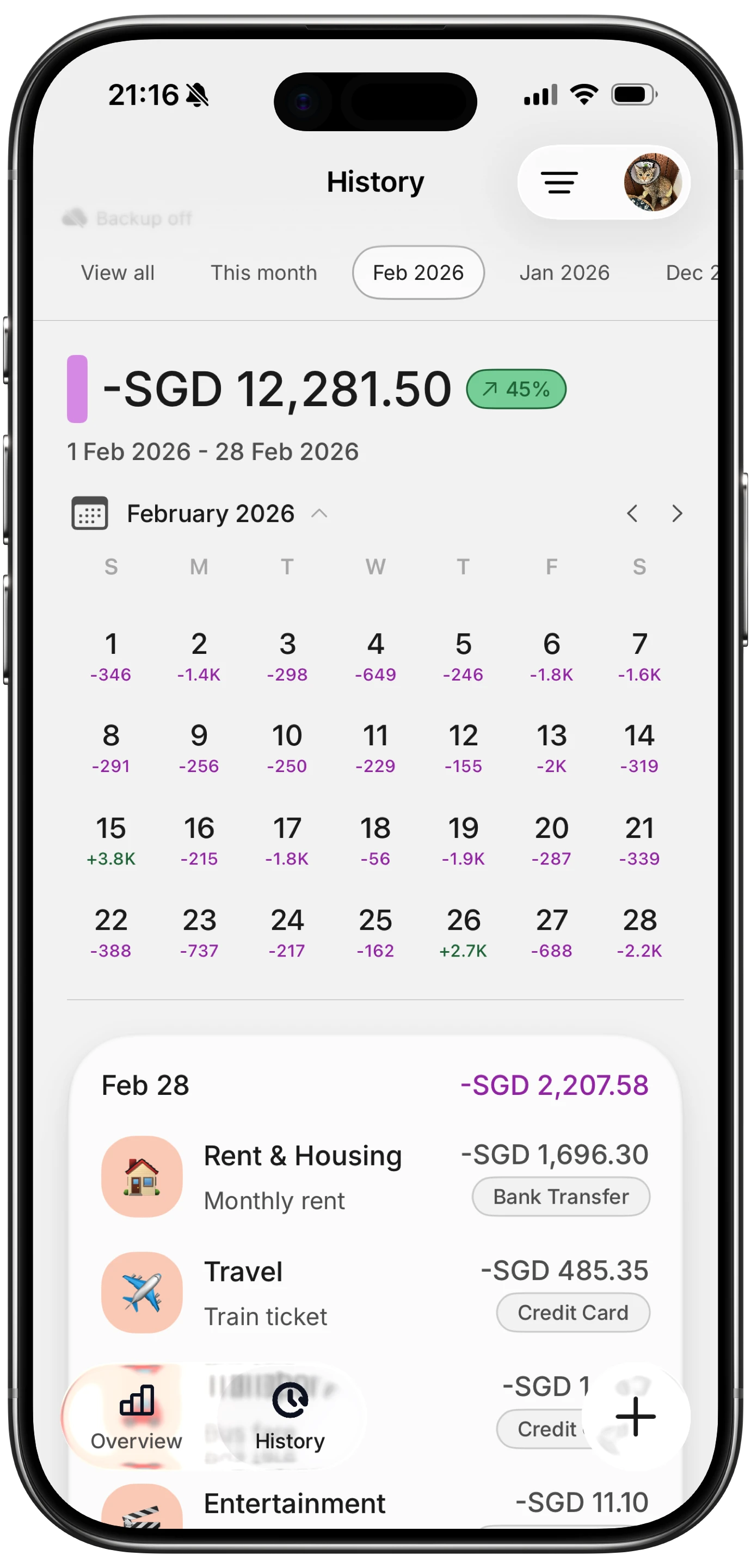
Finny app's History calendar feature
The broader expense tracking features make Finny more useful than a dedicated subscription tracker. AI input lets you log one-off purchases by typing, speaking, or scanning a receipt. Batch Snap and Log handles up to five receipts at once. Everything works offline and syncs when you reconnect.
At a low monthly price, Finny costs less than a single streaming service. The free tier includes unlimited manual tracking, custom categories, and charts, so you can try the subscription tracking workflow before upgrading.
Pricing: a low monthly or yearly price
Best for: Anyone who wants automated subscription logging without sharing bank credentials.
Rocket Money: Best for Automatic Subscription Detection
Rocket Money (formerly Truebill) is the most aggressive subscription tracker available. Connect your bank accounts and the app scans your transactions to find every recurring charge. It surfaces subscriptions you may have forgotten and offers to cancel them directly through the app.
The free plan covers subscription detection, basic budgeting, and bill reminders. Premium ($7 to $14 per month, you choose your price) adds net worth tracking, full credit reports, and a cancellation concierge service. The concierge is genuinely useful for stubborn subscriptions that make canceling difficult.
The trade-off is privacy. Rocket Money needs full access to your bank and credit card accounts. It also takes a cut of savings from bill negotiations: 35 to 60 percent of first-year savings. If an app negotiating your cable bill down by $40 per month keeps $14 to $24 of that, you need to decide whether the convenience is worth the cost.
Rocket Money works best for people with many bank accounts and credit cards who want a single dashboard showing every recurring charge without manual setup. If you already know your subscriptions and prefer to track them yourself, a lighter tool may be a better fit. To learn more about preventing subscription bloat, see our guide on how to stop subscription creep. For six direct alternatives with different trade-offs, see our apps like Rocket Money roundup.
Pricing: Free basic plan. Premium $7-14/month.
Best for: Hands-off users who want automatic detection and cancellation across multiple accounts.
Copilot: Best for iPhone Users Who Want a Full Financial Dashboard
Copilot is an iOS-only finance app that handles subscription tracking as part of a broader financial dashboard. After linking your accounts, it categorizes transactions and identifies recurring charges automatically. The interface is polished and feels native to iOS.
Subscription tracking in Copilot works well but is not the primary focus. The app shines more as a general budgeting and net worth tracker with subscription visibility built in. You can see recurring charges in the bills section, get notifications before renewals, and track spending trends over time.
The main downside is price. At $13 per month ($95 per year), Copilot is expensive for what amounts to a budgeting app with subscription awareness. There is no free tier after the one-month trial. It also requires bank connections, so privacy-conscious users will need to look elsewhere.
Pricing: $13/month or $95/year
Best for: iPhone users who want subscription tracking integrated into a premium budgeting experience.
PocketGuard: Best for Seeing How Subscriptions Affect Your Budget
PocketGuard's main feature is its "In My Pocket" calculation, which shows how much money you have left after bills, necessities, and savings goals. Subscription tracking fits naturally into this framework because recurring charges directly reduce your available spending money.
The free version handles basic budgeting and bill tracking. PocketGuard Plus ($12.99 per month or $74.99 per year) unlocks subscription detection, unlimited bank connections, and financial goal setting. The app identifies recurring charges by analyzing your transaction history and provides cancellation instructions, though it will not cancel subscriptions for you.
PocketGuard works on both iOS and Android, which gives it broader reach than some competitors. The downside is that subscription tracking is locked behind the paid tier, and the price is higher than several alternatives that include it for free.
Pricing: Free basic plan. Plus $12.99/month or $74.99/year.
Best for: Budget-focused users who want to see how subscriptions impact their overall spending capacity.
Bobby: Best Free Minimalist Tracker
Bobby takes the simplest possible approach to subscription tracking. You manually add each subscription, set the billing cycle, and the app shows your total monthly cost in a clean, colorful interface. That is essentially all it does.
The base app is free and tracks unlimited subscriptions. A one-time $2.99 purchase unlocks custom icons and additional features. There are no ads, no accounts to create, and no bank connections. Bobby works entirely offline.
The minimalism is both the strength and the limitation. There is no CSV import, no AI extraction, no Gmail scanning, and no cancellation help. If you have 30 subscriptions and need to add them all manually, the setup takes time. But once configured, Bobby gives you a clear monthly total with payment reminders.
Bobby is best suited for people who already know their subscriptions and just want a simple visual tracker. If you need help discovering forgotten charges, an automatic detection tool like Rocket Money is more appropriate.
Pricing: Free (one-time $2.99 upgrade available)
Best for: Minimalists who want a clean, private subscription list without bank connections.
Goodbudget: Best for Envelope-Style Subscription Budgeting
Goodbudget uses the envelope budgeting method, where you allocate money into virtual envelopes for different spending categories. Subscriptions can be set up as recurring transactions that automatically deduct from the appropriate envelope each billing cycle.
The free plan supports 10 envelopes and one account, which is enough for basic subscription tracking. The Plus plan ($10 per month or $80 per year) unlocks unlimited envelopes, multiple accounts, and five years of transaction history.
Goodbudget does not connect to banks, which makes it a good choice for privacy-conscious users. The trade-off is that all transactions need manual entry or scheduled automation through the app's recurring transaction feature. The interface is functional but not as polished as newer competitors.
Pricing: Free basic plan. Plus $10/month or $80/year.
Best for: Envelope budgeting fans who want subscription charges automatically allocated to spending categories.
How to Audit Your Subscriptions in 30 Minutes
Even with a tracking app, it helps to do a thorough audit periodically. Here is a practical approach:
Step 1: Pull three months of bank and credit card statements. Most subscriptions bill monthly, but some bill quarterly or annually. Three months catches most patterns.
Step 2: Highlight every recurring charge. Look for consistent amounts on similar dates. Pay special attention to charges under $10, which are easy to overlook.
Step 3: Sort into three categories. Label each subscription as "essential" (use daily or weekly), "valuable" (use regularly and enjoy), or "questionable" (rarely use or forgot about).
Step 4: Cancel the questionable ones immediately. Do not wait. The longer you think about it, the less likely you are to follow through.
Step 5: Set up tracking for what remains. Add your active subscriptions to your chosen app with renewal reminders enabled. This prevents new creep from starting.
For a deeper walkthrough, our guide on stopping subscription creep covers advanced strategies including annual billing optimization and shared plan consolidation.
Bank-Connected vs. Manual Subscription Tracking
This is the most important decision when choosing a subscription management app. Each approach has real trade-offs.
Bank-connected apps (Rocket Money, Copilot, PocketGuard) automatically scan transactions to find recurring charges. The advantage is convenience. You connect your accounts once and the app finds everything, including subscriptions you forgot about. The disadvantage is that you must share your bank credentials with a third party, and these apps typically cost more.
Manual and rule-based apps (Finny, Bobby, Goodbudget) require you to add subscriptions yourself. The advantage is privacy and control. You never share financial credentials, and you decide exactly what gets tracked. Finny's recurring transaction rules automate the logging after initial setup, so ongoing effort is minimal.
For most people, the right choice depends on how many accounts they have and how comfortable they are sharing bank access. If you have one or two accounts and know your subscriptions, manual tracking with automated rules is efficient and private. If you have five credit cards and lose track of charges regularly, automatic detection saves real time.

Finny app's Overview feature
FAQ
How much do unused subscriptions cost the average person?
Studies estimate that consumers waste $30 to $50 per month on subscriptions they rarely or never use. That adds up to $360 to $600 per year. The most common culprits are streaming services, fitness apps, and productivity tools signed up for during free trials.
Can subscription management apps actually cancel subscriptions for me?
Rocket Money offers a cancellation concierge service through its Premium plan, where agents contact companies on your behalf. Most other apps provide cancellation instructions but leave the actual canceling to you. Be aware that concierge services often take a percentage of your savings as their fee.
Do I need to link my bank account to track subscriptions?
No. Apps like Finny and Bobby let you track subscriptions without any bank connection. Finny's recurring transactions feature in v1.9 automates the logging process: you set up the rule once, and the app records each charge automatically on schedule. This approach gives you automation without sacrificing privacy.
How often should I audit my subscriptions?
A thorough audit every three months works well for most people. Between audits, use your tracking app's renewal reminders to evaluate each subscription before it charges. Many people find that the reminder alone is enough to trigger a "do I still use this?" check.
What is the cheapest way to track subscriptions effectively?
Bobby is free for basic tracking with a one-time $2.99 upgrade. Finny's free tier includes unlimited manual tracking and custom categories, with recurring transaction automation available at a low monthly price. Both options cost less annually than a single month of most premium finance apps.