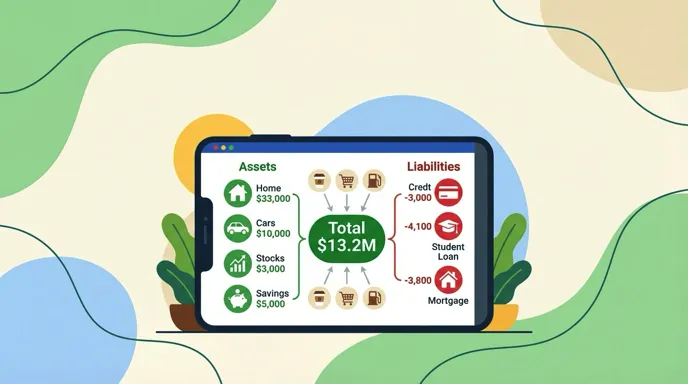
Tracking your expenses should be the easiest part of managing money. Yet most people give up within a few weeks because their app makes it feel like data entry.
The best expense tracker apps in 2026 solve this by removing friction. Some use AI to log transactions from a photo or voice command. Others connect to your bank and do everything automatically. A few are designed for travelers who deal with multiple currencies daily.
We tested eight popular options and compared them on what actually matters: how fast you can log an expense, what it costs, whether it works offline, and how it handles different currencies. If you want a broader take on money management tools, check out our guide to the best money tracker app in 2026. If you manage money across several bank accounts and cards, our guide to the best apps to track spending across multiple accounts is also worth a look.
How We Evaluated These Apps
Every app on this list was tested on real daily spending over at least two weeks. We focused on:
- Input speed: How many taps or seconds to log a purchase
- AI capabilities: Text, voice, receipt scanning, and how accurate each method is
- Offline reliability: Can you track expenses on an airplane or in a foreign country with no signal
- Multi-currency support: Does it handle multiple currencies natively or force conversions
- Pricing fairness: What you actually get at each price tier
- Privacy: Whether you need to hand over bank credentials
For tips on choosing between AI and manual approaches, see our comparison of AI expense tracking vs. manual methods. If importing credit card statements is important to you, see our list of the best expense trackers that import credit card transactions. For a narrower focus on spending-only trackers, see our best spending tracker apps in 2026 roundup.
Quick Comparison Table
| App | Price | AI Input | Offline | Multi-Currency | Bank Connection Required | Receipt Scanning |
|---|---|---|---|---|---|---|
| Finny | a low monthly price | Text, voice, photo, chat | Yes | 150+ currencies | No | Up to 5 photos |
| YNAB | $14.99/mo | No | No | Yes | Yes | No |
| Monarch Money | $14.99/mo | No | No | Limited | Yes | No |
| Copilot | $13/mo | Limited | No | Yes | Yes | Yes |
| PocketGuard | $12.99/mo | No | No | No | Yes | No |
| Goodbudget | Free/$10/mo | No | Partial | No | No | No |
| DailyBean | Free/$1.67/mo | No | Yes | No | No | No |
| Buddy | Free/$9.99/mo | No | Yes | Yes | Optional | No |
The Best Expense Tracker Apps in 2026
Finny: Best Overall Expense Tracker
Finny is built around one idea: logging an expense should take less time than the purchase itself. It delivers on that promise better than anything else we tested.
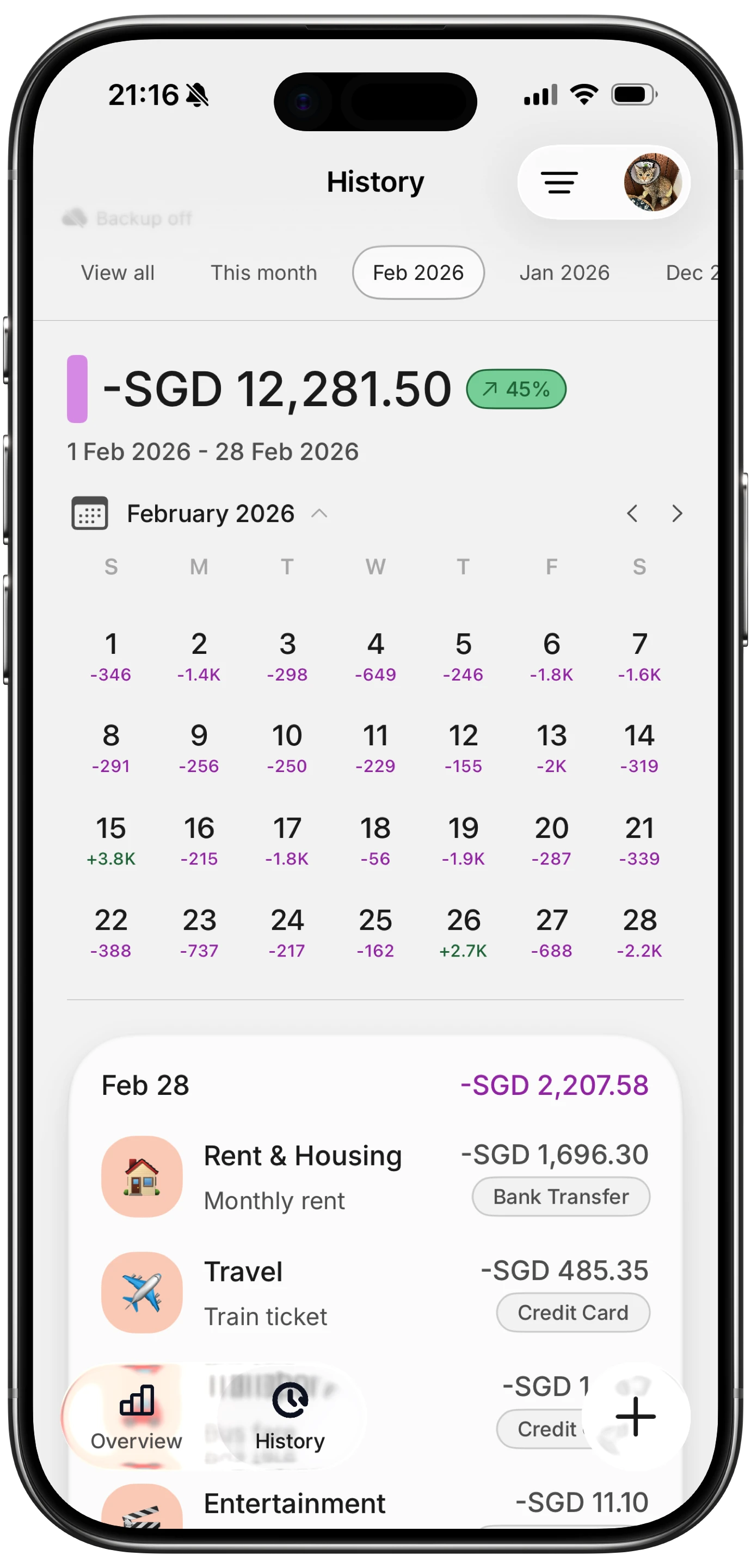
The standout feature is Tap to Track, which instantly captures every Apple Pay transaction the moment it happens. You pay for your coffee, and the expense appears in Finny before you put your phone away. No other finance app makes tracking feel this effortless.

AI input goes beyond basic receipt scanning. You can type "lunch 14.50 with coworkers," dictate it by voice, scan up to five receipt photos at once, import statement screenshots, or just chat with the AI to log transactions. The app handles 50 AI requests per day, which is more than enough for even the most active spenders.
Multi-currency support deserves special mention. Finny's Unified Currency View keeps every transaction in its original currency while converting totals to your default. Travelers and digital nomads will appreciate not losing the context of what they actually paid. For a deeper look at this feature, read our multi-currency expense tracking guide.
The app works fully offline, syncs via Apple Sign-In when you have a connection, and never requires a bank login. At a low monthly or yearly price, it costs a fraction of what competitors charge.
Pricing: a low monthly or yearly price
Best for: Anyone who wants fast, AI-powered tracking without bank connections or high subscription fees.
YNAB: Best for Zero-Based Budgeting
YNAB (You Need a Budget) has been the gold standard for zero-based budgeting since 2004. Every dollar gets assigned a job before you spend it. The method works well for people who want total control over where their money goes.
The app syncs with your bank accounts to import transactions, then asks you to categorize and assign each one to a budget category. The educational resources and community are excellent. YNAB genuinely teaches people how to budget, not just track.
The downside is the price. At $14.99/month ($109/year), YNAB is one of the most expensive personal finance apps available. There is no free tier after the 34-day trial. It also lacks AI input, so every transaction needs manual review even when it imports automatically.
YNAB requires an internet connection and does not work offline. Multi-currency support exists but requires manual rate adjustments.
Pricing: $14.99/month or $109/year
Best for: Budgeting purists who want a proven zero-based system and are willing to pay for it.
Monarch Money: Best for Household Financial Planning
Monarch Money replaced Mint as the go-to comprehensive financial dashboard. It connects to your bank accounts, credit cards, loans, and investments to give you a complete picture of your finances.
The interface is clean and modern. Budgets, net worth tracking, and investment monitoring all live in one place. Collaborative features let couples and families manage money together with shared dashboards.
At $14.99/month ($99.99/year), Monarch is a premium product with no free tier. You get a 7-day trial. The app depends entirely on bank sync, meaning it cannot function without internet and requires you to share financial credentials. There is no AI input for manual expense logging, and multi-currency support is limited.
Pricing: $14.99/month or $99.99/year
Best for: Households that want a full financial dashboard with bank connections and shared access.
Copilot: Best Design for Bank-Linked Tracking
Copilot is an iOS-exclusive finance app with arguably the best visual design in the category. Transactions import automatically from linked accounts, and the categorization system learns your preferences over time.
The app has added some AI features and receipt scanning, though these feel secondary to its core bank-sync experience. Monthly snapshots and spending insights are well-designed and genuinely useful for understanding spending patterns.
At $13/month ($95/year), Copilot sits in the premium tier. It requires bank connections to function fully, which means no offline capability and potential privacy concerns. The app is Apple-only with no Android or web version.
Pricing: $13/month or $95/year
Best for: iOS users who want a beautifully designed bank-linked tracker.
PocketGuard: Best for "How Much Can I Spend" Simplicity
PocketGuard's signature feature is its "In My Pocket" calculation, which shows how much disposable income you have after accounting for bills, goals, and necessities. It is simple and effective for people who just want to know one number.
The free version connects up to two bank accounts. PocketGuard Plus ($12.99/month or $74.99/year) unlocks unlimited connections, debt payoff planning, and advanced categorization.
The app requires bank connections and does not work offline. There is no AI input, no receipt scanning, and no multi-currency support. It is designed for a specific use case and handles it well, but lacks versatility.
Pricing: Free tier available; Plus at $12.99/month or $74.99/year
Best for: People who want a simple answer to "how much can I spend today."
Goodbudget: Best Free Envelope Budgeting
Goodbudget brings the classic envelope budgeting method to your phone. You allocate income into digital envelopes (categories) and spend from them until they are empty. It is a proven method for controlling overspending.
The free tier includes 20 envelopes, one account, and sync across two devices. Premium ($10/month or $80/year) adds unlimited envelopes, five accounts, and seven years of history.
Goodbudget is entirely manual. No bank sync, no AI, no receipt scanning. This is intentional: the act of manually entering expenses builds awareness. However, it means more friction and a higher chance of forgetting transactions. There is no multi-currency support.
Pricing: Free tier available; Premium at $10/month or $80/year
Best for: Budget-conscious users who prefer the envelope method and manual entry.
DailyBean: Best for Visual Habit Tracking
DailyBean takes a different approach by combining mood and habit tracking with basic expense logging. The calendar-based interface uses visual markers to show your daily patterns.
The app is simple, free, and works offline. Premium ($19.99/year) adds themes and customization. However, DailyBean is primarily a journaling app, not a dedicated expense tracker. It lacks AI input, receipt scanning, multi-currency support, and detailed financial reports.
Pricing: Free; Premium at $19.99/year
Best for: Users who want lightweight expense tracking combined with daily journaling.
Buddy: Best for Shared Budget Planning
Buddy focuses on collaborative budgeting. You can invite partners, roommates, or family members to shared budgets and sync transactions between everyone. The interface is colorful and approachable.
The free version handles basic tracking. Premium ($9.99/month or $49.99/year) unlocks bank connections, advanced insights, and unlimited categories. The app supports multiple currencies and works across iOS and Android.
Buddy lacks AI input and receipt scanning. The bank connection feature is optional, which is nice, but manual entry without AI assistance can be slow.
Pricing: Free tier available; Premium at $9.99/month or $49.99/year
Best for: Couples and roommates who want shared budgets with a friendly interface.
How to Choose the Right Expense Tracker
Your ideal app depends on four factors.
How much friction can you tolerate? If you want zero effort, bank-linked apps like Monarch or Copilot import everything automatically. If you want control without the tedium, Finny's AI input and Tap to Track hit the middle ground. If you believe manual entry builds discipline, Goodbudget is your pick.
What is your budget for a budget app? Finny costs a low monthly price. YNAB, Monarch, and Copilot cost $13-15/month. That is a meaningful difference, especially when you are trying to save money. Goodbudget and DailyBean have usable free tiers.
Do you travel or earn in multiple currencies? Most apps on this list either do not support multiple currencies or force everything into one. Finny preserves original currencies while giving you unified totals, which is the approach that makes the most sense for travelers and expats.
Can you actually read the charts? Nearly every finance app separates income from expense with red and green, which is the exact pair that the most common form of color vision deficiency compresses. If that affects you, our guide to choosing a budget app when you are colorblind covers a two-minute grayscale test worth running before you subscribe to anything.
For more on tracking expenses without an internet connection, see our guide to offline expense tracking.
Why AI Input Changes Everything
The biggest shift in expense tracking over the past two years has been AI-powered input. Instead of tapping through category dropdowns and typing amounts, you can now snap a photo, speak a sentence, or type a quick note.
Finny leads this category with five distinct AI input methods: text, voice, receipt photos (up to five at once), statement screenshot import, and conversational chat. No other app on this list matches that breadth.
This matters because the best expense tracker is the one you actually use. If logging takes 30 seconds instead of 2 minutes, you will do it consistently. And consistency is what separates people who understand their spending from people who just guess. For a focused look at apps that handle the logging automatically, see our roundup of the best automatic expense trackers in 2026.
Learn more about how AI is changing expense tracking in our AI expense tracking deep dive.
Frequently Asked Questions
What is the best free expense tracker app in 2026?
Goodbudget offers the most complete free experience for envelope-style budgeting. Finny provides AI-powered tracking with a generous free tier and premium features at just a low monthly price, making it the best value overall. For a deeper comparison of no-cost options, see our guide to the best free expense tracker apps in 2026.
Do I need to connect my bank account to track expenses?
No. Apps like Finny, Goodbudget, and Buddy work without bank connections. Finny uses AI input and Apple Pay automation to reduce the friction of manual entry while keeping your banking credentials private.
Which expense tracker works best offline?
Finny is built offline-first, meaning all core features work without an internet connection. DailyBean and Buddy also offer offline functionality. Bank-linked apps like YNAB, Monarch, and Copilot require internet to function.
Is YNAB worth the price in 2026?
YNAB is excellent for zero-based budgeting, but at $14.99/month it is the most expensive option on this list. If you want budgeting methodology and education, it delivers. If you primarily need expense tracking, Finny offers more input flexibility at roughly one-seventh the cost.
Start Tracking Smarter
The best expense tracker is the one that fits into your life without friction. For most people in 2026, that means AI-powered input, offline reliability, and a price that does not cancel out your savings.
Download Finny and see why Tap to Track and AI-powered input are making traditional expense tracking feel outdated.