
Best Free Business Expense Tracker Apps for Freelancers 2026
Search "free business expense tracker" and most of what ranks is built for finance teams at mid-size companies, not the solo designer invoicing two clients or the rideshare driver logging Tuesday's gas. Those tools call themselves free, then cap you at three receipts, gate the tax report behind a paid plan, or quietly monetize your bank data.
This guide is scoped differently. It is written for freelancers, side-hustlers, and 1099 workers who need to separate business spending from personal, hold onto receipts for the IRS, and see a profit number at year-end without paying for enterprise features they will never use. We cover what the free business expense tracker category actually delivers in 2026, where the tradeoffs hide, and which app fits which kind of solo work. For a broader consumer angle, see our best free expense tracker apps for 2026 roundup.
Is there a truly free business expense tracker in 2026?
Yes, but with asterisks. A handful of apps offer genuinely free tiers that a solo freelancer can live on indefinitely, and they split into three camps.
The first is full-stack free, where the core product costs nothing because the vendor monetizes adjacent services. Wave is the clearest example: accounting, expense categorization, and invoicing cost zero because Wave earns on payment processing and payroll. Stride is similar, free because it routes users to health insurance marketplaces.
The second camp is capped-free, where the app is free up to a limit. Expensify gives you 25 receipt scans per month and then starts charging per scan. Zoho Expense is free for up to three users but keeps advanced workflows and integrations behind the paid tiers.
The third camp is free-trial-dressed-as-free. QuickBooks Solopreneur shows up in many "free expense tracker" listicles but is a 30-day trial that requires a credit card up front and costs roughly $20 per month after. That is a paid product, not a free one.
Before picking any of these, decide what "free" means to you. If it means never paying a cent, you want camp one. If it means paying only when you grow past a threshold, camp two works. If you need features a free plan simply cannot offer, such as unlimited receipt OCR and mileage auto-tracking in one app, budgeting $2 to $10 per month often beats stitching three free tools together.
What free tiers typically give you versus take away
Free business expense trackers are strategic products. The vendor is giving up revenue on the free tier for a reason, and it pays to understand which reason applies.

Finny app's screenshot import feature
Here is what the free tier usually includes across the category:
- Manual expense entry with categories
- Basic income and expense reports
- A dashboard with spending by category
- CSV or spreadsheet export of your transactions
- Mobile app access on iOS and Android
Here is what usually gets held back or capped:
- Receipt scanning with OCR, often capped at 5 to 25 scans per month
- Automatic bank and credit card sync, gated behind a paid plan
- Mileage auto-tracking with GPS, limited to a certain number of trips
- Multi-user access for a bookkeeper or accountant
- Advanced tax reports, including Schedule C categorization and mileage logs formatted for the IRS
- Integrations with TurboTax, H&R Block, or accounting software
- Priority support and live chat
There is a fourth thing to watch that vendors do not advertise: data handling. Some free apps connect to your bank through aggregators like Plaid or MX and anonymize spending patterns for analytics partners. Others sell aggregated demographic data to advertisers. Read the privacy policy before granting bank credentials to any free tool, especially if your business spending includes client names, legal work, or medical expenses. Apps that skip bank connections entirely and store data locally tend to be cleaner on this front.
Best free business expense tracker apps for freelancers 2026
| App | Free transaction limit | Receipt scan free? | Bank sync free? | Export free? | Best for |
|---|---|---|---|---|---|
| Wave | Unlimited | No (add-on $8/mo on Pro) | No (Pro only) | Yes, CSV and PDF | Freelancers needing invoicing plus bookkeeping |
| Zoho Expense | Unlimited, up to 3 users | Yes, with 5GB storage | No | Yes | Solopreneurs already inside Zoho ecosystem |
| Expensify | Unlimited manual, 25 SmartScans/mo | 25 scans/mo, then $0.20 each | Limited | Yes | Consultants with low-volume receipt needs |
| Stride | Unlimited | Yes, unlimited | No, manual only | Yes | Rideshare, delivery, and gig workers |
| QuickBooks Solopreneur | 30-day trial only | Paid only | Paid only | Paid only | Not a free option in 2026 |
| Finny | Unlimited manual | Pro only, a low monthly price | Not offered | Yes, CSV | Privacy-first solo workers who want AI on-demand |
Wave
Wave is the closest thing to a fully free bookkeeping platform for freelancers in 2026. The Starter plan covers unlimited invoicing, unlimited expense tracking, double-entry accounting, and profit-and-loss reports at no cost forever. There is no trial clock and no seat cap for a solo user.
The tradeoffs show up at automation. Receipt scanning is an $8 per month add-on sold alongside the Pro plan, and automatic bank imports also require Pro at $19 per month. If you are willing to enter expenses manually and snap receipts into your phone's camera roll as backup, Wave's free tier handles everything a sole proprietor needs to file a Schedule C. Freelancers who already invoice clients will benefit most, since Wave's invoice and expense sides share a ledger.
Zoho Expense
Zoho Expense offers a permanent free plan that supports up to three users with 5GB of receipt storage, which makes it viable for a freelancer working with a virtual assistant and a bookkeeper. Receipt scanning is included on the free tier, as is multi-currency expense logging, which matters if you invoice international clients.
The cap is not transactions, it is features. Approval workflows, travel request management, direct feeds from corporate cards, and integration with accounting platforms like Xero or QuickBooks Online sit behind the Standard plan at around $4 per user per month. For a solo freelancer those features are overkill. The real advantage of Zoho Expense is if you already use Zoho CRM, Zoho Books, or Zoho Mail, in which case the data flows between products for free.
Expensify
Expensify's free personal tier lets you manually log unlimited expenses, but SmartScan OCR is capped at 25 receipts per month. Past that, each scan costs $0.20, which adds up fast if you run a receipt-heavy business like catering or photography. The Collect plan at $5 per month removes the cap.
For a consultant with a handful of business lunches and a couple of Uber rides per month, 25 scans is plenty. The app is also strong at emailing receipts: forward any confirmation to receipts@expensify.com and it extracts the amount, date, and vendor automatically. The limitation to understand is that Expensify was built for expense reporting against an employer, so the UX leans toward reimbursement workflows that solo freelancers do not need.
Stride
Stride is genuinely free with no upsell on the core product, because the company earns commissions when users shop for health or dental insurance through the benefits tab. For a freelancer who drives for work, that is an unusually honest tradeoff.
The app focuses on two things: automatic GPS mileage tracking with unlimited trips, and expense logging with receipt photos. It generates an IRS-ready mileage log and a simple expense report at tax time. What it does not do is invoicing, bank sync, or detailed category splits. Stride is purpose-built for rideshare drivers, delivery couriers, visiting nurses, and anyone whose biggest deductible is the car. If that describes your work, it is the most frictionless free option on the market.
QuickBooks Solopreneur (not a free tier)
Worth addressing because it dominates "free expense tracker" search results and misleads readers. QuickBooks Solopreneur, formerly QuickBooks Self-Employed, offers a 30-day free trial that requires a credit card and auto-converts to a paid plan at roughly $20 per month. There is no permanent free tier. If you want the Solopreneur features, which include automatic mileage tracking, estimated quarterly tax calculations, and TurboTax integration, budget for it. Do not expect a free version to appear.
Finny
Finny's free tier gives freelancers unlimited manual expense tracking, custom business and personal categories, charts and spending analytics, CSV export, and support for 150 plus currencies. There are no transaction caps, no bank connections required, and data stays local on your device. That last point matters for solo workers who handle client data or operate under NDAs.
Be honest about what Finny free does not include: AI receipt scanning, voice and text parsing of expenses, and the Tap to Track Shortcut that auto-logs Apple Pay transactions sit on the Pro tier at a low monthly price. That is cheaper than Copilot, YNAB, or Monarch, but it is still a paid tier. If your workflow is quiet and manual, stay free. If you find yourself dreading end-of-month receipt entry, Pro usually pays for itself in time saved.
Free versus paid: when paying $1 to $10 per month saves money
A free expense tracker is only free if it costs you nothing else. For some freelancers, the hidden cost of a free tool is hours at tax time or deductions they forget to claim.
Work the math on your own situation. If you spend three hours every quarter reconciling manual entries against bank statements, and your billable rate is $50 per hour, that is $600 per year of lost time. A paid expense tracker that cuts reconciliation to 30 minutes per quarter saves roughly $500 annually, which makes a $5 per month subscription obviously worth it.
The second hidden cost is missed deductions. The IRS allows freelancers to deduct a long list of ordinary and necessary business expenses, including home office, software subscriptions, mileage, phone bills, and continuing education. When receipts live in a desk drawer or a phone camera roll, half of them do not make it onto the Schedule C. A tracker with receipt scanning and category auto-tagging typically lifts claimed deductions by 10 to 20 percent, which at a 22 percent effective tax rate can mean hundreds to thousands in lower taxes. If documentation is your weak point, our roundup of accounting software with OCR receipt scanning covers tools that read receipt images automatically.
The third is audit protection. If the IRS asks for substantiation on a $4,000 equipment deduction, a tracker with dated receipt images is the difference between a five-minute reply and a weekend reconstructing history.
Paying is not always right. If you log fewer than 15 expenses per month, claim mostly mileage, and already keep clean bank statements, a free tier like Wave or Stride handles the job. If you log 50 plus receipts a month across multiple clients and categories, the math usually favors a paid plan under $10 per month.
For a deeper look at paid-only options, our guide to the best business expense tracker apps covers the full landscape. For a mobile-specific workflow, our sibling post on self-employed expense tracker apps for iPhone walks through tax-ready setup.
How to choose a free business expense tracker
Run your shortlist through this checklist before you commit, since switching trackers mid-year is painful once receipts are scattered across two apps.
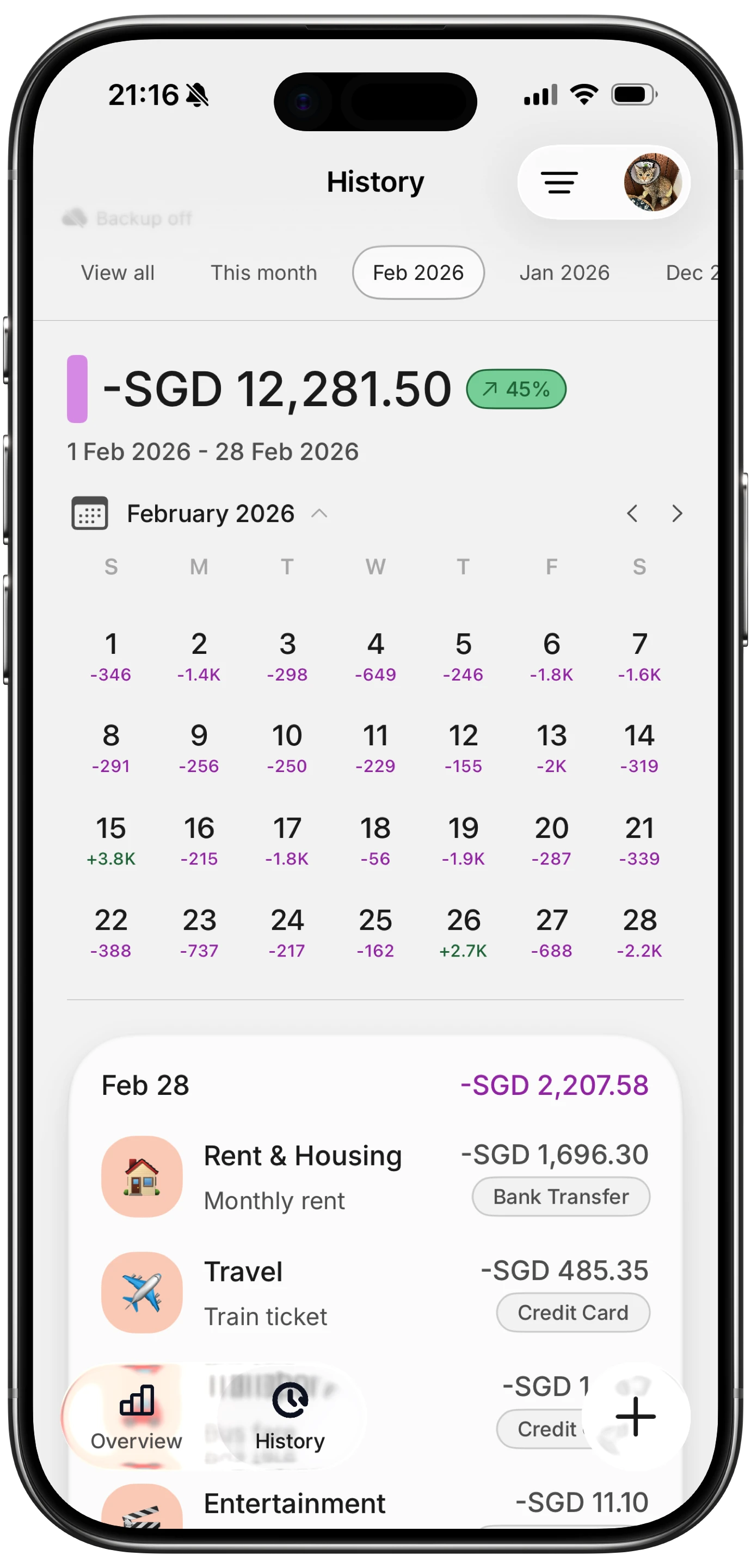
Finny app's History calendar feature
- Receipt volume: Count your monthly business receipts. Under 10, any free tier works. 10 to 25, Expensify or Zoho Expense fit. Over 25, budget for a paid plan or use Finny Pro at a low monthly price.
- Mileage need: If driving is a primary deductible, Stride's unlimited auto-tracking is hard to beat. Apps without GPS mileage will cost you deductions.
- Invoicing overlap: If you also bill clients, Wave combines invoicing and expense tracking in one free product. Otherwise skip it.
- Bank connection preference: If you want automatic transaction import, expect to pay, since free tiers rarely include bank sync. If you prefer manual entry for privacy, apps like Finny or Goodbudget skip the aggregator entirely.
- Export format: Confirm the free tier includes CSV or PDF export. A tracker that locks your data inside is not free, it is a hostage situation.
- Tax-ready reports: Look for Schedule C categories, mileage logs formatted for the IRS, and quarterly estimated tax helpers. Missing these means extra work in April.
- Data ownership: Read the privacy policy. If the app monetizes anonymized spending data, factor that into your comfort level. Locally stored, bank-disconnected apps skip this concern.
- Upgrade path: Check the paid tier price. A $4 per month upgrade is one thing. A $20 per month jump after you outgrow free is another.
For freelancers who specifically want to avoid bank logins, our roundup of expense trackers with no bank login covers privacy-first options.
Frequently Asked Questions
What is the best free business expense tracker for freelancers in 2026?
It depends on your work. Wave is best for freelancers who invoice clients and want free bookkeeping alongside expense tracking. Stride is best for rideshare and delivery drivers because of unlimited free mileage auto-tracking. Zoho Expense fits solopreneurs with light receipt needs and multi-currency clients. Expensify works for consultants under 25 receipts per month. Finny's free tier is strongest for privacy-first freelancers who want manual tracking without bank connections.
Are free business expense trackers actually free or do they sell my data?
It varies. Wave, Zoho Expense, and Stride are transparent about their business models, earning revenue on payment processing, ecosystem upsells, and insurance referrals respectively. Some free expense apps monetize anonymized spending data through advertising partners, especially those that require bank aggregator connections. Read the privacy policy before linking accounts. Apps that store data locally and skip bank sync cannot sell what they do not collect.
Can I use a free expense tracker for my Schedule C taxes?
Yes, if the app supports CSV export and lets you categorize expenses using standard business categories. Wave, Zoho Expense, Stride, and Finny all export tax-ready data that imports into TurboTax, H&R Block, or hands cleanly to a CPA. The free tier limitation is usually not the data itself but features like automatic bank import that save you reconciliation time.
Is QuickBooks Self-Employed free?
No. QuickBooks Solopreneur, which replaced QuickBooks Self-Employed, offers a 30-day free trial that requires a credit card and auto-converts to a paid plan starting around $20 per month. There is no permanent free tier. If you see it listed as free, the article is likely outdated or conflating the trial with a real free plan.
What is the best free expense tracker app for freelancers who don't want to link their bank?
Finny, Goodbudget, and Stride all allow full expense tracking without bank connections. Finny adds AI input and multi-currency support on the paid tier. Goodbudget follows the envelope method for budgeting alongside tracking. Stride is specialized for mileage and gig-worker deductions. If privacy is the priority, these three avoid Plaid, MX, and other aggregators entirely.
Ready to track business expenses without linking your bank?
Finny offers a free tier with unlimited manual expense tracking, custom categories, and CSV export. Pro costs a low monthly price if you want AI-assisted logging and receipt scanning.