
Self-Employed Expense Tracker for iPhone: 2026 Guide
Tax Day tends to hit 1099 workers twice. First when the bill arrives, and again when you realize the $9 office supply run in August, the $42 coworking day pass in October, and roughly 300 miles of client driving never made it into any system. By April, those receipts live in a shoebox, three different email folders, and the trunk of your car.
This guide is for freelancers, independent contractors, gig workers, and solopreneurs who file a Schedule C and want a self employed expense tracker that actually fits on an iPhone. We will cover what separates a 1099 expense tracker from a generic spending app, compare the top tools in 2026, and show a lightweight Apple Shortcuts workflow that keeps business and personal purchases apart year-round. For a closely related read, see our explainer on W-2 vs 1099 income and taxes.
This is not tax advice; consult a CPA for anything specific to your situation.
What a Self-Employed Expense Tracker Actually Needs to Do
A general expense app asks, "How much did you spend on groceries this month?" A self-employed tracker has to answer a different question: "Which of these purchases are deductible, and under which Schedule C line item?"
At minimum, a 1099 expense tracker should handle five jobs:
- Schedule C category mapping. The IRS Schedule C form has about 20 named expense lines: advertising, car and truck, contract labor, insurance, legal and professional, office expense, rent, repairs, supplies, taxes and licenses, travel, meals (50% deductible in 2026), utilities, and so on. Your app should let you tag a purchase with one of those categories, not just "Food" or "Shopping."
- Mileage tracking. The 2026 IRS standard mileage rate is 72.5 cents per mile. Over a year, a contractor who drives 8,000 business miles is looking at a $5,800 deduction. A GPS-based auto-tracker or a manual mileage log is non-negotiable. Our guide on how to track mileage and fuel expenses for work covers both the standard rate and the actual expense method in detail.
- Receipt capture. The IRS generally requires documentation for expenses, and receipts fade in a glove compartment. The tracker should scan, OCR, and attach receipts to transactions.
- Business vs personal separation. If you use one debit card or Apple Pay for everything, every imported transaction needs a quick "business or personal" tag before it becomes useful at tax time.
- Quarterly tax estimates. Self-employment tax is 15.3% on net earnings, plus income tax. A tracker that shows running profit and suggests quarterly payments prevents the April surprise. If your income swings from month to month, our guide on how to budget when your paycheck changes every month covers the planning side alongside the tax side.
Apps that do all five well tend to call themselves "for freelancers" or "for self-employed." Apps that skip even one of these are really consumer budgeting tools with a business coat of paint.
Why Generic Expense Trackers Fail 1099 Workers
Most top-rated budgeting apps are built for W-2 households. They categorize into "Food," "Entertainment," "Transportation," and "Shopping," which are useless come tax time because none of those map cleanly to a Schedule C line.
A W-2 employee does not deduct their laptop, their home internet, or a coffee with a client. A 1099 worker may deduct all three under different categories (office expense, utilities, meals at 50%). The default category list in Mint-style apps cannot tell the difference between a Target run for detergent and a Target run for printer paper and a client gift.
Generic apps also rarely separate business from personal at the transaction level. They assume every card is a personal card. Freelancers who commingle funds (a very common setup, especially before forming an LLC) end up reviewing thousands of transactions by hand at year-end.
Finally, generic trackers ignore mileage, because W-2 commuting is not deductible. For a rideshare driver, a real estate agent, or any contractor who travels to clients, missing mileage is often the single biggest tax loss.
Best Self-Employed Expense Trackers for iPhone in 2026
Here is how the main options stack up. Pricing and features verified April 2026.

Finny app's screenshot import feature
| App | Starting price | Mileage | Receipt scan | Schedule C tags | Best for |
|---|---|---|---|---|---|
| QuickBooks Solopreneur | $20/mo | Auto GPS | Yes | Yes | Ex-QBSE users |
| FreshBooks | $19/mo | Manual | Yes | Partial | Invoicing-heavy freelancers |
| Keeper | ~$20/mo | Via bank | Yes | AI tagged | Hands-off deduction finding |
| Everlance | Free or $5/mo | Auto GPS | Yes | Yes | Heavy drivers |
| Hurdlr | Free or $9.99/mo | Auto GPS | Yes | Yes | All-in-one automation |
| Stride | Free | Auto GPS | Basic | Basic | Gig workers on a budget |
| Finny | Free or a low monthly price | Not native | Yes (batch) | Custom | Lightweight iPhone-only setups |
QuickBooks Solopreneur
QuickBooks Self-Employed, for years the default answer for 1099 workers, is no longer sold to new customers. Intuit has replaced it with QuickBooks Solopreneur, and existing QBSE subscribers are being migrated over. The Solopreneur tier runs $20 per month (with frequent promotional discounts) and includes automatic GPS mileage tracking, bank connections, business versus personal transaction tagging, basic invoicing, and Schedule C category mapping.
The strength is integration with TurboTax and the depth of the reporting. The weakness is that the app has been in a multi-year transition, and community forums still show migration glitches. If you already rely on QBSE, stay put or migrate carefully. If you are starting fresh, the price has roughly doubled versus the old QBSE base plan.
FreshBooks
FreshBooks is primarily an invoicing platform with expense tracking bolted on. The Lite plan starts at $19 per month and supports up to five billable clients, unlimited invoices, receipt photo capture, and basic expense logging. Mileage is manual rather than automatic.
This is a strong pick if you send a lot of invoices, collect online payments, and need time tracking. It is overkill if you mostly need a ledger to hand a CPA in April.
Keeper
Keeper takes a different angle: it connects to your bank and credit card accounts and uses AI to flag which transactions look like deductions. The "Only Deductions" plan runs around $20 per month, and full tax filing plans start at $99 per year. Keeper claims up to 18 months of transaction scanning to recover missed write-offs.
The trade-off is control. You hand your bank credentials to a third party and trust the AI plus a human reviewer to catch things. For hands-off freelancers with simple finances, that is a feature. For anyone who prefers not to link accounts, it is a dealbreaker.
Everlance
Everlance started as a mileage app and grew into a fuller expense tracker. The free tier includes 30 auto-detected trips per month. Premium is $5 per month (sometimes listed higher depending on billing cycle) and unlocks unlimited auto-tracking, bank sync, expense tagging, and IRS-compliant mileage reports.
Everlance is the strongest pick if driving is a material part of your work: rideshare, delivery, real estate, sales, or in-home services. The expense side is solid but less deep than Hurdlr.
Hurdlr
Hurdlr is the most direct QuickBooks Self-Employed replacement. The free tier handles expense, income, and semi-automatic mileage tracking. Premium is $9.99 per month or $99.99 per year and adds auto-mileage, auto-expense import from 9,500+ banks, real-time tax estimates, and integrations with Uber, Stripe, Square, PayPal, and FreshBooks.
Hurdlr is a good match for gig workers and freelancers who want one app to cover everything: mileage, cards, invoices from platforms, and quarterly tax math. It is denser than Everlance and cheaper than Solopreneur.
Stride
Stride is fully free. The business model is insurance referrals, not subscriptions. It offers automatic GPS mileage, basic expense categorization with receipt attachment, and IRS-ready export to TurboTax or a CPA. There is no bank sync and no tax estimate engine.
For a side hustler, DoorDash driver, or part-time freelancer whose deductions mostly come from mileage and a handful of supplies, Stride is hard to beat at $0.
Finny
Finny is a lightweight iPhone expense tracker that leans on Apple Shortcuts and receipt scanning rather than bank sync. Free tier includes unlimited manual tracking, custom categories (so you can name them after Schedule C lines), and charts. Pro costs a low monthly price and adds batch receipt scanning, AI text and voice input, and unlimited Shortcuts automations.
Finny is not an accounting platform. It is a fast, private ledger for people who want to tag a coffee as "Meals 50%" in two taps, scan five receipts at once from the photo library, and export a clean CSV to their CPA. It pairs well with Stride or Everlance for mileage, or with a spreadsheet for quarterly estimates.
Using Apple Shortcuts to Separate Business from Personal
One underrated advantage of iPhone-first tracking is Apple Shortcuts. If your expense app supports a Shortcuts action (Finny does; most of the web-first apps above do not), you can automate the tagging decision at the moment of purchase instead of reviewing a CSV in March.
A simple setup:
- Create a "Log Business Expense" Shortcut. Ask for amount, a short note, and a category from a pre-filled list (Advertising, Car and Truck, Meals 50%, Office Expense, Supplies, Travel, Utilities, Other). Save the transaction with a "Business" tag.
- Create a matching "Log Personal" Shortcut. Same flow, tagged "Personal."
- Add both to your Lock Screen or a Home Screen widget. One tap after checkout, five seconds to log.
- Optional: trigger via NFC tag. Stick an NFC tag inside your work bag or on your laptop. Tap, log, done.
For Apple Pay purchases, you can pair this with the automation pattern in our guide to setting up Apple Pay expense tracking so transactions get captured automatically and tagged at the source rather than reconciled later.
The point is not the specific app. The point is that adding a 5-second tagging step at purchase time eliminates 5 hours of April reconciliation. Any tracker that supports Shortcuts can do this; most traditional accounting apps cannot.
What Counts as a 1099 Deduction (IRS Categories, Briefly)
Again, not tax advice. But here is a simplified map of what the main Schedule C categories cover, so your tagging choices actually match what a CPA will use:
- Advertising: ads, marketing tools, business cards, sponsorships.
- Car and Truck: standard mileage at 72.5 cents per mile in 2026, or actual expenses (gas, insurance, maintenance, depreciation). Pick one method and stick with it.
- Commissions and Fees: platform fees (Upwork, Fiverr, Stripe, PayPal).
- Contract Labor: payments to subcontractors. If you pay anyone $600 or more in a year, you generally issue them a 1099-NEC.
- Insurance: business liability, E&O, workers comp (not personal health, which is a separate adjustment).
- Legal and Professional Services: CPA, attorney, bookkeeper.
- Office Expense: paper, pens, small office items under a threshold.
- Rent: coworking, studio space, equipment rental.
- Repairs and Maintenance: fixing business equipment.
- Supplies: materials consumed in your work.
- Taxes and Licenses: business licenses, permits.
- Travel: out-of-town trips for business (lodging, airfare, 100% of travel meals for overnight trips is complicated; most meals are 50%).
- Meals: 50% deductible in 2026. Keep the business purpose and attendee names on the receipt.
- Utilities: business internet and phone portions.
- Home Office: simplified method is $5 per square foot, up to 300 square feet, capped at $1,500 per year.
Tag purchases to these categories all year and your year-end export practically fills in Schedule C by itself. For a deeper look at how 1099 taxes work alongside expenses, our W-2 vs 1099 guide walks through self-employment tax math.
How to Keep Business and Personal Expenses Separate on iPhone
Commingled accounts are the single biggest source of pain for 1099 filers. You do not need an LLC to fix this, but you do need habits.
Step 1: Open a second checking account. Any free business or personal checking account will do. Route all 1099 income into it. Pay all business expenses from it.
Step 2: Use one dedicated card for business purchases. A debit card from that account, or a separate credit card used only for business. The point is to make the import clean.
Step 3: Set a default in your tracker. Configure your expense app so the business card defaults to "Business" and everything else defaults to "Personal." That removes 80% of the tagging work.
Step 4: Review once a week, not once a year. Fifteen minutes every Sunday to tag the leftovers is manageable. Fifteen hours in April is not.
Step 5: Export a CSV every quarter. Hand it to your CPA or plug it into your quarterly tax estimate. If something looks off, you catch it in May, not the following March.
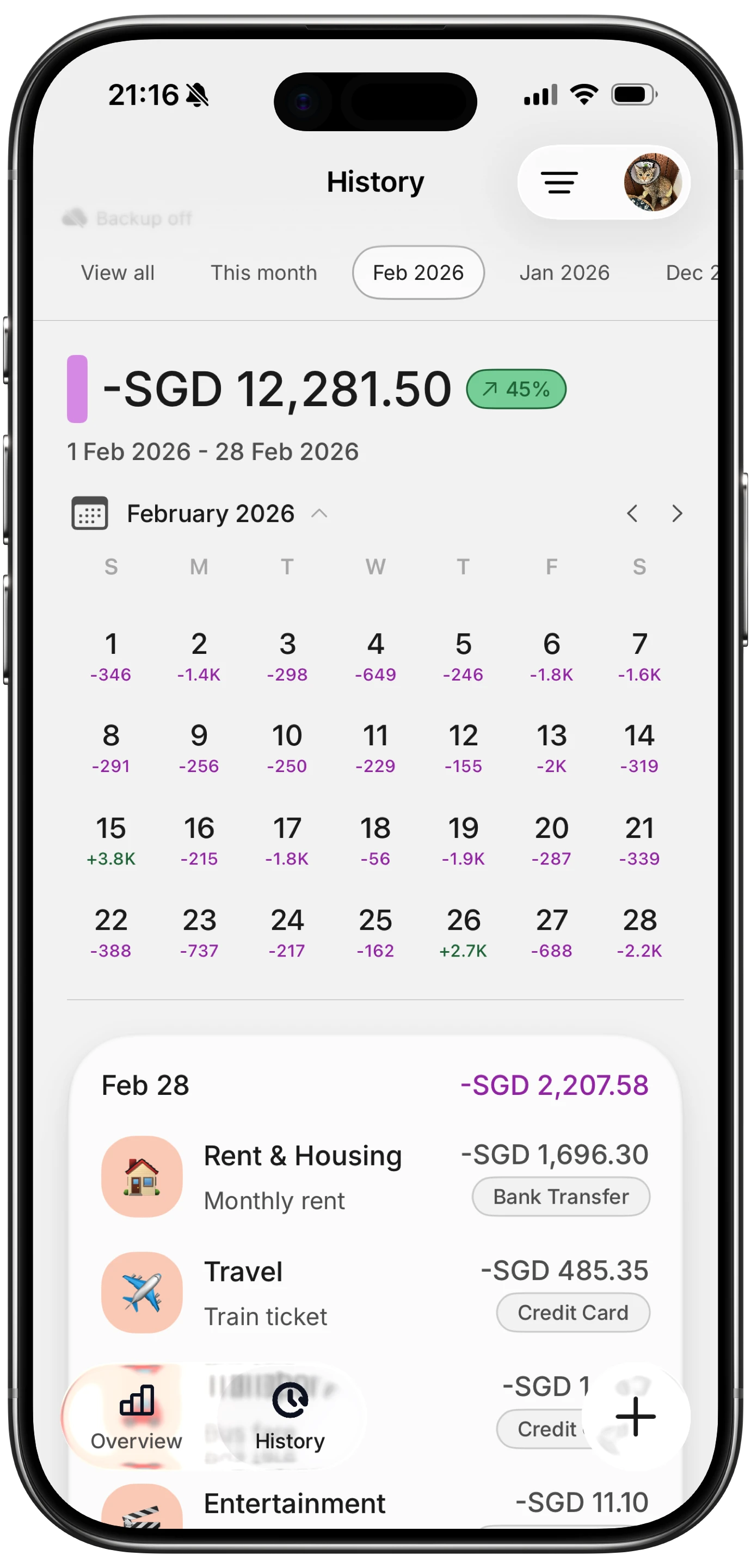
Finny app's History calendar feature
This separation also protects you in an audit. The IRS is less interested in your category than in your ability to prove the expense was business-related. A clean card statement plus a scanned receipt is usually enough. A single commingled card with handwritten guesses is not.
For a broader look at receipt workflows, see the best receipt scanner apps for 2026.
The Bottom Line
There is no single best self employed expense tracker for every 1099 worker. The right pick depends on your mix:
- Drive a lot for work: Everlance or Stride, plus a separate expense app.
- Send a lot of invoices: FreshBooks.
- Want a one-stop QBSE replacement: Hurdlr at $9.99 per month or QuickBooks Solopreneur at $20 per month.
- Want AI to find deductions from your bank history: Keeper.
- Want to avoid bank connections and keep everything on iPhone: Finny plus Stride for mileage.
The common thread is not the app. It is the habit: tag every purchase in the moment, keep business and personal apart at the account level, and export quarterly. Any of the tools above will work if you do that. None will save you if you do not.
Frequently Asked Questions
Is QuickBooks Self-Employed still available in 2026?
QuickBooks Self-Employed is no longer sold to new customers. Intuit transitioned the product to QuickBooks Solopreneur starting in 2024 and has been migrating existing QBSE subscribers over. If you are already on QBSE, you can generally continue using it or move to Solopreneur with most of your data (customers, transactions, trips, receipts) transferred automatically. If you are a new user, Solopreneur at $20 per month is the current Intuit offering for 1099 workers. Migration has not been perfectly smooth, so back up your data before switching.
What is the best free 1099 expense tracker?
Stride is the strongest fully free option in 2026. It includes automatic GPS mileage, basic expense categorization, receipt attachments, and IRS-ready exports, with no paid tier. Hurdlr and Everlance also offer free tiers with limits (fewer auto-tracked trips, no bank sync). Finny's free tier covers unlimited manual tracking, custom categories, and charts, which is enough for freelancers with low transaction volume who want to keep data off third-party servers.
How do I categorize expenses for Schedule C?
Match each purchase to one of the named lines on Schedule C: Advertising, Car and Truck, Contract Labor, Insurance, Legal and Professional, Office Expense, Rent, Repairs, Supplies, Taxes and Licenses, Travel, Meals (50%), Utilities, or Other. Most self-employed apps have these categories built in; a general tracker will not. The cleanest approach is to tag at purchase time using custom categories named after Schedule C lines, then export a CSV at year-end that mirrors the form.
Do I need to track mileage as a 1099 worker?
Only if you drive for business, but if you do, yes. The 2026 IRS standard mileage rate is 72.5 cents per mile. At 5,000 business miles per year, that is a $3,625 deduction. You must log the date, miles, and business purpose of each trip. Apps with automatic GPS tracking (Everlance, Stride, Hurdlr, Solopreneur) remove the manual work. You can also use the actual expense method (gas, insurance, depreciation), but most solo filers pick the standard rate for simplicity.
How does a self-employed expense tracker help with quarterly taxes?
Self-employed workers generally owe quarterly estimated tax payments to the IRS in April, June, September, and January. A good tracker calculates running net income (income minus expenses) and applies a rough rate, typically 25% to 30% once you include self-employment tax and federal income tax, to suggest a quarterly payment. Hurdlr and Solopreneur do this natively. If your tracker does not, export a quarterly profit figure and plug it into IRS Form 1040-ES or ask your CPA.
Want a lightweight way to log 1099 expenses on iPhone?
Finny offers batch receipt scanning, Apple Shortcuts for one-tap business-versus-personal tagging, and custom categories you can name after Schedule C lines. No bank connections required, offline-first, and a low monthly price for Pro. Pair it with your favorite mileage app and a CPA, and April gets a lot quieter.





