Free QR Code Generator
Custom styles, your own logo, no signup. Static codes that never expire, and a scan test on every design before you download.
The code holds this link itself, so it works forever, even if this site disappears.
Quick styles
Dots
Corner frame
Corner center
Turn off to color the corner squares separately.
PNG and SVG only. JPG and PDF get white.
Every change gets a scan test, right here in your browser.
Made in your browser. Nothing is uploaded, including your logo.
Built by Finny, the AI money manager. Free, no signup, and your codes never expire.
Your code updates as you edit
Why QR codes stop working
Most QR code websites make dynamic codes unless you dig into the settings. A dynamic code doesn’t hold your link. It holds a short link on the provider’s server, and that server forwards each scan to you. It works fine until the free trial ends or a payment lapses. Then the provider switches off the forwarding, and every menu, flyer and sticker you printed leads to an error page at the same moment.
A static code stores the link itself in the pattern. A phone reads it straight from the code, with no server in the middle and nothing to switch off. Every code this generator makes is static, so it works for as long as your link does. If a code of yours already died, here is why your QR code stopped working and how to fix it.
How to make a QR code you can change later, for free
The one real advantage of a dynamic code is that you can change where it goes after printing. You can get that without paying anyone:
- Pick a link on a website you own, such as yoursite.com/menu.
- Set that link to redirect to wherever the code should go today.
- Make your QR code for that link here and print it.
- When the destination changes, update the redirect. Every printed code follows it.
Most website builders and hosts have a redirects setting. The code never depends on a QR company, so there is no subscription to keep alive.
Tips for printing QR codes that scan
- Go big enough. At least 1.2 inches (3 cm) wide up close, and about one inch per 10 inches of scanning distance for signs.
- Keep contrast high. Dark code on a light background scans best. Light codes on dark backgrounds fail in some camera apps.
- Leave a blank border. Text or artwork pressed against the edges confuses scanners, so keep a clear margin around the code.
- Use SVG for print. It stays sharp at any size, which matters for posters and packaging.
- Test before you print a batch. Scan the final file with two different phones, ideally one iPhone and one Android.
Frequently asked questions
Is this QR code generator really free?
Yes. There is no signup, no trial, no watermark and no limit on downloads. You can use every style, frame and logo option, and download as many codes as you like in PNG, JPG, SVG or PDF.
Do these QR codes expire?
No. These are static QR codes: your link is stored in the pattern itself, so a phone reads it straight from the code. No server sits between the scan and your link, which means there is nothing anyone can switch off. The code keeps working for as long as the link it points to works.
Why did my old QR code stop working?
Many QR code websites make dynamic codes by default. The pattern holds a short link on their server, which then forwards people to your real link. When the free trial ends or a subscription lapses, they turn off the forwarding and every printed copy stops working at once. A static code from this generator can't be turned off, because it never depends on anyone's server.
Can I change where a QR code goes after I print it?
Not the code itself, but you can get the same result for free. Point the code at a link on a website you control, such as yoursite.com/menu, then set that page to redirect wherever you want. When the destination changes, update the redirect and every printed code follows it. Most website builders and hosting providers support redirects.
Do you track my scans or store my codes?
No. Your code is made entirely in your browser, and nothing you type or upload is sent to us, including your logo. If you want scan counts, add UTM parameters to your link and you will see the visits in your own analytics.
Can I use these QR codes for my business?
Yes. You can use them on products, packaging, menus, flyers, business cards and ads, with no attribution required.
Will adding a logo stop my QR code from working?
Not if it stays a sensible size. QR codes have built-in error correction that can rebuild up to 30% of the pattern. When you add a logo, this generator switches to the highest correction level, caps the logo size, and runs a scan test on the result so you know before you print.
What size should I print a QR code?
Make it at least 1.2 inches (3 cm) wide for anything scanned up close, like a business card or a table tent. For signs, a good rule is one inch of code for every 10 inches of scanning distance, so a poster read from 10 feet away needs a code about 12 inches wide.
Which file format should I download?
PNG works for websites, documents and most printing, and it supports a transparent background. SVG is a vector file that stays sharp at any size, which print shops and designers prefer. JPG is for platforms that don't accept PNG. PDF is handy for sending straight to a printer.
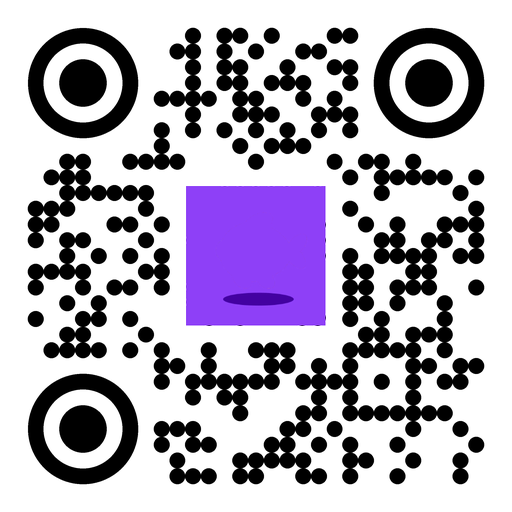

We built this after our own QR code got switched off
Our homepage code is static now too. Scan it to try Finny, the AI money manager that logs your spending for you, with no bank connection needed.
