You printed the menus, the flyers or the product labels, and they worked fine for a week or two. Then someone scans one and lands on a page asking you to upgrade. Nothing is wrong with the print. The code was switched off on purpose.
If your QR code stopped working, the most likely reason is that it was never really yours. Most popular generators make dynamic codes by default, and a dynamic code is a subscription. This guide explains how that works, how to fix a dead code, and how to make one that can't expire. It is the same kind of recurring charge we cover in our guide to subscription creep, just better hidden.
Why your QR code stopped working
A QR code is just a pattern that stores a piece of text, usually a link. The question is which link.
A static QR code stores your real link, such as yourbakery.com/menu. A phone reads the pattern and goes straight there. No company sits in the middle, so there is nothing to turn off.
A dynamic QR code stores a short link on the generator's own server instead. When someone scans it, that server looks up where you wanted people to go and forwards them. The extra hop is what lets you edit the destination later and count scans. It is also what lets the provider shut the code off.
And they do. QR Code Generator Pro states that dynamic codes made during its 14-day free trial are deactivated when the trial ends, and that you reactivate them by upgrading, according to its help article on deactivated codes. QRFY says the same about its 7-day trial: once deactivated, the codes "will no longer function and will lead to a service page," per QRFY's deactivation FAQ.
So the pattern on your flyer is fine. The redirect behind it was paused, usually because a trial ended or a card on file stopped being charged.
Static vs dynamic QR codes: what you actually got
Most people never choose between the two. The generator picks dynamic, the code looks identical either way, and the difference only shows up when the bill does. Here is how they compare.
| Static QR code | Dynamic QR code | |
|---|---|---|
| What the pattern stores | Your real link | A short link on the provider's server |
| Needs the provider to keep working | No | Yes |
| Can be switched off | No | Yes, when a trial or plan ends |
| Change the destination after printing | No (see the free workaround below) | Yes |
| Scan counts | Use your own analytics | Built in |
| Typical cost | Free | Paid plans, often $10 to $20 a month |
The quick way to tell which one you have: scan it with your phone camera and read the link it previews before you tap. If it shows your own website, it is static. If it shows the generator's domain or a random short link, it is dynamic, and it depends on that company.
Static codes also have a limit worth knowing. A static code works only as long as the link inside it does. If you redesign your website and the old page disappears, the code leads to a 404. That is a website problem, not a QR problem, and it is fixable with a redirect on your own site.
Your QR code is a subscription you didn't know you started
This is where a QR code stops being a design question and becomes a money one. A dynamic code is a recurring charge with an unusual twist: canceling it doesn't just stop the service, it breaks everything you already printed. That makes it very hard to quit, which is the point.
Paid plans commonly land around $10 to $20 a month, and some entry plans include only a couple of dynamic codes. For a café with one menu code, that can mean well over $100 a year to keep a single link alive. For a small business with codes on packaging, the real cost is leverage: once thousands of labels are printed, paying feels cheaper than reprinting.
If you already pay for a QR plan, treat it like any other subscription. Write down what it costs, when it renews and which printed items depend on it, then decide on purpose rather than by default. Our 20-minute subscription audit walks through exactly that process.
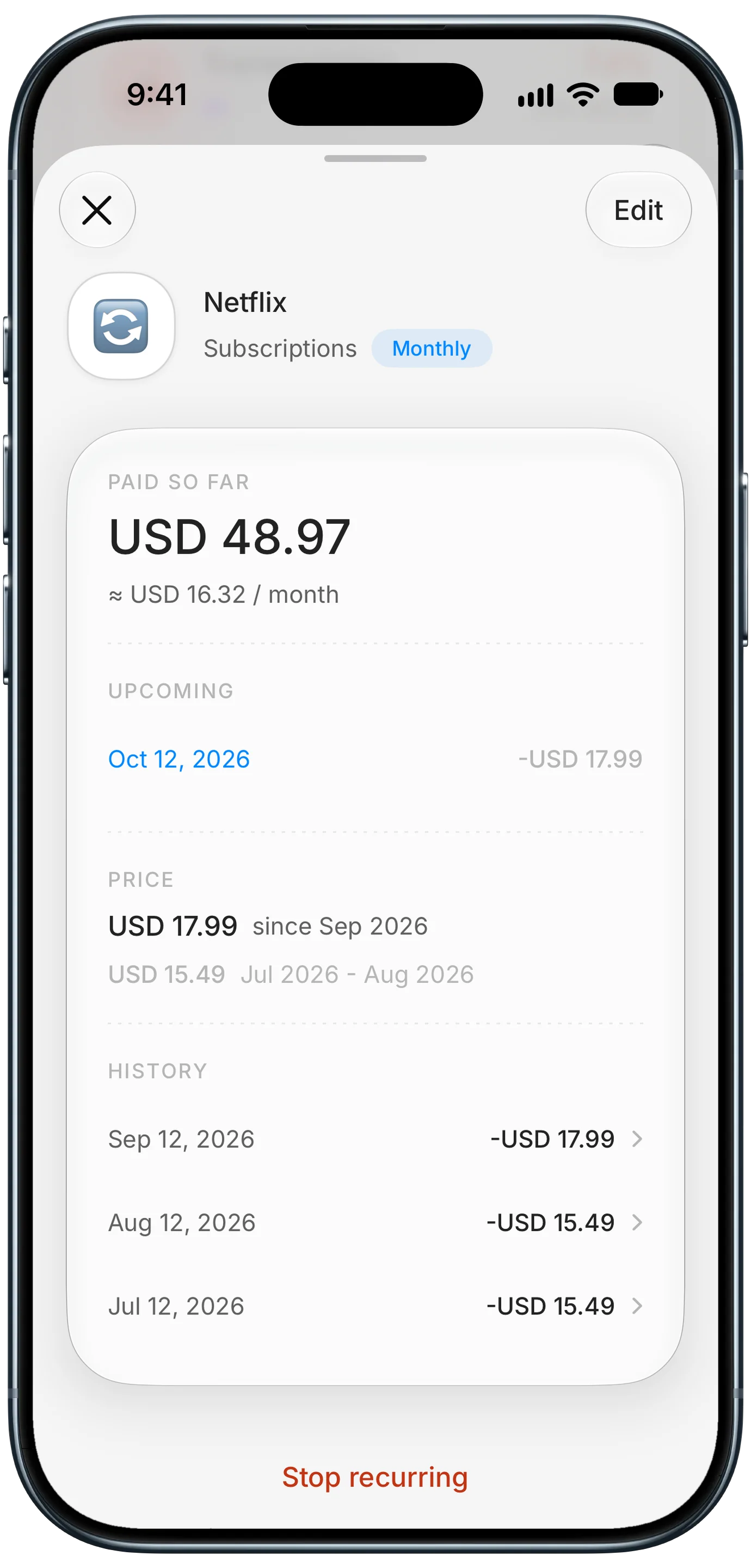
Finny app's subscription price history feature
Logging the plan as a recurring expense shows what you have paid so far, the date of the next charge and any price change, so a renewal never arrives as a surprise. If the plan is a business cost, keep it with your other work expenses; see our guide to tracking business expenses and income on iPhone.
Charges like these are easiest to catch when card payments get logged as you make them. This short video shows how Finny's Tap to Track does that without a bank connection:
How to fix a QR code that stopped working
You have two real options, and which one is right depends on how much is already printed.
- Confirm it is dynamic. Scan the code and check the link. If it points to a QR company's domain, the redirect was paused. If it points to your own site, the problem is the page itself, so check that the link still loads.
- Decide whether to reactivate. Providers generally restore deactivated codes once you upgrade, and the printed code starts working again unchanged. This makes sense when reprinting would cost more than the plan, for example packaging already in stores.
- Or replace it with a static code. For menus, flyers, signs and business cards, reprinting is usually cheaper than a year of fees. Make a static code for your real link, test it, and swap it in.
- Cancel deliberately. If you move to static codes, cancel the plan, and remove the card on file so a forgotten renewal can't restart it.
- Test before printing anything. Scan the final file with two different phones, ideally an iPhone and an Android, before you send it to a printer.
You can't move a dynamic code to another provider, because the short link inside it belongs to the company that made it. Any fix that avoids paying them means a new code.
Other reasons a QR code is not working
A switched-off redirect is the most common cause of a code that worked yesterday and fails today, but it is not the only one. If your code is static, or reactivating didn't help, check these in order.
The destination link broke. A redesigned website, a renamed page or a deleted file leaves the code pointing at a 404. Open the link yourself. If it fails, fix the page or add a redirect from the old address on your own site, and every printed code works again without reprinting.
The print is damaged or too small. Fading, scratches, creases, glare from laminate and codes printed under about 1.2 inches (3 cm) wide all make scanning unreliable. Reprint at a larger size on a matte surface.
The colors fight the camera. Light codes on dark backgrounds, pale gray on white, and busy photos behind the pattern confuse many camera apps. Dark on light with strong contrast always scans best.
A scan limit was reached. Some free dynamic plans cap scans per month or in total and then stop redirecting. Static codes have no scan limit at all.
How to make a QR code that never expires, for free
A static code is the answer, and it costs nothing. We built a free QR code generator after our own homepage code was switched off by a provider while we were making demo videos.
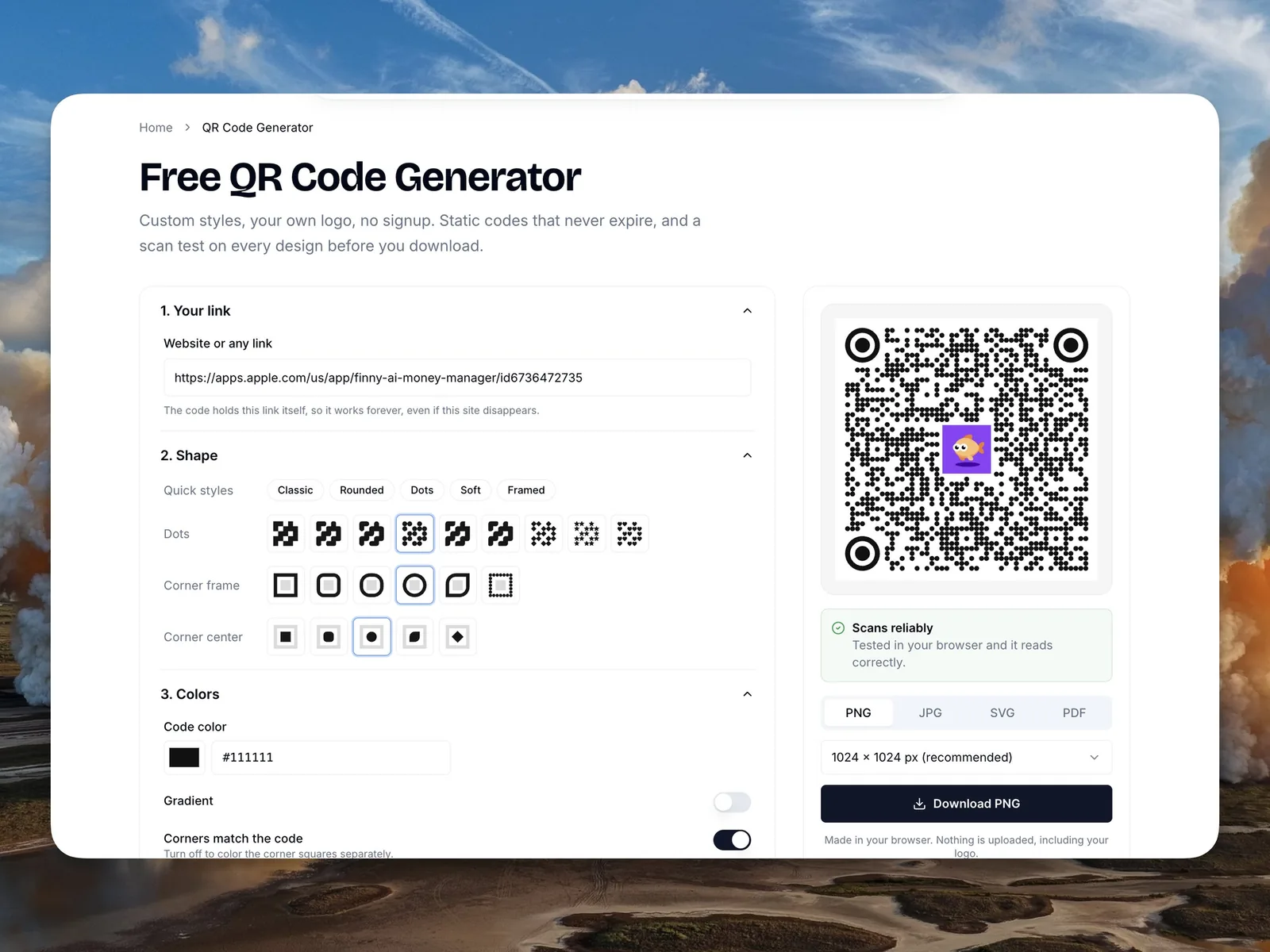
Finny's free QR code generator, with a scan test before every download
It makes static codes only, so there is no server between the scan and your link and nothing anyone can switch off. You can still customize it: dot and corner shapes, colors, a frame with your own call to action, and your logo. It also runs a scan test on every design before you download, which most free tools skip.
The one thing a static code can't do is change destination after printing. You can get that ability without a subscription:
- Pick a link on a website you own, such as
yoursite.com/menu. - Set that link to redirect to wherever the code should go today. Most website builders and hosts have a redirects setting.
- Make a static QR code for
yoursite.com/menuand print it. - When the destination changes, update the redirect. Every printed code follows it.
This is exactly what we did for our own code. It points to a short link on our domain, and we can change where it goes at any time. The code depends on our website, which we were going to keep running anyway, instead of a QR company's billing system.
When paying for dynamic QR codes is worth it
Dynamic codes are not a scam in themselves. They are a real service with real uses, and paying for one can be the right call if you go in with your eyes open.
They make sense when you need detailed scan analytics across many codes, such as scans by city or device for a marketing campaign, and you don't want to set up your own website analytics. They suit teams managing hundreds of codes, where one dashboard to edit destinations saves real time. And they can be worth it when codes go on expensive, long-lived print runs whose destination will change often, and you have no website of your own to host a redirect.
For most people, though, the honest test is simple. If you have one or a few codes, you own a website, and you only need people to reach a page, a static code does the job for free, forever. Paying monthly for something you could own outright is the same trap as any subscription you forgot about. Whatever you choose, know which kind of code you are printing before it goes on a thousand flyers.
Common Questions About QR Codes That Stop Working
Do QR codes expire?
The pattern itself never expires. A static QR code works for as long as the link inside it does, with no time limit and no account needed. A dynamic QR code depends on the provider's redirect, so it stops working if the free trial ends, a subscription lapses, or a scan limit is reached. When people say a QR code expired, it was almost always a dynamic code that got switched off.
How long do QR codes last?
A static QR code lasts indefinitely. A code printed today will still scan in 10 years as long as the link it holds still loads and the print stays readable. A dynamic code lasts only as long as you keep paying the provider, or until a free plan's time or scan limit runs out. For anything printed in quantity, static is the safer choice.
Can you reactivate an old QR code?
Yes, if it is a dynamic code and you pay. Providers generally restore deactivated codes when you upgrade, and the printed code starts working again without changes. There is no free way to revive the same code, because its short link belongs to the provider. The free route is to make a new static code for your real link and replace the old one.
Is there a QR code generator that is actually free?
Yes. Any generator that makes static codes is free in the way that matters: the code holds your link directly, never expires and never needs an account. Before you download, check that the preview link is your own address rather than the tool's domain, and that no signup or trial is required. Our free QR code generator works this way, with custom styles and logos included.
Do free QR codes have scan limits?
Static QR codes have no scan limit, no matter which tool made them, because nothing tracks or counts the scans. Limits apply to dynamic codes on free plans, which often cap scans per month or in total, or stop working after a set number of days. If a free tool requires an account to download your code, assume it is dynamic and check its plan terms before printing.
Know what you are paying for every month. Finny tracks recurring charges on every card, with a reminder before each one renews and no bank connection. Free to start, Pro at a low monthly price.