
If you earn in dollars but spend in euros on vacation, pay rent in pounds while freelancing in baht, or simply travel enough to juggle three or four currencies a month, you already know that most expense trackers were not designed for your life. They either convert everything to one currency on entry (destroying the original amounts) or keep separate ledgers per currency with no unified view.
The best multi-currency expense tracking apps bridge that gap. They preserve what you actually paid in local currency while rolling totals into your home currency automatically. Sounds straightforward, but execution varies wildly across apps.
We tested six popular options and compared them on the features that matter most for multi-currency users: number of supported currencies, exchange rate accuracy, offline reliability, and pricing. If you want a broader overview of expense trackers regardless of currency needs, see our best expense tracker apps in 2026 roundup.
What to Look for in a Multi-Currency Expense Tracker
If receipts are a large part of your foreign spending, our guide to multi-currency receipt scanning for travel covers the capture side in more detail.
Before diving into the apps, here is what separates a good multi-currency tracker from a frustrating one:
Original currency preservation. When you log 2,800 Thai baht for a hotel, the app should store that amount in baht permanently. If it silently converts to $78.40 on entry, you lose the context needed to evaluate whether that hotel was expensive by local standards.
Unified totals in your home currency. Preserving originals is only half the equation. You also need a single view that converts everything into one currency so your monthly spending total actually means something.
Reliable exchange rates. Apps pull rates from different sources at different intervals. Some update in real time, others once per day, and a few let you set custom rates. The best apps are transparent about their rate source and timing.
Offline capability. International travel and reliable internet do not always overlap. An app that requires a connection to log expenses is useless in a subway tunnel in Tokyo or a remote village in Laos.
Low friction input. Switching between currencies manually before every transaction is tedious. The best apps detect currency from context, location, or the transaction itself.
For a deeper guide on managing finances across borders, read our multi-currency expense tracker for digital nomads guide.
Multi-Currency Expense Tracking App Comparison
| App | Currencies | Preserves Originals | Unified Totals | Rate Updates | Offline | Price |
|---|---|---|---|---|---|---|
| Finny | 150+ | Yes | Yes | Real-time | Yes | a low monthly price |
| Wallet by BudgetBakers | 150+ | No (separate accounts) | Yes | Daily (overnight) | Partial | ~$2/mo |
| Spendee | 160+ | Partial (per wallet) | Yes | Auto | No | $2.99-$5.99/mo |
| Revolut | 30+ (business) | Yes | Yes | Real-time | No | Free-$99/mo |
| Wise | 40+ (hold) | Yes | Yes | Real-time | No | Free (fees per transfer) |
| Lunch Money | 160+ | Yes | Yes | Daily | No | $10/mo |
Best Multi-Currency Expense Tracking Apps in 2026
Wallet by BudgetBakers: Best for Long-Term Budgeting Across Currencies
Wallet by BudgetBakers handles multiple currencies by requiring you to create a separate account for each one. You add a EUR account, a USD account, a JPY account, and each tracks transactions in its native currency. The overview dashboard then converts everything into your primary currency for aggregated views.
This approach works well for expats who earn in one currency and spend in another on a predictable basis. You can set up standing budgets per account, track net worth across currencies, and generate reports that show spending by currency over time.
Exchange rates update automatically overnight, which means there can be a slight lag between the moment you log an expense and when the conversion reflects the latest rate. You can also override rates manually for individual transactions, which is useful if you exchanged cash at a different rate than the market rate.
The main limitation is friction. If you are traveling through three countries in a week, switching between accounts before every transaction adds steps that dedicated travel trackers eliminate. A single account cannot hold transactions in multiple currencies, which fragments your trip data across multiple views.
Pricing is approximately 22 EUR per year, with a 35 EUR lifetime option. Partial offline support lets you log expenses without a connection, but some features (including rate updates and syncing) require internet.
Best for: Expats and remote workers managing long-term multi-currency finances with detailed budgets.
Spendee: Best for Shared Multi-Currency Wallets
Spendee takes a wallet-based approach. You create separate wallets for each currency or trip, and transactions within each wallet stay in that wallet's currency. A global overview converts totals into your primary currency.
The app supports over 160 currencies and recalculates conversions automatically based on current rates. Shared wallets stand out as a feature for couples or travel partners: both users can log expenses to the same wallet and see combined totals in real time.
The free tier is surprisingly generous, offering one wallet and one budget. However, multi-currency use almost always requires multiple wallets, which means you need the Premium tier. Pricing ranges from approximately $2.99 to $5.99 per month depending on the plan, with an annual option that brings the cost down.
The main drawback for travelers is the lack of offline support. Spendee requires an internet connection for most core features. If you are in a country with patchy coverage, you may find yourself unable to log expenses when they happen, leading to forgotten transactions later.
Currency preservation is partial. If you accidentally log a yen transaction into your dollar wallet, it converts on entry and the original amount is lost. The app does not auto-detect currency, so selecting the correct wallet before each entry is essential.
Best for: Couples and travel partners who want shared wallets with multi-currency support.
Revolut: Best Banking-First Multi-Currency Solution
Revolut is a banking app first and an expense tracker second. Personal accounts support spending in 150+ currencies via the card, with transactions automatically logged in the currency you spent them in. Business accounts can hold balances in 30+ currencies and include dedicated expense management tools.
The strength here is that tracking happens automatically. Every card transaction appears in your feed with the original currency amount and the converted amount in your base currency. There is no manual entry step for card purchases, which eliminates the logging friction that plagues standalone trackers.
Revolut uses the interbank exchange rate (or close to it) during market hours, which is typically better than the rates other apps pull from public APIs. Weekend and after-hours transactions may carry a small markup.
The limitation is scope. Revolut only tracks transactions made through Revolut. Cash purchases, transactions on other cards, and payments through other platforms need to be tracked elsewhere. As a standalone expense tracker, it is incomplete. As a multi-currency spending card with built-in tracking, it is excellent.
Free personal accounts include basic currency exchange. Premium plans ($9.99 to $16.99/month) add higher exchange limits, travel insurance, and other perks. Business plans range from free to $99/month with full expense management.
Best for: Frequent travelers who want automatic transaction tracking through a multi-currency debit card.
Wise: Best for International Transfers with Expense Visibility
Wise (formerly TransferWise) is built around moving money across borders at the real exchange rate. The multi-currency account lets you hold and manage 40+ currencies, receive money with local bank details in 10 currencies, and spend via the Wise card in any supported currency.
Every transaction logged through the Wise card preserves the original currency and shows the conversion transparently. You can categorize spending and get notifications for each purchase, which helps with real-time tracking. The app also integrates with accounting tools like Xero and QuickBooks for users who need business-grade reconciliation.
Like Revolut, Wise only tracks its own transactions. If you pay cash or use a different card, those expenses are invisible to Wise. It also lacks dedicated budgeting or analytics tools, so you cannot set spending limits by category or generate the kind of reports that purpose-built trackers offer.
Wise is free to open and hold. Fees apply to currency conversions and transfers (typically 0.3% to 2% depending on the corridor). There is no monthly subscription for the personal account, making it one of the most cost-effective ways to spend in multiple currencies abroad.
Best for: Users who already use Wise for international transfers and want basic spending visibility across currencies.
Lunch Money: Best Web-Based Multi-Currency Tracker
Lunch Money is a web-first budgeting app that treats multi-currency as a core feature rather than an afterthought. It supports over 160 currencies, stores historical exchange rates for accurate past reporting, and automatically converts international transactions into your primary currency.
The standout detail is rate accuracy. Lunch Money pulls daily foreign exchange rates and stores the historical rate for each individual transaction. If you review a transaction from six months ago, it shows the conversion at the rate from that specific day, not today's rate. This makes Lunch Money particularly accurate for long-term financial tracking across currencies.
Crypto tracking is included alongside traditional currencies. If you hold Bitcoin or Ethereum, you can see your portfolio value converted into the same base currency as the rest of your finances.
The main drawback is pricing. At $10/month (with no free tier), Lunch Money costs significantly more than most personal expense trackers. It also lacks a native mobile app with offline support, relying instead on a progressive web app. For travelers who need to log expenses quickly on the go without internet, this is a real limitation.
Best for: Web-first users who want precise historical exchange rates and cryptocurrency tracking alongside traditional currencies.
Finny: Best for AI-Powered Multi-Currency Logging
Finny approaches multi-currency differently from the other apps on this list. Instead of requiring you to select a currency or wallet before logging, it uses AI to detect the currency from your input. Type "lunch 1500 yen," dictate "taxi 350 baht," or scan a receipt printed in Japanese, and the app extracts the amount in the correct currency automatically.
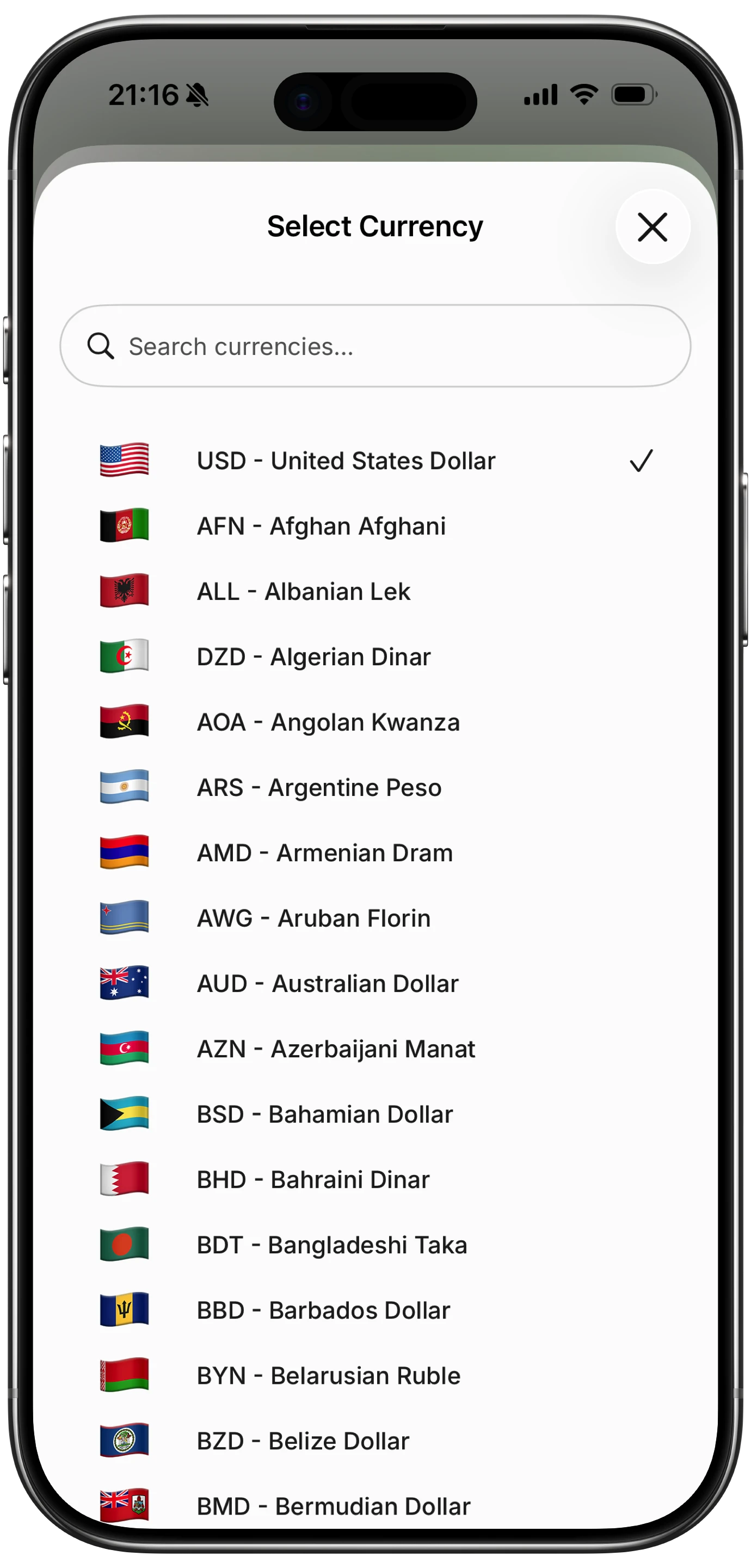
Finny app's multi-currency feature
Every transaction preserves its original currency permanently. Your history shows "1,500 JPY" and "350 THB" exactly as you spent them. The Unified Currency View then converts all totals into your default currency using current exchange rates, so your daily, weekly, and monthly summaries are always meaningful.
This feature is included in the standard plan, not gated behind an extra tier. Finny supports over 150 currencies with automatic rate updates. It also works fully offline: log expenses on a flight, at a market with no signal, or on a ferry between islands. Everything syncs when you reconnect.
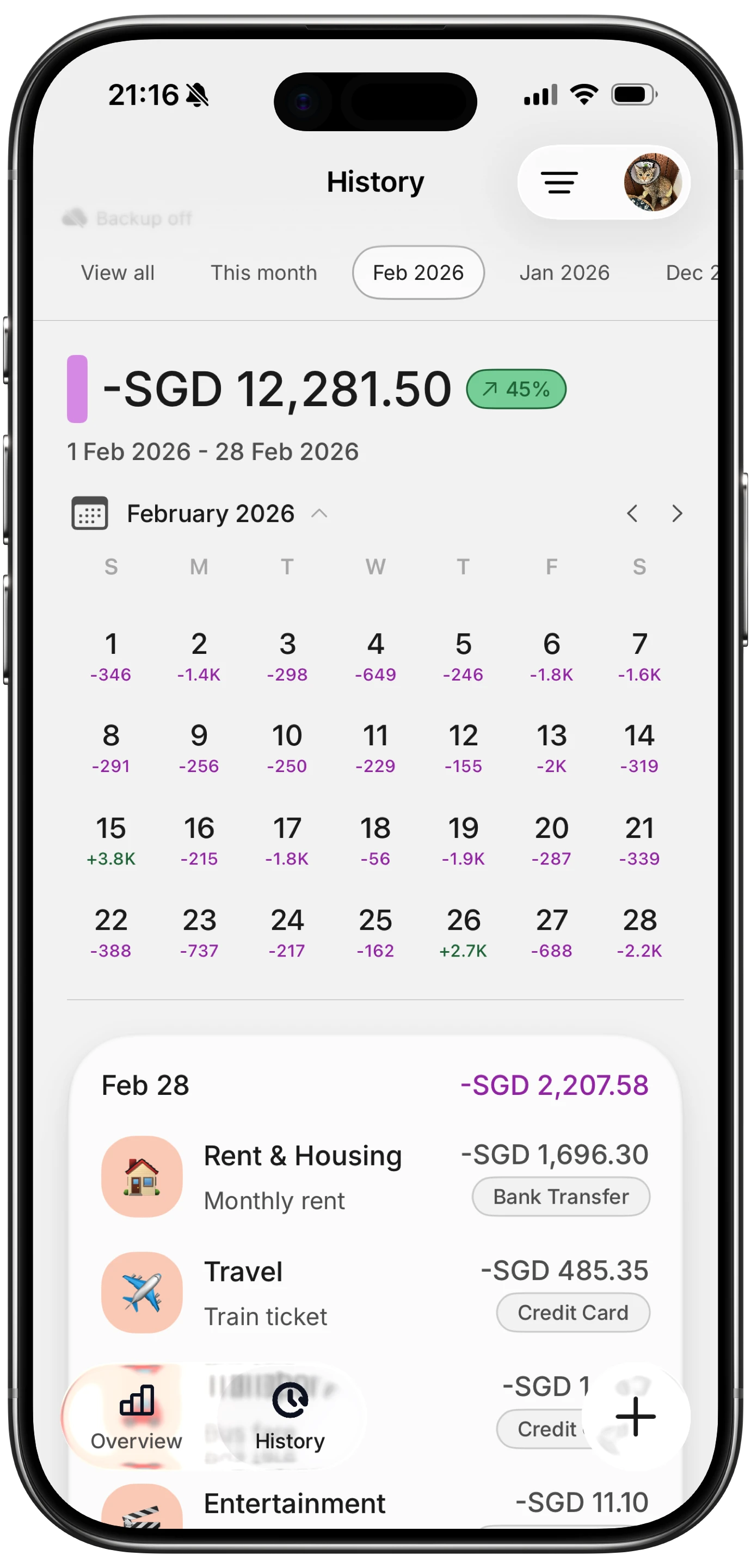
Finny app's History calendar feature
At a low monthly or yearly price, it is the least expensive option on this list that combines AI input, original currency preservation, unified totals, and offline support.
Best for: Travelers and digital nomads who want fast, AI-assisted logging across currencies with no wallet-switching.
For a deeper comparison of multi-currency tools built for location-independent workers, see our guide on tracking expenses in multiple currencies.
Banking Apps vs. Dedicated Trackers for Multi-Currency Use
Revolut and Wise are banking products with tracking features. Wallet, Spendee, Lunch Money, and Finny are tracking products that handle multiple currencies. The distinction matters.
Banking apps excel at automatic logging: every card transaction appears instantly with no manual entry. But they only see their own transactions. If you pay cash at a street market in Bangkok, withdraw from an ATM, or use a different card, that spending is invisible.
Dedicated trackers capture everything, regardless of payment method, but require some form of manual input (whether typing, voice, photo, or AI). The best ones minimize that friction to a few seconds per transaction.
If your spending is 90% through one multi-currency card, a banking app may be sufficient. If you use cash frequently, split spending across multiple cards, or want budgeting and analytics tools, a dedicated tracker is the better choice. Some users combine both: Revolut or Wise for the card and exchange rates, plus a dedicated tracker for the full picture.
For more context on choosing between approaches, see our overview of the best multi-currency expense tracker in 2026.
Tips for Tracking Expenses Across Currencies
Regardless of which app you choose, these habits will improve your multi-currency tracking:
Log at the point of purchase. Reconstructing foreign currency transactions from memory days later is unreliable. The amount in baht that felt right at the market will be a vague guess by evening. Log immediately or use a tool with automatic logging.
Keep the original currency amount. Always. You need it to evaluate whether prices were reasonable in local terms, to compare costs across trips to the same country, and to verify credit card statements.
Set a base currency and stick with it. Switching your home currency mid-trip creates confusion in your totals. Pick one and let the app handle conversions.
Photograph foreign receipts. Receipts in unfamiliar scripts are nearly impossible to decipher later. A photo preserves the information, and AI-powered receipt scanners can extract amounts from receipts in any language.
Review weekly, not just at trip end. Checking your converted totals once a week keeps you aware of spending trends before they become problems. Waiting until the trip ends means surprises with no time to adjust.
Frequently Asked Questions
How many currencies do multi-currency expense trackers support?
Most dedicated trackers support 150 to 160 currencies, which covers virtually every country. Banking apps like Revolut and Wise support fewer currencies for holding balances (30 to 40) but allow spending in more. For the average traveler visiting popular destinations, any app on this list will have the currencies you need.
Do multi-currency expense apps use real-time exchange rates?
It depends on the app. Revolut and Wise use close to real-time interbank rates for card transactions. Finny updates rates automatically throughout the day. Lunch Money and Wallet by BudgetBakers pull daily rates. The practical difference is small for expense tracking purposes, since you are recording what you spent, not trading currencies.
Can I track cash expenses in foreign currencies?
Banking apps like Revolut and Wise cannot track cash spending since they only see card transactions. Dedicated trackers like Finny, Spendee, Wallet, and Lunch Money all support manual entry in any currency. Finny's AI input lets you type or dictate cash expenses naturally (for example, "street food 80 baht") without navigating currency selectors.
Which multi-currency expense tracker works best offline?
Finny offers full offline support with cached exchange rates. Wallet by BudgetBakers has partial offline capability for logging transactions. Spendee, Revolut, Wise, and Lunch Money all require an internet connection for core features. If you travel to areas with unreliable connectivity, offline support should be a priority in your choice.
Is it better to use a banking app or a dedicated tracker for multi-currency expenses?
Banking apps automate tracking for card transactions but miss cash and other payment methods. Dedicated trackers capture everything but require some manual input. The best approach depends on how you spend. If nearly all purchases go through one card, a banking app is convenient. If you use cash, multiple cards, or want budgeting tools, a dedicated tracker gives you the complete picture. Many travelers use both: a multi-currency card for spending and a dedicated tracker for the full view.
Start Tracking Across Currencies
Managing expenses in multiple currencies does not need to involve spreadsheets, currency converter websites, or switching between three apps. The right tracker preserves your original amounts, converts your totals, and stays out of your way while you travel.
Download Finny to log expenses using AI, receipts, or text. No bank connections, offline support, and full control over your financial data.





