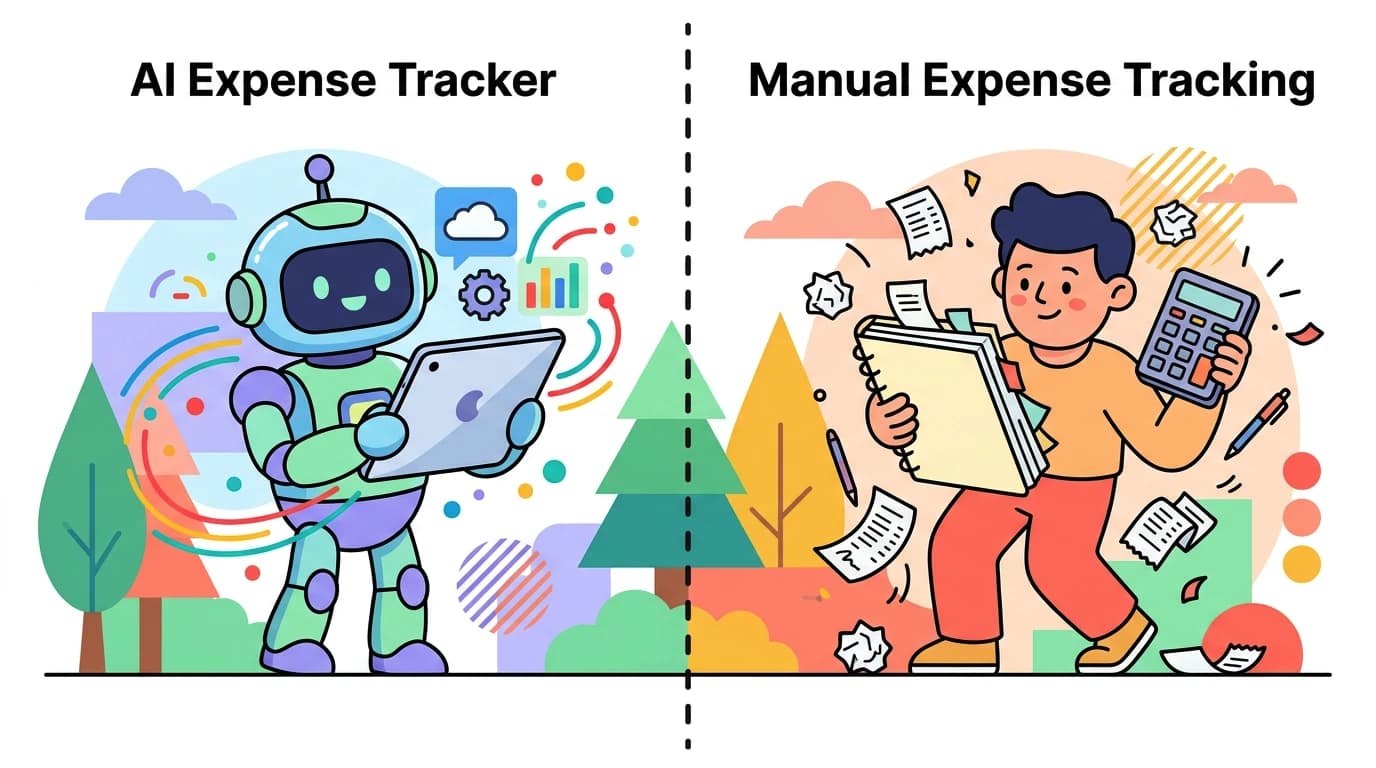
You bought coffee in Tokyo for 580 yen, paid for a coworking space in Bali with Indonesian rupiah, and your Notion subscription just renewed in US dollars. At the end of the month, you open your spreadsheet and realize you have no idea what you actually spent.
Tracking expenses in multiple currencies is one of the biggest pain points for digital nomads, frequent travelers, and expats. Most finance apps handle it poorly. They either force you to pick one currency and convert everything on entry, or they store transactions in original currencies but give you no unified view of your spending.
Finny takes a different approach. Every transaction stays in its original currency. Your totals auto-convert to your default. You never lose the real numbers, and you always know where you stand.
Why Multi-Currency Tracking Is Hard
The difficulty is not just about math. It is about losing context.
When you convert a 580 yen coffee to $3.82 USD at the time of entry, you lose the original amount. Three months later, you cannot remember what things actually cost in Japan. You cannot compare your Tokyo spending to your Bangkok spending in their local currencies. The data becomes less useful over time.
On the other hand, if you keep everything in original currencies without conversion, your monthly totals are meaningless. Adding 45,000 yen plus 3,500,000 rupiah plus $200 USD gives you nothing actionable.
For a deeper look at strategies and tools, see our ultimate guide to multi-currency management and our comparison of the best multi-currency expense tracking apps in 2026. Most people end up doing one of three things, all of which fail:
- They convert everything manually using a calculator app, which is tedious and error-prone.
- They track only in their home currency, losing the original amounts forever.
- They give up on tracking altogether while traveling.
For a broader overview of tracking approaches, see our guide on how to track expenses.
What Unified Currency View Actually Means
Finny's Unified Currency View solves this with a simple principle: store the original, display the total.
Here is how it works in practice. You log a transaction for 580 yen. Finny stores 580 JPY as the transaction amount. When you view your dashboard, Finny converts that amount to your default currency (say, USD) using current exchange rates, and adds it to your running total.
Spend in JPY, USD, SGD. Your totals always make sense.
The key difference from other apps is that the original amount is always preserved. You can look back at your Japan trip six months later and see exactly what you paid in yen. You can compare your weekly grocery spending in Bangkok (in Thai Baht) to your grocery spending in Lisbon (in Euros) without any conversion artifacts.
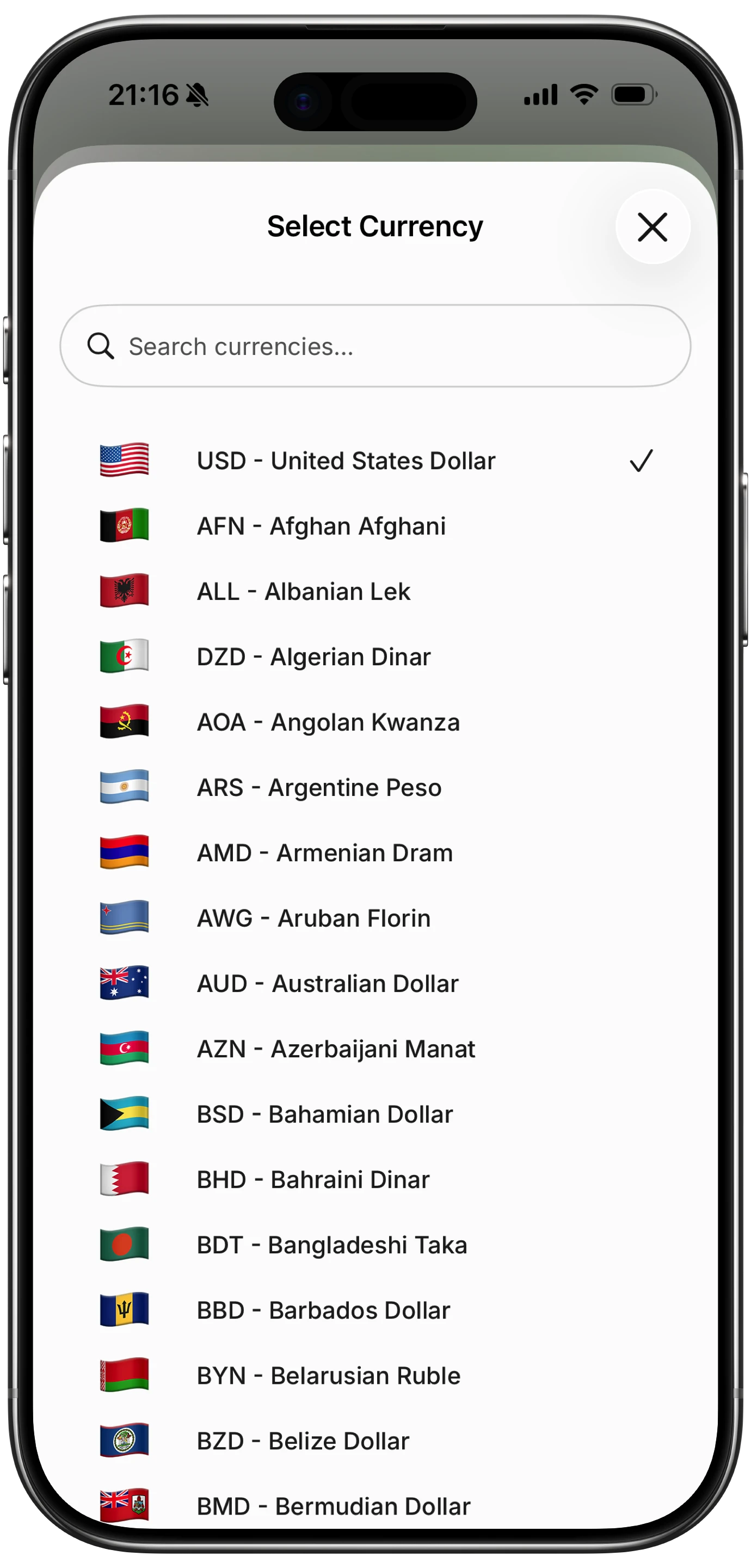
This is not a premium feature locked behind a paywall. Finny includes Unified Currency View for all users, with support for over 150 currencies.
Practical Scenarios for Multi-Currency Tracking
The Digital Nomad Month
Consider a typical month hopping between Southeast Asian countries:
| Expense | Amount | Currency | USD Equivalent |
|---|---|---|---|
| Coworking space, Bali | 2,500,000 | IDR | ~$155 |
| Apartment, Bali | 8,000,000 | IDR | ~$497 |
| Flight to Bangkok | 3,200 | THB | ~$90 |
| Street food, Bangkok (weekly) | 4,500 | THB | ~$127 |
| SaaS subscriptions | 85 | USD | $85 |
| VPN annual renewal | 45 | USD | $45 |
| Coffee and cafes, mixed | varies | IDR/THB | ~$60 |
| Total | - | - | ~$1,059 |
Without a multi-currency tracker, reconciling this requires a spreadsheet, multiple Google searches for exchange rates, and significant patience. With Finny, you log each expense in its local currency and let the app handle the rest.
The Expat With Mixed Income
If you earn in USD but live in Singapore, you deal with currency conversion constantly. Your salary hits your US bank account. Your rent, groceries, and transport are in SGD. Your Amazon purchases are in USD. Your European online subscriptions might charge in EUR.
Finny lets you track all of these in their native currencies while showing your monthly total in whichever currency you prefer. Switch your default currency at any time to see totals from a different perspective.
The Vacation Tracker
Even if you travel just once or twice a year, multi-currency tracking helps. Log expenses during your trip in the local currency. When you get home, your Finny dashboard shows exactly what the vacation cost in your home currency, with every restaurant bill and museum ticket preserved in the original amounts.
How Other Apps Handle Multiple Currencies
Most expense trackers were built for single-currency use and added multi-currency support as an afterthought. The result is often frustrating.
Lunch Money
Lunch Money is one of the better options for multi-currency tracking. It supports multiple currencies and uses the exchange rate from the transaction date for conversions. At $10/month (or $50+/year), it is a solid web-based tool. However, it is primarily a web app, which means no offline tracking, and it requires bank connections for automatic import. For travelers in areas with unreliable internet, this is a real limitation.
PocketSmith
PocketSmith supports multi-currency with bank feeds from 49 countries. Its forecasting tools are strong. But pricing starts at $9.99/month for the Foundation plan and goes up to $39.95/month for Fortune. That is a significant monthly cost for personal expense tracking. PocketSmith also requires an internet connection to function.
Monarch Money
Monarch focuses on the US market with bank linking and household budgeting. At $99.99/year (about $8.33/month), it offers comprehensive features. But multi-currency support is limited compared to dedicated international tools. If you primarily operate in USD, Monarch is solid. For three or more currencies, it falls short.
YNAB
YNAB supports multiple currencies per account, but its zero-based budgeting system was designed around a single primary currency. Multi-currency users report friction when trying to budget across currencies. At $14.99/month or $109/year, it is also one of the more expensive options.
How Finny Compares
| Feature | Finny | Lunch Money | PocketSmith | Monarch | YNAB |
|---|---|---|---|---|---|
| Currencies supported | 150+ | 50+ | 40+ | Limited | Multiple |
| Preserves original amounts | Yes | Yes | Yes | Partial | Partial |
| Unified totals in default currency | Yes | Yes | Yes | Yes | Yes |
| Offline tracking | Yes | No | No | No | Limited |
| Price | a low monthly price | $10/mo | $9.99+/mo | $8.33/mo | $14.99/mo |
| Bank connection required | No | Optional | Optional | Yes | Optional |
| AI input (voice, receipt, text) | Yes | No | No | No | No |
Finny's combination of 150+ currencies, offline-first design, and AI-powered input makes it particularly well-suited for international users. You can log expenses by voice in a Bangkok taxi, scan a receipt written in Japanese, or type "45 SGD lunch" in plain text. The AI parses the currency and amount automatically.
For a deeper look at AI-powered tracking versus manual methods, check out our comparison of AI expense tracking vs. manual tracking.
Tips for Tracking Across Currencies
Set Your Default Currency Intentionally
Choose the currency you think in. If you earn in USD, that is probably your best default even if you live abroad. You can always switch it later.
Log Expenses Immediately
Currency tracking works best when transactions are logged close to the time of purchase. This reduces the chance of forgetting amounts or using incorrect exchange rates. Finny's Tap to Track feature, which instantly captures Apple Pay transactions the moment you pay, eliminates this problem entirely for contactless payments.
Use Receipt Scanning for Foreign Receipts
Receipts in unfamiliar languages can be tricky. Finny's AI receipt scanner reads amounts and currencies from receipt images, even when the text is in a language you do not read. Snap up to five receipts at once for batch processing.

Track Cash Transactions Separately
In many countries, cash is still king. Make a habit of logging cash purchases immediately using voice input or a quick text entry. Finny's offline expense tracking ensures your entries are saved even without an internet connection.
Review Weekly, Not Monthly
When dealing with multiple currencies, a monthly review can feel overwhelming. Weekly check-ins let you catch errors early and stay aware of spending patterns in each currency.
Frequently Asked Questions
Does Finny automatically detect the currency when I log an expense?
Finny's AI parses currency from your input. If you type "580 yen for coffee" or "45 SGD lunch," it recognizes the currency and logs it correctly. You can also set a default currency for quick entries where you do not specify one.
Can I change my default currency after I have already logged transactions?
Yes. Changing your default currency recalculates all your totals using current exchange rates. Your original transaction amounts remain unchanged in their native currencies.
Does Finny work offline when I am traveling internationally?
Yes. Finny is offline-first, which means all core functionality works without an internet connection. Transactions sync to the cloud when you reconnect. This is particularly important for travelers in areas with spotty connectivity.
How does Finny compare to using a spreadsheet for multi-currency tracking?
A spreadsheet gives you full control but requires manual exchange rate lookups, formula maintenance, and significant time. Finny automates the conversion, preserves originals, and lets you log expenses in seconds via voice, text, or receipt scanning. For most people, the time savings alone justify the a low monthly price cost.
Stop Losing Money in Translation
Multi-currency tracking does not have to be complicated. The right tool preserves your original amounts, gives you unified totals, and lets you log expenses quickly regardless of what country you are in.
Download Finny and start tracking expenses across every currency you use, with totals that always make sense.