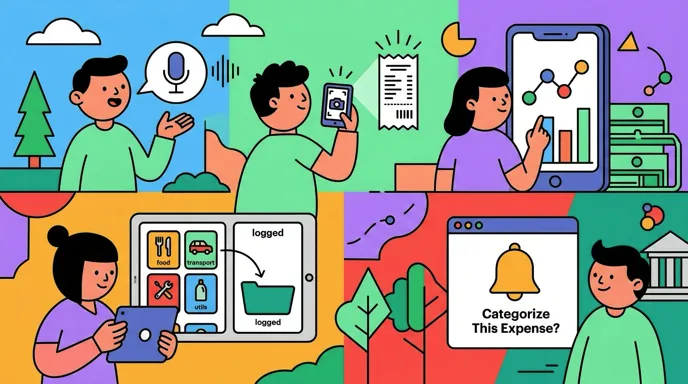
Voice Expense Tracker: Log Spending Without Typing
The reason most expense tracking fails is not discipline. It is that a conventional entry screen asks for five things (amount, merchant, category, date, payment method) for a $4 coffee, and the rational response to five decisions for $4 is to skip it.
A voice expense tracker removes all five. You say what you spent, the AI extracts the structure, and you confirm. This guide covers how that actually works, the situations where speaking beats every other input method, the situations where it is clearly worse, and what separates a reliable implementation from a demo.
For a comparison of specific apps, see our roundup of the best voice expense tracker apps.
How Voice Expense Tracking Works
Three steps, and the third one matters more than the first two.
You speak naturally. "Fourteen dollars on lunch at the place near work." No fields, no menus, no set phrasing to memorize.
The AI parses it. Amount, merchant, category, and date get extracted from the sentence. Modern parsing handles casual phrasing well, including approximations like "about twenty" and relative dates like "yesterday."
You confirm. The parsed result appears before it saves. This step is what separates a tool you can trust from one that quietly fills your ledger with plausible errors.
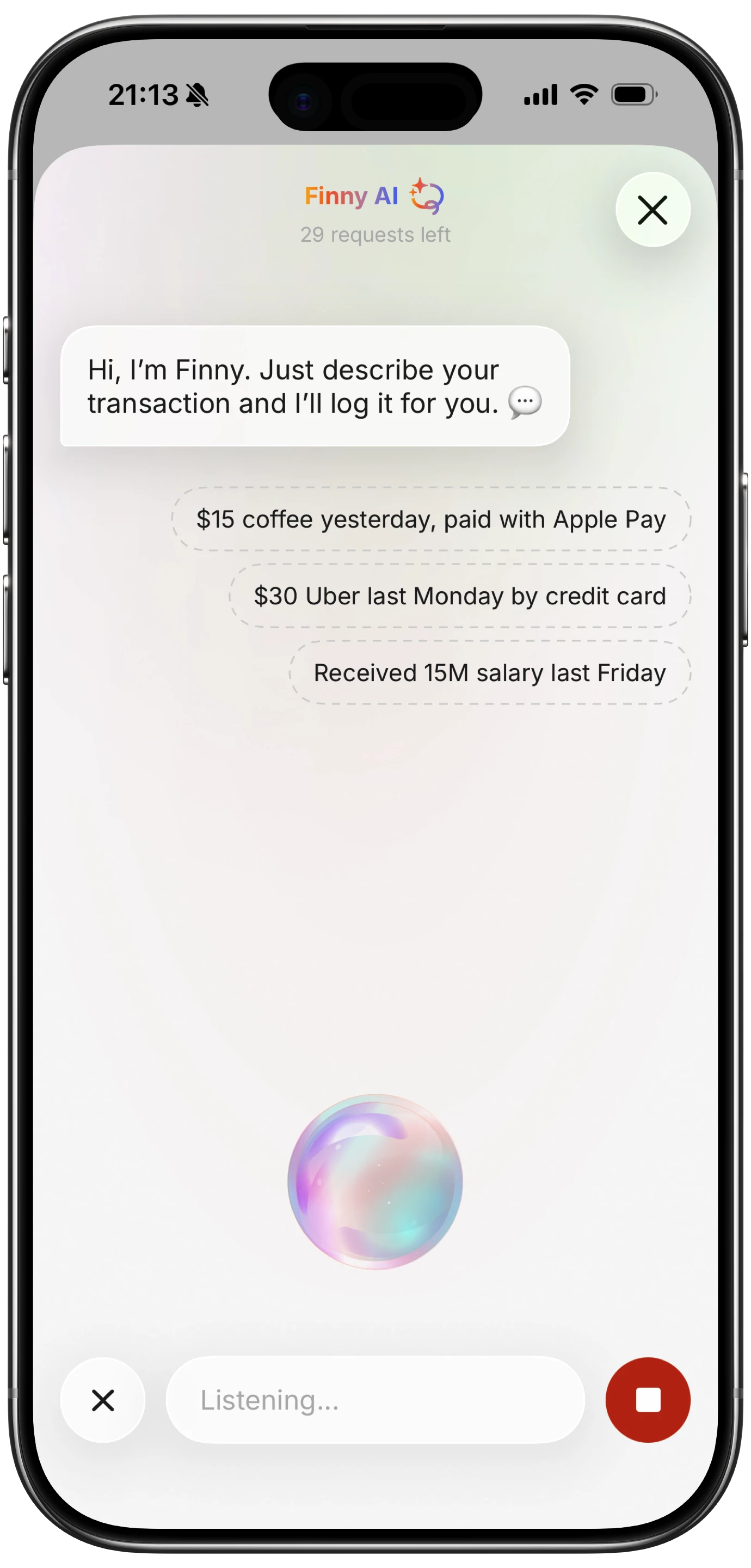
Finny app's voice input feature
That confirmation step is worth dwelling on. AI parsing does not produce obviously wrong output the way a typo does. It produces a complete, well-formatted, entirely reasonable-looking entry that happens to say $50 when you said $15. Nothing about it invites a second look during a monthly review, which is why seeing the parse at the moment of capture is the only reliable defense.
When Voice Genuinely Wins
Hands occupied. Carrying groceries, holding a child, pushing a cart. This is the core case, and it is a large share of real spending.
Immediately after paying. The ten seconds while you walk away from a counter is when you remember the amount exactly. Speaking captures it before the detail fades.
Cash transactions. Cash is invisible to every bank-linked app, so it only enters your records if you record it. Voice is the fastest way to do that.
Driving between errands. Not while the car is moving, but at a stop, speaking is the only safe option.
When typing feels like too much. The friction is real and it compounds. Our piece on logging expenses without typing covers the other methods that reduce it.
When Voice Is the Wrong Tool
Being honest about this matters, because apps that treat voice as the only input are pleasant to demo and limiting to live with.
In a queue. Saying "forty two dollars at the pharmacy" out loud in a line is something many people simply will not do. Typing is private.
In noise. Recognition accuracy drops in cafes, shops, and streets, which is where you tend to be when spending.
Unusual merchant names. Local businesses and non-English names transcribe inconsistently, so one shop becomes three merchants in your data and per-merchant analysis quietly breaks.
Long or complex entries. Splitting a bill across categories is faster typed.
The practical conclusion is that voice should be one input among several rather than the whole product.
Accuracy: What Actually Fails
Five things fail independently, and they are not equally consequential.
Amount errors are the expensive ones, because English number words collide constantly: fifteen and fifty, sixteen and sixty. A wrong amount corrupts totals while looking completely normal.
Category errors are the most frequent and the least harmful, since they are visible and fixable in seconds.
Silent failures are the worst of all, and they are not accuracy problems: the entry never saved because the connection dropped. You believe it is recorded, and there is nothing there to review.
We cover this in detail, with a ten minute test you can run on any app, in are voice expense trackers accurate.
Two habits reduce most errors. Say the currency ("twelve dollars" rather than "twelve"), and say amounts in full ("forty two dollars fifty cents" rather than "forty two fifty").
Offline Capability Is the Underrated Feature
Most voice trackers send audio to a server, which means they cannot log without a connection.
That matters more than it appears, because cash spending concentrates in exactly the places connectivity is poor: markets, basement shops, parking garages, rural areas, and abroad without a data plan. An app that fails silently when disconnected loses the transactions least likely to show up on a statement later.
Test this before committing to any app. Turn on airplane mode and try to log an expense. Our guide to offline expense tracking covers why this property is worth prioritizing.
The Privacy Question
Voice input means audio processing, and where that happens matters.
Server-side processing sends a recording of your voice, describing a purchase, to a third party. On-device processing does not. Neither is inherently wrong, but they are different exposures, and app listings rarely make the distinction clear.
The related question is what happens to the transcript. A spending record is unusually revealing: it shows where you go, when, and what you are dealing with. Our guide to finance app security and privacy covers what to look for.
Combining Voice With Other Inputs
The most complete records come from matching the input method to the moment rather than committing to one.
Speaking works when your hands are busy. Typing works in a queue. Receipt capture works for anything that produces paper. And card payments can be captured as they happen, which is the fastest option of all because it requires nothing from you.

Finny app's AI chat feature
Finny covers all four: spoken entries, typed natural language, receipts read from your photo library, and card payments logged as you make them, with no bank connection and full offline support.
This video shows the card capture side, which handles the transactions you would otherwise have to speak:
How to Choose One
Five questions, in order of how much they matter:
- Does it show the parse before saving? If not, skip it.
- Does it work offline? Test with airplane mode, not with the marketing page.
- Does it offer other input methods? Voice-only is limiting in public and in noise.
- How does it handle currencies? If you travel, check that the original amount is stored, not just the conversion.
- Where does audio get processed? On-device and server-side are meaningfully different exposures.
The category has grown quickly, and one app now logs from inside ChatGPT and Claude, which we covered in Ledgy alternatives.
The Bottom Line
A voice expense tracker solves a narrow and real problem: capturing purchases in the moments when typing is impractical. Those moments are a large share of the spending people fail to record, which makes it more valuable than the narrow framing suggests.
It is not a replacement for every other input. Choose a tool that offers voice alongside typing, receipts, and automatic card capture, shows you what it parsed before saving, and works when the signal does not.
Common Questions About Voice Expense Tracking
What is the best voice expense tracker in 2026?
The category grew considerably over the past year, and the right pick depends on your constraint. Some apps optimize purely for entry speed, one logs from inside ChatGPT and Claude, and others lead with receipt scanning and treat voice as secondary. The properties that matter most in practice are a confirmation step before saving and offline capability, since those determine whether your records stay accurate and complete.
Is voice expense tracking accurate?
Accurate enough to rely on, with known weak points. Similar-sounding numbers such as fifteen and fifty are the most consequential errors because they corrupt totals while looking normal, and unusual merchant names transcribe inconsistently. Category errors are the most common and easiest to fix. The single most important safeguard is an app that shows the parsed result before saving, so mistakes get caught while you still remember the purchase.
Does voice expense tracking work offline?
It depends entirely on the app, and most do not, because speech processing usually happens on a server. This is worth testing directly with airplane mode before you commit, since cash spending concentrates in places with poor connectivity such as markets, basements, and travel abroad. An app that fails silently while disconnected loses exactly the transactions that will never appear on a bank statement.
Can I track spending by voice in multiple languages?
Some apps support this and coverage varies widely. A few newer entrants advertise support for a dozen or more languages, which is genuinely useful if you think about money in one language and live in another. If you travel, also check how the app handles currency: storing only the converted amount loses the original figure permanently, whereas keeping both lets you verify against a receipt later.
Ready to track expenses with less friction?
Download Finny to log expenses using AI, receipts, or text. No bank connections, offline support, and full control over your financial data.