
Best Apps to Track Receipts Automatically in 2026
Scanning a receipt is one thing. Tracking receipts automatically, where the app captures, parses, categorizes, and files your purchase data with minimal input, is something else entirely. Most receipt apps still require you to open the camera, snap a photo, and confirm every field. That is not automatic. That is assisted.
The best apps to track receipts automatically in 2026 go further. Some pull digital receipts directly from your email. Others let you batch-process a stack of paper receipts in a single pass. A few use AI to categorize merchants and amounts before you even review the data. This guide compares the top options based on how much of the receipt tracking workflow they actually automate, what they cost, and where they fall short.
If you are looking specifically at scanning accuracy and image quality, see our separate guide on the best receipt scanner apps in 2026. This post focuses on the automation side: how close each app gets to zero-effort receipt logging.
What "Automatic" Receipt Tracking Actually Means
Before comparing apps, it helps to define what automatic receipt tracking involves. A fully automatic workflow would handle all of these steps without your input:
- Capture: The app acquires the receipt without you opening a camera. This could mean email import, bank statement matching, or forwarding receipts to a dedicated address.
- Extract: OCR or AI pulls the merchant name, date, total, tax, and line items from the receipt image or digital file.
- Categorize: The app assigns a spending category based on merchant data, historical patterns, or AI analysis.
- File: The receipt data is stored, searchable, and ready for budgeting or tax reports.
No app automates all four steps perfectly. The best options in 2026 automate two or three steps well and make the remaining ones fast. The key differentiator between apps is which steps they automate and how much manual cleanup you need afterward. If you want a step-by-step process rather than an app comparison, our guide on how to automate receipt collection for expense tracking walks through building the workflow.
For a deeper look at how AI handles the categorization step specifically, see our guide on automatic expense categorization.
Best Apps to Track Receipts Automatically: Comparison Table
| Feature | Expensify | Shoeboxed | SimplyWise | Foreceipt | Veryfi | Finny |
|---|---|---|---|---|---|---|
| Price | Free tier / $9+/mo | Free DIY / $5-20/mo | Free trial / $30/mo | Free (100/mo) / $5/mo | Free (300 docs) | Free / low-cost Pro |
| Email Receipt Import | Yes | Yes (Gmail plugin) | Yes (Gmail, Outlook) | Yes (forwarding) | No | No |
| Batch Scanning | No | Mail-in service | No | No | No | Yes (up to 5) |
| Bank Connection Required | Optional | No | Optional | Optional | No | No |
| Offline Support | Partial | No | No | No | No | Yes |
| AI Categorization | Yes | Yes | Yes | Yes | Yes | Yes |
| Export Options | CSV, PDF | CSV, PDF, ZIP | PDF, Excel | PDF, Excel | CSV, PDF | CSV |
| Best For | Business teams | Paper receipt archiving | Email receipt users | Tax-focused tracking | Developer-friendly OCR | Privacy-first personal use |
The Apps: Detailed Breakdown
Expensify: Best for Business Expense Automation
Expensify has been the default receipt tracking tool for corporate expense reports for years, and its automation features remain among the strongest in 2026. The SmartScan system lets you snap a photo, forward a receipt to receipts@expensify.com, or even text a receipt image to a dedicated number for automatic parsing.
Automation strengths: Expensify matches scanned receipts to credit card transactions automatically when you link a card. It learns your categorization patterns over time, so repeat merchants get tagged correctly without intervention. For teams, approval workflows route expense reports to managers automatically.
Limitations: The free tier restricts SmartScans and does not include category customization. Paid plans start at $9 per active user per month, which adds up quickly for personal use. The app is designed around corporate reimbursement workflows, so the interface carries overhead that solo users do not need. Expensify also processes receipt images on their servers and encourages bank connections, which raises privacy concerns for personal finance tracking.
Best for: Employees submitting expense reports, teams needing approval workflows, and users who want receipt-to-card matching.
Shoeboxed: Best for Hands-Off Paper Receipt Processing
Shoeboxed offers something no other app does: a mail-in service. You stuff paper receipts into a prepaid envelope, send them to Shoeboxed's processing facility, and they scan everything into your account. For people who accumulate paper receipts and never get around to scanning them, this is the most automatic option available for physical receipts.
Automation strengths: The mail-in Magic Envelope service eliminates scanning entirely for paper receipts. Shoeboxed also offers a Gmail plugin that auto-imports digital receipts from your inbox by identifying purchase confirmation emails. Scanned receipts are automatically categorized and made searchable.
Limitations: The free DIY tier lets you scan receipts yourself but does not include the mail-in service. Paid plans start at $5 per month for the mobile app, with full plans running $18 to $54 per month depending on document volume. Processing mail-in receipts takes several business days. The app focuses on receipt archiving rather than budgeting, so you will need a separate tool for spending analysis.
Best for: Small business owners and freelancers who accumulate paper receipts and want someone else to handle digitization.
SimplyWise: Best for Email Receipt Import
SimplyWise focuses on a problem most receipt apps ignore: digital receipts buried in your email. The app connects to Gmail, Outlook, Amazon, Walmart, and PayPal to automatically pull purchase receipts from your inbox and organize them in one place.
Automation strengths: Once you connect your email accounts, SimplyWise continuously scans for new purchase receipts and imports them without any action from you. It also matches receipts to bank transactions when you link a card, flagging discrepancies automatically. The one-tap PDF and spreadsheet export is useful for tax preparation.
Limitations: SimplyWise pricing is steep at approximately $30 per month, making it one of the more expensive options for personal use. The app requires internet connectivity and cloud storage for all data. Connecting your email and bank accounts means sharing significant personal data with the service. Physical receipt scanning works but is not the primary focus.
Best for: Users who receive most receipts digitally via email and want automatic import without manual forwarding.
Foreceipt: Best for Tax-Focused Receipt Categorization
Foreceipt targets users who track receipts specifically for tax deductions and business expense reporting. Its AI scanner categorizes receipts into tax-relevant categories that align with IRS and CRA filing requirements.
Automation strengths: The AI scanner achieves high accuracy and automatically assigns receipts to predefined tax categories for the US and Canada. You can forward email receipts to a dedicated Foreceipt address for automatic processing. Recurring receipts can be set up once and tracked automatically going forward. The app generates tax-ready reports in PDF and Excel formats.
Limitations: The free tier caps at 100 receipts per month with 12-month retention. The Individual plan costs $5 per month for 200 receipts. The app is narrowly focused on receipt documentation and tax reporting, so it lacks budgeting features, spending analysis, or multi-currency support. Offline functionality is limited.
Best for: Self-employed workers, freelancers, and small business owners who need IRS or CRA-aligned receipt categorization.
Veryfi: Best for Developer-Friendly OCR
Veryfi positions itself as an AI-powered OCR platform that processes receipts in real time. The app extracts structured data from receipts with high accuracy and offers bulk categorization and transaction matching features.
Automation strengths: The OCR engine handles messy receipts well, including crumpled paper and low-light photos. Veryfi offers automatic rules for classifying transactions based on receipt data, and the system learns your patterns over time. The free tier includes 300 documents per month, which is generous. Multi-profile management lets you separate business and personal receipts in one account.
Limitations: Veryfi is primarily built as a developer API and business tool, so the consumer app experience is secondary to the platform capabilities. Pricing for paid tiers is not prominently published, and some users report it is higher than alternatives for personal use. The app requires an internet connection for processing.
Best for: Technically inclined users and businesses who want accurate OCR with automation rules and do not mind a less polished consumer interface.
Finny: Best for Batch Scanning with Privacy
Finny approaches automatic receipt tracking differently. Rather than importing from email or connecting to banks, Finny focuses on making the manual capture step as fast as possible through batch scanning and AI parsing, while keeping your data entirely on your device.
Automation strengths: Finny's Batch Snap and Log feature lets you select up to five receipt photos from your camera roll and process them all at once. The AI extracts merchant names, totals, dates, and categories from each image, then presents everything for a quick review before saving. This means you can accumulate receipts throughout the week, photograph them in a batch, and log everything in under a minute.

Finny app's screenshot import feature
Beyond receipt scanning, Finny offers AI text input, voice logging, and statement screenshot import: multiple ways to get expenses logged without manual form entry. For users who pay with Apple Pay, the Tap to Track feature logs transactions at the moment of payment without opening the app at all.
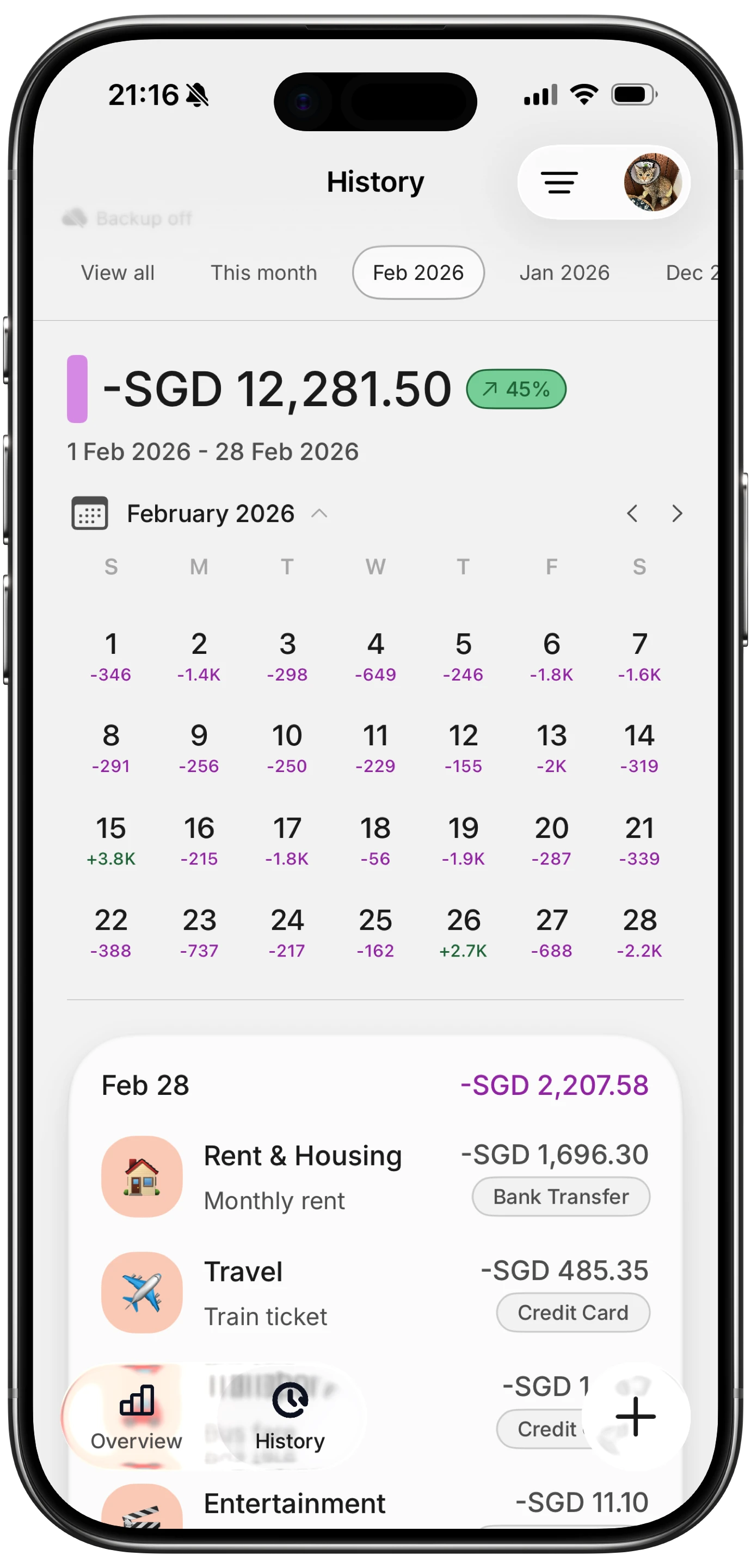
Finny app's History calendar feature
Limitations: No email receipt import. No bank connection option (by design). CSV is the only export format. The free tier includes one AI credit to test receipt scanning, with full AI access at a low monthly price through Finny Pro.
Best for: Privacy-conscious users who want fast batch scanning, offline support, and no bank account linking.
How to Choose the Right Automatic Receipt Tracker
The best app depends on what kind of receipts you deal with most and how much automation you need.
If most of your receipts are digital (email confirmations, online orders): SimplyWise or Shoeboxed's Gmail plugin will save you the most time by pulling receipts from your inbox automatically.
If you accumulate paper receipts: Shoeboxed's mail-in service is the most hands-off option. For a faster, self-service approach, Finny's batch scanning processes multiple receipts from your photo library at once.
If you need tax-ready categorization: Foreceipt and Expensify both offer structured categories aligned with tax filing requirements. Foreceipt is more focused and affordable for individual use.
If you want business expense reporting: Expensify remains the standard for teams with approval workflows and accounting integrations.
If privacy matters to you: Apps that require bank connections and email access create a comprehensive profile of your financial life on third-party servers. Finny and Veryfi both work without bank connections, but Finny goes further with full offline support and local data storage.
For a broader comparison that covers all types of expense tracking (not just receipt-based), see our roundup of the best expense tracker apps in 2026.
Building an Efficient Receipt Tracking Workflow
Regardless of which app you choose, these practices will make automatic receipt tracking more effective:
Separate paper and digital workflows: Use one tool for email receipts and another for paper ones if needed. Trying to force all receipts through a single capture method usually creates friction somewhere.
Batch your paper receipts weekly: Instead of scanning each receipt as you get it, drop them in a designated spot (an envelope, a tray, a pocket in your bag) and scan them all at once on a set day. Apps with batch scanning, like Finny, make this especially efficient.
Forward digital receipts immediately: If your app supports email forwarding (Expensify, Foreceipt), set up email rules to auto-forward purchase confirmations. This removes the need to remember to log anything.
Review categories monthly: Automatic categorization is good but not perfect. Spend five minutes at month-end checking that categories are correct, especially for tax-relevant expenses. Our guide on AI receipt scanning workflows covers how AI categorization works and where it makes mistakes.
Export regularly: Do not let a year of receipts build up before exporting. Monthly or quarterly exports protect against data loss and make tax preparation easier. Learn more about combining receipt scanning with broader expense management in our batch receipt scanning guide.

Finny app's Overview feature
Common Questions About Automatic Receipt Tracking
What is the most automatic way to track receipts in 2026?
For digital receipts, email import apps like SimplyWise and Shoeboxed's Gmail plugin capture purchase emails without any manual input. For paper receipts, Shoeboxed's mail-in service is the most hands-off option. For real-time purchase logging without receipts at all, Finny's Tap to Track captures Apple Pay transactions at the moment of payment.
Can I track receipts automatically without linking my bank account?
Yes. Several apps handle receipt tracking without bank connections. Finny processes receipt images locally on your device. Veryfi and Foreceipt scan receipts without requiring bank access. Shoeboxed's mail-in and scanning services also work independently of bank data.
Are free receipt tracking apps accurate enough for tax purposes?
Free tiers from apps like Foreceipt and Veryfi offer solid accuracy for standard printed receipts. However, free plans often limit the number of receipts you can scan per month or restrict export features. For tax preparation, always verify parsed amounts against original receipts and use an app that exports to formats your accountant can work with.
How do email receipt import apps work?
Apps like SimplyWise connect to your email accounts (Gmail, Outlook) and scan for purchase confirmation messages. They extract order details, amounts, and merchant information from the email content or attached receipts. The imported data is then categorized and stored in the app. This process runs continuously in the background once set up.
Is it better to scan receipts or use bank sync for expense tracking?
Each approach has trade-offs. Bank sync captures transactions automatically but with delays, missing context, and privacy costs. Receipt scanning captures exact purchase details with itemization but requires you to initiate the scan. The best approach for many users is to combine methods: use receipt scanning for detailed purchases and cash transactions, and rely on bank sync only if you need comprehensive coverage and are comfortable sharing bank credentials.
Want to track receipts without giving up your financial privacy?
Download Finny to log expenses using AI, receipts, or text. No bank connections, offline support, and full control over your financial data.





