
Finding the right budgeting apps in the UK got harder after Money Dashboard, once a favourite for millions, shut its consumer apps down in October 2023. Since then, the market has reshuffled around Open Banking, the framework that lets apps read your transactions directly from UK banks with your permission. Some tools lean hard on that bank connection, others skip it entirely for privacy reasons, and a few big names have quietly started to wind down. If you want to see where your money goes, stick to a budget, and not overpay for the privilege, this guide compares the best budgeting apps in the UK for 2026, with real GBP prices, honest notes on what each one does well, and one option built for people who also spend abroad.
What changed for budgeting apps in the UK
The UK budgeting scene moved fast over the past couple of years, and a few shifts matter before you pick an app.
- Money Dashboard closed. Owned by ClearScore, it shut its Neon and Classic apps on 31 October 2023 and pivoted to business-facing Open Banking services. If you are still looking for a replacement, you are not alone.
- Moneyhub is winding down its consumer side. Moneyhub stopped taking new personal finance customers and its consumer app is set to close on 14 August 2026, so it is not a place to start fresh.
- Open Banking matured. Most connected apps now pull transactions from major UK banks automatically, which is convenient but means handing over read access to your accounts.
- Digital banks got better at budgeting. Monzo and Starling now include pots, spending categories, and instant notifications, so a separate app is not always necessary.
The takeaway: the field is smaller and more polarised than it was, split between bank-connected apps and privacy-first trackers that keep your data off the grid.
The best budgeting apps in the UK for 2026
Here is a side by side view of the main contenders, then a short profile of each. Prices are the standard rates at the time of writing and can change, so always check in-app before you pay.
| App | Platform | Price | Open Banking | Best for |
|---|---|---|---|---|
| Finny | iOS (iPhone, Apple Watch) | Free, Pro a low monthly or yearly price | No, by design | Privacy and multi-currency |
| Emma | iOS, Android | Free, Plus from £4.99/mo | Yes | All-round tracking |
| Snoop | iOS, Android | Free, optional Snoop Plus | Yes | Bills and beginners |
| Plum | iOS, Android | Free, Pro from £2.99/mo | Yes | Automatic saving |
| Monzo / Starling | iOS, Android | Free with the account | Own bank | In-app pots and insights |
| YNAB | iOS, Android, Web | $14.99/mo or $109/yr | Partial in the UK | Zero-based budgeting |
Emma is the closest thing to an all-rounder. It uses Open Banking to combine your accounts, flags wasteful subscriptions, and analyses spending, all within a generous free tier. Paid plans start with Emma Plus at £4.99 a month and climb through Pro and Ultimate for extras like credit-building and better savings rates.
Snoop is a strong first pick for beginners who want clear UK spending visibility without cost. Founded in 2019, its core app is free, uses Open Banking to bring your accounts together, and is especially good at tracking household bills and nudging you when a price rises. There is an optional Snoop Plus subscription if you want more.
Plum suits people who want saving to happen quietly in the background. Its headline feature is smart autosaving: it studies your spending and moves small, affordable amounts into savings every few days. The core app is free, with Plum Pro from £2.99 a month for more control.
Monzo and Starling are current accounts rather than standalone budgeting apps, but their built-in tools are genuinely useful. Pots, category breakdowns, and real-time notifications cover the basics for free if you keep most of your money in one place.
YNAB (You Need A Budget) is the serious, methodical option built around zero-based budgeting, where every pound gets a job. It is powerful but pricey at $14.99 a month or $109 a year, and because it is billed in US dollars, UK users absorb the exchange rate. Its bank sync also works best in the US and Canada, with patchier UK coverage. If the method appeals but the price does not, our roundup of the best YNAB alternatives for 2026 is worth a read.
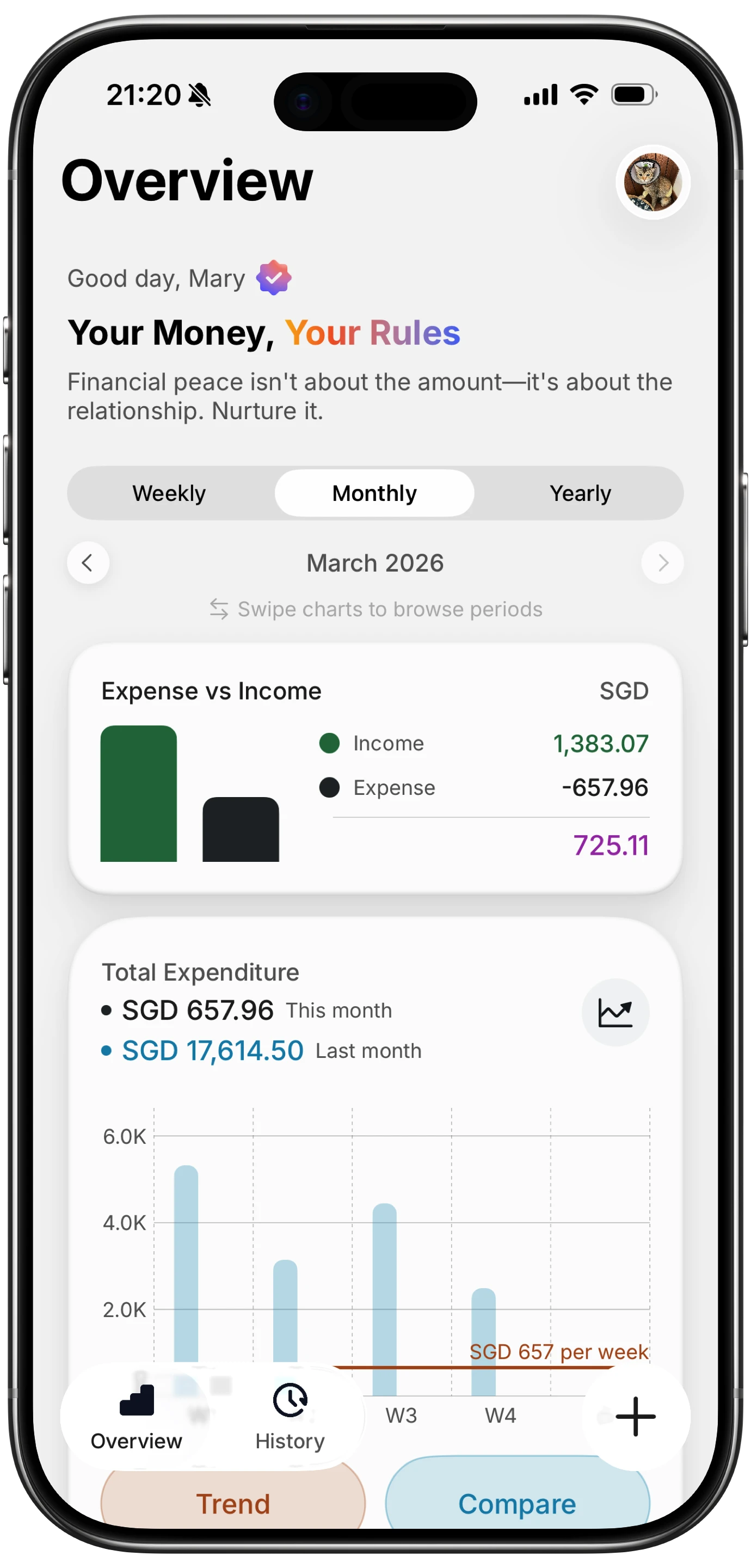
Finny app's Overview feature
Open Banking, GBP, and which apps connect to UK banks
Open Banking is the reason so many UK apps can show your spending without manual entry. You log in, grant read access, and transactions flow in automatically in pounds. It is convenient, but it comes with trade-offs worth understanding.
Apps that rely on Open Banking in the UK include:
- Emma, which links multiple UK accounts into one dashboard.
- Snoop, which combines accounts to track bills and spot price changes.
- Plum, which reads spending to power its autosaving.
Digital banks like Monzo and Starling do not need Open Banking to budget, because the data already lives in your own account.
The catch is access. Connecting an app means giving a third party permission to read your financial history, and connections can drop, need re-authorising, or stop working when a bank changes its systems. For some people that is a fair trade for automation. For others, especially anyone who values privacy or does not want another company holding their transaction data, it is a reason to look elsewhere. If that is you, our guide to the best expense trackers with no bank login for 2026 covers the manual-first alternatives in depth.
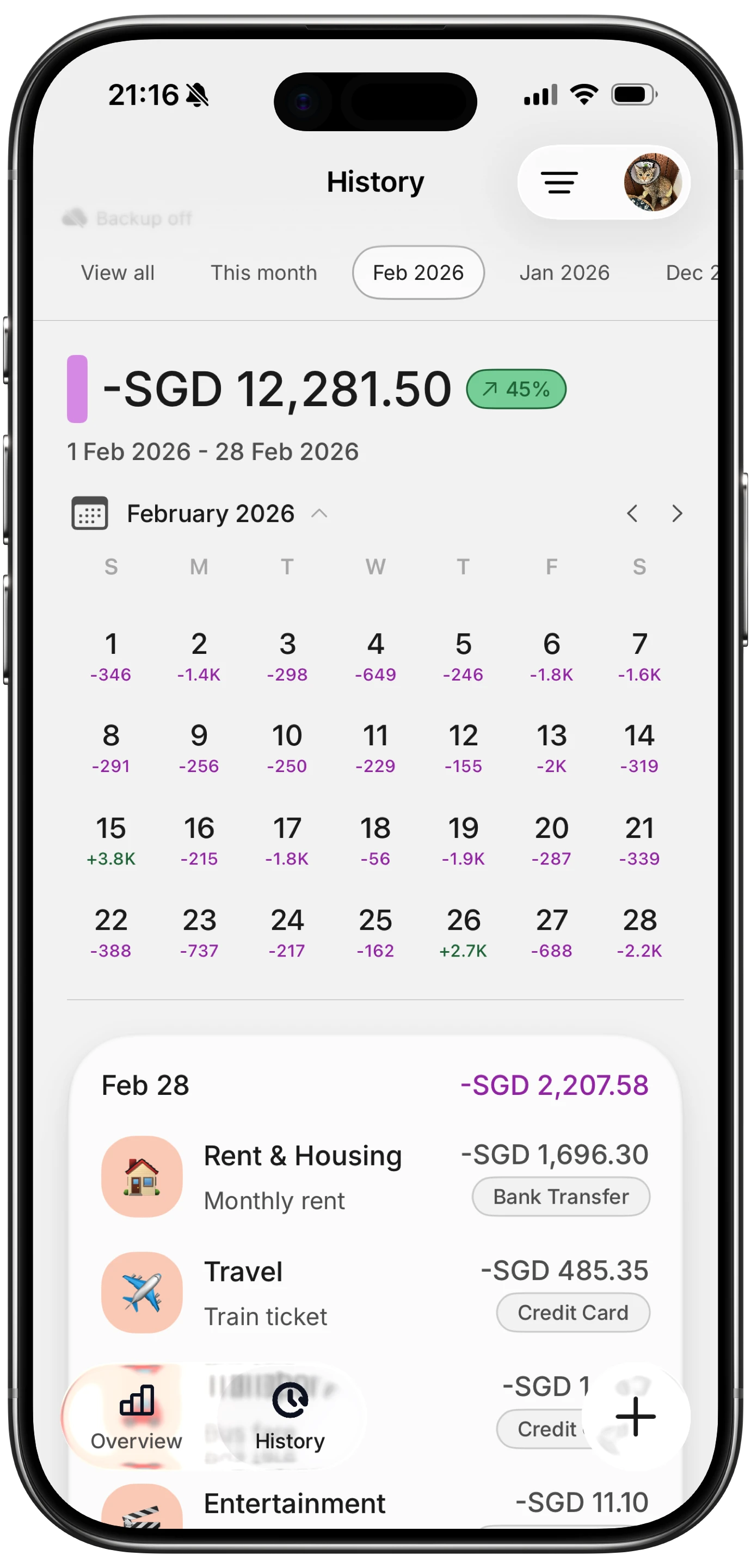
Finny app's History calendar feature
A privacy-first, multi-currency pick for people who spend abroad
Most of the apps above are built for someone with one or two UK current accounts and a life lived entirely in pounds. If that is you, they work well. But if you travel, freelance for overseas clients, hold money in more than one currency, or simply do not want to link your bank at all, the connected model starts to feel like a poor fit.
That is the gap Finny is built for. It is a privacy-first expense tracker for iPhone and Apple Watch that never asks for a bank login. You add spending yourself, either by typing something as short as "coffee 5", speaking hands-free, or snapping a receipt, and you always review before it saves. Your data stays on your device rather than in the cloud, and you can export or import CSV files whenever you like.
What makes it useful beyond the UK:
- 150+ currencies supported, so a trip to Europe or a payment from a US client fits neatly alongside your GBP spending.
- Full offline support, handy when you are abroad without reliable data.
- Custom categories and clear charts to see where the money actually goes.
The core app is free forever, including manual tracking, custom categories, spending charts, all those currencies, and one free AI credit to try the smart input. Finny Pro, at a low monthly or yearly price (roughly a couple of pounds a month), unlocks the AI text, voice, and receipt input, Tap to Track, batch receipt scanning of up to five receipts at once, and optional cloud sync. Set against YNAB at $109 a year, it is a far cheaper way to stay on top of things, with a genuinely free tier if you never want to pay.
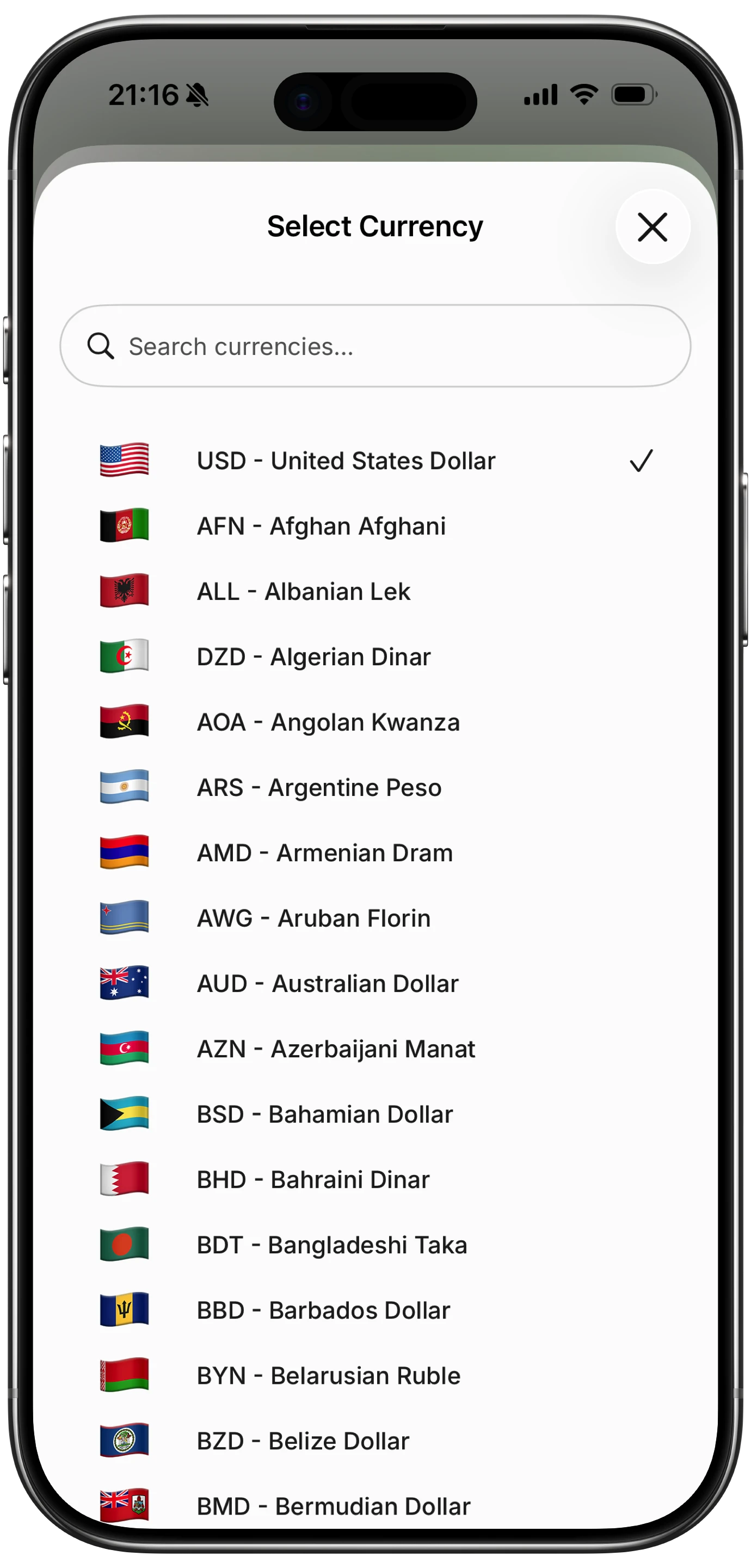
Finny app's multi-currency feature
For anyone who regularly juggles more than one currency, it is worth comparing options side by side in our guide to the best multi-currency expense trackers for 2026.
How to choose the right budgeting app for you
There is no single best app, only the best one for how you manage money. Use these quick prompts:
- You want automation and one dashboard: pick a connected app like Emma or Snoop and accept the bank link.
- You want saving to happen for you: Plum's autosaving is hard to beat.
- You already bank with Monzo or Starling: try the built-in tools before downloading anything else.
- You want a strict, methodical budget: YNAB's zero-based approach rewards the effort, if you can stomach the price.
- You value privacy or spend across currencies: a no-bank-link tracker like Finny keeps data on your device and handles GBP alongside 150+ other currencies.
If you are brand new to this, it also helps to pick a method before an app. A simple framework like the 50/30/20 rule gives you targets to track against, and our walkthrough on how to track expenses covers the day to day habit that actually makes budgeting stick.
Whichever route you choose, the best budgeting app in the UK is the one you will still be using in three months.
Ready to try the privacy-first, multi-currency option? Download Finny at getfinny.app and start tracking in minutes, no bank login required.
Frequently asked questions
What happened to Money Dashboard?
Money Dashboard, owned by ClearScore, closed its Neon and Classic consumer apps on 31 October 2023 after concluding it could not find a sustainable business model for them. Around half a million users were given until the end of that month to export their data before accounts were deleted and bank connections removed. The company now focuses on business-to-business Open Banking services, so it is no longer an option for personal budgeting and you will need to move to one of the alternatives listed here.
Are budgeting apps in the UK free?
Many have a genuinely useful free tier. Snoop's core app is free, Emma and Plum offer free versions with paid upgrades, and Monzo and Starling include budgeting tools at no extra cost with the account. Finny is free forever for manual tracking, custom categories, charts, and 150+ currencies. Paid plans, such as Emma Plus from £4.99 a month or Finny Pro from a low monthly price, add extras like automation or AI input. YNAB is the notable exception, with no free tier.
Do budgeting apps need access to my bank?
Not always. Apps like Emma, Snoop, and Plum use Open Banking to read your transactions automatically, which is convenient but means granting a third party read access to your accounts. Others take a manual-first approach and never ask for a bank login: you add spending yourself, and the data stays on your device. Finny works this way, which appeals to anyone who prefers privacy or does not want another company holding their financial history. Both models can produce an accurate budget.
Which budgeting app is best for spending abroad?
If you travel or hold money in more than one currency, look for broad currency support and offline access rather than deep UK bank integration. Finny supports 150+ currencies and works fully offline, so foreign spending sits alongside your GBP totals without a data connection. It pairs well with a fee-aware approach to travel money, which we cover in our guide on how to avoid foreign transaction fees. Bank-linked UK apps tend to focus on domestic accounts and can be less comfortable with multiple currencies.
Is YNAB worth it for UK users?
YNAB is excellent if you commit to its zero-based method, where every pound is assigned a job. The downsides for UK users are cost and coverage: it is billed in US dollars at $14.99 a month or $109 a year, so you absorb the exchange rate, and its automatic bank sync works best in the US and Canada, with patchier UK support. Many people love the discipline it builds, but if the price or the manual setup puts you off, cheaper alternatives deliver most of the benefit.
The bottom line
The UK budgeting market is smaller and more clearly split than it was a couple of years ago. On one side sit bank-connected apps like Emma, Snoop, and Plum, plus the built-in tools in Monzo and Starling, all convenient if you are happy to link your accounts. On the other sit privacy-first trackers that keep your data on your device and add spending manually. YNAB remains the premium, method-driven choice for those who want structure. Finny fills the practical middle ground for iPhone users who want a free, no-bank-link tracker that handles pounds and 150+ other currencies with ease. Pick the model that matches how you live, and start this week.