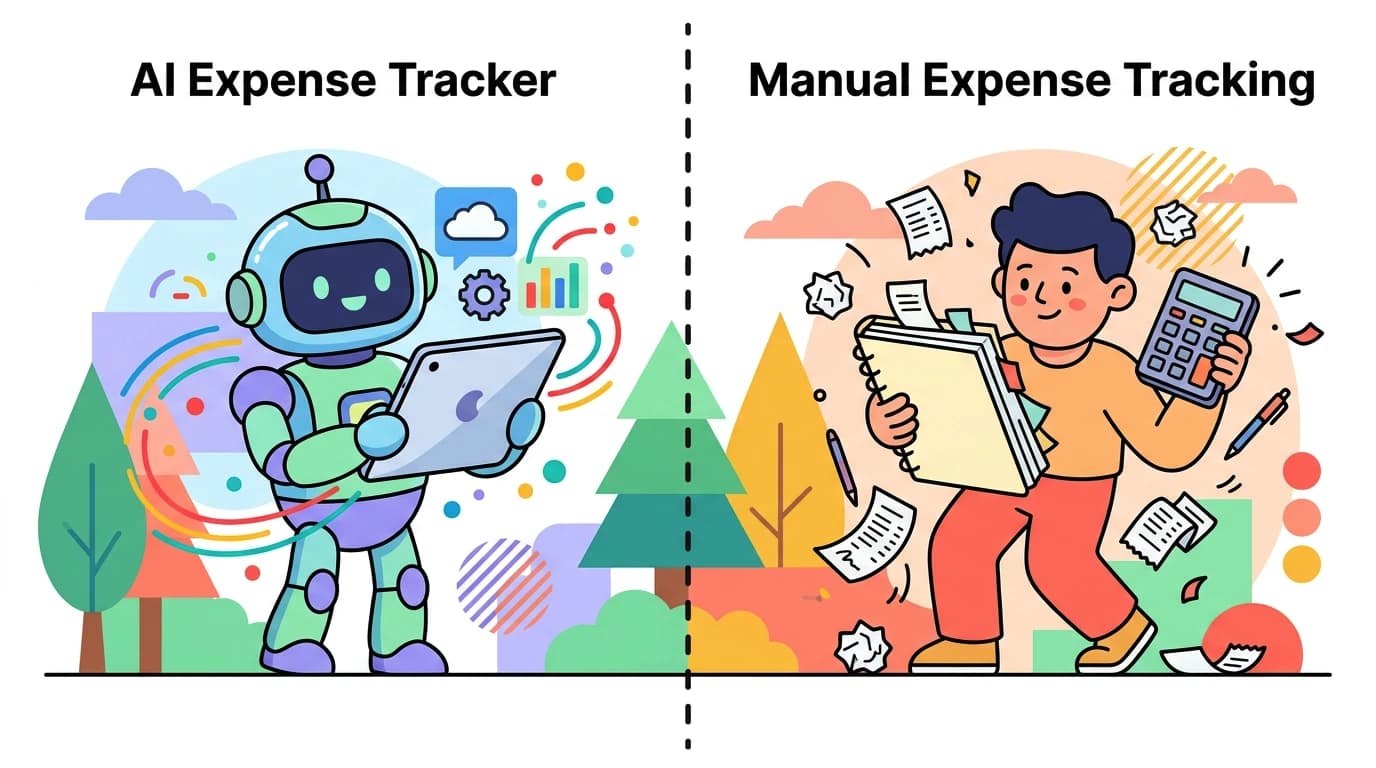
AI Expense Tracker vs Manual: Which Approach Works Better?
Expense tracking has a consistency problem. Most people start with good intentions, track diligently for a week or two, then gradually stop. The reason is almost always the same: logging each purchase feels like too much work.
There is a third option beyond AI-assisted logging and manual entry, which is letting a bank connection do the recording. We compared that head to head in AI expense tracker vs bank sync.
An AI expense tracker aims to solve this by reducing input friction. Instead of filling out form fields for every purchase, you describe what you bought in plain language, snap a photo of a receipt, or speak the details aloud. AI parses the information and suggests categories. You confirm and move on.
But how well does this actually work? This guide compares AI-assisted expense tracking with traditional manual methods, covers the major apps using AI in 2026, and gives an honest assessment of what AI can and cannot do for your budget. For a broader look at tracking tools, see our best money tracker apps in 2026 guide.
What AI Expense Tracking Actually Means
The term "AI expense tracker" covers a range of approaches. Not all of them work the same way.
Text Input Parsing
You type a short description like "groceries at Trader Joe's $47.50" and the AI extracts the amount ($47.50), merchant (Trader Joe's), and suggests a category (Groceries). No form fields, no dropdowns, no date pickers. Just type and confirm.
This is the most common AI input method and the one most people find useful daily. It turns a 20-second form-filling task into a 5-second text entry.
Voice Input
Speak your expense aloud: "Coffee at Blue Bottle, four dollars and fifty cents." The app transcribes your speech, then parses the transcription the same way it handles text. Voice input adds convenience when your hands are busy, like right after paying at a counter.
Voice accuracy depends on your environment. Quiet rooms work well. Noisy cafes and streets produce transcription errors that require manual correction.
Receipt Scanning
Photograph a paper receipt, and AI reads the text using OCR combined with language models. The app extracts the merchant, date, total, tax, and sometimes individual line items. You review the parsed data and confirm.
Receipt scanning handles the most complex input scenario: converting a messy physical document into structured data. Accuracy varies by receipt quality, but modern AI models handle standard printed receipts reliably.
What AI Does Not Do
It is worth being clear about the limits. AI expense trackers in 2026 do not:
- Automatically detect purchases without your input
- Replace the need for human review
- Guarantee perfect categorization
- Eliminate the habit of logging expenses
AI reduces friction. It does not eliminate effort. The most honest framing is "AI assists, human confirms." You still need to initiate the logging. You still need to verify the results. The difference is that each interaction takes seconds instead of minutes. For a broader look at how AI is reshaping personal money management, see our guide on AI finance trackers and how they work.
Manual Tracking: The Baseline
Before evaluating AI options, understand what traditional manual tracking involves.
Spreadsheet tracking: You open a spreadsheet, type the date, merchant, amount, and category into separate columns. This takes 30-60 seconds per transaction and requires a laptop or tablet for comfortable data entry.
Form-based app tracking: You open a finance app, tap "add expense," fill in amount, select category from a dropdown, optionally add a note, and save. This takes 15-30 seconds per transaction but requires navigating multiple input fields.
Envelope or cash-based systems: You allocate cash into physical or digital envelopes. Tracking happens implicitly through remaining balances rather than individual transaction logging.
Manual tracking is perfectly accurate when done consistently. The problem is consistency, and the gap is widening every year as AI tools improve. For a deeper look at why traditional logging is losing ground, see our take on why manual expense tracking is dead in 2026. Research on personal finance app usage shows that the average user stops logging within 14 days when the process requires structured data entry for every purchase.
For people who are just getting started with tracking, our budgeting for beginners guide covers foundational habits that help maintain consistency.
AI Expense Tracker Apps Compared
| Feature | Cleo | Copilot Money | Monarch Money | Finny |
|---|---|---|---|---|
| AI Input Methods | Chat | None (auto-import) | None (auto-import) | Text, Voice, Receipt |
| Bank Connection Required | Yes | Yes | Yes | No |
| Offline Support | No | No | No | Yes |
| Free Tier | Yes (limited) | No ($14.99/mo) | No ($14.99/mo) | Yes |
| Privacy Focus | Low | Low | Medium | High |
| Manual Entry Option | Limited | Yes | Yes | Yes |
Cleo
Cleo uses a chatbot interface for personal finance. You interact with an AI character that analyzes your spending, suggests savings, and provides budget insights through conversational prompts.
Strengths: Engaging chat interface that makes finance feel less intimidating. Automatic transaction categorization through bank linking. Spending insights delivered in a conversational tone.
Limitations: Requires bank connection for core functionality. The AI chat is primarily analytical, not an input method. You cannot log expenses through Cleo without linking an account first. The free tier is limited, and premium features cost $5.99-14.99/month. The casual tone may not suit everyone.
Copilot Money
Copilot Money is a finance tracker for iOS that emphasizes clean design and automatic bank syncing. It uses AI for transaction categorization and spending pattern analysis.
Strengths: Beautiful interface with clear visualizations. Strong automatic categorization that improves over time. Subscription tracking and net worth monitoring. Well-designed for Apple ecosystem users.
Limitations: Requires bank connections. No AI-assisted manual input. iOS only. Costs $14.99/month or $99/year with no free tier. Not available for Android users or those who prefer not to link accounts.
Monarch Money
Monarch Money combines automatic bank syncing with collaborative features for couples and families. It uses AI for categorization and financial planning suggestions.
Strengths: Collaborative budgeting for households. Strong investment tracking alongside expense management. Clean interface with good reporting. Works across platforms.
Limitations: Requires bank connections for full functionality. Costs $14.99/month or $99.99/year. Manual entry exists but is form-based, not AI-assisted. The emphasis is on comprehensive financial management rather than quick expense logging.
Finny: AI-Assisted Input Without Bank Connections
Finny takes a fundamentally different approach. Instead of using AI to analyze bank-imported transactions, Finny uses AI to make manual input fast enough that you do not need bank connections at all.
Three AI input modes:
Text input: Type natural language like "coffee $5" or "uber to airport $34.50 yesterday." Finny parses the amount, merchant, category, and date. You tap to confirm.

Finny app's AI chat feature
Voice input: Tap the microphone and speak your expense. Finny transcribes in real time and parses the result. Works well in quiet environments and is useful when you want to log something hands-free.
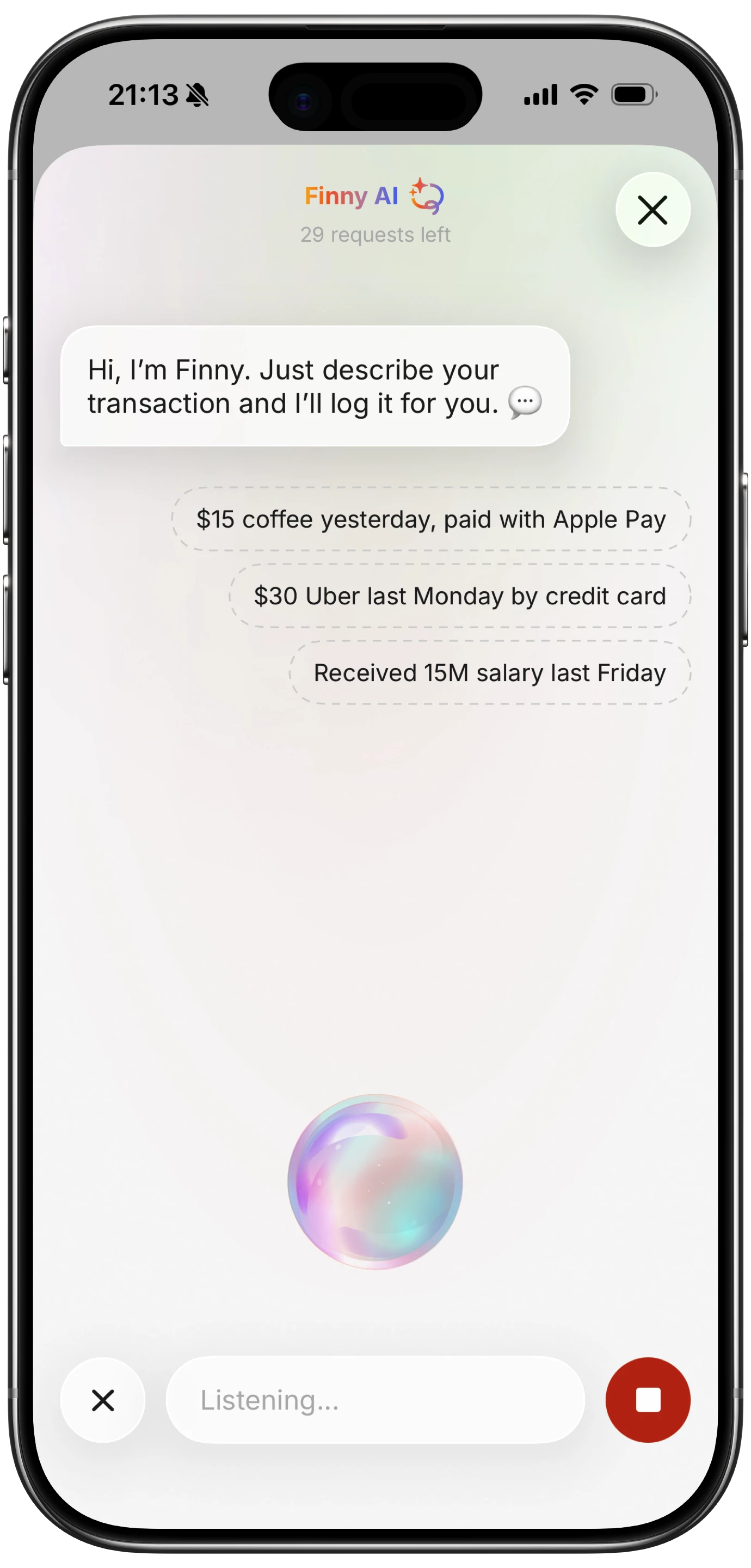
Finny app's voice input feature
Receipt scanning: Photograph one to five receipts at once. Finny extracts merchant, total, date, and category from each image. Review all parsed results on a single screen.

Finny app's screenshot import feature
The common thread across all three modes is the confirm step. AI suggests, you verify. This keeps accuracy high while reducing input time from 20-30 seconds to under 10 seconds per expense.
Finny also works entirely offline and stores data on your device. No bank credentials, no cloud-dependent features, no subscription required. For more on how AI is being applied in personal finance, see our guide on AI financial coaching and predictive budgeting.
Honest Assessment: When AI Helps and When It Does Not
AI expense tracking is not magic. Here is a realistic evaluation.
Where AI Genuinely Helps
Speed of input: Typing "lunch $15" is significantly faster than opening a form, entering an amount, selecting a category, and saving. This speed difference compounds across dozens of transactions per week.
Reduced abandonment: When logging takes less effort, people maintain the habit longer. The biggest barrier to expense tracking is not accuracy but consistency. AI input reduces the friction that causes people to quit.
Receipt processing: Manually typing receipt data is tedious enough that most people skip it. AI scanning makes receipt logging practical for everyday use, not just tax preparation.
Natural language flexibility: You do not need to remember category names or exact formats. "Coffee," "Starbucks $6," and "morning coffee six bucks" all work. The AI adapts to how you naturally describe purchases.
Where AI Falls Short
Categorization ambiguity: A purchase at Target could be groceries, household supplies, clothing, or electronics. AI guesses based on the merchant name, but it cannot know what you actually bought without more context.
Complex transactions: Split bills, partial refunds, and multi-category purchases still require manual handling. AI handles simple "one item, one amount" transactions well but struggles with complexity.
Voice input in noisy environments: Background noise causes transcription errors that can change amounts or merchant names. Always review voice-entered expenses.
Forgotten transactions: AI does not remind you to log purchases. You still need the discipline to record expenses as they happen. The AI only helps once you have initiated the logging. For an alternative low-friction approach, see how SMS-based expense tracking apps let you log spending via text message.
Building a Hybrid Tracking System
The most effective approach combines AI input with intentional review habits:
- Log in real time: Use text or voice input immediately after each purchase. Five seconds per transaction.
- Scan receipts in batch: At the end of each day or week, scan any paper receipts you have collected.
- Review daily: Spend two minutes each evening confirming that all purchases are logged and correctly categorized.
- Analyze weekly: Look at spending patterns and category totals. Adjust your budget based on what you see. Our guide on financial analytics explains how to read your spending data effectively.
This hybrid approach gives you the speed benefits of AI input with the accuracy benefits of human review. It also builds the awareness that makes budgeting effective: you see and confirm every transaction, which reinforces spending awareness in a way that fully automatic imports do not.
For more on building sustainable money habits, see our guide on building money habits.
The Bottom Line
AI expense tracking and manual tracking are not opposing choices. The best tools in 2026 combine both: AI handles the parsing and categorization, while you handle the confirmation and review.
If you want fully automatic tracking and do not mind bank connections, apps like Copilot Money and Monarch Money work well, though they come with subscription costs and privacy trade-offs.
If you prefer privacy, want to avoid bank links, and are willing to spend a few seconds per transaction, AI-assisted manual tracking with Finny offers the best balance. Text, voice, and receipt scanning cover every common logging scenario, and the confirm-before-saving approach keeps accuracy high.
The question is not "AI or manual?" but rather "how much AI assistance do I want, and what am I willing to share to get it?"
Common Questions About AI Expense Trackers
What is the best AI expense tracker in 2026?
It depends on your priorities. For AI-assisted input without bank connections, Finny supports text, voice, and receipt scanning. For AI-driven analysis of bank-linked data, Cleo and Monarch Money offer spending insights. Each approach involves different privacy trade-offs.
Is AI expense tracking reliable?
AI works best as an assistant, not a replacement. It parses text, voice, and receipts reliably for simple transactions. Complex or ambiguous purchases may need manual correction. The "AI suggests, human confirms" model is the most accurate approach available today.
Can AI replace manual expense tracking entirely?
Not in 2026. AI reduces input friction significantly, but you still need to initiate logging, review categorization, and catch errors. Fully automated tracking requires bank connections, which introduces privacy considerations and still misses cash transactions.
Do AI budget apps need access to my bank account?
Some do, some do not. Cleo, Copilot Money, and Monarch Money require bank links for their AI features. Finny uses AI for input parsing without any bank connection. The choice depends on whether you prioritize automation or privacy.
Ready to try AI-assisted expense tracking without the bank connection?
Download Finny to log expenses with text, voice, or receipt scanning. AI parses your input, you confirm the details. No bank link required, works offline, and your data stays on your device.