
Best Splitwise Alternatives 2026: 7 Apps Without the Daily Cap
For years, Splitwise was the default answer to "who paid for what." It still works. What changed is the free plan: entries are now capped per day, ads sit between screens, and two of the features people used most, receipt scanning and automatic currency conversion, moved behind Pro.
That is a reasonable business decision and a genuinely annoying one on day three of a group holiday, when you are trying to log the fourth dinner of the day and the app asks you to upgrade instead.
This guide covers the best Splitwise alternatives in 2026, what each one is actually good at, and one thing most roundups get wrong: splitting a bill and tracking your own money are two different jobs, and the app that does one well usually does not do the other.
Why People Leave Splitwise in 2026
Three complaints come up again and again.
The daily entry cap. Splitwise does not publish the exact number, but free users hit a wall after roughly three to five expenses in a single day. Most of the year that is invisible. On a trip, when six things get paid for before lunch, it is the whole experience.
Ads between screens. The free tier shows interstitial ads. Pro removes them.
Features that used to be free. Receipt scanning, itemized splits, spending charts and automatic currency conversion now sit on the Pro side of the line, which is exactly the feature set you want abroad.
If you want the full cost breakdown before you decide, we wrote up Splitwise pricing for 2026 separately.
None of this makes Splitwise a bad app. It makes it a paid app with a limited free tier, and that is worth knowing before your group standardizes on it.
What to Look For in a Splitwise Alternative
Before the list, the four things that actually matter once a group is using an app:
- Does everyone need an account? The single biggest reason a shared ledger dies is that one person in the group refuses to sign up. Apps that work from a link have a much higher survival rate.
- Are there entry limits? A cap you cannot see until you hit it is the worst kind.
- Does it handle more than one currency? Essential abroad, irrelevant for a shared flat.
- Can you settle up outside the app? Almost nobody moves money inside a splitting app. What you need is a clear number and a handoff to whatever payment app you already use.
The 7 Best Splitwise Alternatives
1. Tricount (best overall free option)
Tricount is the closest thing to old Splitwise. You create a "tricount" for a trip or a flat, add people, log expenses, and the app works out the settlement. It is free, it does not throttle entries, and it handles multiple currencies, which is the exact combination that pushed people off Splitwise in the first place.
The web version means a holdout friend can participate from a browser without installing anything.
Best for: group trips and shared flats where you want a straight Splitwise swap.
2. Splid (best for groups who will not sign up)
Splid's trick is that nobody needs an account. You create a group, share a code, and everyone can add expenses. No email, no password, no ads. It handles multiple currencies and works offline, which is more useful abroad than it sounds when roaming is patchy.
The trade-off is that a group code is the only key to the data. Lose everyone's copy and the group is gone.
Best for: short trips, festivals, and any group with at least one person who will not install another app.
3. Settle Up (best for recurring shared costs)
Settle Up covers iOS, Android and web, handles recurring expenses properly, and gives a clean who-owes-who summary. The free tier shows ads. Premium runs about $3.49 a month or $18.99 a year, and there is a short-term group upgrade so a group can go premium for the two weeks of a holiday without anyone keeping a subscription afterwards.
That two-week option is genuinely well designed and rare.
Best for: households with recurring shared bills, and trips where one person will happily pay for two weeks of premium.
4. Spliit (best open source option)
Spliit is free, open source and browser based. There is no app to install and no account to create: you make a group, share the URL, and everyone works from the same page. Because the code is public, you can self-host it if you care about where the data lives.
It is plainer than the polished apps here. That is largely the point.
Best for: people who want no accounts, no ads, no upsell, and the option to run it themselves.
5. Your payment app (best for two people)
If it is just you and one other person, a dedicated app is often overkill. Venmo, PayPal, Apple Cash and their local equivalents all let you request an exact amount with a note. Two friends splitting dinner do not need a ledger. They need one request for the right number.
The limit is real: this falls apart past about three people or two weeks, because nothing is keeping a running balance.
Best for: pairs, one-off dinners, and anything that settles the same night.
6. A shared spreadsheet (best for full control)
A shared Google Sheet or Numbers file still beats every app on flexibility. Custom split rules, notes, arbitrary columns, and permanent access with no subscription and no vendor deciding what is free next year.
The cost is friction. Every entry is a manual row, and mobile spreadsheet entry is slow enough that people stop doing it around day four. If you like this route, our guide on when to quit spreadsheet budgeting covers the failure modes honestly.
Best for: organized groups, long trips, unusual split rules.
7. Splitwise Pro itself (sometimes the right answer)
If your group is already on Splitwise, everyone has an account, and the history is there, paying for Pro for one month during the trip is often cheaper in time than migrating five people to a new app mid-holiday.
Cancel it after. The math is usually better than the pride.
Best for: groups already deep in Splitwise with a trip starting next week.
The Part Most Comparisons Miss
Every app above answers one question: who owes whom.
None of them answers the other one: what did this cost me?
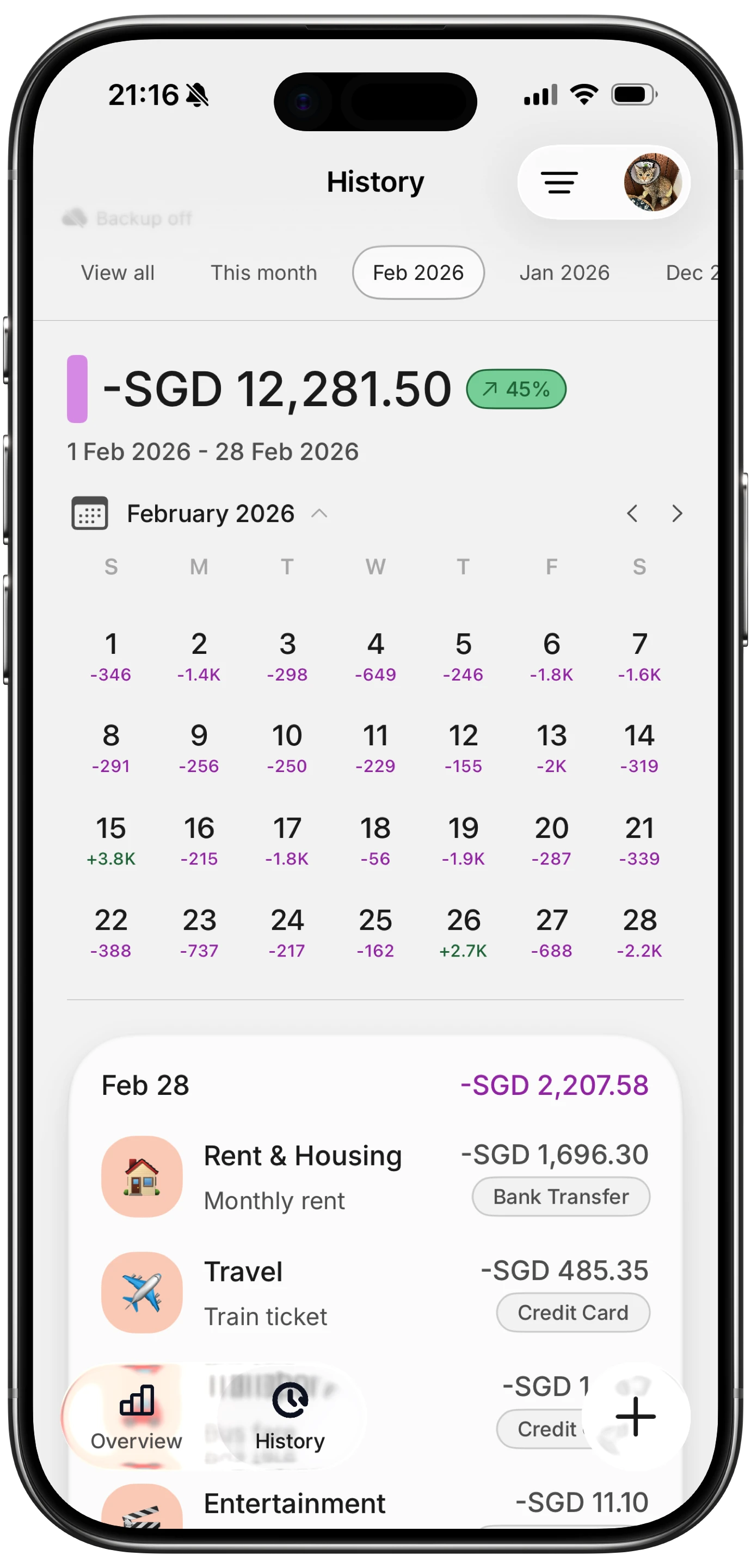
Finny app's History calendar feature
Splitting apps track the group ledger, not your personal spending. When the trip ends and everyone settles, your own budget still has a hole in it, and the numbers in the splitting app are the group's totals, not your share by category. You cannot see that you spent far more on taxis than you expected, because the splitting app was never keeping your books.
This is why plenty of people run two things: a splitting app for the group, and a personal tracker for their own money. The split app tells your friends what they owe you. The personal tracker tells you what the trip actually did to your month.

Finny app's Quick Log feature
Finny is built for that second job. It logs your share in seconds, keeps every expense in the currency you actually paid in while converting your daily and monthly totals to your home currency, and never asks for a bank login. It does not split bills between friends, and it is not trying to. If you want to know what a trip cost you personally, that is the gap it fills.
For the group side, we still like Tricount or Splid.
Quick Comparison
| App | Cost | Accounts needed | Entry limits | Multi-currency | Best for |
|---|---|---|---|---|---|
| Tricount | Free | Yes | No | Yes | Straight Splitwise swap |
| Splid | Free | No | No | Yes | Groups who will not sign up |
| Settle Up | Free with ads, ~$18.99/yr premium | Yes | No | Yes | Recurring shared costs |
| Spliit | Free, open source | No | No | Limited | Self-hosting, no accounts |
| Payment apps | Free | Yes | No | No | Two people, same night |
| Spreadsheet | Free | No | No | Manual | Full control |
| Splitwise Pro | ~$4.99/mo | Yes | No on Pro | Yes on Pro | Groups already using it |
Prices move. Check each app before you commit a group to it.
How to Move a Group off Splitwise Without Drama
The migration is usually the hard part, so keep it small.
- Settle first. Close out the current balances in Splitwise before switching. Never migrate an open ledger.
- Pick one person to own the new group. Groups fail when two people set up two competing ledgers.
- Start at a natural boundary. A new trip, a new month, a new flatshare. Never mid-trip.
- Send the link, not instructions. With Splid or Spliit you can send a link and people are in. That is the whole reason those two survive contact with real groups.
- Log your own share separately. Whatever the group uses, keep your personal tracking in your own app so your budget stays accurate.
Common Questions
What is the best free Splitwise alternative?
Tricount for most people, because it is free, has no entry cap, handles multiple currencies, and works in a browser. Splid is the better pick if anyone in your group refuses to create an account, since it works from a shared code with no sign-up.
Does Splitwise still have a free version?
Yes. Splitwise's free tier still covers unlimited groups, the standard split types and debt simplification. What it adds is a daily cap on how many expenses you can log, plus ads, and it reserves receipt scanning, charts and currency conversion for Pro. See our Splitwise pricing breakdown for the details.
Is there a Splitwise alternative that does not require an account?
Splid and Spliit both work without accounts. Splid uses a shared group code, Spliit uses a shared URL in the browser. Both are free.
Can I use one app for both splitting bills and tracking my own spending?
Not really, and that is worth accepting early. Splitting apps track what the group owes; personal finance apps track what you spent. Most people run a splitting app for the group and something like Finny for their own share. Our guide to tracking shared expenses with roommates covers how to keep the two in sync.
What happens to my data if I leave Splitwise?
Splitwise lets you export a group to CSV before you leave, and you should do that while your account still works. Settle the balances first, export second, then delete. The same advice applies to any of the alternatives here.
Want to know what the trip actually cost you, not just what your friends owe? Download Finny and log your share in seconds, in any currency, with no bank connection required. Free to start, and Pro adds AI-assisted input for a low monthly price.