
Open your expense tracker. Tap the plus button. Type the amount. Select a category from a scrollable list. Add a note. Pick the date. Hit save.
Congratulations, you just spent 30 seconds logging a $4 coffee. Now repeat that 15 times today.
Manual expense tracking had a good run. For years, it was the only option. Spreadsheets, paper notebooks, and later, mobile apps with neat little forms. The tool changed, but the process stayed the same: you do all the work. If you are still on a spreadsheet and wondering whether to switch, our guide on when to quit spreadsheet budgeting lays out the signs it is time, and the cases where it still makes sense to stay.
In 2026, that process is dead. Not because tracking does not matter, but because we now have five methods that are faster, easier, and more reliable than typing every transaction into a form.
The Problem with Manual Entry
Let's be honest about what manual expense tracking actually looks like in practice.
The average person makes between 30 and 50 financial transactions per month. Some make far more. Each manual entry takes 20 to 45 seconds depending on the app. That is 10 to 37 minutes of pure data entry every month, assuming you never forget a single transaction.
But people do forget. Studies on personal finance apps consistently show that manual trackers capture only 40% to 60% of their actual spending. The transactions you forget are the ones that matter most: small impulse purchases, cash transactions, and subscription charges you did not think about.
The result is a budget built on incomplete data. You think you spent $800 this month, but the real number was $1,200. Your budget is fiction.
For a deeper look at why this gap matters, see our guide on AI expense tracking vs manual methods.
The Old Way vs. The New Way
Here is what logging a single coffee purchase looks like with traditional manual entry:
- Remember to log the expense (this is where most people fail)
- Unlock your phone
- Open the app
- Tap the "add expense" button
- Type "4.50"
- Scroll through categories, select "Food and Dining"
- Type a note: "Morning coffee"
- Confirm the date
- Tap save
Nine steps. For a coffee.
Here is what it looks like with Tap to Track in Finny: tap your Apple Pay at the register. Walk away. The transaction is already logged.
One step. Zero thought.
The gap between these two experiences is the gap between expense tracking that works and expense tracking that people abandon after two weeks.
Five Modern Alternatives to Manual Entry
1. Tap to Track (Apple Pay Automation)
This is the most significant change in personal expense tracking in years. Finny's Tap to Track instantly captures every Apple Pay transaction the moment you pay.
Your iPhone already detects when you tap to pay at a terminal. Finny hooks into that detection and creates a transaction record instantly. No app opening, no typing, no thinking.
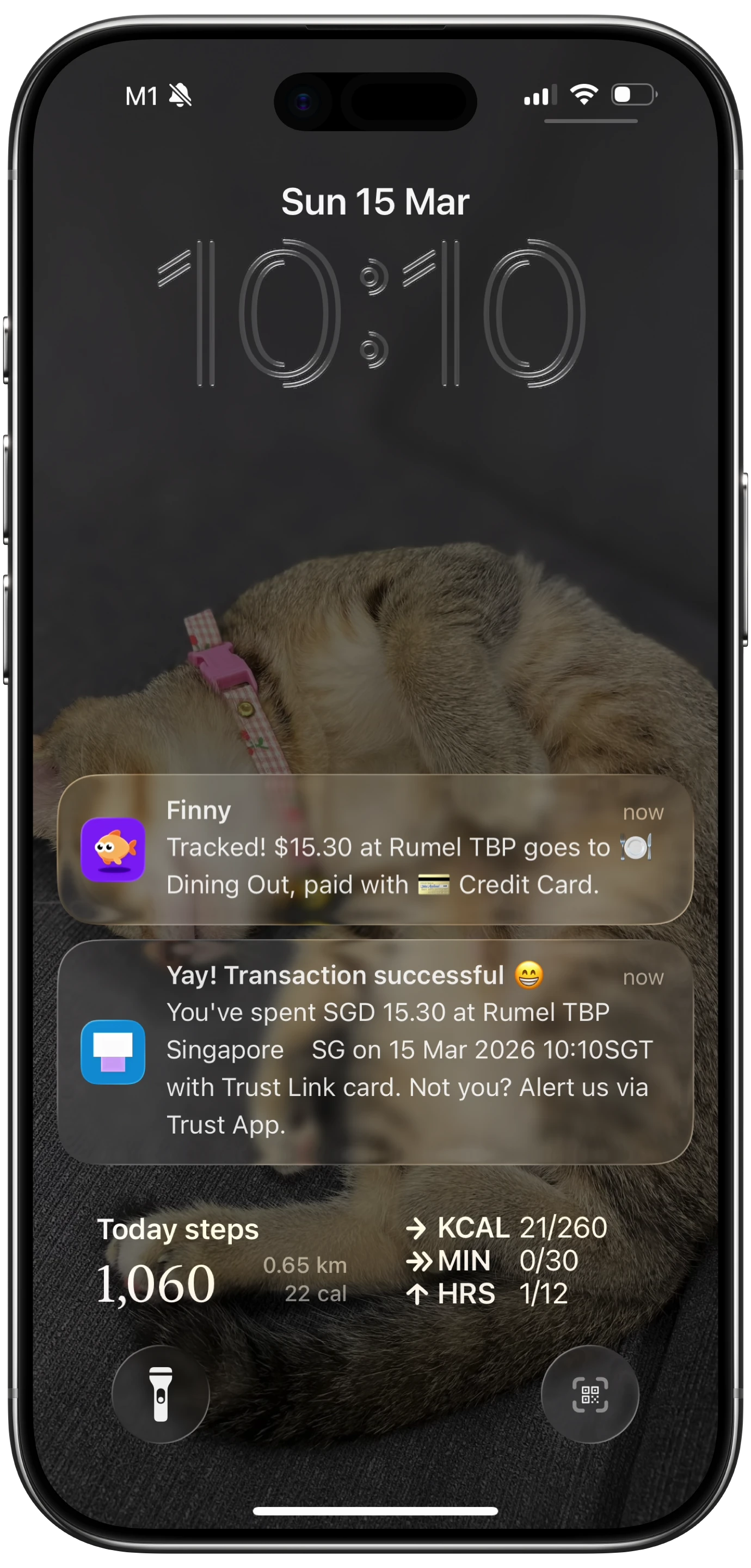
The setup takes two minutes with a quick one-time configuration, and from that point forward, every tap-to-pay transaction is logged automatically.
No other finance app does this natively. Apps like Monarch Money ($14.99/mo) and YNAB ($14.99/mo) require bank account connections and wait for transaction data to sync, which can take hours or even days. Copilot ($13/mo) also relies on bank syncing through Plaid. Finny captures the transaction the instant it happens, locally on your device, for a low monthly price.
2. Voice Input
For transactions that do not go through Apple Pay, voice input is the next fastest option. Say "Spent fifteen dollars at the barber" and Finny's AI parses the amount ($15.00), the category (Personal Care), and the merchant (barber).
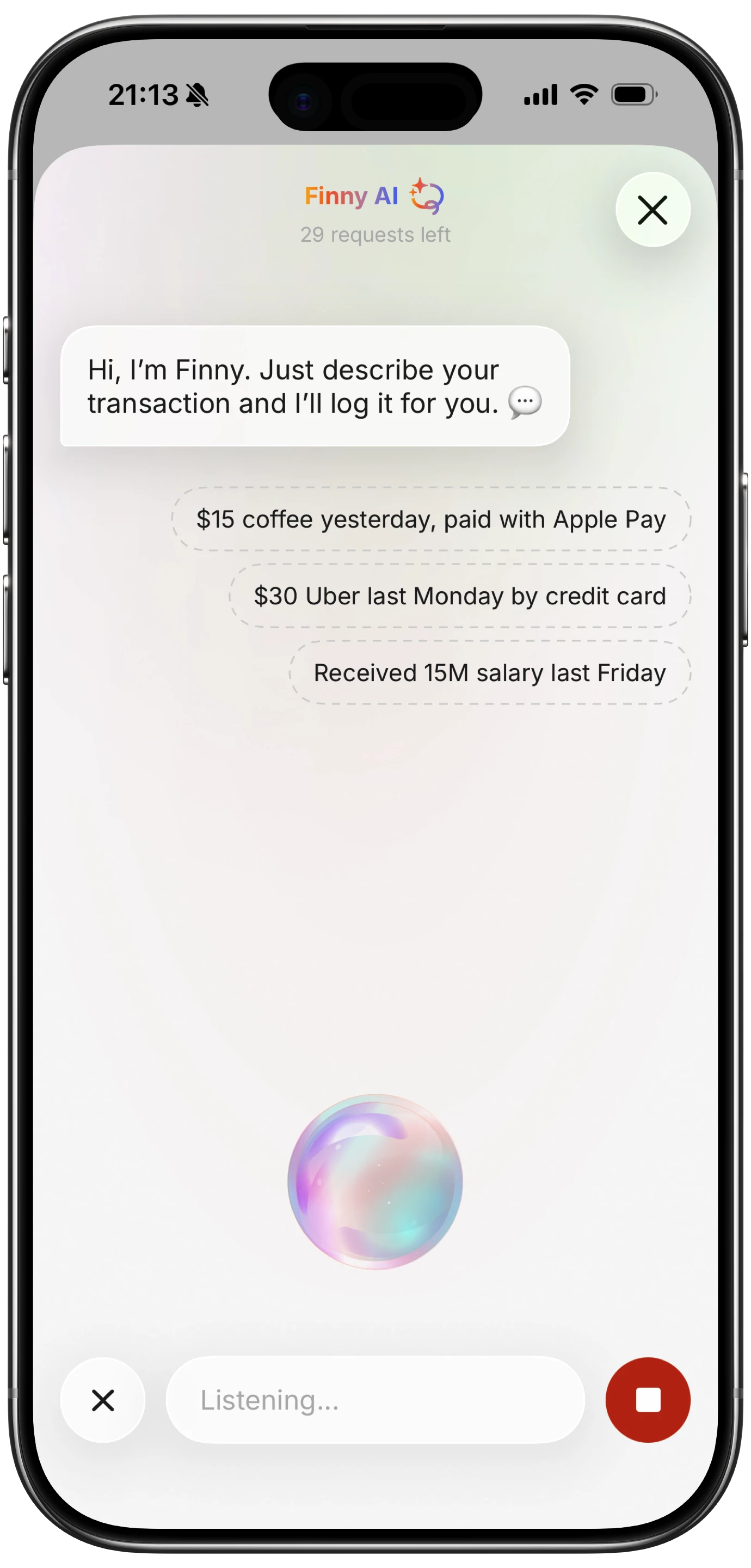
This is not dictation into a text field. The AI understands natural language and extracts structured data from it. You speak like a human and the app creates a proper transaction entry.
Voice input is especially powerful when your hands are full: carrying groceries, cooking dinner, driving (safely, of course), or walking through a market. For a complete guide on hands-free tracking, see our voice expense tracker guide.
3. Receipt Batch Scanning (Up to 5 Photos at Once)
You are at a restaurant. The bill arrives. Instead of typing in the total, tip, and tax separately, you snap a photo. Finny's AI receipt scanner reads the receipt and extracts the relevant data: total amount, date, merchant name, and line items.

What sets Finny apart here is batch processing. You can scan up to five receipts at once. Emptied your pockets at the end of the day and found four crumpled receipts? Photograph them all and let the AI handle parsing. This is dramatically faster than typing four separate entries.
Apps like Expensify have offered receipt scanning for years, but primarily for business expense reports. Finny brings this to personal finance with AI that understands personal spending categories.
4. Statement Screenshot Import
This is the feature that catches the long tail: online purchases, subscriptions, transfers, and any transaction that does not produce a physical receipt.
Pull up your bank statement in your banking app. Take a screenshot. Share it into Finny via the Share Extension. The AI reads every transaction on the screen and imports them all at once.
One screenshot can contain 20, 30, or even 50 transactions. All imported in seconds. No typing, no scrolling, no copying numbers from one app to another.
This is particularly valuable for Amazon purchases, streaming subscriptions, and utility payments that would otherwise require tedious manual entry.
5. Share Extension from Photos
Already have a receipt photo in your camera roll? You do not need to open Finny separately. Use the iOS Share Extension directly from the Photos app to send the image to Finny. The AI processes it the same way, pulling out transaction data and creating an entry.
This is a small touch that makes a big difference in workflow. It means every photo of a receipt you have ever taken can become a tracked expense without launching the app first.
What This Looks Like Over a Month
When you combine all five methods, the coverage is nearly total.
Daily in-person purchases are handled by Tap to Track. Cash and informal payments are covered by voice. Restaurant bills and retail receipts get scanned. Online purchases and subscriptions come in through statement imports. And any stray receipt photo gets shared in from your camera roll.
The result: 95% to 100% of transactions tracked, with almost zero effort. Compare that to the 40% to 60% capture rate of manual tracking.
For tips on building consistent tracking habits, see our guide on how to track expenses.
"But I Like Manual Entry"
Fair enough. Some people genuinely enjoy the ritual of logging each expense by hand. It can create mindfulness around spending. If that describes you, manual entry still has a place, but it should be an option, not the only option.
The problem is when apps make manual entry the default and the only path. When the plus button and the form are the only way to log a transaction, the app is asking you to do all the work. In 2026, that is a design failure.
The best approach is layered: automation handles the bulk, and manual entry remains available for edge cases or intentional mindfulness. If you want to explore approaches that work without internet, our guide on offline expense tracking covers what is possible.
Why Most Apps Are Still Behind
Here is the uncomfortable truth for the expense tracking industry: most apps still rely on two approaches that have not fundamentally changed in a decade.
Bank syncing. Connect your accounts through Plaid, wait for transactions to sync (sometimes 24-72 hours), and hope the categorization is correct. This works, but it requires sharing your bank credentials with a third party and introduces significant lag.
Manual forms. The classic. Open the app, fill in the blanks. This gives you control but demands consistent effort that most people cannot sustain.
Rocket Money (premium $7-14/mo) focuses on subscription tracking and bill negotiation. Monarch Money ($14.99/mo) emphasizes financial planning dashboards. YNAB ($14.99/mo) is built around zero-based budgeting methodology. These are all useful tools, but none of them have solved the input problem.
Finny approaches tracking from the opposite direction: instead of building features on top of bank syncing, it builds multiple input paths that eliminate the need for bank syncing entirely. Tap to Track, voice, receipt scanning, statement import, and Share Extension. Five ways in. All of them faster than a form. All for a low monthly price.
The Standard in 2026
A year from now, the idea that you had to manually type every expense will feel as outdated as balancing a checkbook. The tools are here. The AI is accurate. The automation works.
The question is not whether manual expense tracking is dead. It is whether your app has caught up.
For a full comparison of what leading apps offer, check our best money tracker app in 2026 guide.
FAQ
Is manual expense tracking completely useless now?
Not completely. Manual entry is still useful for one-off edge cases, like logging a cash gift or splitting an unusual expense. But it should not be your primary method. If 90% of your transactions require manual typing, your app is not working hard enough for you.
Do I need to connect my bank to use automated tracking?
Not with Finny. Tap to Track uses your iPhone's built-in payment detection, not bank connections. Voice input, receipt scanning, and statement imports all work without any bank credentials. Your data stays on your device. For more on privacy-first tracking, see our guide on tracking expenses without linking your bank.
How does Tap to Track compare to bank syncing for speed?
Tap to Track logs transactions instantly, the moment you tap Apple Pay. Bank syncing through services like Plaid typically takes 1 to 72 hours depending on the institution. For real-time awareness of your spending, Tap to Track is significantly faster.
What if I use Android instead of iPhone?
Tap to Track currently requires Apple Pay and your iPhone's built-in automation, which are iOS-only features. Voice input, receipt scanning, and statement screenshot import work across platforms. Finny is currently available for iPhone, with broader platform support planned.
Download Finny and stop typing your expenses. Your budget will actually be complete for once.