
What Personal Finance Apps Are Missing in 2026
Personal finance apps have never looked better. The dashboards are polished, the onboarding is smooth, and the marketing copy promises full financial clarity in minutes. But spend a week with any of them and the friction starts to show: mandatory bank connections, no way to log a cash expense without an internet connection, subscription prices that keep climbing, and data that lives entirely on someone else's server.
This post is a gap analysis, not a product roundup. It examines the what features are missing from personal finance apps in the current landscape, why each gap matters in practice, and what a better-designed approach looks like. If you want a broader comparison of today's top tools, the best personal finance apps of 2026 covers that ground separately.
Gap 1: Forced Bank Connections Make Privacy a Non-Option
The dominant model in personal finance apps is connect-first. You hand over your banking credentials or authorize a Plaid/Finicity link on day one. The app pulls your transactions automatically and everything flows from there. It sounds convenient, and for many users it is. But the tradeoff is rarely explained clearly.
When you authorize a bank link, you are granting a third-party aggregator read access to your account history. That data sits on external servers, is subject to the aggregator's data-sharing policies, and is only as secure as their infrastructure. When aggregators have outages or policy changes, your sync breaks and you have no fallback. When you want to delete your data, the process is rarely straightforward.

Privacy is not a niche concern. According to the Pew Research Center's ongoing data privacy surveys, a majority of Americans express concern about how companies use their financial data. Yet the mainstream apps treat bank linking as a prerequisite rather than a choice.
Where Monarch Money and Copilot Land on This
Monarch Money ($99.99/year for the Core plan) and Copilot ($13/month or $95/year) both require bank connections to function as designed. Neither offers a meaningful manual-only path. If Plaid fails to connect your credit union, or if you simply prefer not to authorize third-party access to your accounts, you are largely stuck. Monarch's manual account option exists on paper but strips away most of the app's functionality.
A better approach: bank connection should be optional. An app that works fully offline, stores data locally by default, and offers bank sync as an opt-in feature respects the user's choice. That model exists; it just is not the mainstream default. For a deeper look at apps that take this route, see the best expense trackers with no bank login required.
Gap 2: No Offline Support
Mainstream budgeting apps assume a persistent internet connection. That is a reasonable assumption in a home or office, but it fails in a surprising number of real situations: international travel, spotty rural coverage, a subway commute, or simply a moment when you want to log a coffee purchase and your phone has no signal.
When an app requires connectivity to log a transaction, you do two things: delay entry until you are online, and forget half the context by the time you get there. The result is incomplete records and a budgeting picture that slowly diverges from reality.
The problem compounds over time. A user who misses five offline transactions per week is missing roughly 20 per month. At that rate, spending categories become unreliable, and the app's value as a tracking tool erodes.
YNAB's Cloud Dependency
YNAB ($14.99/month or $109/year) stores all data in the cloud and requires an internet connection for full functionality. It has a strong methodology and a devoted user base, but it was not designed with offline use as a primary consideration. For users in areas with reliable connectivity who engage with their budget on a desktop, this is rarely a problem. For mobile-first users on the go, it is a real limitation.
Offline-first design means transactions are written to local storage immediately and synced when connectivity resumes. It is not a technically difficult problem; it is an architectural choice. Apps that make that choice tend to be faster and more resilient. Read more about why offline expense tracking matters for consistent financial habits.
Gap 3: Friction-Heavy Manual Entry
Even apps that allow manual entry make it harder than it needs to be. The standard flow involves tapping through three or four screens, selecting a category from a long scrolling list, entering an amount on a numeric keypad, and confirming. For a $4 coffee, that is 10-15 seconds of focused attention. Do it 30 times a week and the friction accumulates.
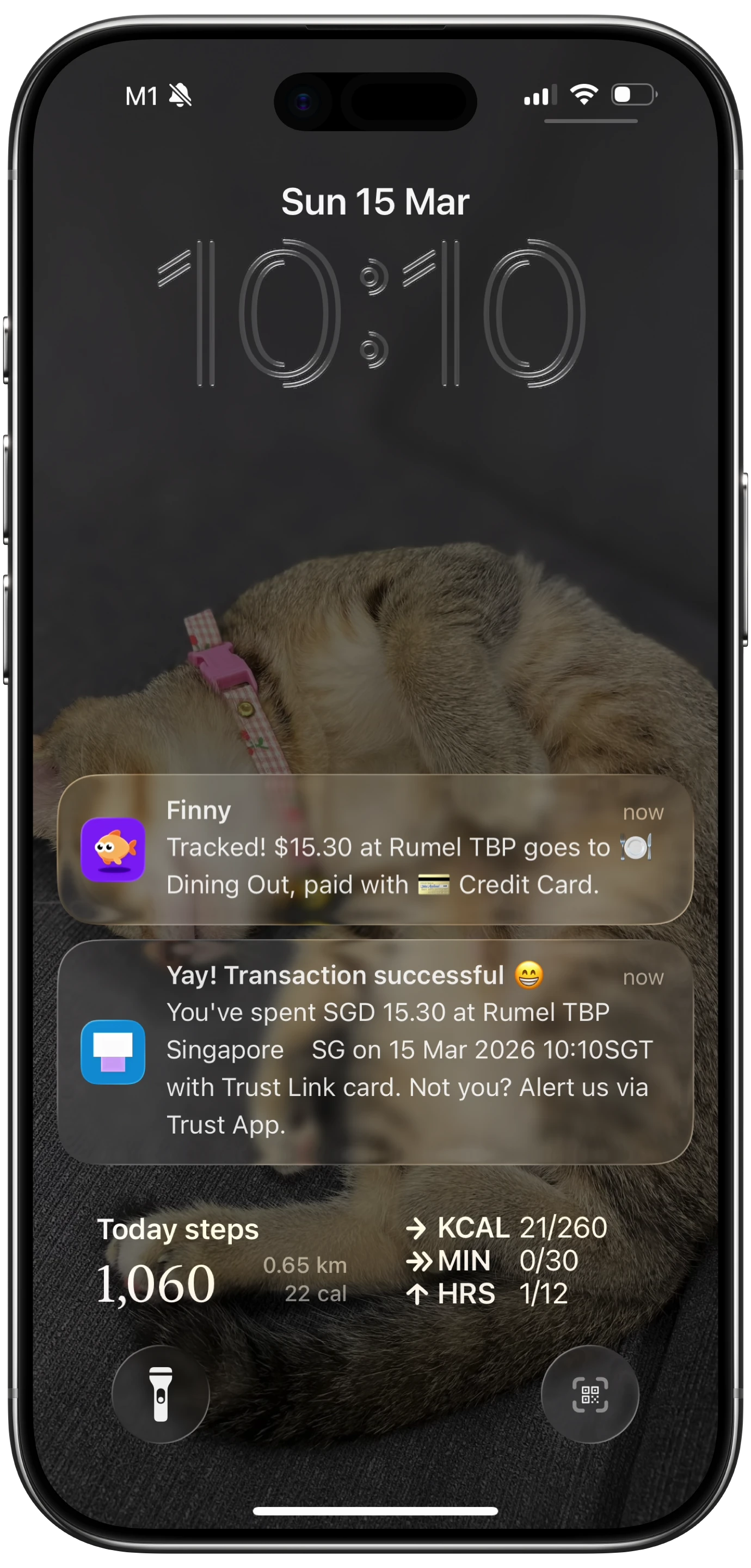
Manual entry friction is one of the primary reasons people abandon expense trackers. A habit that requires 15 seconds of deliberate effort per transaction is a habit that gets dropped when life gets busy. This is why the bank-link model gained traction: it removes entry effort entirely. But it does so by removing privacy and control at the same time.
The better path is to reduce entry friction without requiring a bank connection. Natural language input ("spent $12 on lunch") combined with AI parsing can compress the flow to a single tap and a spoken phrase. Tap-to-Track interfaces with pre-configured spending buttons can log recurring expenses in under two seconds. Batch receipt scanning can process multiple receipts in a single session. These are not futuristic features; they exist today in apps built around manual-first design. For context on how AI is changing this space, see AI finance trackers in 2026.
Gap 4: Weak Multi-Currency and International Support
The major US-based budgeting apps were built for US banking infrastructure. They support USD natively, handle US tax categories, and integrate with US bank aggregators. That is fine for users who live and spend entirely in the United States.
For anyone else, including immigrants, frequent travelers, digital nomads, and people with accounts in more than one country, the experience falls apart quickly. Monarch and Copilot have limited multi-currency support. YNAB allows multi-currency account tracking but the experience is manual and does not update exchange rates automatically in a unified view.
The scale of this gap is larger than US-centric developers tend to assume. The US has a large immigrant population. Remote work has made international spending routine for people who were previously domestic-only spenders. A personal finance app that cannot handle a euro credit card and a dollar checking account in the same dashboard is not a complete personal finance app.
A unified multi-currency view, with live exchange rates across 150+ currencies and automatic home-currency conversion, is what international users actually need. This is not a niche requirement in 2026.
Gap 5: Receipt Capture That Actually Works
Receipt scanning has been a promised feature in personal finance apps for years. The reality is that most implementations are slow, require good lighting and a flat surface, and produce results that still need manual correction. Users who try receipt capture once, spend two minutes fixing the OCR output, and give up are not unusual.
The gap is not in having receipt scanning; it is in having receipt scanning that works reliably enough to replace manual entry. That means AI-assisted OCR that handles crumpled receipts, photos taken at an angle, and receipts in multiple languages. It means being able to process more than one receipt at a time. It means the parsed data populates the right fields automatically rather than dumping raw text into a notes field.
Apps that have genuinely solved this problem are still rare. Most treat receipt scanning as a checkbox feature rather than a primary input method.
Gap 6: Subscription Pricing Creep
The subscription economics of personal finance apps have shifted significantly. In 2024 and 2025, several major apps raised prices: YNAB moved from $99/year to $109/year, then $14.99/month. Monarch introduced a Plus tier at $199/year. Copilot is $13/month for iOS users.
These are not unreasonable prices for what the apps deliver. But the value proposition needs scrutiny. You are paying $100-200 per year for an app that requires you to hand over your banking credentials, does not work offline, and may not support your currency or institution. If the bank link breaks, you are paying for a dashboard with no data.
The pricing model also creates a structural conflict of interest. A subscription app needs to retain subscribers. Features that increase engagement are prioritized. Features that help users become financially independent and potentially cancel their subscriptions are a lower priority. A one-time purchase or a very low subscription price changes that dynamic.
For users evaluating privacy-first options in this category, privacy-focused subscription trackers in 2026 is a useful starting point.
Summary Table
| Common Gap | Why It Matters | What Better Looks Like |
|---|---|---|
| Forced bank connection | Privacy risk, sync fragility, no fallback | Optional bank sync, full manual-only path |
| No offline support | Missed entries, broken habits on the go | Local-first storage, sync when connected |
| Friction-heavy entry | Users abandon the habit | AI text/voice input, tap shortcuts, batch receipts |
| US-centric/weak multi-currency | Fails for travelers, immigrants, expats | 150+ currencies, live rates, unified view |
| Receipt capture that barely works | Feature exists but is not usable | AI OCR, batch processing, auto-categorization |
| Subscription price creep | Poor value when core gaps remain | Low price or free tier with genuine utility |
What a Better App Actually Does
No app perfectly solves every gap listed above. But the direction is clear. A well-designed personal finance app in 2026 should: work fully offline with local storage, accept natural language and voice input, offer bank sync as an option rather than a requirement, handle multiple currencies natively, and price itself in proportion to what it delivers.
Finny is built around these constraints. It is offline-first and privacy-first, requires no bank connection, supports 150+ currencies, and uses AI to make manual entry fast enough to actually use consistently. The Pro tier costs a low monthly price, compared to roughly $14 for YNAB and $13 for Copilot. That is a meaningful difference when the core functionality you need does not depend on a bank link.
Common Questions About Personal Finance App Features
Why do most personal finance apps require a bank connection?
Bank linking via aggregators like Plaid automates transaction import, which reduces manual work for users and increases daily engagement for the app. The tradeoff is that users must authorize third-party access to their account data. Most mainstream apps have built their entire data model around this flow, making manual-only use a second-class experience.
Can you track expenses accurately without connecting a bank account?
Yes, but it requires an entry method that is fast enough to use consistently. If manual entry takes 15 seconds per transaction, most people will not maintain the habit. Apps that offer tap-based shortcuts, AI text input, or voice logging can make manual entry fast enough to be sustainable, and the resulting data is often more accurate because the user controls categorization at the point of entry.
Why do personal finance apps struggle with multi-currency support?
Most major apps were built for US banking infrastructure and US tax categories. Adding genuine multi-currency support requires live exchange rate feeds, currency-aware reporting, and account types that US banks do not offer. It is a significant engineering investment that US-focused products have historically deprioritized. The gap is real and matters for a growing share of users.
What should I look for if I want offline expense tracking?
Look for an app that explicitly describes local-first or offline-first architecture. Test it by turning off Wi-Fi and attempting to log a transaction: the transaction should save immediately without any error or delay. Sync to the cloud, if offered, should happen in the background when connectivity resumes, not as a prerequisite for saving data.
Is receipt scanning in personal finance apps actually reliable in 2026?
It varies significantly. Apps that have invested in AI-assisted OCR with correction workflows can handle most receipts reasonably well. Apps where receipt scanning is a secondary feature tend to produce results that still require manual cleanup. Batch scanning (multiple receipts in one session) and support for receipts in different languages are good indicators that receipt capture was built as a primary feature rather than an afterthought.
Ready to track expenses without handing over your bank login? Download Finny and try an offline-first, privacy-first approach to personal finance.