AI Expense Tracker vs Bank Sync: Which Is Accurate?
The usual framing is automation against effort: bank sync does the work for you, AI-assisted logging asks you to capture things. That framing skips the more interesting question, which is that the two methods are wrong in completely different ways.
Comparing an AI expense tracker vs bank sync on accuracy means asking what each one systematically misses. Bank sync misses transactions. AI-assisted capture misses details. Those failures have very different consequences, and which one you can live with should decide your choice.
For the manual comparison, see our guide to AI expense tracking versus manual.
How Each Method Works
Bank sync connects to your accounts through an aggregator, imports transactions as they post, and categorizes them automatically. You review rather than record.
AI-assisted capture creates the record at the moment of spending, from a typed sentence, a spoken phrase, a photographed receipt, or an automatic capture of a card payment. The AI extracts the structure and you confirm it.
One reads a feed. The other creates entries. That difference produces everything below.
Where Bank Sync Is Wrong
Cash is invisible. Not inaccurate, absent. Any cash spending simply does not exist in your data, and there is no prompt telling you something is missing. For most households this is the single largest source of error.
Posting lag. Transactions arrive one to three days late, and some card transactions change amount between authorization and settlement, particularly restaurants with tips and hotels with holds. A mid-week total is always stale.
Unconnected accounts. The card you forgot to link, the account at the bank that is not supported, the shared account you did not want to connect. All invisible.
Broken connections. Institutions change their systems and connections fail, sometimes quietly. People discover weeks later that an account stopped syncing.
Merchant names tell you nothing. A statement descriptor is a processor string, not the shop you visited. Automatic categorization guesses from that string, which is why ambiguous merchants get miscategorized so often.
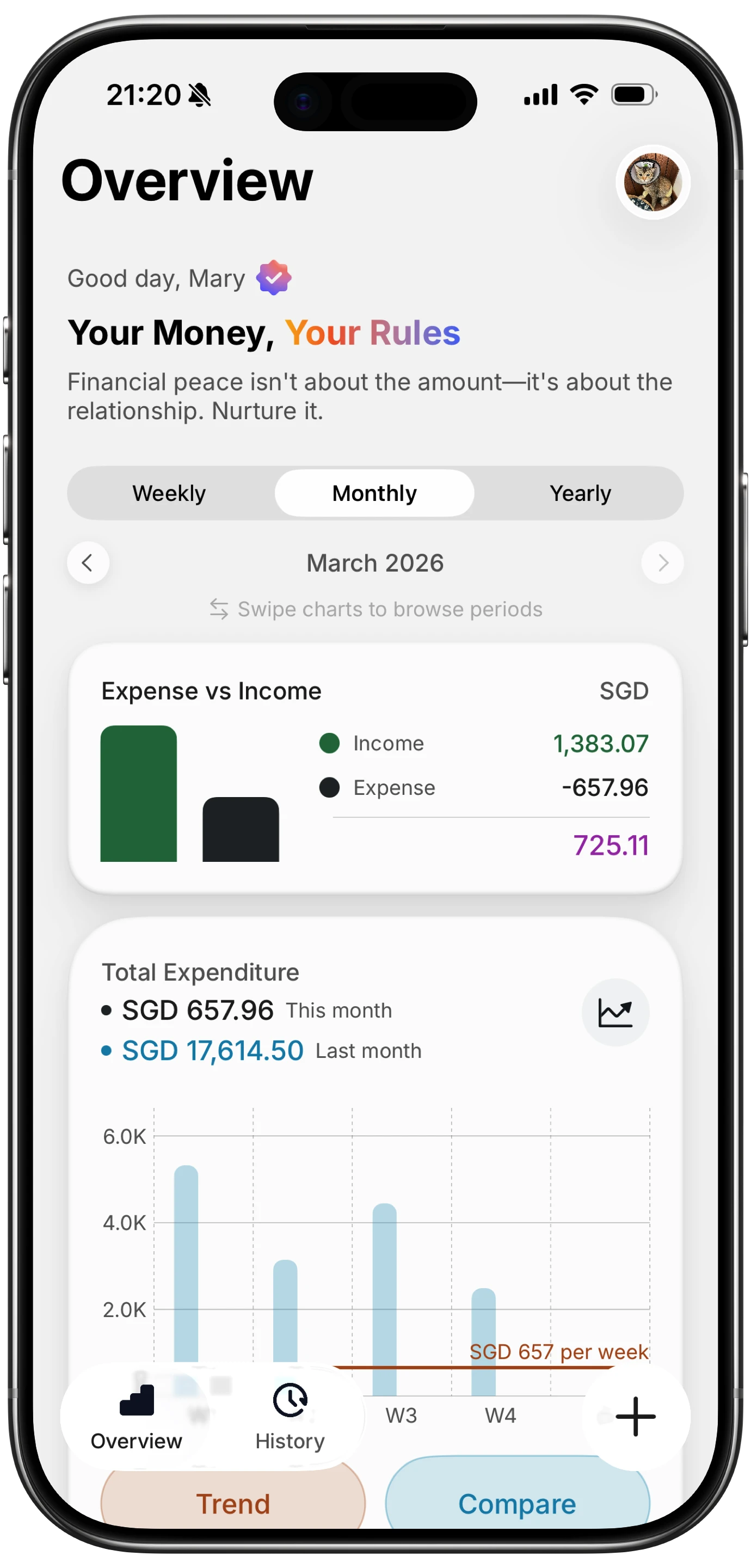
Finny app's Overview feature
Where AI Capture Is Wrong
Skipped entries. If you do not capture it, it does not exist. This is the mirror image of the cash problem, and it is why capture speed matters so much: a method that takes thirty seconds gets skipped at a busy counter.
Parsing errors. Similar-sounding amounts, receipt totals read from the subtotal line, ambiguous merchants assigned the wrong category. These produce plausible entries that look correct.
No independent verification. Bank sync has one genuine advantage: the bank is a second source. If your records say $340 and the statement says $412, something is wrong and you know it. Capture-based tracking has no such check unless you reconcile deliberately.
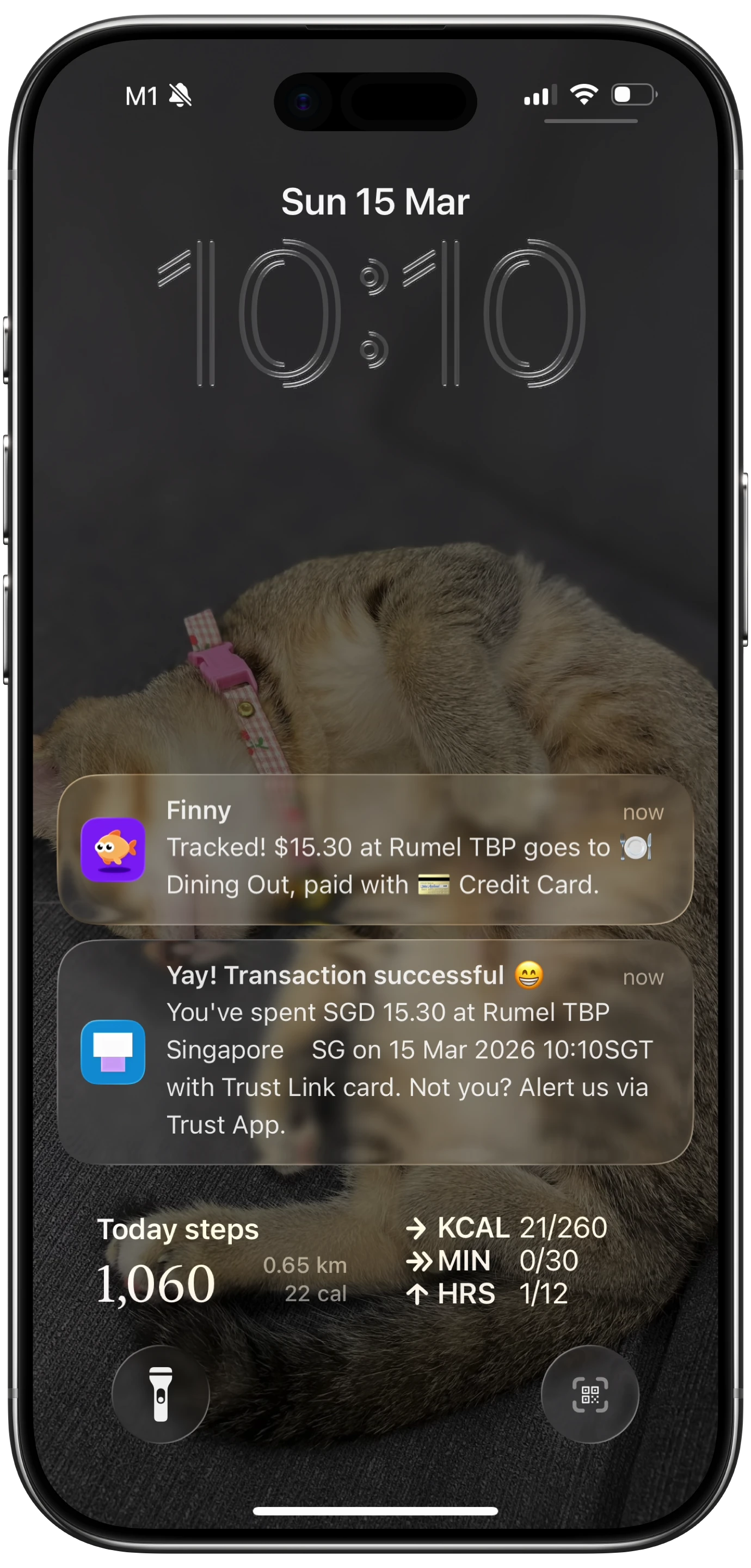
Finny app's Tap to Track feature
The Accuracy Comparison That Matters
| Bank sync | AI capture | |
|---|---|---|
| Cash spending | Invisible | Captured if logged |
| Timeliness | 1 to 3 days late | Immediate |
| Amount accuracy | High, after settlement | Good, with confirmation |
| Category accuracy | Guesses from descriptor | Better context at capture |
| Completeness | Only connected accounts | Only what you record |
| Independent check | Yes, the statement | No, unless you reconcile |
| Privacy | Aggregator holds read access | No account access |
Read that table by asking which row describes your actual problem. If you spend almost entirely on one linked card, bank sync's weaknesses barely apply and it is the better tool. If you use cash regularly, split payment methods, or want a same-day total, its weaknesses are the whole story.
The Hybrid Most People Actually Need
These are not exclusive, and the strongest setup uses both properties.
Capture at the point of spending so the total is current and cash is included. Then reconcile against the statement monthly, which restores the independent check that capture alone lacks.
That is more work than pure automation and considerably more accurate than either method alone. The monthly reconciliation is the step people skip, and it is the one that catches both a missed capture and a broken sync.
Finny covers the capture half without a bank connection: card payments get logged as you make them, receipts get read from your photo library, and expenses can be entered by text or speech. Reconciling against your statement at month end stays a manual step, and it is worth doing.
The Privacy Dimension
Worth separating from accuracy, because it decides the question for some people regardless of the table above.
Bank sync requires an aggregator to hold read access to your accounts, continuously, for as long as the connection lives. That is a reasonable trade for automation and it is not a trade everyone wants to make. AI capture creates records from what you capture, so no third party holds account access.
If that matters to you, the accuracy comparison is secondary and our guide to tracking expenses without linking a bank covers the practical setup.
The Bottom Line
Bank sync is more accurate on amounts and gives you an independent check. AI capture is more accurate on completeness and timeliness, and it is the only method that sees cash.
Choose bank sync if nearly all your spending runs through connected accounts and you want minimal effort. Choose AI capture if you use cash, want a total that is right today rather than on Thursday, or would rather not grant account access. Use both if you want the most accurate picture available, with a monthly reconciliation to catch what each one misses. Our roundup of automatic expense trackers covers tools on both sides.
Common Questions About AI Tracking and Bank Sync
Is bank sync more accurate than an AI expense tracker?
On amounts, yes, because settled transactions come from the bank itself and give you an independent check against your own records. On completeness, no, because bank sync cannot see cash spending or any account you have not connected, and there is no prompt telling you data is missing. Which is more accurate overall depends entirely on how much of your spending runs through connected accounts.
Why does my budgeting app miss cash spending?
Because bank-linked apps import from account feeds, and cash withdrawals appear only as a single ATM transaction rather than as the purchases you made afterward. The app knows you withdrew $200 and nothing about where it went. Any app built purely on bank connections has this gap, which is why cash-heavy spending produces misleading category totals unless you add those transactions manually.
How far behind is bank sync?
Typically one to three days between a purchase and its appearance in a budgeting app, and sometimes longer over weekends and holidays. Amounts can also change between authorization and settlement, which affects restaurant tips and hotel holds in particular. For monthly review this lag is irrelevant, but for checking whether you can afford something today it means the figure you see is always slightly behind reality.
Can I use both bank sync and AI capture together?
Yes, and it is the most accurate approach available. Capture spending as it happens so your running total is current and includes cash, then reconcile against your statement at month end to catch anything you missed. The reconciliation restores the independent verification that capture alone lacks, and it also reveals broken bank connections, which otherwise fail quietly for weeks.
Ready to track expenses with less friction?
Download Finny to log expenses using AI, receipts, or text. No bank connections, offline support, and full control over your financial data.