
Best iOS Budget Apps in 2026
Most "best budget app" lists treat iPhone and Android as the same product. They are not. A true iOS budget app feels native on the platform: Siri Shortcuts that log expenses by voice, Lock Screen widgets you actually read, Apple Watch complications that show your safe-to-spend amount, Focus modes that quiet finance notifications during a workout, and iCloud sync that just works.
The gap between a cross-platform port and a polished iOS-first app is huge once you use both. An Android-first tool can have every feature on a checklist and still feel awkward on an iPhone because it ignores the small details: haptics, native sheet animations, Share Extensions, the Dynamic Island. This guide compares the best iOS budget app picks in 2026 based on how well each one takes advantage of what iPhone, iPad, Mac, and Apple Watch actually offer.
If you want expense tracking rather than full budgeting, our guide to the best expense tracker app for iPhone compares the same field on logging speed, receipt scanning, and voice entry instead.
If you want a wider view, see our best personal finance apps in 2026 roundup, which covers web-based options too.
What Makes an App a True iOS Budget App
An iPhone user opening a budgeting app for the first time can usually tell within a minute whether it was built for iOS or retrofitted from another platform. The tells are everywhere.
Real iOS-native budget apps invest in platform features that users expect on their iPhone:
- Siri Shortcuts and App Intents. You should be able to add expenses hands-free, check balances, or run a "log coffee" shortcut without unlocking your phone.
- Home Screen, Lock Screen, and Stack widgets. Glanceable budget data beats opening an app five times a day.
- Apple Watch complications. Real-time spending limits on your wrist are more useful than a full-screen graph.
- Live Activities and Dynamic Island. Track an active trip budget, a weekly spending goal, or a bill countdown without switching apps.
- Focus mode filters. A budget app should respect Work, Personal, and Sleep Focus, not fire notifications at 2 a.m.
- iCloud sync. End-to-end encrypted sync across iPhone, iPad, and Mac without a web-based cloud account.
- Share Extension. Send a receipt photo or a Safari price to the app directly from the share sheet.
- Apple Pay and Wallet integration. Native tracking of Apple Pay purchases without re-typing or bank linking.
Apps that skip these details can still work, but they do not feel like iOS software. They feel like websites in a wrapper.
Best iOS Budget Apps in 2026
The apps below are the strongest options for iPhone users who want native polish, not just a budget feature list. Pricing and feature data are current as of April 2026.
| App | Platforms | Siri Shortcuts | Widgets | Apple Watch | iCloud Sync | Price |
|---|---|---|---|---|---|---|
| Finny | iOS only | Yes | Yes | Complications | Yes | Free / a low monthly price |
| Copilot Money | iPhone, iPad, Mac, Watch | Partial | Yes | Yes | Yes | $13/mo or $95/yr |
| YNAB | iOS, Android, Web | Yes | Yes | Yes | No (YNAB cloud) | $14.99/mo or $109/yr |
| Monarch Money | iPhone, iPad, Web | Partial | Yes | No | No (Monarch cloud) | $14.99/mo or $99.99/yr |
| PocketGuard | iOS, Android, Web | Limited | Yes | Yes | No | Free / $12.99/mo |
| Spendee | iOS, Android, Web | Limited | Yes | Yes (Glance) | No | Free / $2.99/mo |
| Goodbudget | iOS, Android, Web | No | Limited | No | No | Free / $10/mo |
Copilot Money: Best Overall iOS-Native Polish
Copilot Money is the most visually iOS-native option on this list. It ships across iPhone, iPad, Mac, and Apple Watch, with widgets, iCloud-backed sync, and an aesthetic that clearly took cues from Apple's own design language. Adaptive budgets, AI categorization, and investment tracking are all built in.
Its Mac app is a real native Mac app, not a web wrapper, which matters if you prefer desktop review sessions. Widgets are customizable at different sizes, and iOS 17 and iOS 18 features like interactive widgets are supported.
The tradeoff is cost and reliance on bank linking. Copilot connects to over 10,000 institutions and most of its value depends on that link being healthy.
Pricing: $13/month or $95/year. One-month free trial.
Best for: iPhone, iPad, and Mac users who want premium design and are comfortable with bank-linked tracking.
YNAB: Best for Zero-Based Budgeting on iPhone
YNAB is a platform-agnostic service, but its iOS client has quietly become one of the most Shortcuts-friendly budget apps around. You can use Siri and Spotlight to ask YNAB for category balances, to update your plan, or to trigger custom shortcuts that log recurring expenses. Home Screen widgets let you add transactions and view favorite categories without launching the app.
YNAB's core value is the zero-based method: every dollar gets a job before you spend it. For users who want structure, the philosophy is the draw, not the iOS layer. The iOS app is polished, but the underlying experience is identical on Android and the web.
Pricing: $14.99/month or $109/year. 34-day free trial. Free for college students for one year.
Best for: iPhone users committed to zero-based budgeting who also want Siri and widget support.
Monarch Money: Best for Couples and Long-Term Planning
Monarch ships a solid iOS app with dashboard and Weekly Recap widgets that surface budget progress and upcoming bills on your Home Screen. The app supports shared households, long-term net worth tracking, and goal planning.
Monarch does not have a dedicated Mac app in 2026. You can use it in Safari on macOS, but that is a web experience, not a native one. It also has no Apple Watch app, which is a gap on this list.
Pricing: $14.99/month or $99.99/year. Seven-day free trial. Discounts are available on the Monarch website rather than in-app.
Best for: Households that want collaborative budgeting with iPhone widgets and web access on other devices.
PocketGuard: Best for Safe-to-Spend Simplicity
PocketGuard takes a different angle: instead of showing every transaction, it calculates a single "In My Pocket" number, which is what you can safely spend today after bills, savings, and goals. That number lives nicely in a Home Screen widget and on Apple Watch.
PocketGuard's widgets come in multiple sizes and focus on the safe-to-spend value and bill due dates. It does not have first-class Siri Shortcuts support in the same way Finny or YNAB do, but the widget story is strong.
Pricing: Free tier available. Plus is $12.99/month or $74.99/year. Seven-day free trial on paid plans.
Best for: iPhone users who want one clear spending number rather than a full budget spreadsheet.
Spendee: Best for Visual Reporting and Apple Watch Glance
Spendee runs on iPhone, iPad, and Apple Watch, with a Notification Widget for quick balance checks and a Watch Glance that shows monthly spending and lets you add a transaction with a category and location from your wrist. The iOS app has a clean, colorful interface that leans into visual reporting.
Spendee is cross-platform, so it misses some deeper iOS integrations like Live Activities or a native Mac app, but its Apple Watch support is above average in this price tier.
Pricing: Free tier available. Premium is roughly $2.99/month. Seven-day free trial on Premium.
Best for: Casual iPhone budgeters who want charts, a Watch Glance, and shared wallets without a high monthly fee.
Goodbudget: Best for Envelope Budgeting on a Shared iPhone
Goodbudget is the most explicitly cross-platform app in this roundup. It exists on iPhone, Android, and the web, and the experience intentionally looks the same everywhere. There are no real widgets, no Siri Shortcuts, no Apple Watch app, and no iCloud sync. Everything syncs through Goodbudget's own cloud.
That said, the envelope method it uses works well for couples or families who share one budget across different phones. Each partner can be on a different platform and still see identical envelopes.
Pricing: Free tier with 10 envelopes and 2 devices. Plus is around $10/month or $80/year with unlimited envelopes, 5 devices, and 7 years of history.
Best for: Households where one person uses iPhone and another uses Android and platform parity matters more than iOS polish.
Finny: Best iOS-Only Budget App for Apple Pay Users
Finny is built for iPhone and iPhone alone. There is no Android app, no web dashboard, and no plan to add either. That tradeoff is deliberate: every engineering hour goes into iOS-specific features that cross-platform apps cannot justify building.

Finny app's AI chat feature
Three iOS-native features stand out. First, Tap to Track auto-logs Apple Pay transactions as they happen, so purchases show up without bank linking. Second, a Share Extension lets you send a receipt photo or a Safari price straight into Finny's AI parser. Third, Siri voice input and text shortcuts work without opening the app, so you can say "lunch twelve dollars salad" and move on.
Pricing: Free tier includes unlimited manual tracking, custom categories, charts, and 150+ currencies. Pro costs a low monthly price and unlocks AI input, receipt scanning, voice logging, Tap to Track, and iCloud sync.
Best for: iPhone users who want native integration, no bank linking, and a low monthly price. See our guide on automatically tracking Apple Pay for a walkthrough of the setup.
Cross-Platform vs iOS-Only: Which Should You Pick?
This is the question that actually matters once you narrow the list. Cross-platform apps and iOS-only apps make different bets, and each wins for different users.
Cross-platform apps like YNAB, Monarch, Goodbudget, and Spendee are safer if you share a budget with a partner on Android, plan to switch phones, or want a browser-based view on a work laptop. The tradeoff is that their iOS version has to stay in feature parity with Android and web, which slows down adoption of iPhone-only features. Widgets, Shortcuts, and Live Activities often arrive late, if at all.
iOS-only apps like Finny and, increasingly, Copilot (which runs on iPhone, iPad, Mac, and Watch but ignores Android) can ship deeper platform integration. Tap to Track, Share Extensions, and native Mac apps are only viable if the team is not splitting effort. The tradeoff is lock-in. Switching to Android later means exporting and importing data into a new app.
A practical rule of thumb: if you own multiple Apple devices and have no plans to leave iOS, an iOS-only iphone budget app will feel better. If you share budgets across platforms or are not sure you will stay on iPhone, pick a strong cross-platform option.
For related reading, compare our roundup of the best expense tracker apps in 2026 and the best budget planner apps in 2026 to see how these same apps stack up on broader criteria.
Native iOS Features to Look For
When evaluating any best iOS budget app candidate, check how each of these platform features is implemented. The presence of a feature matters less than the quality of its implementation.
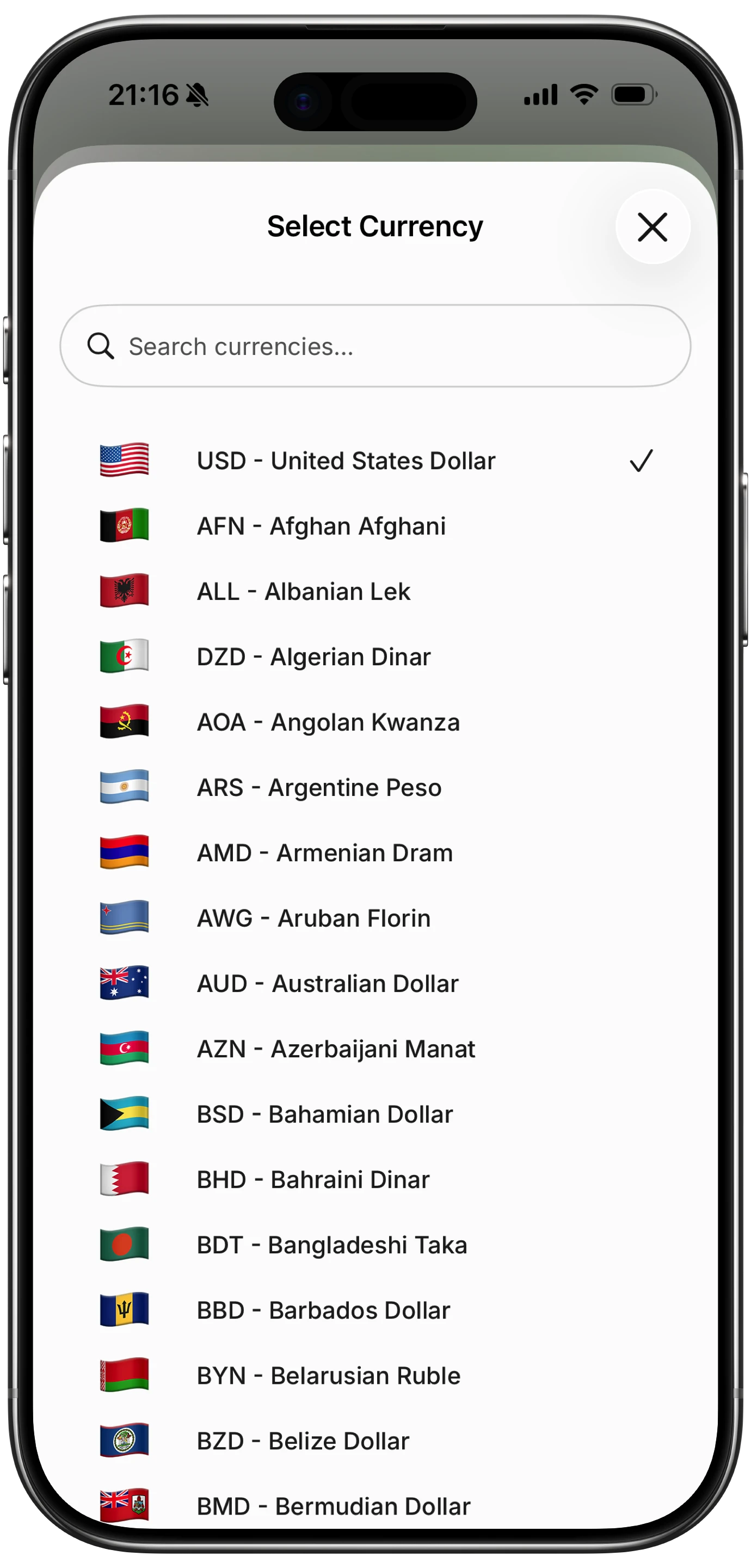
Finny app's multi-currency feature
Home Screen and Lock Screen widgets. Look for widgets in small, medium, and large sizes, not just a single widget pinned to the app's dashboard. Interactive widgets introduced in iOS 17 let you log a quick expense or tap a category without launching the app. Lock Screen widgets are small but genuinely useful for safe-to-spend numbers. For an app-by-app comparison of which budget tools ship strong lock screen widgets, see our best iPhone lock screen budget widgets guide.
Siri Shortcuts and App Intents. An app that exposes App Intents can be wired into custom Shortcuts, automations, and Focus filters. This is how Finny's Tap to Track works: the NFC tag fires a Shortcut, which calls Finny's App Intent to log the transaction. YNAB exposes similar intents for balance lookups and category updates. For a deeper dive into building your own workflows, see our Apple Shortcuts for expense tracking guide.
Apple Watch. There are two tiers. A real Apple Watch app lets you log a transaction and see budget data on your wrist. A complication puts a single number on your watch face. Both are useful, but a full watch app without a complication is an incomplete experience. For a head-to-head of which apps actually ship native Watch versions and which complications are worth setting up, see our best Apple Watch expense tracker apps roundup.
Live Activities and Dynamic Island. Still relatively rare in finance apps in 2026, but starting to appear for trip budgets, bill countdowns, and weekly spending goals. Worth watching, not yet a dealbreaker. For another passive surface worth using, see our best StandBy mode finance widgets for iPhone roundup.
Focus modes. A good iOS app lets you silence or filter notifications based on the active Focus. Nobody wants a "budget alert" during Sleep Focus.
iCloud sync versus vendor cloud. iCloud sync uses Apple's infrastructure and is covered by your existing Apple account. Vendor clouds require a separate account and usually require bank linking. For privacy-conscious users, iCloud-only apps are the cleaner choice.
Apple Pay integration. Most apple ecosystem budget apps ignore Apple Pay or require you to link your card's issuing bank. A few, including Finny, treat Apple Pay as a first-class input via Shortcuts and NFC. For a deeper explanation, see our Apple Pay and Finny setup guide.
If intelligence matters more to you than iOS polish, our best AI budget apps in 2026 roundup compares the tools that lean on categorization and coaching models. For a broader persona-based view, see our best finance tracker apps in 2026 guide.
Frequently Asked Questions
What is the best iOS budget app in 2026?
The best iOS budget app depends on whether you want bank linking or not. Copilot Money wins on overall iOS polish across iPhone, iPad, Mac, and Watch. YNAB wins on zero-based budgeting discipline with solid Siri Shortcuts. Finny wins on iOS-only depth, Apple Pay tracking, and low cost. PocketGuard wins on safe-to-spend simplicity. Start with the one whose tradeoffs match how you actually use your iPhone.
Do any iOS budget apps work without linking a bank account?
Yes. Finny, Goodbudget, and Spendee all support manual and AI-assisted tracking without bank connections. That matters if you prefer to keep banking credentials out of third-party systems or if your bank does not support Plaid or Finicity. Bank-linked apps like Copilot, YNAB, Monarch, and PocketGuard can technically be used in manual mode too, but they are designed around automatic import.
Which iOS budget app has the best Apple Watch support?
Copilot Money, Spendee, and PocketGuard are the strongest Apple Watch options in this roundup. Copilot has a full Watch app. Spendee includes a Glance that shows monthly spending and lets you add a transaction from your wrist. PocketGuard surfaces the safe-to-spend number. Monarch Money does not have an Apple Watch app as of April 2026.
Are iOS-only budget apps worth the platform lock-in?
For users fully in the Apple ecosystem, an ios only budget app often delivers a better day-to-day experience because the team can build deeper integrations. The risk is exporting data if you move to Android later. Most quality iOS-only apps support CSV export for exactly this reason, so the lock-in is more about learning curve than trapped data.
What is the cheapest iOS budget app in 2026?
On the paid tier, Finny at a low monthly price and Spendee at around $2.99/month are the most affordable options with meaningful features. On the free tier, Goodbudget's envelope method with 10 envelopes, PocketGuard's basic safe-to-spend view, and Finny's free manual tracking all cover the basics without a subscription.
The Bottom Line
The best ios budget app for you is the one you will actually keep open. Evaluate candidates on their iOS-native implementation quality, not their feature checklist. Widgets, Shortcuts, Apple Watch support, and Focus filters are what separate a real iPhone app from a port. Pricing matters too, especially if you want a tool that fits under a typical streaming subscription.
If you live across iPhone, iPad, Mac, and Apple Watch, Copilot Money is the safest premium pick. If you want iOS-only depth and Apple Pay tracking at a low price, Finny is the strongest fit. If you share budgets with someone on Android, Goodbudget or YNAB keeps everyone aligned.
Whatever you pick, give it two full months. iOS polish reveals itself in small moments: the widget you glance at during a coffee, the Shortcut that fires when you tap your phone to a NFC tag, the Focus filter that keeps your budget quiet during Sleep. Those details compound into a budgeting habit you can actually maintain.





