
Apple Intelligence and Personal Finance: What's Useful in 2026
AI features in iPhone have been a mixed story. Apple announced a lot in 2024, shipped parts of it gradually through 2025, and the more ambitious Siri upgrades are still rolling out in 2026. For people tracking expenses, the question is not whether Apple Intelligence is impressive. It is whether any of it is actually useful when you need to log a receipt, review your spending, or get a quick answer about your budget.
Apple intelligence personal finance is a phrase that covers a lot of ground. This post focuses on what has actually shipped as of mid-2026, which specific features are relevant for money tracking and budgeting, and where the real limits are. No speculation, and anything uncertain is flagged as such.
What Apple Intelligence Is, and Why It Matters for Finance Apps
Apple Intelligence is Apple's umbrella for a set of AI-powered features built into iPhone, iPad, and Mac. The core design principle is on-device processing. Most AI features run directly on the device using the Neural Engine, rather than sending your data to a remote server. When a request requires more compute than the device can handle, it routes through Apple's Private Cloud Compute system, which Apple states strips identifying data and does not store the content of requests.
This matters for personal finance. Financial data is among the most sensitive information on a person's device. The on-device model means that Writing Tools, Smart Reply, and basic Siri parsing happen without your transaction details leaving your phone. That is a meaningful privacy advantage compared to apps that route all AI queries to a third-party cloud model.
Hardware requirement: Apple Intelligence requires an iPhone 15 Pro, iPhone 15 Pro Max, or any iPhone 16 or later model. Older iPhones, including the standard iPhone 15 and iPhone 15 Plus, do not qualify because they use the A16 Bionic chip, which lacks the memory and Neural Engine throughput Apple set as the minimum. If you are on an older device, none of these features apply to your setup.
For a broader look at how AI fits into expense tracking, see our guide to AI finance trackers.
The Apple Intelligence Features That Actually Help With Money Tracking
Not all Apple Intelligence features are relevant to personal finance. Image Playground and Genmoji are creative tools with no real application to budgeting. The features below are the ones that fit into a real money tracking workflow.
Writing Tools
Writing Tools is one of the most consistently useful Apple Intelligence features. It is available across apps that use the standard text input system, which includes Notes, Mail, Messages, and many third-party apps. You can select text and ask Apple Intelligence to summarize, rewrite, or proofread it.
For personal finance, the practical uses are narrow but real. If you write expense notes in plain text, Writing Tools can summarize a week of entries into a short paragraph. If you draft a message to a family member about a shared bill or a disputed charge, Smart Reply suggestions in Messages can help you phrase it clearly and quickly. These are small time-savers, not transformative features.
Visual Intelligence
Visual Intelligence launched with the iPhone 16's Camera Control button and has expanded significantly in iOS 26 (the version shipping on current iPhones). In its current form, you can point your camera at something to identify it, search for it, or get information about it. In iOS 26, Visual Intelligence also works with screenshots, not just live camera input.
For receipts specifically: Visual Intelligence can read text from an image, but it is not purpose-built for receipt parsing. It does not automatically extract line items, totals, and merchant names into a finance app. What it can do is help you quickly read a receipt you photographed, copy relevant text, and paste it into your tracker manually. iOS 27 (expected later in 2026) is reportedly adding Wallet pass generation from scanned cards and tickets, and there are hints of broader document-scanning improvements, but nothing confirmed for structured receipt data extraction as of May 2026.
Dedicated AI receipt scanner apps still do a better job of structured receipt parsing than Visual Intelligence does today.
Enhanced Siri With On-Screen Awareness
Siri in iOS 18 and iOS 26 can now see what is on your screen and act on it. This is genuinely useful for finance. If you are looking at a bill in Mail, you can ask Siri to create a reminder for the due date without switching apps. If you are in a budgeting app and see a transaction, you can ask Siri to explain what a merchant name refers to without leaving the app.
The more advanced Siri features, including deep cross-app reasoning and personal context awareness, have been delayed. As of early 2026, Apple confirmed that the version of Siri capable of acting across apps with full personal context is still rolling out. Some of this functionality is tied to a backend model upgrade that Apple has indicated will use Gemini-based models, though Apple has not confirmed full details publicly. Treat any claims about Siri doing autonomous multi-step financial tasks with caution until you can verify them on your own device.
Priority Notifications and Mail Summaries
Apple Intelligence in Mail flags time-sensitive messages and can summarize long email threads. For personal finance, this is useful for bill alerts, subscription renewal notices, and bank notifications buried in a cluttered inbox. The summarization happens on-device. You do not have to open a lengthy email from your bank to understand the key point.
This feature is available now and works reliably. It is not flashy, but it removes friction from staying on top of financial communications.
How AI Expense Tracker Apps Use Apple Intelligence Today
Finance apps integrate with Apple Intelligence through standard system APIs rather than custom on-device models. The most direct integration points are Siri Shortcuts, the system text input stack (which enables Writing Tools in any app), and screen-aware Siri actions.
Copilot Money and Monarch Money both support Siri Shortcuts for logging transactions or checking balances with a voice command. This is not new in 2026, but it works more reliably with the improved Siri parsing in iOS 26. You can say "add $12 lunch to Copilot" and it reaches the right place, assuming you have configured the shortcut.
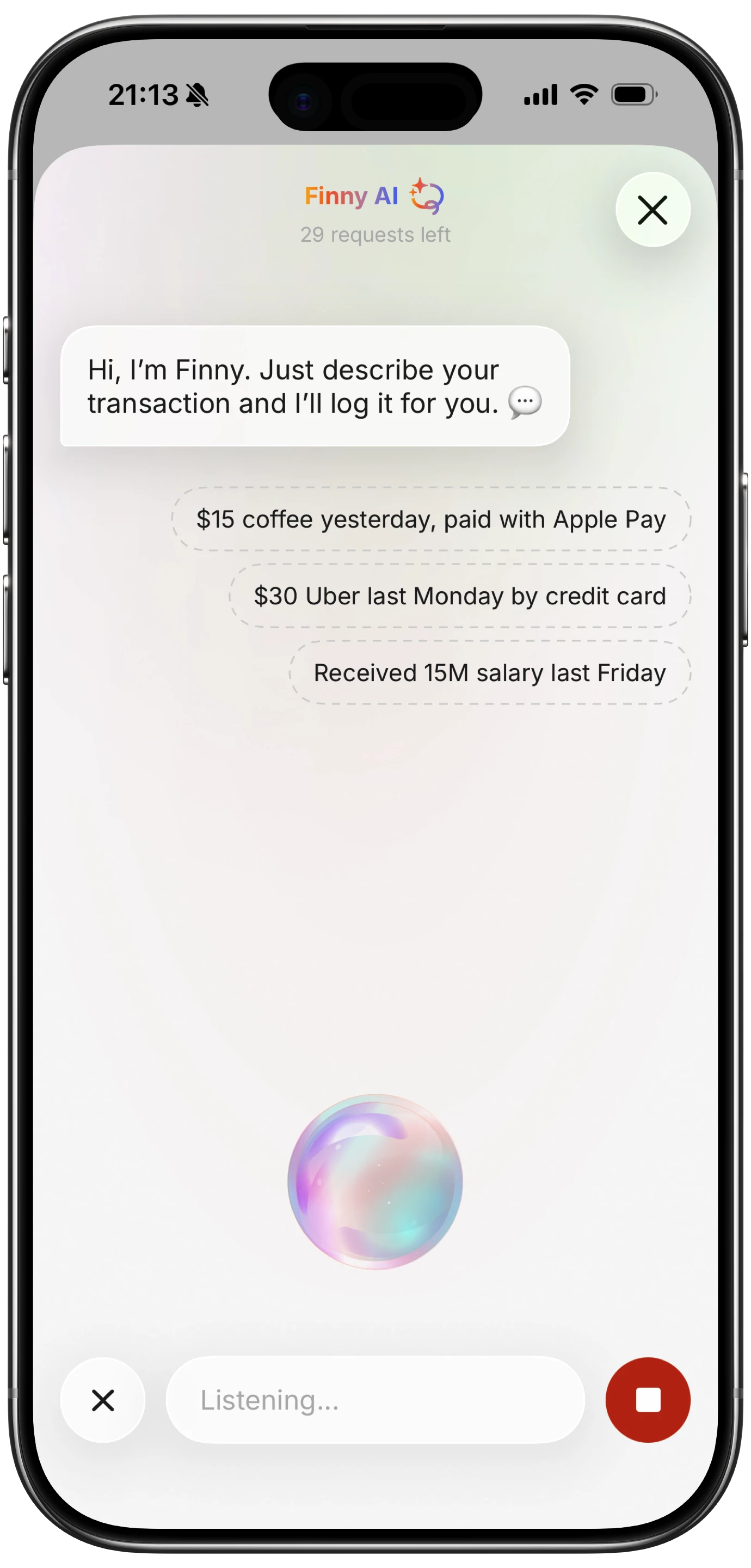
Apps like Finny take a different approach: AI input is the primary entry method, accepting free-text, voice, or receipt photos directly inside the app. The on-device alignment with Apple Intelligence's privacy model is relevant here. If the app processes your input on-device or treats privacy as a core design constraint, it fits naturally alongside Apple Intelligence rather than competing with it.

For a comparison of how different apps handle AI input, see our roundup of best AI budget apps in 2026.
What Apple Intelligence Still Cannot Do for Personal Finance
The limitations matter as much as the capabilities. As of mid-2026, Apple Intelligence does not:
Read your transaction history. Apple Intelligence has no access to your bank accounts, credit cards, or third-party finance apps unless those apps explicitly expose data through Shortcuts or Siri integration. It cannot see what you spent last month or tell you if you are over budget.
Categorize transactions automatically. Automatic categorization requires a transaction feed, usually from a bank connection. Apple Intelligence has no bank connectivity. Apps that do automatic expense categorization rely on their own models and data connections, not Apple's on-device AI.
Reason about your budget. If you ask Siri "am I on track for my groceries budget this month," it cannot answer unless a specific app has built a Siri integration that exposes that data. Most have not.
Parse structured receipt data end-to-end. As noted above, Visual Intelligence can read text from a receipt image, but extracting and routing structured data (amount, merchant, category, date) into a finance app is not an automated flow today.
Do cross-app financial workflows autonomously. The Siri upgrade that would allow things like "pay this bill from my checking account and log it in my budget app" is the feature Apple has pushed back repeatedly. It may ship later in 2026 with iOS 27, but it is not available now.
Privacy: On-Device AI vs Cloud LLM in Personal Finance Apps
The on-device vs cloud distinction matters more for financial data than for most other use cases. When you ask a cloud-based AI about your spending, your transaction details travel to a remote server, get processed, and may be retained depending on the service's privacy policy.
Apple Intelligence's on-device processing means Writing Tools, Siri screen awareness, and Mail summaries all work without your financial information leaving your device. Private Cloud Compute handles overflow, and Apple's stated policy is that cloud requests are not stored or made accessible to Apple.
Third-party finance apps that run their AI features through external APIs (including OpenAI or similar) have a different privacy profile. The data they send is governed by the third party's terms. This is not necessarily a problem, but it is worth checking a finance app's privacy policy before using its AI features with sensitive data.
Our finance app security and privacy guide covers this in more detail, including what questions to ask before connecting a bank account to any app.
Recommended Setup for Getting the Most Out of Apple Intelligence With Your Finance Tracker
If you have a compatible iPhone and want to use Apple Intelligence alongside your expense tracking, here is a practical starting point.
First, make sure Apple Intelligence is enabled. Go to Settings, then Apple Intelligence and Siri, and confirm it is on. If you are in a region where certain features are not yet available, check for any regional restrictions in that menu.
Second, set up Siri Shortcuts for your finance app. Most major apps support this. A shortcut to add a transaction or check a balance takes about two minutes to configure and becomes the fastest way to log a purchase hands-free.
Third, use Mail summaries for financial emails. Apple Intelligence in Mail will surface bill due dates and flag payment confirmations. Let it do that work so you spend less time scanning your inbox.
Fourth, use Writing Tools in Notes if you keep a spending journal or track irregular expenses as free text. Summarization can turn a week of unformatted notes into a readable summary in seconds.
For a deeper look at voice-based expense tracking, including how different apps handle voice input and when it works best, that guide covers the setup in more detail.
Frequently Asked Questions
Does Apple Intelligence have access to my bank account or transactions?
No. Apple Intelligence has no connectivity to financial institutions and no access to your transactions unless a finance app explicitly shares data through a Siri Shortcut or similar integration. It cannot see your spending history, balance, or account details on its own.
Which iPhones support Apple Intelligence in 2026?
Apple Intelligence requires the A17 Pro chip or newer. That means iPhone 15 Pro, iPhone 15 Pro Max, and all iPhone 16, 16 Pro, 16e, 17 series models, and iPhone Fold. Standard iPhone 15 and iPhone 15 Plus do not qualify. Check Settings, then Apple Intelligence and Siri, to confirm availability on your device.
Can Visual Intelligence scan and import a receipt into a budgeting app?
Not automatically, as of May 2026. Visual Intelligence can read text from a receipt image, but it does not extract structured data (amount, merchant, date) and route it into a third-party finance app. You can read the receipt using Visual Intelligence, copy the relevant details, and paste them into your tracker manually. iOS 27 may expand Visual Intelligence's document-handling capabilities, but nothing is confirmed for structured receipt import.
Is my financial data private when I use Apple Intelligence features?
For features that run fully on-device, yes. Writing Tools, Mail summaries, and basic Siri parsing happen without your data leaving the device. For requests that require Private Cloud Compute, Apple states the data is not stored and is not accessible to Apple. However, if your finance app itself uses a cloud-based AI (separate from Apple Intelligence), that data is subject to the third party's privacy policy, not Apple's.
What is the difference between Apple Intelligence and a dedicated AI expense tracker?
Apple Intelligence is a system-level set of features that works across iOS apps. A dedicated AI expense tracker is an app with its own AI model trained specifically for finance tasks, including transaction categorization, budget analysis, and receipt parsing. The two are complementary. Apple Intelligence handles system-wide tasks like Siri shortcuts and Writing Tools, while a dedicated app handles the financial logic and data storage that Apple Intelligence cannot.
Apple Intelligence is a real improvement for iPhone users who handle financial communications, write notes, and want hands-free logging through Siri shortcuts. It is not a budget app, and it does not replace the financial reasoning that a dedicated app provides. The combination works well when each tool does what it is actually built for.
If you want an expense tracker designed around AI input and privacy-first data handling, Finny was built with exactly that in mind.
Apple goes further in iOS 27, adding spending Insights and AI bill splitting to Wallet: see what iOS 27 brings to Wallet.