Co-Parenting Expenses: How to Track and Split Kid Costs
A field trip form comes home in one backpack. A copay gets paid by whichever parent was at the pediatrician. Soccer registration opens, and one parent pays before the spots fill up. Raising a child across two homes means a steady stream of small costs, and each one raises the same quiet question: who pays for this, and how do we keep track?
This guide covers co-parenting expenses in practical terms: what child support usually covers, which costs are often split on top of it, how to keep records, and a simple routine for logging and splitting kid costs. It is not legal advice. Child support and custody rules vary by state, and your own order or written agreement always comes first.
If you are working out how to split costs in proportion to income, our guide on splitting bills fairly on different salaries walks through the math.
What Child Support Usually Covers, and What Gets Split Separately
Every state sets its own child support guidelines. Most use a formula built on both parents' incomes and the parenting schedule, and the result is a basic monthly amount meant to cover a child's everyday needs: housing, food, clothing, and the ordinary costs of daily life. The National Conference of State Legislatures keeps a summary of which guideline model each state uses.
Many costs sit outside that basic amount. Depending on your state and your order, these are often handled as separate add-ons, commonly split in proportion to each parent's income:
- Medical: the child's health insurance premium, plus copays, dental work, glasses, braces, and therapy that insurance does not cover. Some states only split uninsured costs above a yearly threshold.
- Childcare: daycare, before and after school care, and summer care that lets a parent work or study.
- Activities: sports fees, music lessons, camps, uniforms, and equipment.
- School: tuition, field trips, supplies, tutoring, and devices.
Activities and school extras are where agreements differ most. Some orders spell them out, some require both parents to agree before a child signs up, and some do not mention them at all. If your order is unclear, your state child support agency or a family law attorney can explain how it applies to your situation.
Keep Receipts and Records Like Someone Will Ask
Most co-parents never end up in court over a $40 copay. Still, the habits that would hold up in court are the same habits that prevent arguments: write it down when it happens, keep the receipt, and note who paid.
For every shared kid cost, a useful record has six parts: the date, the amount, what it was for, which child it was for, who paid, and the receipt or invoice. Add a short reason for anything unusual, like "orthodontist consult, referred by the dentist."
A few habits make this easier:
- Log it within a day or two. A cost recorded the same week is rarely disputed.
- Keep the original. A photo is handy, but keep paper receipts for larger costs in a folder until the year is settled.
- Save the paper trail around the cost. Sign-up emails, invoices, and the Explanation of Benefits statements from your insurer all back up the number.
- Separate the kids. If you have more than one child, record which child each cost is for.
A Simple Method for Logging and Splitting Kid Costs
The goal is one shared record that both parents trust, updated as costs happen and settled on a regular schedule. This routine works for most families, whatever tool you use:
- Agree on the list. Write down which categories count as shared extras under your order or agreement: medical, childcare, activities, school. Anything not on the list is everyday spending at each home.
- Agree on the split. Use the percentage in your order if it has one. If it does not, splitting in proportion to income is common. With a 60/40 split, a $400 summer camp is $240 and $160.
- Check in before big or optional costs. Pick a threshold, like $100, above which either parent asks before paying. It prevents surprise bills.
- Log each cost once. Whoever pays records it, with the child's name and the receipt.
- Settle monthly. Once a month, total what each parent paid toward shared extras, apply the split, and settle the difference however you both prefer.
A shared spreadsheet handles this fine: one row per cost, with columns for date, child, category, amount, who paid, and where the receipt lives. For more ways to organize family spending, see our guide to an app to manage family expenses.
Small costs settled every month stay small. Costs saved up for a year become a pile, and piles become arguments.
Dedicated Co-Parenting Apps
Some families want a tool built specifically for co-parenting, especially when communication is strained or a court has asked for one. Prices come from each company's official site as of November 2026 and can change.
OurFamilyWizard
OurFamilyWizard combines messaging, a shared parenting calendar, and an expense log. A parent can attach a receipt to an expense, the other parent can request a receipt, and expenses can be approved or refused. Payments run through its OFWpay feature, included on some plans and an add-on on others. Plans are billed yearly or every two years: Basic is $110 a year, Essentials (which includes shared expense tracking) is $149.99, Premium is $216, and Max is $299.88.
TalkingParents
TalkingParents is built around records that cannot be edited. Messages, calls, calendar events, and payments are kept in a history that cannot be changed, and you can download PDF records. Its Accountable Payments feature lets parents request and send money and attach receipts or invoices. Plans are $7, $16, or $32 a month, with a payment fee of 4%, 3%, or 2% depending on the plan.
Both are strongest when you need a documented record of the whole co-parenting relationship. If you mostly want both parents to see the same list of kid costs, a lighter setup may be enough.
Using Finny Households for Kid Costs
Finny is an iPhone expense tracker, and its Households feature lets up to 6 people share the expenses they choose. For co-parents, the idea is simple: each parent keeps their own Finny and their own private spending, and shares only the kid entries. The Households launch post covers the feature in full.
Here is a quick look at Households in action:
Set it up once
One parent creates a household in Settings > Household and sends an invite code or QR code. The other parent opens the Household screen, taps Join with a code, and types it into the code field.
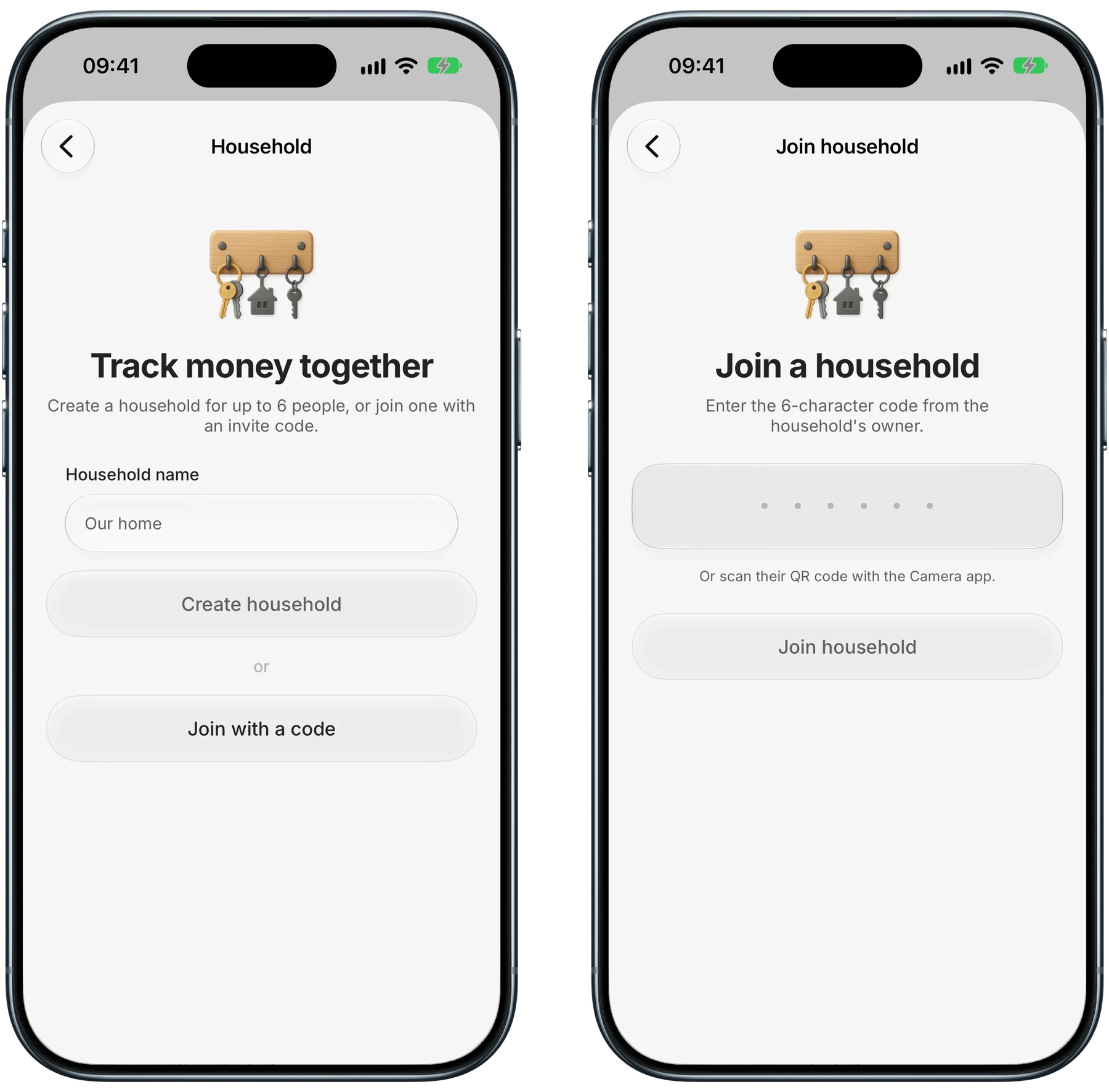
Finny app's Households feature
Anyone with the code can join until it is revoked, so send it only to the other parent and revoke it once they have joined. Everyone in a household needs Finny Pro. A family plan covers only people in the same Apple Family Sharing group, so co-parents in separate Apple families each need their own Pro.
Share only the kid entries
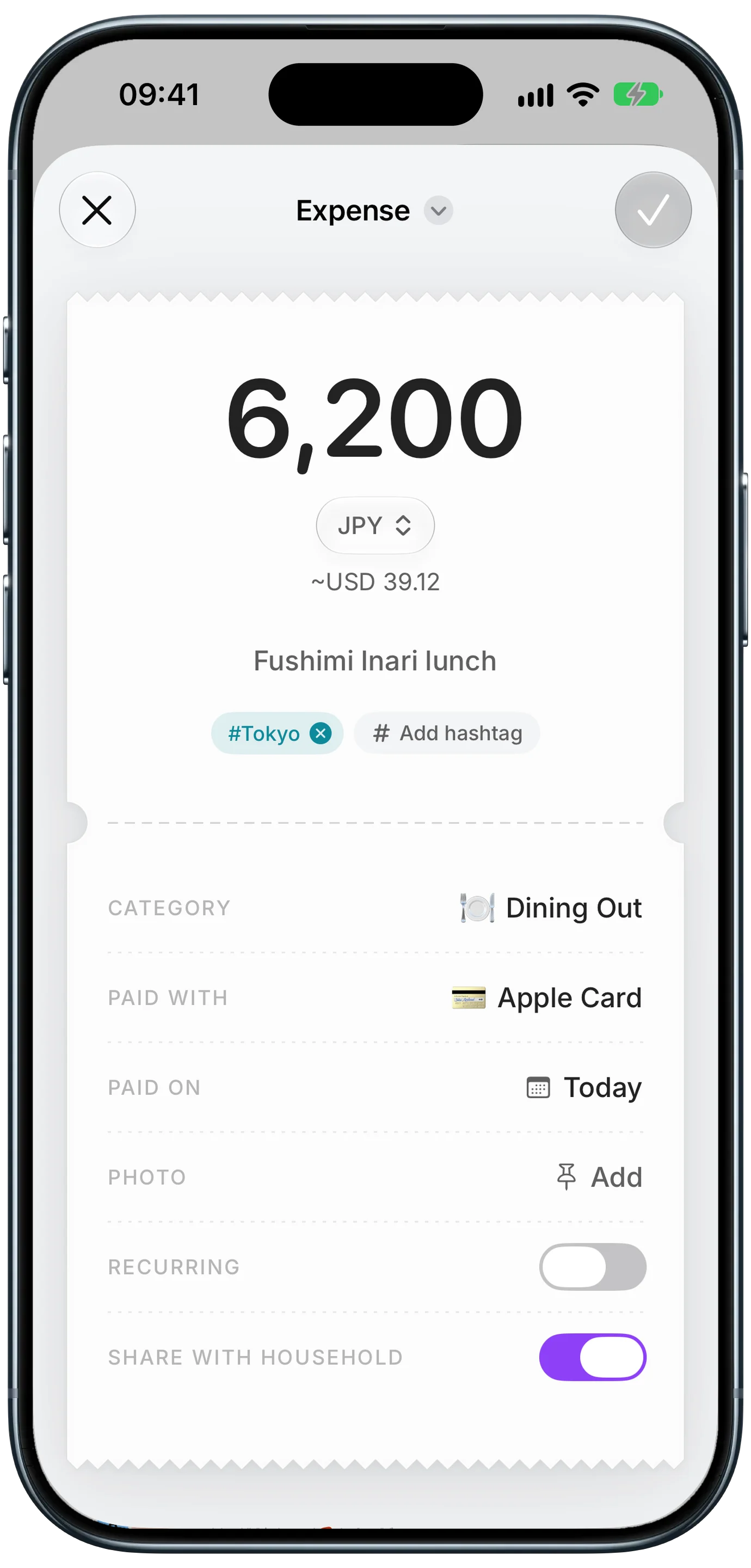
Every entry has a Share with household switch. The example below is a lunch on a trip, tagged #Tokyo, filed under Dining Out and paid with an Apple Card, with the switch turned on.
Finny app's Households feature
For kid costs, turn off sharing by default on the Household screen, then flip the switch only on kid entries, so groceries and everything else stay private. Give each child a hashtag, like #Maya or #Leo, and a cost for both kids can carry both tags. Searching a tag shows its total across both parents' entries. Only the person who logged an entry can edit or delete it. The other parent sees the amount, note, category, payment method, and hashtags, so name your cards in a way you are comfortable sharing.
Scan the receipt, keep the paper
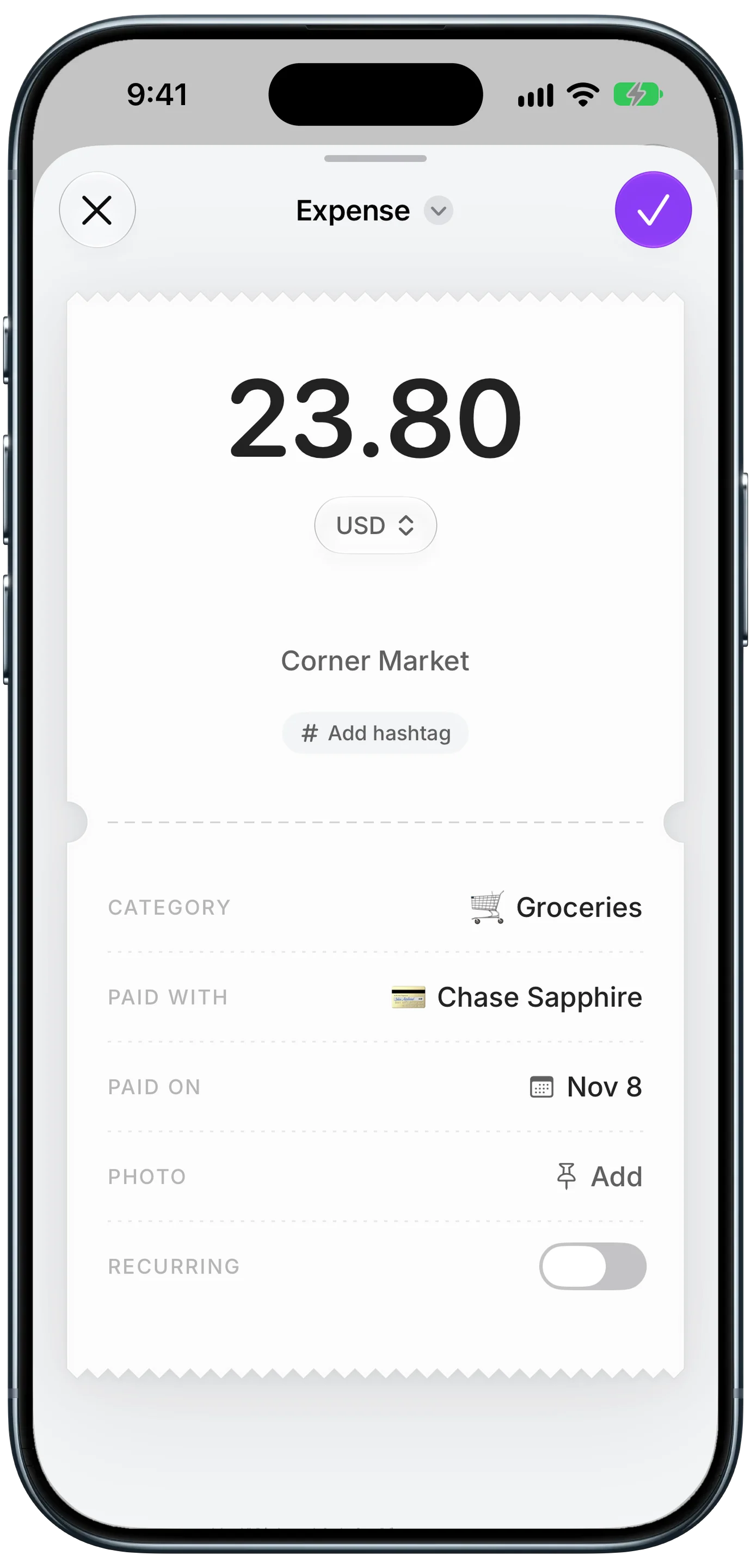
With Pro, a receipt scan fills in the entry for you. The screen below shows 23.80 at Corner Market, filed under Groceries on a Chase Sapphire card, with a field ready for a hashtag.
Finny app's Scan Receipt feature
The receipt photo stays private to the parent who logged it, so keep the paper receipt or send a copy another way when it is needed for reimbursement. One more limit, stated plainly: Finny does not calculate who owes whom or settle up. Applying your split and settling the difference stays between the two of you.
Talking About Money Without the Fight
Money is often where co-parenting tension shows up. A few habits keep these conversations short and calm.
Keep messages factual. "Maya's dentist, March 3, $120 after insurance, receipt attached, your 40% is $48" is easier to read than a paragraph about who always pays. Use one channel for money, whether that is email, a co-parenting app, or a shared sheet, so nothing gets lost across texts.
Batch requests. One monthly summary feels very different from a stream of small asks.
Agree on big costs before they happen, in writing. Braces, travel teams, and private school deserve a conversation and a short written note of who pays what.
Keep the kids out of it. Children should not carry receipts or payment requests between homes.
For the bigger picture, our guide to the cost to raise a child in 2026 breaks down where the money usually goes. If conversations keep breaking down, a mediator can help both parents reset the agreement.
Common Questions About Co-Parenting Expenses
Does child support cover medical expenses?
Usually only in part. In many states, the basic amount assumes some routine costs, while the child's health insurance premium and uninsured costs, like copays, braces, and therapy, are split separately by income share, sometimes only above a yearly threshold. Rules vary by state and by order, so check your order or contact your state child support agency for how it works where you live.
How do co-parents split extracurricular activities?
It depends on the order or agreement. Some orders list activities as a shared expense split by percentage, others require both parents to agree before signing a child up, and some leave activities out entirely. A practical approach is to agree on a yearly activity budget per child and a rule that anything above a set amount, such as $100, needs a check in first. Write down whatever you agree.
What records should I keep for co-parenting expenses?
Keep the date, amount, what the cost was for, which child it was for, who paid, and the receipt or invoice. For medical costs, also keep the insurer's Explanation of Benefits, which shows what insurance covered. Keep paper receipts for larger costs until the year is settled. A shared record both parents can see makes the monthly reconciliation quick.
Can Finny calculate how much my co-parent owes me?
No. Finny shows who paid for each shared expense and adds up totals, such as everything tagged to one child this month, but it does not calculate balances, track debts between parents, or send payment requests. You apply your agreed split to those totals and settle the difference however you both prefer.
Want both parents to see the same kid costs?
Download Finny to log expenses by typing, speaking, or scanning a receipt, share only the kid entries with the other parent, and keep everything else private, with no bank connection.