Finny Households: Share Expenses With Family and Friends
Money is rarely just yours. You split groceries with a partner, pay for half a vacation with friends, cover a teenager's phone bill, or take turns paying the utilities with a roommate. Most of the time, the only record of who paid what is a group chat and someone's memory.
Finny Households puts those shared expenses in one place. Up to 6 people can share the expenses they choose, see who logged each one, and add up a whole trip in a single search. Everyone keeps their own Finny, their own private entries, and their own way of logging. Nobody hands over a bank login or shares a password.
Here is a quick look at Households in action:
What a household is
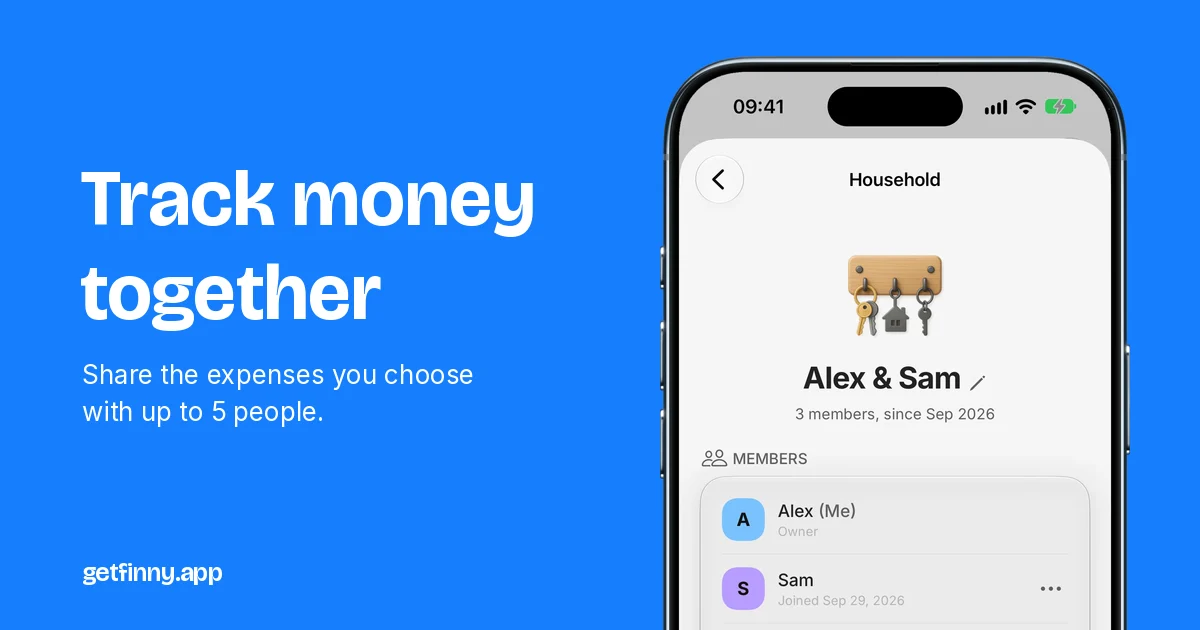
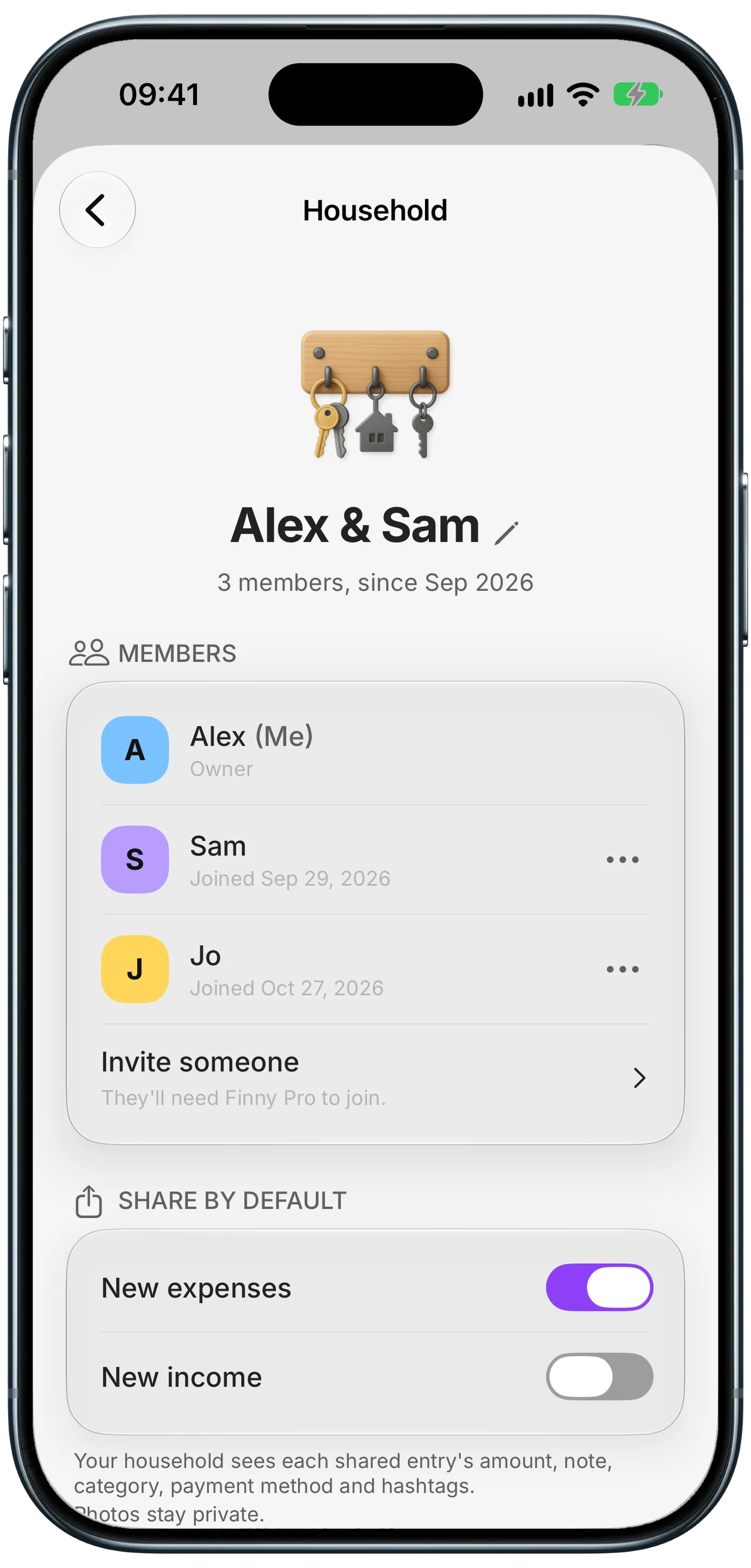
A household is a small group, up to 6 people, who can see each other's shared expenses in Finny. You create one, invite the people you want, and from then on the expenses you share show up in everyone's History, with a small face on each one so you know who logged it.
A household is not a joint account. Nobody's bank is connected, nobody sees anyone else's private entries, and each member keeps their own Overview, budgets, and widgets.
Finny app's Households feature
You decide what gets shared. Share all your new expenses by default, share nothing by default, or flip the switch on any single entry. Your salary, your personal shopping, and anything you'd rather keep to yourself can stay private while the rent and the groceries are shared.
See who logged what
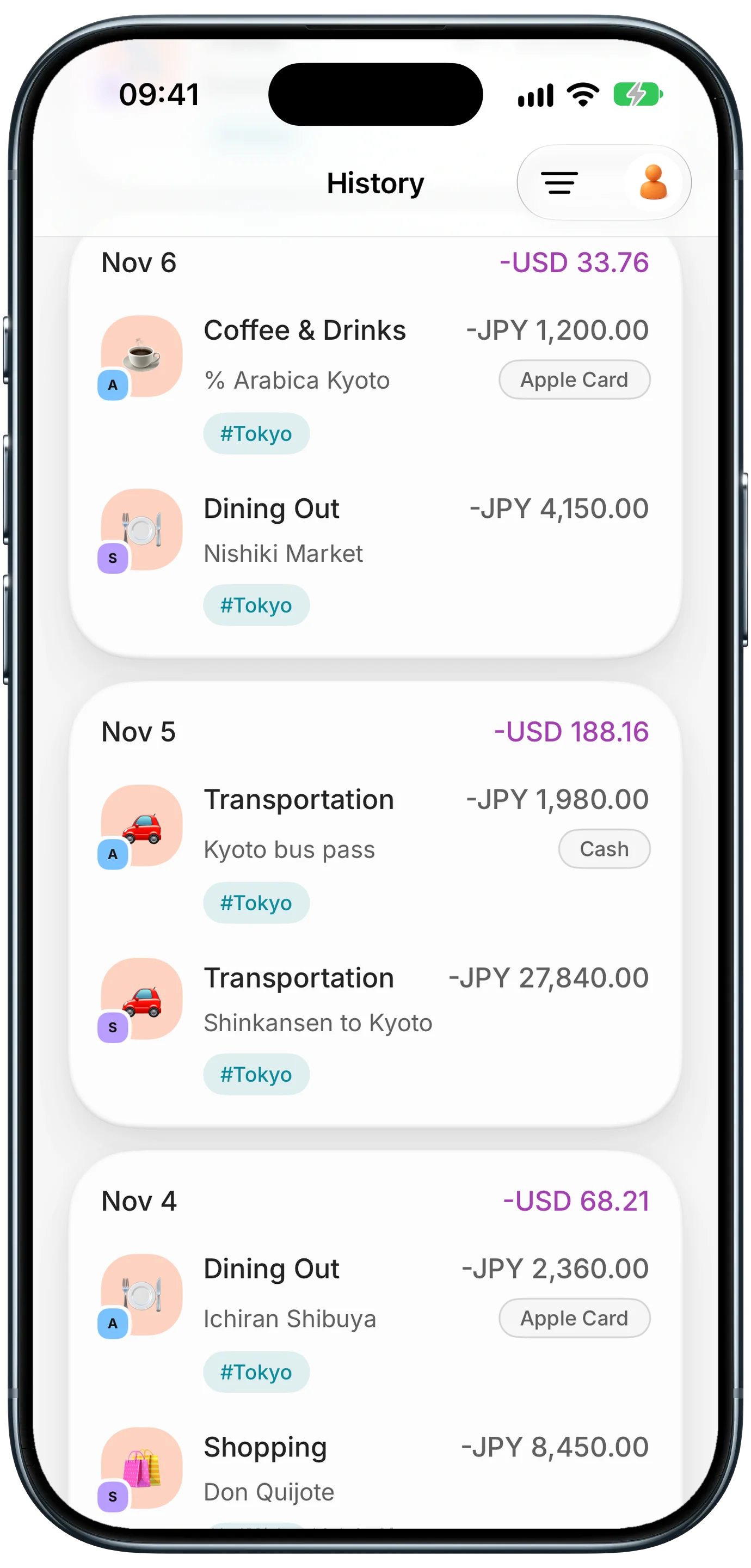
Shared expenses sit right next to your own in History, each in the currency it was paid in, with totals in your home currency. The face on the category icon tells you who paid. Day totals, the calendar, and search all include the household's shared entries, so you see the full picture without asking around.
Because each person logs on their own phone, nobody has to collect receipts or re-enter what someone else paid. However each member likes to log, by typing, scanning a receipt, or letting card payments log themselves, the entry simply carries the face of whoever logged it.
Finny app's Households feature
Only the person who logged an expense can edit or delete it. Everyone else sees it, read-only. That keeps things calm: nobody "fixes" your entries for you.
Ideas for using a household
A couple running a home
Share rent, utilities, groceries, and anything you'd call "ours." Keep your own coffee and hobbies private if you like. At the end of the month, History shows what the home cost and who covered what. For more on this, see our guide to tracking spending as a couple.
A trip with friends
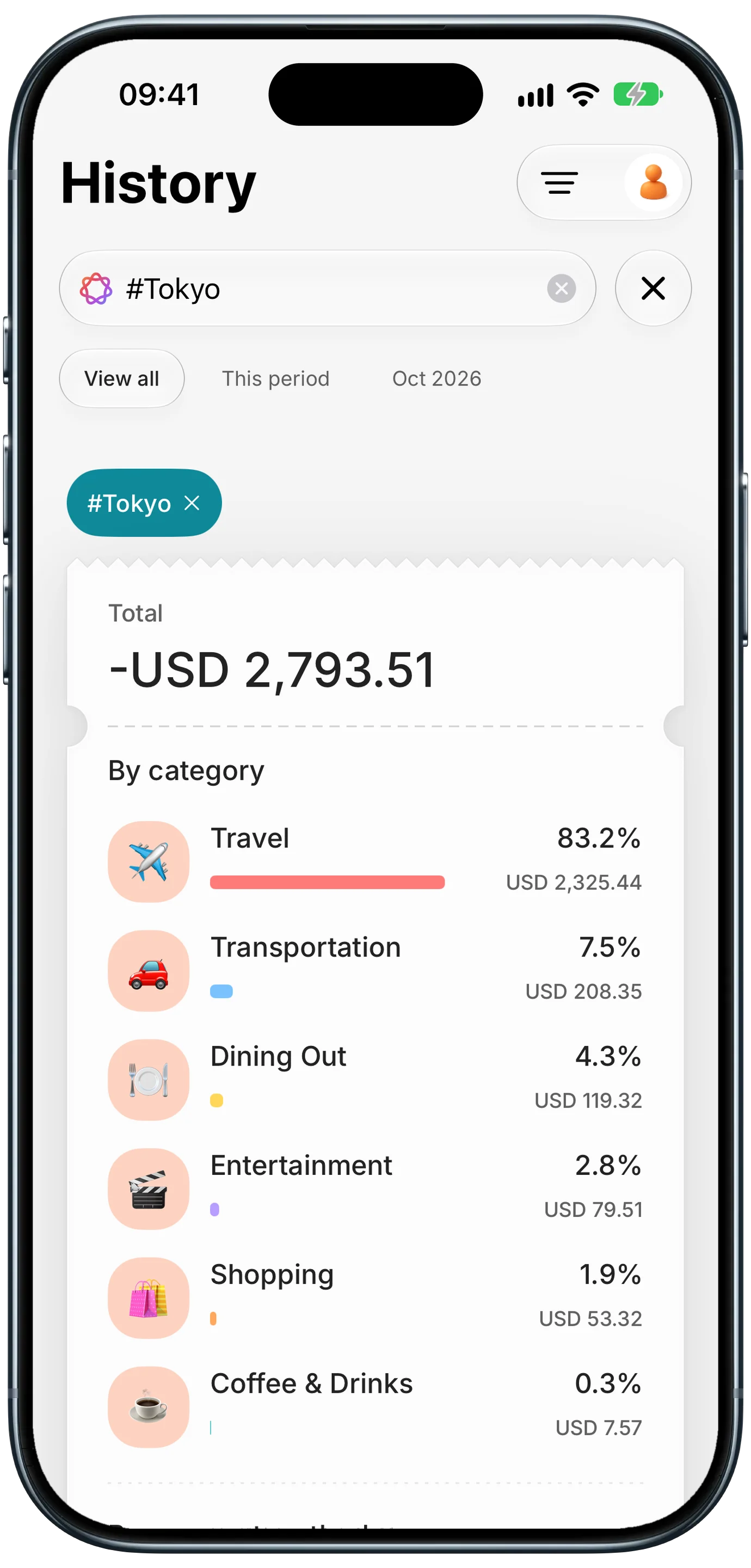
This is where households shine. Everyone logs their own spending as they go, in yen, euros, or whatever the local currency is. Tag trip expenses with a hashtag like #Tokyo, and when the trip is over, search the tag to see what the whole trip cost, everyone included, by category.
Finny app's hashtag search feature
Finny shows who paid for what. Settling up stays between you and your friends. If you want ideas for splitting fairly, read how to split expenses on a trip.
A family with a teenager
A teen can share the spending they choose with a parent: school lunches, transport, their phone. It builds the habit of tracking without handing over their whole history. One family plan covers everyone, so the teen gets Finny Pro too. Our guide to tracking a teen's spending has more ideas.
Roommates
Share the bills you split, like electricity, internet, and cleaning supplies. Everything else stays private. When it's time to square up, the history is already there. See tracking shared expenses with roommates for a simple routine.
Set up a household in three steps
- Create it. Open Settings in Finny, tap Household, and give it a name. You need to be signed in with Apple and have Cloud Backup on.
- Invite people. Share the invite with a message or let them scan the QR code with their Camera. Anyone with the code can join until you revoke it, so send it only to people you trust.
- Pick what to share. Turn on sharing for new expenses (and income, if you want), or share entries one at a time.
For the full walkthrough, including how to join with a code and how to leave, see our Households guide.
Everyone in a household needs Finny Pro. A Finny Pro family plan covers up to 6 people through Apple Family Sharing, so when your household is also your Apple family, one subscription covers everyone. Roommates or friends outside your Apple family each need their own Pro. Pro costs a low monthly or yearly price, and new subscribers start with a free trial.
What stays private
- Your entries are yours. Only the ones you share are visible to the household.
- Photos stay private. Your household sees a shared entry's amount, note, category, payment method, and hashtags, never its photo.
- Your Overview, budgets, and widgets stay personal. Shared entries from others appear in History only.
- No bank connection. Finny never asks for your bank login, for you or anyone in your household. If that matters to you, read why we track expenses without linking a bank.
You can change your mind at any time. Stop sharing a single entry, turn off sharing by default, or leave the household from Settings. The person who created the household can remove members or revoke the invite code. When you leave or are removed, your entries are no longer shared with the household, and they stay in your own Finny exactly as you logged them. While you are in a household, members can view your shared entries but can never change or delete them.
Frequently Asked Questions
How many people can be in a Finny household?
Up to 6 people: the person who creates it and up to 5 others. That matches Apple Family Sharing, so when everyone in the household is also in your Apple family, a single Finny Pro family plan can cover them all. Everyone in the household needs Pro, and each person needs to be signed in with Apple with Cloud Backup turned on.
Can other people edit my expenses?
No. Only the person who logged an expense can change or delete it. Everyone else in the household sees shared expenses read-only, so nobody can quietly fix your numbers or remove an entry you added. If something looks wrong, the person who logged it updates it, and the household sees the corrected version.
Do I have to share everything?
No. You choose. Share new expenses by default, share nothing by default, or decide entry by entry with the Share with household switch on each one. Anything you don't share stays private, including your income unless you turn on sharing for it. You can also stop sharing a single entry later, or leave the household at any time.
Does Finny split bills or track who owes whom?
No. Finny shows who paid for each shared expense and adds up totals, like the full cost of a trip or a month of groceries, but it does not calculate balances or send payment requests. How you settle up is up to you, whether that is a bank transfer, a payment app, or taking turns paying for things. To work out the amounts, our free bill splitting calculator handles who owes whom.
Do we need to use the same currency?
No. Everyone logs in whatever currency they paid in, and each entry keeps its original amount. Finny then shows totals in your own home currency, so a trip paid in yen, euros, and dollars adds up to one number for you, while a friend with a different home currency sees the same trip totaled in theirs.
The bottom line
Shared money gets easier when everyone can see it. Finny Households lets the people you live and travel with share just the expenses that belong to all of you, shows who logged each one, and adds up a whole trip with one hashtag, while everything else stays private. Download Finny, open Settings, and start a household.