
How to Match Receipts to Your Bank Statement (Step by Step)
You logged your spending all month. Your statement arrives, and the numbers do not agree. Your tracker says $2,140, the card says $2,310. Somewhere in between is a forgotten purchase, a double charge, a refund that never came, or a subscription you did not know you had. You will not find out which unless you compare the two.
This guide shows how to match receipts to your bank statement, a process accountants call reconciliation. It sounds technical, but for personal finances it is a 15-minute monthly routine: line up what you recorded against what the bank charged, explain every difference, and fix your records. You will catch errors, spot fraud, and end each month knowing your budget is right. If you build your records from statements in the first place, see our guide to tracking expenses from a bank statement.
Why matching receipts to your statement matters
Matching your receipts and logged expenses against your statement does several jobs at once:
- Catches missed expenses. The coffee you forgot to log, the parking meter, the online order. These are why most budgets come in low.
- Catches billing errors. Double charges, wrong amounts, and tips entered incorrectly happen more often than people think.
- Catches fraud early. A small unfamiliar charge is often a test before a bigger one. Most card issuers expect disputes within 60 days of the statement date, so monthly checks keep you inside the window.
- Finds forgotten subscriptions. Free trials that turned into paid plans show up as small recurring lines.
- Confirms refunds. Returns that were promised but never credited are easy to miss without a check.
- Keeps your budget trustworthy. If your tracker is reconciled, you can make decisions from it with confidence.
A budget you have never reconciled is an estimate. A budget you reconcile monthly is a record.
What you need before you start
Gather three things:
- Your statement for the period. Use the PDF or the transaction list in your bank or card app. For credit cards, use the statement cycle, not the calendar month.
- Your logged expenses for the same dates. Your expense app, spreadsheet, or notebook.
- Your receipts. Paper, photos, and email receipts, especially for anything over $20 or anything you might return.
Set your tracker's month to match your statement cycle if you can. When your card statement runs from the 25th to the 24th, comparing it to a calendar month means constant mismatches at the edges.
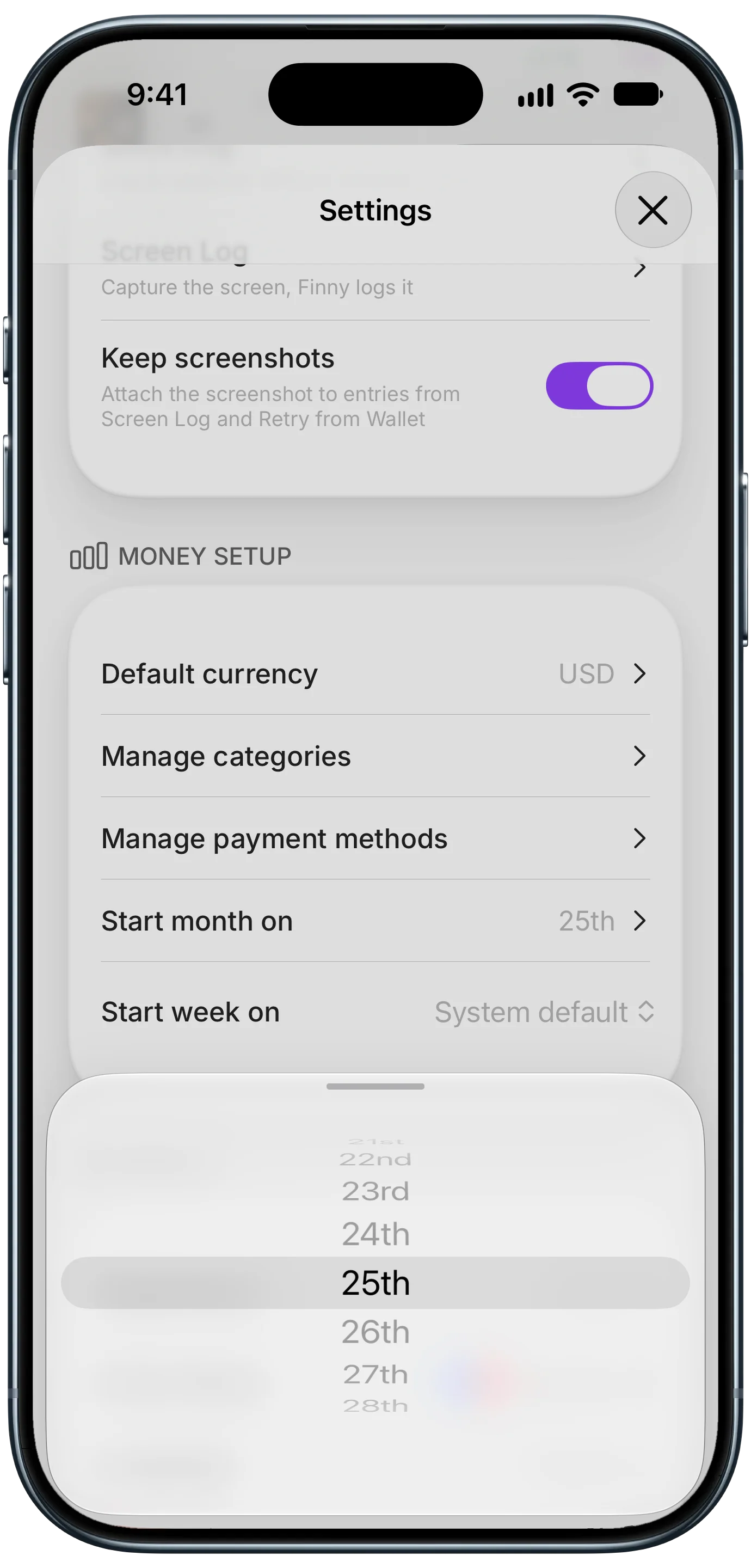
Finny app's custom month start feature
Lining up the dates removes the most common false mismatch before you even begin. Also note any purchases still pending at the statement's closing date. They will land on next month's statement, so skip them for now instead of chasing them.
How to match receipts to your bank statement, step by step
- Start with the totals. Compare your tracker's total for the card to the statement's purchases total. If they match within a few dollars, you are nearly done.
- Go line by line through the statement. For each charge, find the matching entry in your tracker. Mark it off on the statement, or tick it in your app.
- Match on amount first, then date. Store names on statements are often cryptic ("SQ *BLUE BTL 4492"), but amounts rarely lie. Allow a day or two of difference for posting.
- Watch for tips and holds. Restaurants and gas stations often charge a different final amount than the first authorization. Use the receipt to confirm the final total.
- List every unmatched statement line. These are charges you did not log, or did not make.
- List every unmatched tracker entry. These are usually cash purchases (fine), logged on the wrong card, or pending charges that will appear next statement.
- Resolve each difference using the table below.
- Note the date you reconciled, so next month you start from a clean line.
How to resolve every mismatch
| What you find | Likely cause | What to do |
|---|---|---|
| Charge on statement, not in tracker | Forgot to log | Log it now with the right category |
| Charge you do not recognize | Cryptic merchant name, or fraud | Search the merchant, check receipts, dispute if unknown |
| Same charge twice | Duplicate billing | Contact the merchant or dispute it |
| Amount differs from receipt | Tip change, hold, or error | Fix your entry, or dispute if overcharged |
| Entry in tracker, not on statement | Cash, wrong card, or not posted yet | Move it to the right card, or wait a cycle |
| Return not credited | Refund delayed or missed | Check the return status, then contact the store |
| Small recurring charge you forgot | Subscription or trial | Cancel it or add it as a recurring expense |
When you dispute a charge, use your receipt as evidence. A clear photo showing the store, date, items, and total is usually enough. Our guide to storing receipts digitally shows how to keep them ready for this.
Make next month's match faster
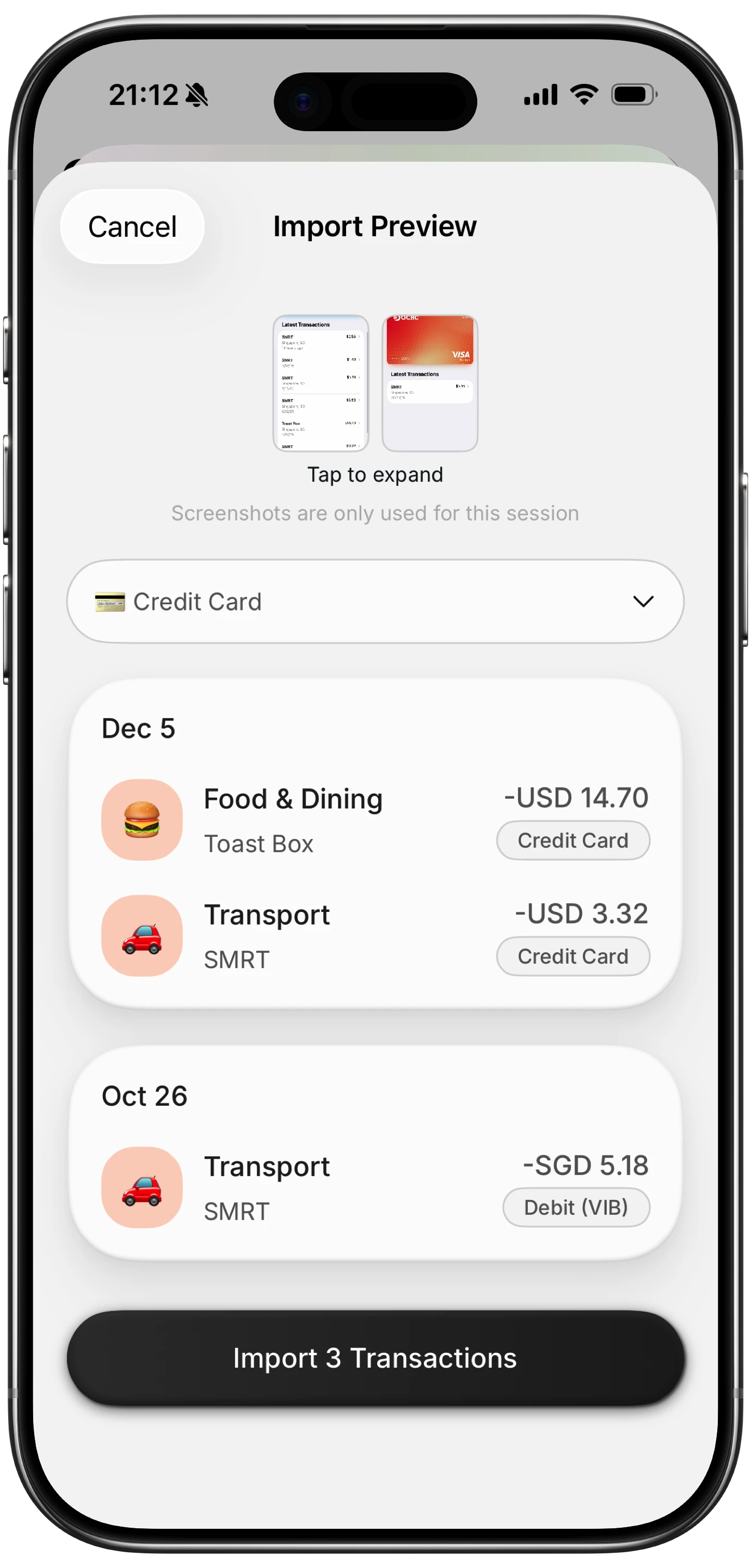
Finny app's screenshot import feature
Reconciliation is quick when your tracker is already close to complete. Most of the work in a messy month is logging what you forgot. A few habits shrink that list:
- Log at the moment of purchase, when the amount and store are fresh.
- Attach the receipt to the expense, so evidence is one tap away when something does not match.
- Log from the statement screen, not by retyping. Finny has Screen Log, which reads payments showing on your screen. Open your statement or card app on the unmatched lines, and the transactions are staged for review instead of guessed, so you pick which ones to import. No bank connection is involved.
- Track by card. When each expense is tied to a payment method, you reconcile one card at a time instead of everything at once.
Here is Screen Log logging payments from the screen:
If you use several cards, our guide to seeing your spending by credit card helps keep each one separate.
Frequently Asked Questions
How do I reconcile my receipts with my bank statement?
Gather your statement, your logged expenses, and your receipts for the same dates. Compare totals, then go line by line, matching each statement charge to an entry by amount and date. List anything unmatched on either side, then log missing purchases, dispute errors, and fix wrong entries until both sides agree.
How often should I reconcile my bank statement?
Once a month, right after each statement closes, is enough for most people. If you spend heavily on one card, or you are watching for fraud, a quick weekly check of recent transactions catches problems sooner. Reconciling monthly also keeps you within most card issuers' dispute windows.
What should I do if a charge does not match my receipt?
Check whether the difference is a tip, a gas station hold, or a pending authorization that will adjust. If the final charge is still wrong, contact the merchant with your receipt. If they will not fix it, dispute the charge with your card issuer and provide the receipt as evidence.
Do I need to keep receipts after reconciling?
Keep receipts for returns until the window closes, for warranties as long as you own the item, and for tax deductions at least three years. Everyday receipts can go once the charge is matched. A digital copy attached to each expense is the easiest way to keep the ones that matter.
The bottom line
Matching receipts to your bank statement takes about 15 minutes a month and turns your budget from an estimate into a record. Line up the dates, compare totals, go line by line, and resolve every mismatch: log what you missed, dispute what is wrong, and cancel what you forgot. Log as you go and keep receipts attached, and each month's reconciliation gets shorter until it is barely a task at all.