
Multi-Currency Receipt Scanning for Travel in 2026
Tracking spending abroad fails in a way that domestic tracking does not. You come home with a bag of receipts in three currencies, a card statement showing converted amounts that match none of them, and no memory of which dinner cost what.
Multi-currency receipt scanning solves a specific part of that: capturing the original amount, in the original currency, at the moment you receive the receipt. This covers what actually goes wrong with foreign receipts, which exchange rate should apply, and why offline capture matters more abroad than anywhere else.
For app comparisons, see our guide to the best multi-currency expense tracking apps.
The Original Amount Is the Thing to Protect
The most common mistake in travel expense tracking is storing only the converted figure.
A dinner in Lisbon costs 43 euros. Your app converts and stores $47.12. Two months later you cannot verify that against the receipt, you cannot check whether your card issuer used a worse rate, and you cannot answer "what did dinner cost in Portugal?" without doing arithmetic backward through a rate you no longer know.
Keep both. The original amount is the fact; the conversion is an interpretation that depends on which rate you picked and when.
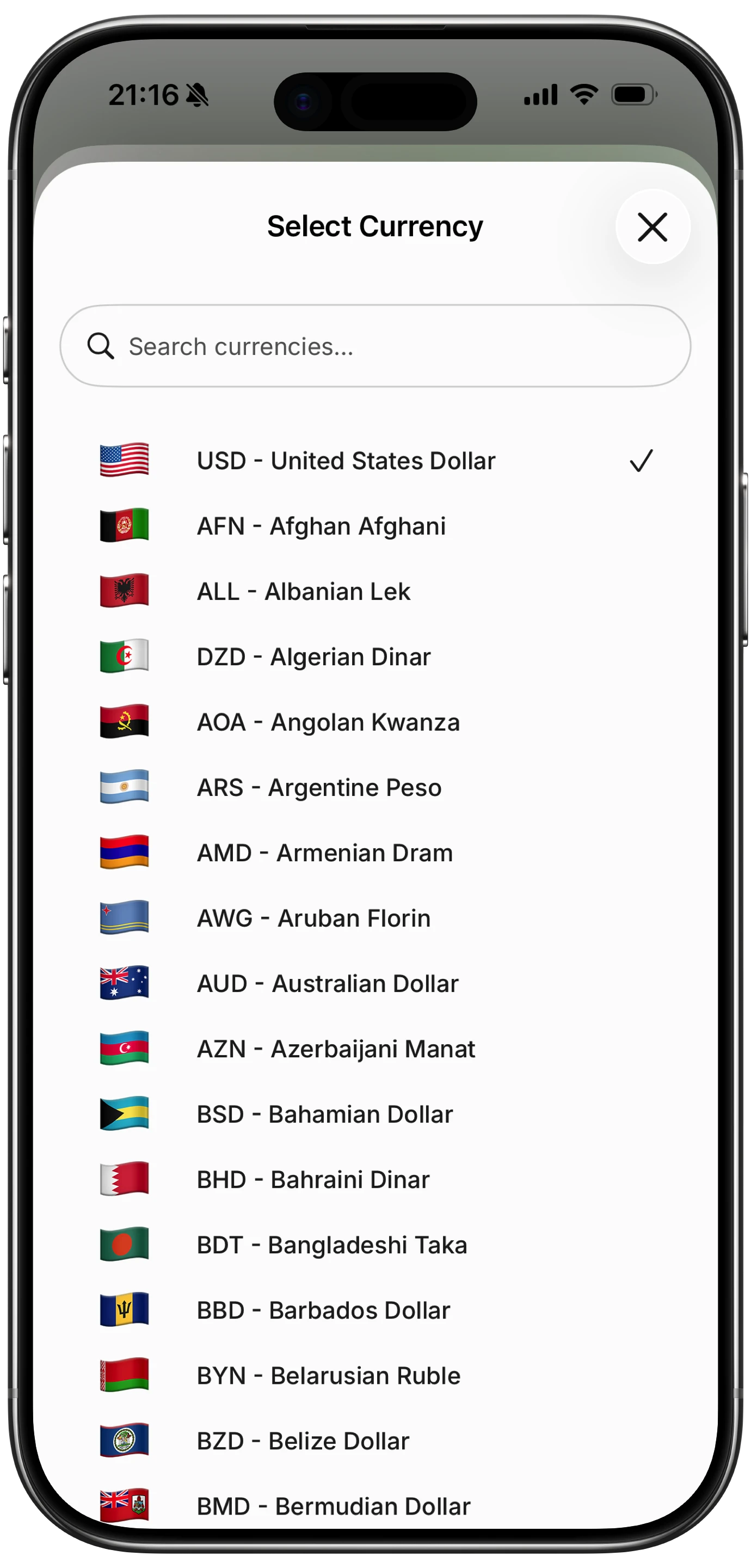
Finny app's multi-currency feature
Apps that store both let you look at a trip in euros and your annual spending in dollars without either view being a reconstruction.
What Goes Wrong With Foreign Receipts
Decimal separators invert. Much of Europe and South America writes 1.234,56 where the US writes 1,234.56. OCR trained mostly on US receipts can misread this by a factor of a thousand. Check any foreign amount that looks implausibly large or small.
Date formats reverse. 03/04 is March 4th or April 3rd depending on the country. Off-by-a-month errors are common and hard to notice.
Tax lines differ. European receipts show VAT, often several rates on one receipt. An app looking for a US-style tax line can grab the wrong number.
The currency is not always printed. Plenty of receipts show only an amount, with the currency implied by location. If the app cannot infer it, the entry needs the currency added manually.
Character sets. Receipts in non-Latin scripts are read far less reliably than the marketing suggests, and merchant names in particular come back garbled.
Which Exchange Rate Applies
Three different rates are in play on any foreign purchase, and they do not match.
The mid-market rate is the reference rate you see when you search a currency pair. Nobody actually transacts at it.
Your card issuer's rate is what you are actually charged, typically the network rate plus a margin, applied on the settlement date rather than the purchase date.
The rate your app used is whatever it pulled on the day it converted.
For personal tracking, the mid-market rate on the purchase date is a sensible default: consistent, verifiable, and close enough. If you are reconciling against a statement, you need the issuer's rate, which is why keeping the original amount matters so much. You can always recompute a conversion, but you cannot recover an original you never stored.
Offline Capture Matters More Abroad
Domestically, an app that needs a connection to process a receipt is a minor annoyance. Abroad it is the difference between having data and not.
You may be on an expensive roaming plan, on hotel wifi only, or with no data at all. Meanwhile receipts accumulate faster than at home, since travel produces more small cash transactions than ordinary weeks do.
An app that cannot capture a receipt offline pushes the work to the evening, which means it does not happen. The receipts stay in a pocket, go through a wash, or fade.
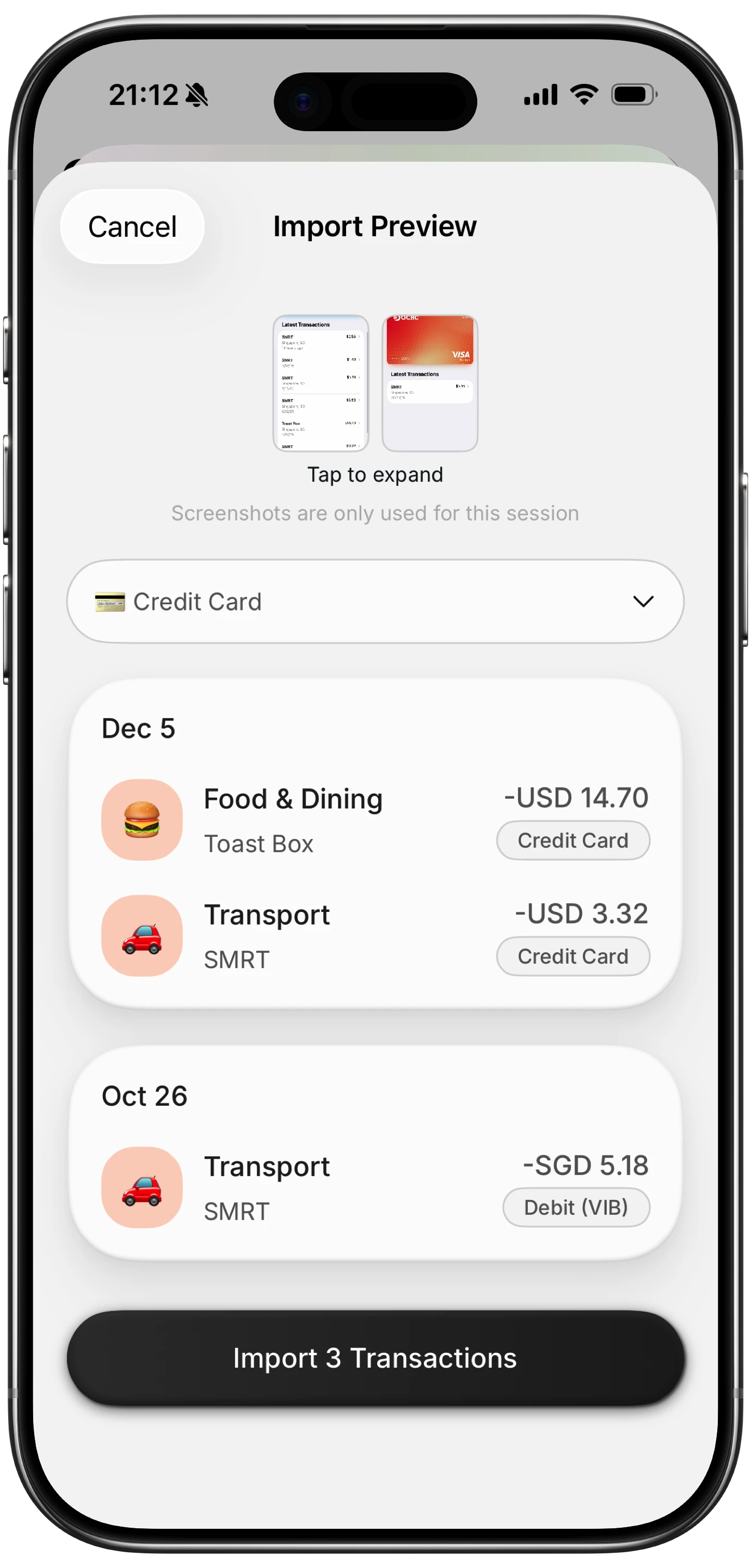
Finny app's screenshot import feature
Finny captures receipts offline and keeps each transaction in its original currency, converting only for totals. Spending logs on a train with no signal and reconciles later.
Keep Receipts You Might Need for Tax Refunds
If you are shopping in a country with a VAT refund scheme, the paperwork rules are stricter than ordinary receipts.
You generally need the original document rather than a photo, a minimum spend per store per day, and processing at the airport before departure. A scanned copy in your app does not substitute for the paper form at customs.
Scan them anyway. The scan tracks the spending and reminds you which stores you have refund paperwork for, while the paper goes in a separate envelope you do not open until the airport. The same applies to business travel, where reimbursement policies usually specify what counts as an acceptable record.
A Workflow That Survives a Trip
- Photograph each receipt the day you get it, before thermal paper fades in a hot bag.
- Confirm the currency on the first entry from each new country, since that is where inference errors cluster.
- Spot check any amount that looks wrong by a factor of ten or a thousand, which is the decimal separator failure.
- Keep VAT refund originals in a separate envelope regardless of what you scanned.
- Reconcile once at the end, when the card statement posts, comparing your originals against the converted charges.
Step five is where keeping the original amount pays off. It is the only way to see whether your card issuer's margin was reasonable, and our guide to tracking expenses in multiple currencies covers that reconciliation in more detail.
The Bottom Line
Multi-currency receipt scanning is mostly about protecting one thing: the original amount in the original currency. Everything else can be recalculated, and that cannot.
Choose an app that stores both figures, captures offline, and lets you correct the currency when it guesses wrong. Then photograph receipts the same day, because faded thermal paper defeats every scanner regardless of how good the AI is. For planning the trip itself, our travel budget guide covers the budgeting side.
Common Questions About Multi-Currency Receipt Scanning
Can receipt scanner apps read foreign receipts?
Reasonably well for Latin-script receipts, with specific weaknesses. Decimal separators invert in much of Europe and South America, so 1.234,56 can be misread by a factor of a thousand. Date formats reverse between day-first and month-first conventions, and VAT lines differ from US-style tax lines. Non-Latin scripts are read considerably less reliably than marketing suggests, particularly for merchant names.
Which exchange rate should my expense tracker use?
For personal tracking, the mid-market rate on the purchase date is the sensible default because it is consistent and verifiable. Your card issuer will charge a different rate, typically the network rate plus a margin applied on the settlement date, so your app's total will not match your statement exactly. Keeping the original amount alongside the conversion is what lets you reconcile the two later.
Do I still need paper receipts for a VAT refund?
Yes. Tax refund schemes generally require the original document and processing at the airport before departure, and a photo in an app does not substitute for the paper form at customs. There is usually a minimum spend per store per day as well. Scan the receipt anyway for tracking purposes, but keep the physical paperwork separate and intact until you have completed the refund.
How do I track travel spending without mobile data?
Choose an app that captures receipts and logs expenses offline, storing entries locally and syncing when you reconnect. This matters more abroad than at home, since travel produces more small cash transactions while connectivity is least reliable and most expensive. An app that requires a connection pushes capture to the evening, which in practice means receipts accumulate unscanned and often get lost or fade.
Ready to track expenses with less friction?
Download Finny to log expenses using AI, receipts, or text. No bank connections, offline support, and full control over your financial data.