iOS 27 Wallet: Bill Splitting, Insights, and 3 Gaps Left
iOS 27 arrives in September 2026, and Apple Wallet is getting the biggest money update it has had in years. Two features matter if you track spending: AI bill splitting, and Insights, which pulls spending and balances from connected financial accounts into Wallet itself.
That second one is Apple stepping directly into personal finance tracking. Worth understanding properly before you decide whether it replaces anything you currently use.
One thing to know up front, because most of the coverage still gets it wrong: Insights appeared in early betas and was then pulled from the US builds in late July. It may return before release. Right now, in the US, it is not the sure thing the feature roundups imply.
AI Bill Splitting: The Real Headline
This is the feature that will get used.
You photograph a receipt using the Camera app's Siri mode, or start from Messages or Wallet. Visual Intelligence reads the receipt and creates a digital copy, itemized. Then each person picks what they actually had, and Wallet works out tax and tip proportionally and generates Apple Cash requests.
That last part is the interesting bit. Splitting a bill evenly is easy and every app does it. Splitting it by item, with tax and tip apportioned correctly, is the part people give up on and eyeball instead. Apple is automating exactly the annoying half.
Requirements to know:
- US only. It settles through Apple Cash, which is US-only.
- iPhone 15 Pro or newer for the camera-based scanning, since it runs on Visual Intelligence.
- Everyone in the group needs Apple Cash set up to actually receive money.
That last requirement is the practical ceiling. On a table of six, it takes one Android user or one person without Apple Cash configured to send you back to a group chat and a calculator.
What this means if you use a splitting app: for a US-only, all-iPhone group, this genuinely replaces the basic case, for free. For mixed groups, international travel, or an ongoing shared-household ledger, it does not, because there is no running balance and no group history. Our roundup of Splitwise alternatives covers the tools that do keep a ledger, and Splitwise pricing explains why people are shopping for one.
Insights: Apple's Spending Tracker
Insights expands the existing Connected Accounts feature. You add financial accounts to Wallet, and it monitors spending, recurring transactions and account balances in one place.
Availability is narrower than the headlines suggest. It works with institutions that support Connected Cards, which includes select UK banks, and coverage varies by market and by bank. And as noted above, it was removed from US betas in late July after appearing earlier.
What it does well, on paper: if your bank participates, you get spending and recurring-charge visibility without installing anything. Free, first-party, already on your phone. That is a real proposition and it will be enough for a lot of people.
What it requires: connecting your financial accounts. That is the trade at the heart of it, and it is the same trade every bank-linked app asks for. Our guide to tracking expenses without linking a bank covers why a sizeable group of people decline it.
The Three Gaps Wallet Still Leaves
Even assuming Insights ships everywhere and works well, three things stay outside it.
1. Cash, and anything not on a connected card
Connected accounts see connected accounts. Money you spent in cash, on a card from a bank that does not participate, or through an account you did not link, does not exist as far as Wallet is concerned. That is not a flaw, it is the definition of the feature, but it means your Wallet total and your actual spending are different numbers.
2. Budgets, categories and intent
Insights reports. It shows what happened: spending, recurring charges, balances. It does not ask you to set a limit, does not carry an envelope forward, and does not tell you that you have nine days and forty dollars left in groceries. Reporting and budgeting are different jobs, and Apple is doing the first one. Our explainer on zero-based budgeting covers what the second one involves.
3. Multiple currencies
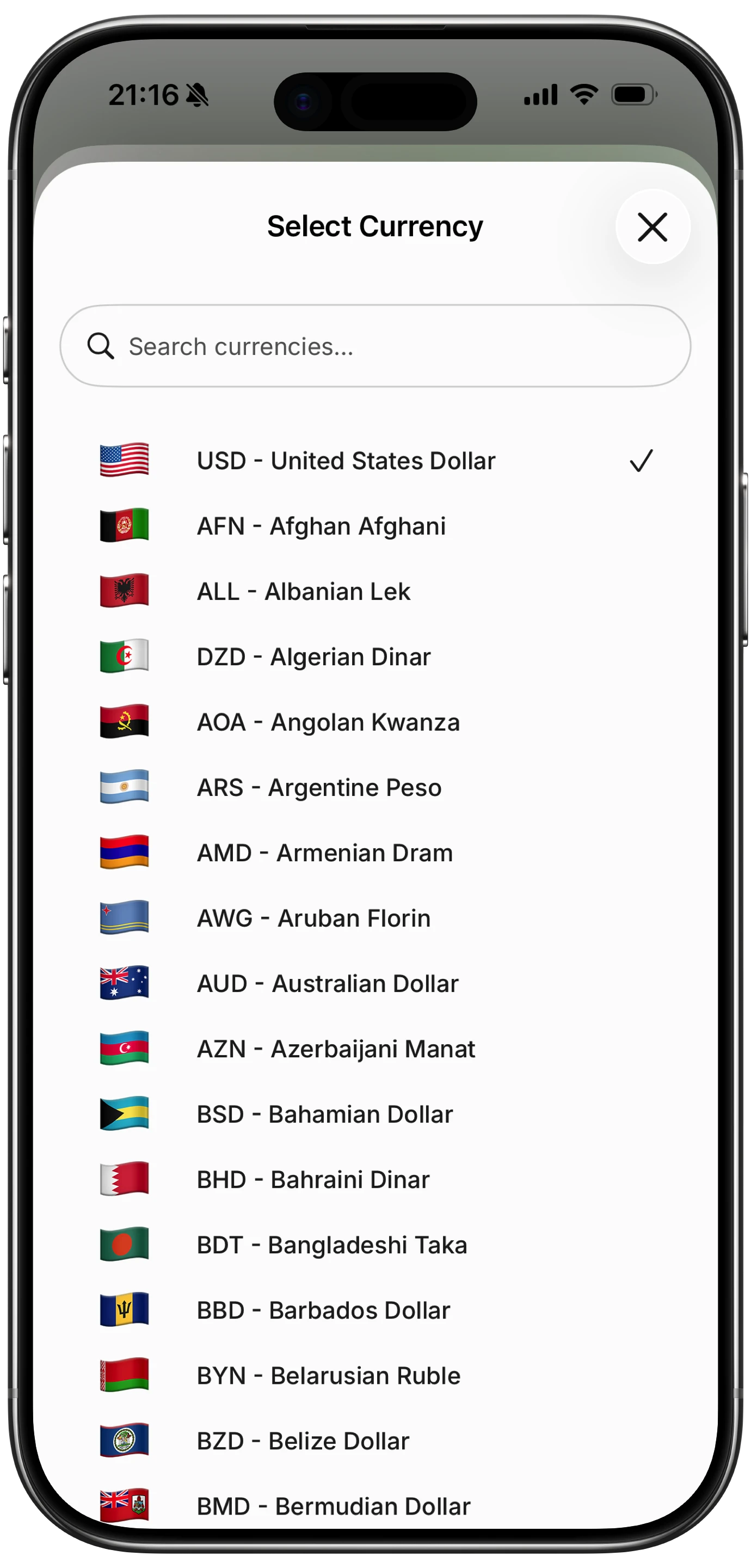
If you spend across currencies, a first-party tracker built around domestic connected accounts is not going to hold the original amount you paid in yen alongside a converted monthly total. That is a specific need, and our roundup of multi-currency expense trackers covers apps built for it.
Everything Else New in Wallet
Not money tracking, but worth knowing:
- Create a Pass. Scan a physical loyalty or membership card with Visual Intelligence and turn it into a real Wallet pass. Three templates, custom fields. This is the feature that finally clears the plastic out of your actual wallet.
- Pass upgrades. A richer poster-style card design, up to two tappable actions per pass, issuer certificates so you can verify a pass is legitimate, and four new barcode types.
- Hotel keys. Digital keys now carry trip details, booked activities and on-site services at participating hotels.
- Order tracking expands to Australia and Canada, having been US and UK only.
- Tap to Share speeds up checkout at participating merchants by connecting to their iPhone.
Should You Change What You Use?
If you split bills in the US with iPhone friends: try the Wallet feature first when it lands. It is free and it handles the itemized case well. Keep a splitting app for groups that are mixed, international, or ongoing.
If you want spending visibility and you are comfortable connecting accounts: wait and see whether Insights ships in your country, then judge it against what you use now. Do not switch on the strength of a feature roundup, including this one, until you have it on your phone.
If you spend in cash, spend across currencies, or would rather not connect accounts: none of this changes your situation. Wallet's new features are built on connected accounts and Apple Cash, and outside those two rails they do not reach.
Finny app's multi-currency feature
That last group is who Finny is for. It logs what you spend in a few seconds, in whatever currency you paid in, with no bank connection at all, so cash at a market and a card in another country land in the same record. Apple Pay purchases log themselves. It is not trying to be your Wallet, and after iOS 27 it does not need to be.
Common Questions
When does iOS 27 come out?
September 2026, following the developer and public beta cycle that ran through summer.
Does iOS 27 let you split bills?
Yes, in the US. You scan a receipt with Visual Intelligence, each person selects what they had, and Wallet apportions tax and tip and generates Apple Cash requests. Camera-based scanning needs an iPhone 15 Pro or newer, and settlement requires Apple Cash, so it is US-only.
What is Apple Wallet Insights?
An expansion of Connected Accounts that tracks spending, recurring transactions and account balances for participating financial institutions inside Wallet. Availability depends on your bank supporting Connected Cards. It appeared in early iOS 27 betas and was pulled from US builds in late July 2026, so treat US availability as unconfirmed until release.
Does Apple Wallet replace a budgeting app?
Not really. Insights reports what happened across connected accounts. A budgeting app sets limits, carries categories forward, and covers spending Wallet cannot see, including cash and any card you have not connected.
Can Apple Wallet track cash spending?
No. Everything in Wallet's tracking is built on connected accounts and Apple Pay. Cash leaves no digital trail for it to read, so it needs to be logged separately if you want your totals to be accurate. Our guide to tracking cash spending covers how.
Wallet sees connected accounts. Your spending is wider than that. Finny logs anything, in any currency, in seconds, with no bank connection. Free to start, Pro at a low monthly price.