
Receiptix Alternatives: AI Receipt Apps Compared
Receiptix built its product around a sensible premise: receipts are the input, and everything else follows. Snap a receipt or speak a purchase, and the AI extracts the details. It also handles multiple currencies, which most receipt apps treat as an afterthought.
If you are looking for Receiptix alternatives, the usual reasons are offline capability, how many receipts you can process at once, or wanting receipt scanning inside a full expense tracker rather than as its own app. This compares the options on those axes.
For the wider field, see our guide to the best receipt scanner apps.
What to Compare On
OCR accuracy on real receipts. Not the crisp demo receipt. Faded thermal paper, creased receipts, dim restaurant lighting. This is where apps separate, and it is rarely in the marketing.
Which line it reads. A receipt has subtotal, tax, tip, and total. Apps that grab the wrong line produce clean-looking wrong entries, which is the hardest error class to catch later.
Batch processing. Scanning receipts one at a time is fine for three and unbearable for thirty. If you save receipts and process them weekly, batch handling is the feature that decides whether you keep doing it.
Offline capture. Most receipt OCR runs on a server. If yours does, you cannot process a receipt on a plane or anywhere without signal.
Multi-currency. Whether the app stores the original amount alongside the converted one, or only the conversion. Storing only the conversion loses information permanently.
The Comparison
| App | Batch scan | Offline | Multi-currency | Full expense tracker |
|---|---|---|---|---|
| Receiptix | Limited | No | Yes | Yes |
| Expensify | Yes | Partial | Yes | Business focused |
| Zoho Expense | Yes | Partial | Yes | Business focused |
| Monarch | No | No | Limited | Yes, bank linked |
| Finny | Yes | Yes | 150+ currencies | Yes, no bank link |
Expensify
The most established option, built for expense reports and reimbursement. OCR is reliable, batch handling is solid, and it integrates with accounting systems.
It is also built for businesses. If you are tracking personal spending, you are paying for approval workflows and reimbursement policies you will never use, and the interface reflects those priorities throughout.
Zoho Expense
Similar positioning to Expensify with strong multi-currency handling and per diem features for business travel. Good if you actually file expense reports, oversized if you do not.
Monarch
Worth mentioning because people ask, but receipts are secondary here. Monarch is built around bank connections, and its receipt handling is a supporting feature rather than the product. Choose it for household budgeting, not for receipts.
Finny
Finny reads receipts from your photo library, including several at once, and extracts the amount, merchant, and date for confirmation before saving.
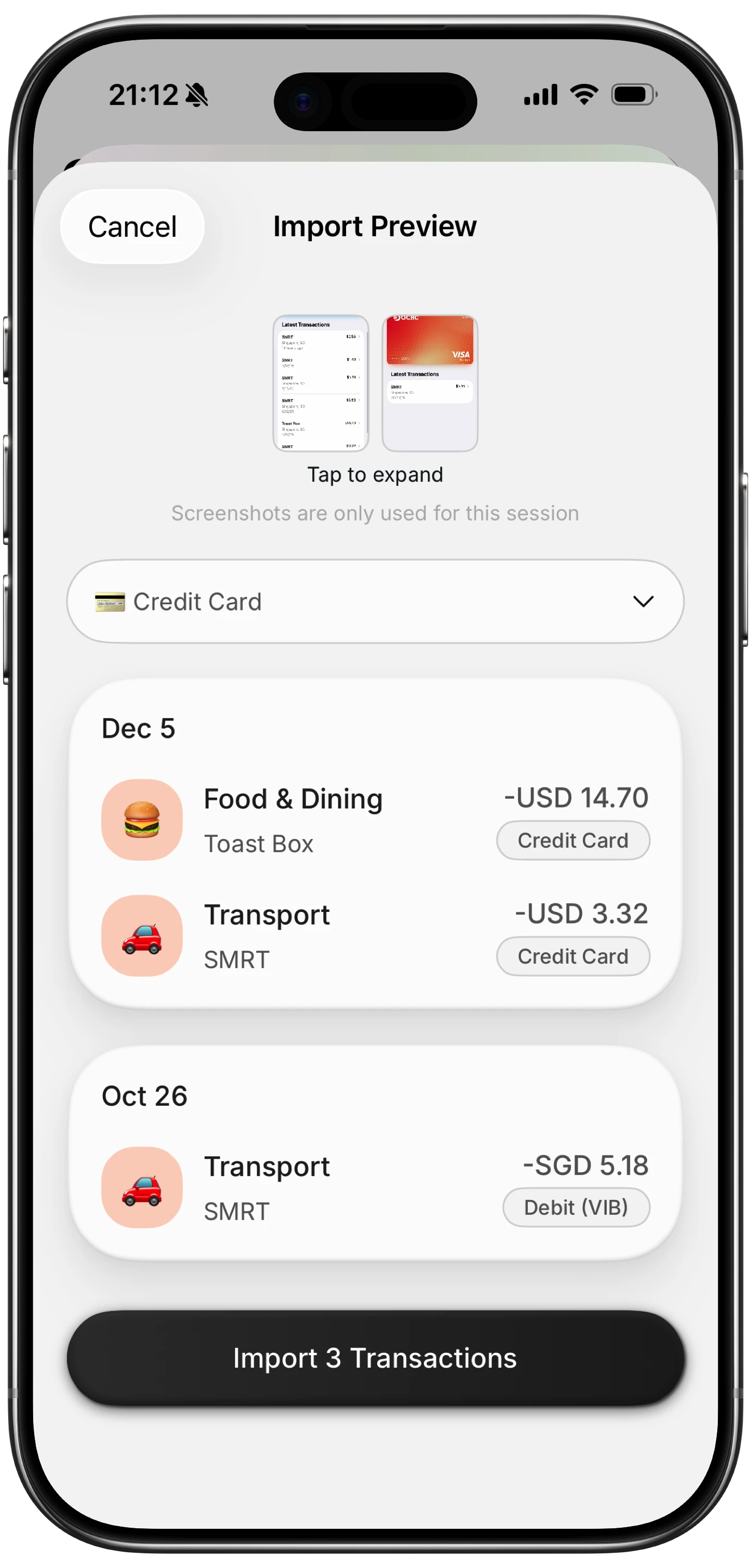
Finny app's screenshot import feature
Three differences relevant to this comparison. Batch scanning handles a backlog rather than one receipt at a time. It works offline, so a receipt photographed on a plane processes without waiting for signal. And multi-currency keeps each transaction in its original currency with totals converted, rather than discarding the original amount.
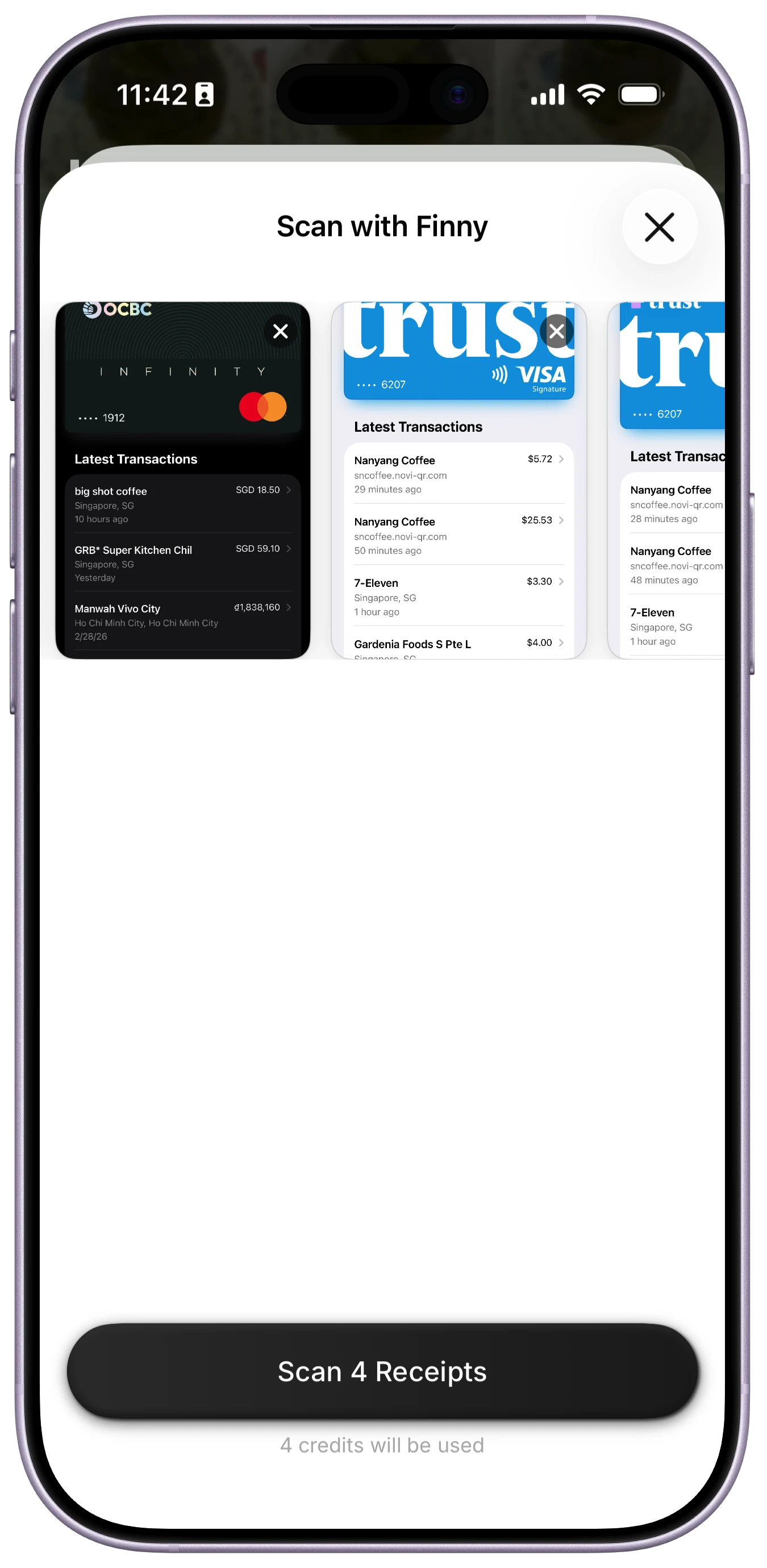
Finny app's batch scanning feature
It is not built for expense reports or reimbursement, which is the honest limit if that is your use case.
The Failure Mode Every Receipt App Shares
OCR reads what it can see, and receipts are hostile documents. Thermal paper fades within months, sometimes weeks in a hot car. Creases break character recognition. Restaurant receipts with a handwritten tip and an adjusted total confuse nearly everything.
The specific error to watch for is the wrong line: an app reading the subtotal instead of the total, so a $47 dinner records as $39. Every field looks right and the entry looks normal, which is exactly why it survives a review.
Two habits help regardless of app. Photograph receipts the day you get them, before thermal paper fades. And check the total on anything above about $50, since that is where a wrong line actually moves your numbers. Our test of AI receipt OCR accuracy covers the error rates in more detail.
Choosing by Reason
Left because of offline gaps? That narrows the field sharply, since most receipt OCR is server-side. Test it with airplane mode before committing.
Left because of batch limits? Expensify and Zoho handle volume well, as does any app built for a weekly backlog rather than one receipt at a time.
Left because you file expense reports? Expensify or Zoho, without much contest.
Left because you wanted personal expense tracking, not a receipt app? A tracker with receipts as one input among several, so a scanned receipt sits in the same ledger as card and cash spending. Our guide to the best receipt scanner apps for iPhone covers that overlap.
The Bottom Line
Receiptix does receipt-first tracking well, and if that is what you want, alternatives mostly trade sideways. The genuine reasons to switch are offline capability, batch volume, or business expense reporting.
The most useful filter is unglamorous: test each candidate on your worst receipt, not your cleanest. Faded thermal paper in bad light is the real workload, and it separates these apps far more than any feature list does.
Common Questions About Receiptix Alternatives
What is the best alternative to Receiptix?
It depends on the gap you are trying to close. For business expense reports and reimbursement, Expensify and Zoho Expense are considerably more capable. For personal tracking where receipts are one input among several, a general expense tracker with batch scanning and offline support fits better. If multi-currency was the appeal, check whether an alternative stores the original amount or only the converted figure.
Do receipt scanner apps work offline?
Most do not, because OCR typically runs on a server. That matters when photographing receipts on a plane, abroad without data, or anywhere with poor signal, since the receipt may fade or be discarded before you reconnect. Testing this takes thirty seconds: turn on airplane mode and try to scan. Apps that queue the image and process later are acceptable; apps that fail silently are not.
Can receipt apps scan multiple receipts at once?
Some can, and it is the feature that decides whether the habit survives. Processing thirty receipts one at a time is unpleasant enough that most people stop, so if you save receipts and clear them weekly, batch handling matters more than a small difference in OCR accuracy. Expensify and Zoho handle volume well, and some personal trackers process several from a photo library in one pass.
How accurate is AI receipt scanning?
Good on clean receipts and unreliable on faded thermal paper, creased receipts, and poor lighting. The most consequential error is reading the wrong line, taking the subtotal rather than the total, which produces an entry that looks completely normal while understating the amount. Photograph receipts the day you receive them, and verify totals above roughly $50 where a misread actually affects your figures.
Ready to track expenses with less friction?
Download Finny to log expenses using AI, receipts, or text. No bank connections, offline support, and full control over your financial data.