Paper receipts pile up. Digital receipts get buried in email. Neither format helps you understand your spending unless you capture and organize the data. That is where receipt scanner apps for iPhone come in.
The best receipt scanners do more than snap a photo. They extract merchant names, totals, dates, and categories automatically using OCR and AI. Some even let you scan multiple receipts at once, turning a tedious task into a quick batch operation.
This guide compares the best receipt scanner apps available on iPhone in 2026, with a focus on scanning speed, accuracy, batch capabilities, and how well each app turns receipt data into useful expense insights. For a broader look at expense tracking options, see our best money tracker app in 2026 guide.
What to Look for in a Receipt Scanner App
Not all receipt scanners are created equal. Here is what separates a good scanner from a great one:
OCR accuracy: The app should correctly read merchant names, totals, tax, and dates from both printed and digital receipts. Poor OCR means manual corrections on every scan.
Batch scanning: Can you scan multiple receipts at once, or must you photograph them one at a time? Batch scanning saves significant time if you have a stack of receipts from a trip or a week of spending.
Photo library access: Some apps force you to use the in-app camera. Others let you pick existing photos from your library or share receipts directly from the Photos app. Library access is critical for scanning digital receipts or screenshots.
Expense integration: A standalone scanner is less useful than one that feeds data directly into your budget or expense categories.
Price: Receipt scanning should not cost a fortune. Some apps bundle scanning into affordable subscriptions. Others charge business-tier prices for what is essentially a consumer feature.
Best iPhone Receipt Scanners Compared
| Feature | Finny | Expensify | Smart Receipts | Wave | QuickBooks |
|---|---|---|---|---|---|
| Price | a low monthly price | Free (25 scans/mo) | $4.99/mo | $8/mo+ | $20/mo+ |
| Batch Scanning | Up to 5 photos | No | No | Up to 10 | No |
| Photo Library | Yes | Camera only | Camera only | Yes | Camera + email |
| Share Extension | Yes | No | No | No | No |
| AI Categorization | Yes | Yes | No | Basic | Yes |
| Offline Mode | Yes | No | Yes | No | No |
| Multi-Currency | 150+ currencies | Yes | Manual | Limited | Limited |
| Target User | Personal | Business | Business/Personal | Small Business | Small Business |
The Best Receipt Scanner Apps for iPhone
Finny: Best Personal Receipt Scanner
Finny takes a different approach to receipt scanning. Instead of forcing you to open the camera every time, it meets you where your receipts already live: in your photo library.
Here is Screen Log turning an on-screen payment into a logged entry with one press:
Batch Snap and Log lets you select up to 5 receipt photos at once from your library. Finny's AI processes all of them simultaneously, extracting merchant names, amounts, dates, and categories. No more scanning one receipt at a time through a slow camera interface.

The Share Extension adds another layer of convenience. See a receipt in your Photos app? Share it directly to Finny without switching apps. Get a receipt screenshot in Messages or email? Share it straight to Finny. This is especially useful for digital receipts that you never printed.
Key strengths:
- Batch scanning of up to 5 photos at once
- Share Extension for direct receipt import from any app
- AI extracts and categorizes expenses automatically
- Statement screenshot import for bank and credit card statements
- Works offline, syncs later
- 150+ currencies with automatic conversion
- a low monthly or yearly price
How it works: Open Finny, tap the AI input, select up to 5 receipt photos from your library, and let the AI handle the rest. Each receipt becomes a categorized expense entry. You can review and adjust before saving. The whole process takes seconds, not minutes.
For travelers, Finny's multi-currency support means foreign receipts are processed in their original currency while your totals stay in your default. No manual conversion needed.
Want to learn more about how AI handles receipt data? Read our comparison of AI expense tracking vs. manual methods.
Best for: iPhone users who want fast, personal receipt scanning with AI categorization and batch capabilities.
Expensify: Best for Business Expense Reports
Expensify pioneered the receipt scanning category and remains the go-to for business expense reporting.
What you get:
- SmartScan OCR for receipt data extraction
- Automatic expense report creation
- Approval workflows for teams
- Credit card import
- Mileage tracking
Pricing: The free tier allows 25 SmartScans per month. The Collect plan costs $5 per user per month. The Control plan runs $9 per user per month with advanced features.
Limitations: Expensify is built for business expense reporting, not personal budgeting. The camera-only scanning flow means no batch photo imports from your library. The free tier's 25-scan limit is tight for anyone with regular expenses. The app requires internet for scanning, so offline use is not an option.
Best for: Employees submitting expense reports to their company.
Smart Receipts: Best for Tax Documentation
Smart Receipts focuses on organized receipt storage for tax and reimbursement purposes.
What you get:
- AI-powered OCR for receipt data
- Folder and tag organization
- PDF, CSV, and ZIP export
- Mileage tracking
- Smart predictions based on past receipts
Pricing: Smart Receipts charges $4.99 per month, $19.99 per month for higher tiers, or $79.99 per year. A lifetime option is available at $99.99.
Limitations: Camera-only scanning with no batch import from the photo library. No share extension. Currency conversion is manual. The pricing structure is confusing with multiple tiers. The app is primarily designed for business and tax receipt storage, not personal expense tracking.
Best for: Freelancers and business travelers who need organized receipt archives for tax filing.
Wave: Best for Small Business Owners
Wave bundles receipt scanning into its broader accounting platform.
What you get:
- Receipt scanning with OCR
- Bulk import of up to 10 receipts
- Full accounting features (invoicing, payroll)
- Bank connection for transaction matching
- Automatic expense categorization
Pricing: Wave's basic plan starts at $8 per month. The Pro plan runs $16 to $19 per month. Receipt scanning is included in all paid plans.
Limitations: Wave is an accounting platform first and a receipt scanner second. The app is designed for small businesses, not personal expense tracking. The $8 minimum monthly price is steep for someone who just wants to scan personal receipts. Bank connection is required for full functionality.
Best for: Small business owners who need receipt scanning as part of a full accounting suite.
QuickBooks: Most Powerful (But Most Expensive)
QuickBooks includes receipt scanning in its mobile app as part of the broader accounting platform.
What you get:
- Receipt Capture with OCR
- Automatic transaction matching
- Full business accounting
- Bank and credit card sync
- Tax preparation features
Pricing: QuickBooks plans start at $20 per month for the Solopreneur tier and go up to $38 per month or more for full QuickBooks Online. Receipt scanning is bundled into the subscription.
Limitations: QuickBooks is serious overkill for personal expense tracking. The price reflects a full business accounting suite, not a receipt scanner. No batch scanning from photo library. The app is complex and designed for business accounting workflows.
Best for: Business owners who already use QuickBooks for accounting and want receipt scanning integrated into their workflow.
Why Batch Scanning Changes Everything
Most receipt scanner apps follow the same tedious flow: open the app, tap scan, align the camera, capture one receipt, wait for processing, confirm the data, repeat.
If you have five receipts from a grocery run, a coffee shop, and a few errands, that process takes several minutes. Multiply that across a week, and receipt scanning becomes a chore you avoid.
Batch scanning flips the process. With Finny, you can:
- Take photos of your receipts throughout the day (or week)
- Open Finny when convenient
- Select up to 5 receipt photos at once
- Let the AI process all of them simultaneously
- Review and save
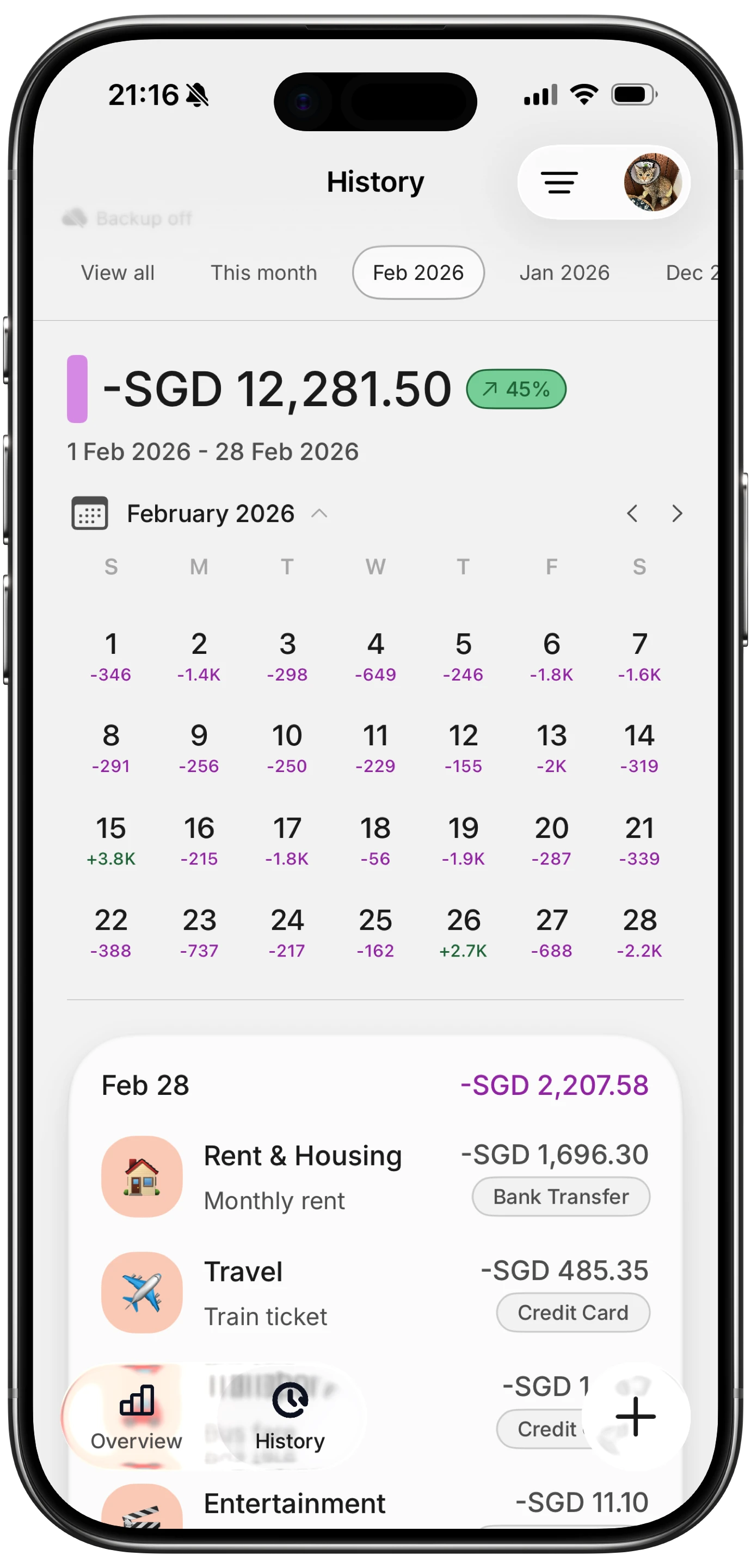
The difference is not just speed. Batch scanning changes the habit. You stop dreading the "I need to log my receipts" task because it takes seconds instead of minutes. And if you are tracking expenses while traveling, the ability to batch-process foreign receipts in their original currencies is a significant advantage.
For tips on building a consistent tracking routine, see our guide on how to track expenses effectively.
The Share Extension Advantage
Finny's Share Extension solves a problem most receipt scanner apps ignore: digital receipts.
In 2026, many receipts arrive digitally. Email confirmations, in-app purchase summaries, delivery service breakdowns, and subscription notices all live on your phone, not on paper. Most scanner apps only work through the camera, which means you would need to screenshot the digital receipt, crop it, then scan it through the app's camera.
With Finny's Share Extension, you share a receipt image from any app directly into Finny. See a receipt in Photos? Share it. Get an order confirmation screenshot? Share it. The AI processes it the same way it handles camera captures.
This works especially well for:
- Online shopping receipts saved as screenshots
- Restaurant receipts photographed by friends
- Travel booking confirmations
- Subscription payment screenshots
No other receipt scanner app on iPhone offers this level of integration with the iOS sharing system.
Offline Scanning Matters
Internet connections are not always available. Airport lounges, international travel, subway commutes, and rural areas all present connectivity gaps. If your receipt scanner requires internet to function, you are stuck holding onto receipts until you find Wi-Fi.
Finny and Smart Receipts both work offline. Finny processes receipt data locally and syncs when you reconnect. That means you can scan your receipts on a flight, during a road trip, or anywhere else without worrying about signal strength.
Expensify, Wave, and QuickBooks all require internet for receipt scanning. For more on why offline capability matters, check out our guide on offline expense tracking.
FAQ
How accurate is AI receipt scanning on iPhone?
Modern AI receipt scanning on iPhone is highly accurate for printed receipts with clear text. Accuracy drops with faded, crumpled, or handwritten receipts. Finny and Expensify both use advanced OCR that handles most standard receipts well. Always review extracted data before saving, especially for receipts with unusual formatting.
Can I scan receipts from my photo library, or do I need the camera?
Most apps require the in-app camera. Finny is one of the few that lets you select photos from your library and scan up to 5 at once. This is a major advantage for receipts you have already photographed or digital receipts saved as screenshots.
What is the best free receipt scanner for iPhone?
Expensify offers 25 free SmartScans per month, which may be enough for light use. For heavier scanning needs, Finny at a low monthly price includes 50 AI requests every day with batch capabilities (up to 5 receipts at once), making it the best value option.
Do receipt scanner apps work with digital and email receipts?
Most receipt scanner apps are optimized for paper receipts photographed through the camera. Finny's Share Extension lets you import digital receipts directly from any app on your iPhone, including screenshots of email receipts, order confirmations, and banking statements.
Start Scanning Smarter
Paper receipts and digital confirmations do not need to pile up. The right scanner app turns them into organized expense data in seconds.
Download Finny today and batch-scan up to 5 receipts at once with AI-powered categorization, multi-currency support, and the only Share Extension for receipt importing on iPhone.