How to Track Venmo and Zelle Payments in Your Budget
You paid your roommate for utilities on Venmo, sent your landlord rent through Zelle, and got paid back for concert tickets by three different friends. On your bank statement, all of that shows up as "VENMO" or "Zelle payment to J Smith." Your budgeting app files it under Transfers, and a real chunk of your spending disappears from your categories.
Peer-to-peer apps are how Americans split rent, dinners, trips, and gifts, so they're often where a budget quietly falls apart. This guide shows how to track Venmo and Zelle payments so each one lands in the right category, how to handle reimbursements without inflating your spending, and how to log payments without handing your bank login to anyone. If you use digital wallets more broadly, our guide to tracking e-wallet spending covers the general approach.
Why Venmo and Zelle payments break your budget
Three things go wrong:
1. The description is useless. A card purchase comes with a merchant name and a category. A P2P payment comes with a person's name, or just "Venmo." Your budget can't tell rent from a birthday gift.
2. Money moves in both directions. You pay $120 for a group dinner, and three friends Venmo you $30 each. If you log the $120 and treat the $90 as income, your dining category is inflated and your income looks higher than it is.
3. Some spending never touches your bank. When friends pay you on Venmo and you spend from your Venmo balance, those purchases never show up on your bank statement at all. A bank-synced budget simply doesn't see them.
Where each payment actually lives
| Payment type | Shows on bank statement as | What your budget sees |
|---|---|---|
| Venmo paid from your bank or debit card | "VENMO" plus an ID | A transfer with no category |
| Venmo paid from your Venmo balance | Nothing | Nothing |
| Venmo paid with a credit card | "VENMO" on the card statement | A vague card charge |
| Zelle sent from your bank's app | "Zelle to [name]" | A transfer with a name |
| Cash App from your balance | Nothing | Nothing |
Zelle is now used almost entirely through bank apps. Its standalone app stopped supporting payments in April 2025, so Zelle payments appear in your bank's transaction history with the recipient's name.
Method 1: Write useful notes on every payment
The easiest fix happens before the money leaves. Venmo requires a note on every payment, and Zelle lets you add a memo. Make it a category, not an emoji:
- "Rent: October"
- "Utilities: Sept electric split"
- "Groceries: Costco run"
- "Gift: Sam's birthday"
When you review your transactions later, the note tells you exactly where it goes. This one habit fixes most of the problem.
Method 2: Recategorize in your bank-synced app
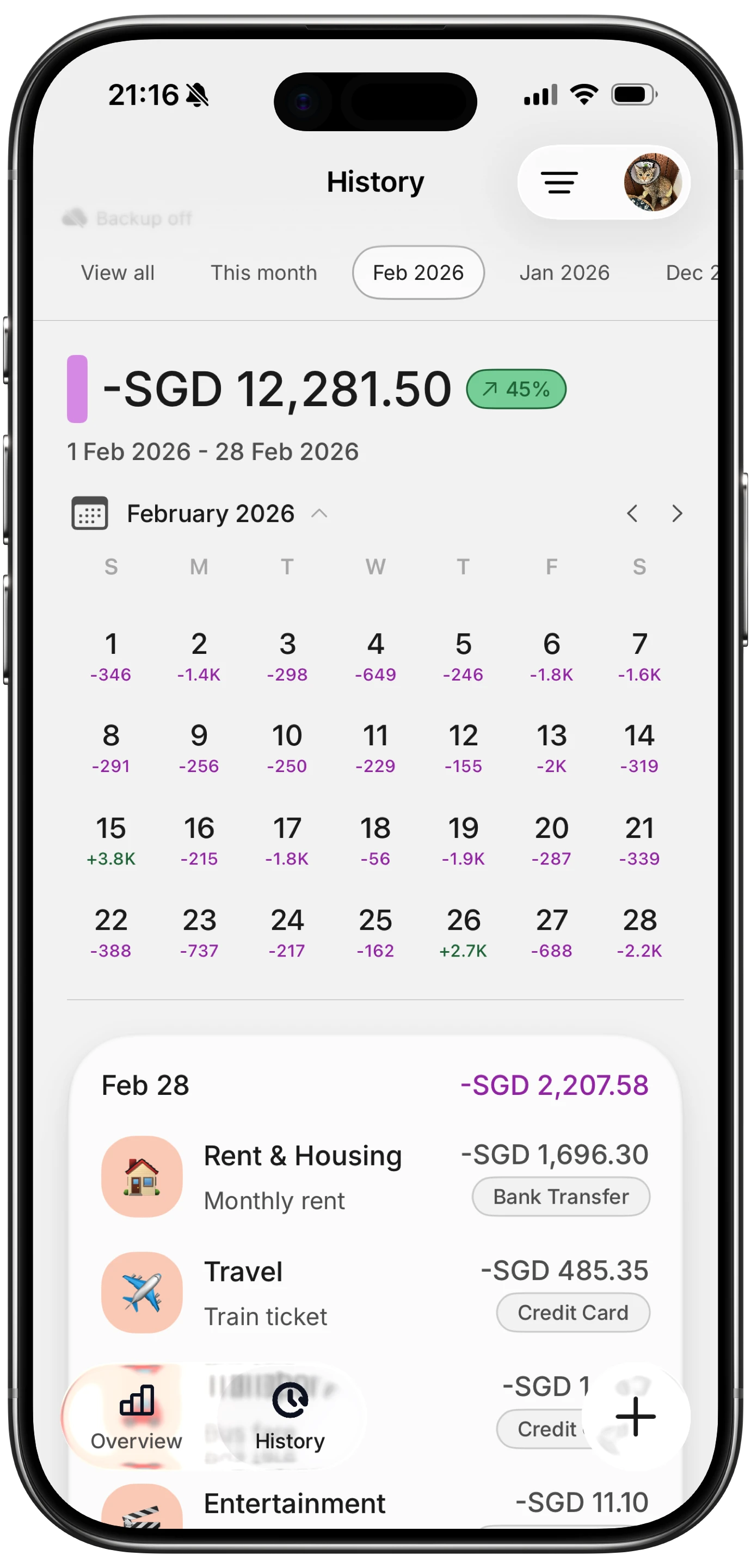
If you use a bank-sync app like Monarch, Copilot, or YNAB, P2P payments arrive as transfers. Don't leave them there:
- Filter your transactions for "Venmo," "Zelle," and "Cash App" once a week.
- Recategorize each one using the note you wrote: rent, utilities, dining, gifts.
- Create rules for repeating payments. If "Zelle to J Smith" is always rent, a rule can categorize it automatically.
- Split mixed payments. If one Venmo covered dinner and a cab, split it into two categories.
This works for payments that leave your bank or card. It still misses spending from your Venmo or Cash App balance.
Method 3: Export Venmo statements
Venmo lets you download account statements as CSV files from its app or website. Once a month, download the statement, filter out transfers to and from your bank, and add the remaining payments to your budget or spreadsheet. It's the only reliable way to catch purchases paid from your Venmo balance if you don't log them as they happen.
It's thorough but tedious, and it only tells you what happened last month.
Method 4: Log P2P payments when you send them
The most accurate record is the one you make at the moment of payment, when you know exactly what it was for.
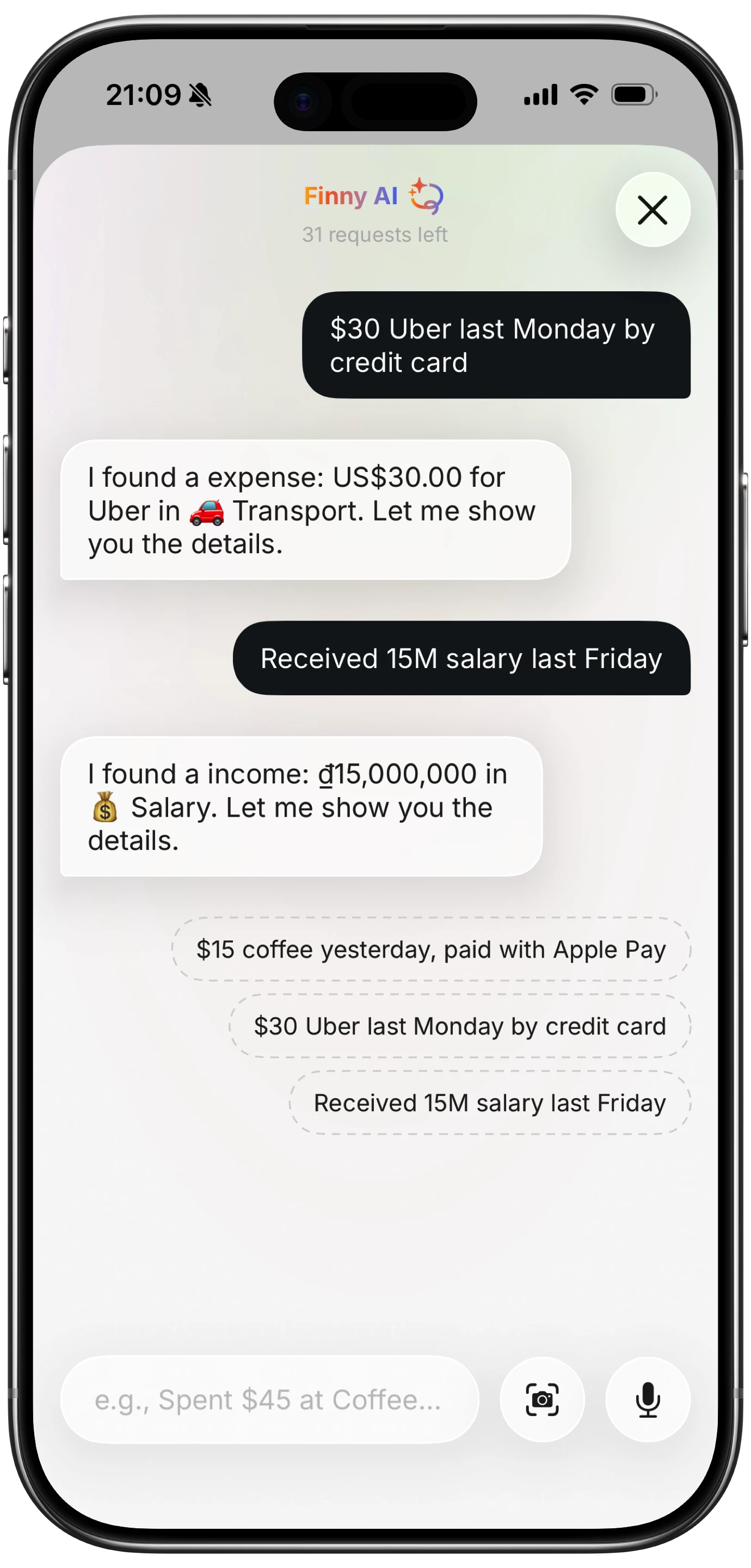
Finny makes that quick without linking a bank. After you send a Venmo or Zelle payment, Screen Log can record it straight from the confirmation on your screen, with the amount and recipient filled in, and you pick the category. You can also type or say it, like "venmo sam 42 dinner," and the AI fills in the amount and category. Because it doesn't depend on your bank feed, payments from your Venmo balance get tracked too.
Here's Screen Log recording a payment from the screen with no bank connection:
How to handle split payments and reimbursements
This is where most P2P budgets go wrong. The rule to remember: your budget should show your share, not the total you fronted.
When you pay for the group: you pay $120 for dinner, and three friends owe you $30 each. Log only your $30 share as dining. Track the $90 owed separately, in a note or a split app.
When friends pay you back: the $90 coming in isn't income. It's repayment. Don't log it as a paycheck. If you logged the full $120 at dinner, reduce that entry to $30 once you've been paid back.
When someone else pays: if a friend covers the tickets and you Venmo them $45, log $45 in the right category (entertainment), not as a transfer.
For groups that split often, like roommates or travel buddies, a dedicated split app keeps the running balance while your budget only records your share. Our guides on tracking shared expenses with roommates and the best Splitwise alternatives cover both sides.
A simple weekly routine
- Write a category note on every Venmo or Zelle payment you send.
- Log it at the moment of sending, or at least the same day.
- Once a week, search your transactions for Venmo, Zelle, and Cash App, and make sure each one has a category.
- Net out reimbursements so each shared expense shows only your share.
- Once a month, check your Venmo statement for balance-funded payments you missed.
Frequently Asked Questions
How do I categorize Venmo payments in my budget?
Write a category in the Venmo note when you pay, like "Rent: October" or "Groceries." Then, in your budget app, recategorize each Venmo transaction from Transfers into the matching category, and create rules for repeat payments. If you pay from your Venmo balance, log those payments manually or from your monthly Venmo statement, because they never appear on your bank statement.
Should Venmo reimbursements count as income?
No. Money friends send back for a shared expense is a repayment, not income. Counting it as income makes your earnings look higher and your spending categories look bigger than they really are. Instead, log only your share of the original expense, or reduce the original entry once you've been repaid.
Do Zelle payments show up in budgeting apps?
Yes, if your budgeting app syncs with your bank. Zelle payments appear as bank transactions labeled with the recipient's name, usually categorized as transfers. You'll need to recategorize them yourself, or set up rules for recurring payments like rent. Since April 2025, Zelle is used through bank apps rather than its own standalone app.
How can I track Venmo spending without linking my bank account?
Log each payment when you send it, either by typing it into a tracker or recording it from the payment confirmation on your screen. Once a month, download your Venmo statement to catch anything you missed. This approach also covers payments from your Venmo balance, which bank-linked budgeting apps can't see.
The bottom line
To track Venmo and Zelle payments properly, fix the problem at the source: write a category note when you pay, log the payment the same day, and count only your share of anything split. Bank-sync apps can help if you recategorize their transfers every week, but they'll never see money spent from your Venmo balance. A payment logged the moment you send it is the one that ends up in the right place.