Is It Safe to Let an App Read Payment Notifications?
An app offering to read your bank notifications sounds a little alarming at first. Notifications feel private. They show up on your lock screen with money in them, and the idea of software reading them can feel like handing over the keys.
The useful question is narrower: is it safe to let an expense tracker read your payment notifications, compared with the alternatives? This guide walks through what a payment alert actually contains, what an app reading those alerts can and cannot see, how that compares with linking your bank through an aggregator, and a few practical habits that keep your setup tight. For the wider picture on finance app privacy, see our guide to finance app security and privacy.
What a payment notification actually contains
Start with the data itself, because it is smaller than most people assume. A typical purchase alert from a bank or card issuer carries a handful of fields: the amount, the merchant name, a masked card number such as "card ending in 1234," and sometimes the date or time. A deposit alert says how much arrived and, often, from whom. A transit or payment app's notice usually names the fare or the payee and the amount.
What an alert does not contain matters just as much:
- No full card number. Banks mask it to the last few digits.
- No password, PIN or one-time code for your bank account. Legitimate banks warn that they will not ask for these by text.
- No account history. Each alert describes one event. It does not list your past transactions or every account you hold.
- Usually no balance, unless you turned on a balance alert specifically.
In other words, a payment notification is roughly what a receipt would tell someone: how much, where, and which card. That is the most an app reading the alert could learn from it. It is also, conveniently, almost exactly what an expense tracker needs.
What any app reading your alerts could see
An app that reads notifications can only learn what those notifications say. If it reads your bank's purchase alerts, it learns roughly what a receipt shows, one event at a time. How much further the exposure goes depends on choices the app makes, so these are the questions worth asking before you turn anything on:
- Which notifications does it read? The safest design lets you choose the source apps yourself, so your messages, email and every other app stay out of it. An app that wants everything is asking for far more than an expense tracker needs.
- Does it keep the notification? A tracker needs the amount, the store and the date to create an entry. It does not need to store the alert itself afterwards.
- Does it also want a bank login? If an app reads alerts and asks for a bank connection too, you carry both exposures, not a smaller one.
- Where do entries end up? Check whether your data stays on your device and in your own cloud backup, or whether a copy sits on the company's servers, and what the privacy policy says about sharing.
- Can it move money? Reading an alert gives an app no way into your account, since the alert holds no password or code. Only a bank connection or payment credentials could do that.
An app that lets you pick the sources, keeps nothing but the entry and never asks for a bank login is about as contained as automatic tracking gets.
How this compares with linking your bank
The real alternative to reading notifications is not "nothing." For most automatic tracking, it has been bank sync through an aggregator like Plaid, MX or Finicity. Those connections see far more.
Plaid's end user privacy policy lists the data it can collect from a connected account: account and routing numbers, current and available balances, transaction amounts, dates, payees and locations, credit and loan details, investment holdings, identity details, and income and employer information. It also says it may collect your username and password when your bank requires them for the connection. Some banks now hand aggregators a token instead of your password, but the account data still flows.
There is history behind the worry, too. In 2022, Plaid settled a $58 million class action over allegations that it improperly obtained and profited from consumers' bank credentials and financial data. Plaid denied wrongdoing. The settlement required it to delete certain data and disclose more about what it collects. We cover how individual sync apps handle this in our reviews of whether Copilot Money is safe and whether Monarch Money is safe.
| Bank sync via aggregator | Reading payment notifications | |
|---|---|---|
| Bank login involved | Sometimes, depending on the bank | No |
| Sees balances | Yes | No |
| Sees past transaction history | Yes | No |
| Sees accounts you did not choose | Every linked account | Only apps you pick |
| Data per event | Full transaction record | What the alert says |
| Third party holding your data | Aggregator and app | No aggregator |
Reading notifications is not zero exposure. It is a much smaller slice: one alert at a time, from apps you chose, with nothing kept but the entry. For a broader look at going bankless, see our guide to tracking expenses without linking your bank.
What Finny reads, keeps and never touches
Finny has a feature built on this idea. Notification Log turns payment notifications from the apps you pick into entries, without you opening the app. A bank's "you paid" alert becomes an expense, a "you've received" alert becomes income, and a confirmation tells you what was filed, such as "Got it! USD 12.40 at Blue Bottle, filed under Coffee & Drinks via Chase Sapphire." It needs iOS 27 and Finny Pro; see how Notification Log works and its limits.
Here is what that looks like in practice:
Measured against the questions above:
- Only the apps you pick. It reads notifications from the apps you choose and nothing else. Your messages, email and every other app are out of scope.
- The notification is not kept. The entry is filed and the notification itself is not stored.
- No bank connection, no bank login. It never asks for your bank username or password and has no link to your bank, so it cannot see balances, transaction history, other accounts, or anything your bank did not put in that one alert.
- It cannot move money. Without a bank connection there is nothing to move it with.
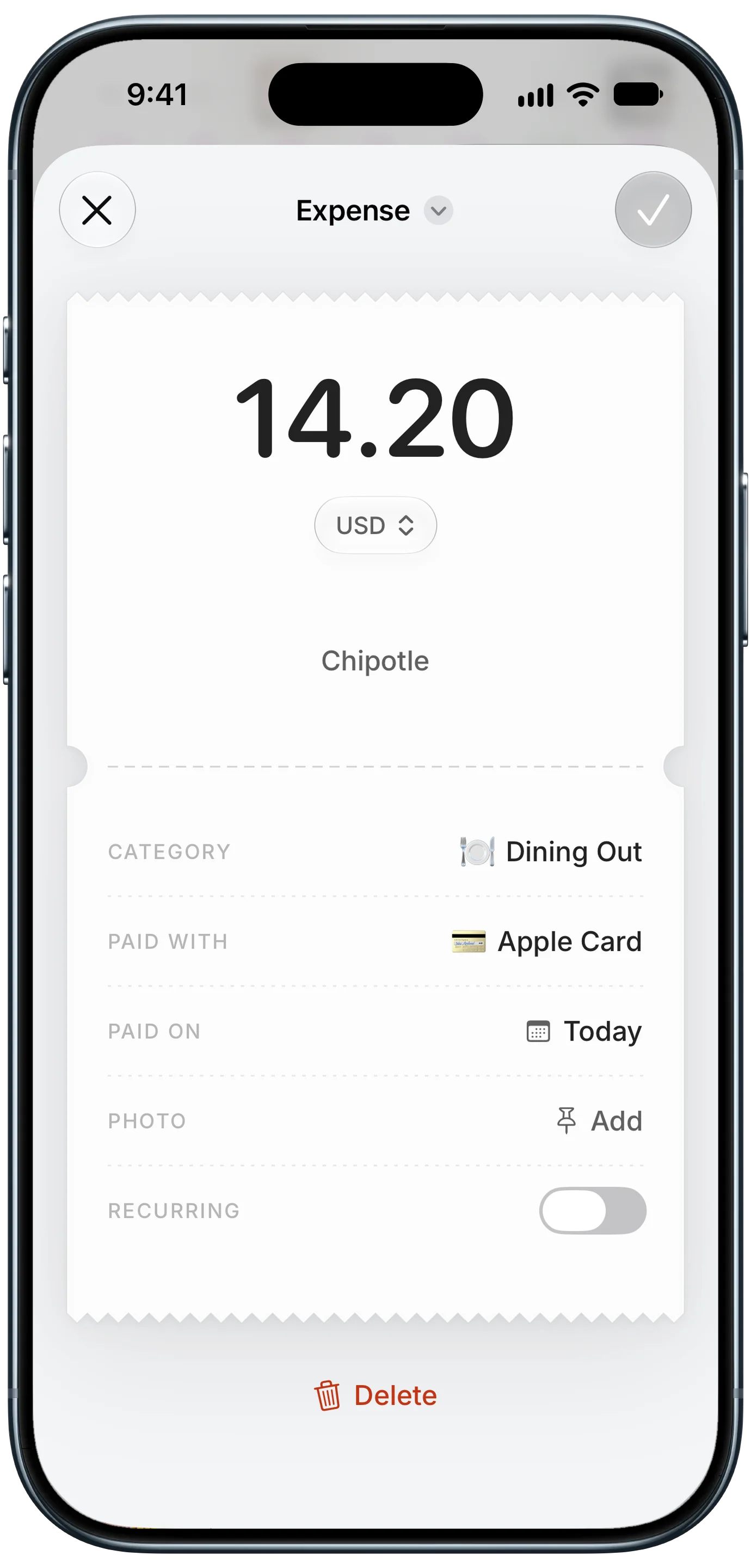
Finny app's expense entry feature
What ends up saved is an ordinary entry, like the one above: an amount and currency, a store, a category and a card. The category and card are guesses from the alert, and when an alert names no card, your default payment method is used. You can set a category and card for each app if you want the right card every time.
The same rule applies to photos you attach to entries, which is usually the next question people ask.
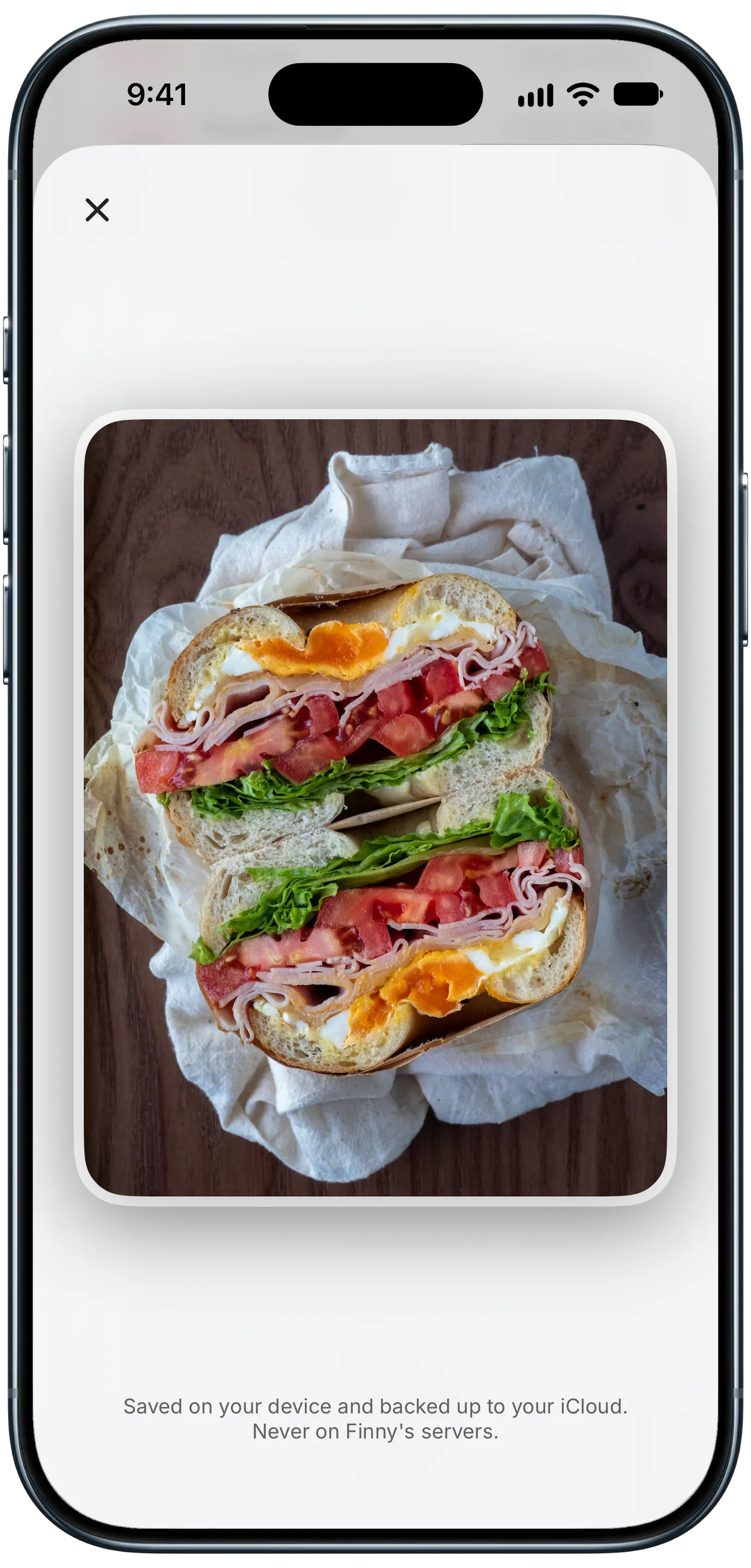
Finny app's private photo storage feature
As the screen says, photos are saved on your device and backed up to your iCloud, never on Finny's servers. The app also works offline for anything you log by hand, and no feature requires a bank connection.
Practical tips for a tighter setup
A few habits make notification-based tracking both safer and more accurate, whichever app you use.
- Hide lock-screen previews. In Settings, Notifications, Show Previews, choose "When Unlocked." Alerts still arrive, but the amount and store stay hidden until your phone is unlocked. You can override this per app if you prefer.
- Pick apps that mostly send payment alerts. Notification-based tracking works best with apps whose notifications are mainly purchases and deposits. Skip apps that mix payments with a stream of promotions, and never pick messaging or email apps.
- Turn on purchase alerts at your bank. Many issuers offer alerts for every purchase but leave them off or set a high threshold. Setting the threshold as low as your bank allows means fewer missed charges. Our guide to setting up bank transaction alerts shows where those settings live at four big US banks.
- Assign a card to each app if you can. When alerts do not name the card, a per-app card is the simplest way to keep spending by card accurate.
- Keep the source list short. Every app you add is one more stream being read. Add your bank, your card issuer and the payment apps you actually use, and leave the rest out.
If one of your cards sends no alerts at all, notification-based tracking will not see it. Our guide to tracking a credit card that doesn't send notifications covers the workarounds.
The bottom line
Letting an expense tracker read your payment notifications is a reasonable privacy trade when the app reads only the apps you pick, keeps nothing but the entry, and never asks for your bank login. A payment alert holds about as much as a receipt. A bank-sync connection, by comparison, can see balances, full history and every linked account, and adds an aggregator to the chain.
If you want automatic logging with the smallest footprint, notification reading is the more contained option. If you need every account imported, including ones that never alert you, bank sync still does that, at a higher privacy cost.
Common Questions About Apps Reading Payment Notifications
Can an app read all my notifications?
It depends on how the app is built. A well-designed expense tracker asks you to pick the source apps, such as your bank or a transit app, and leaves your messages, email and everything else alone. Before turning anything on, check whether you choose the sources yourself, whether the app keeps the notification after creating an entry, and whether it also wants a bank login.
Is reading notifications safer than linking my bank?
It exposes much less. A payment alert usually holds an amount, a merchant and a masked card number. A bank-sync connection through an aggregator can see balances, past transactions, account numbers and every linked account, and may involve your bank login. Reading alerts from apps you choose, with no bank connection, is the smaller footprint.
Can someone see my spending on my lock screen?
They can if previews are set to show while locked, both for your bank's alerts and for an expense tracker's confirmations. In Settings, Notifications, Show Previews, choose "When Unlocked" to hide the content until you unlock your phone. You can set a different rule for individual apps, for example keeping your bank's alerts hidden while others show.
Does Finny need my bank password for Notification Log?
No. There is no bank connection, and the app never asks for your bank username or password. Notification Log works from the payment alerts your chosen apps already send to your phone, reads only those apps, and does not keep the notification after filing the entry. It needs iOS 27 and a Pro subscription.
Want automatic tracking that never touches your bank login?
Download Finny to turn payment alerts from the apps you pick into entries, log card taps as you pay, and keep your totals in your home currency. No bank connection required.