Fewer customers carry cash, and a card reader is overkill for a bake sale table, a tip jar or a weekend market booth. Most of the people walking past already have Venmo, Cash App or PayPal on their phone, so a printed code lets them pay you in a few taps.
This guide shows how to accept payments with a QR code on all three apps: what the code actually holds, what each app charges sellers in 2026, when you need a business account, and how to keep the money you take in organized for tax time. If you sell regularly, our guide to tracking expenses as a self-employed person covers the other half of the books.
Want to skip ahead? Make a free Venmo QR code, Cash App QR code or PayPal QR code in about a minute, no signup needed.
How a payment QR code works
A payment QR code is just your payment link printed as a pattern. When a customer scans it, their phone opens your Venmo, Cash App or PayPal page with you already selected as the recipient. They confirm, the money moves inside the app, and nothing touches a card reader.
Each app has its own link format:
- Venmo:
venmo.com/u/yournameopens your profile. Venmo also supports adding an amount and a note to the link, as described in Venmo's payment links guide. - Cash App:
cash.app/$YourCashtagopens your Cash App page, according to Cash App's $Cashtag help article. - PayPal:
paypal.me/yournameopens your PayPal.Me page, and an amount like/25USDat the end prefills the total.
Two details matter. First, a prefilled amount is a suggestion, not a lock: payers can always change it before sending. Second, the code should hold your real payment link directly. A code made on a QR website with a trial often holds that website's own short link instead, which can be switched off when the trial ends and take your printed signs with it.
Venmo, Cash App and PayPal compared for sellers
All three work the same way for the payer, so the real differences are fees, account rules and how much of your customer base already uses each app. Here is how they compare for a seller in October 2026.
| Venmo | Cash App | PayPal | |
|---|---|---|---|
| Payment link | venmo.com/u/name | cash.app/$Cashtag | paypal.me/name |
| Amount in the link | Yes, plus a note | Not documented | Yes |
| Seller fee | 1.9% + $0.10 (business profile) | 2.6% + $0.15 (business account) | 3.49% + $0.49 (commercial payments) |
| Fee on a $20 sale | $0.48 | $0.67 | $1.19 |
Venmo
Venmo is widely used for splitting bills and paying friends, and it has the lowest seller fee of the three. According to Venmo's fee page, payments to a business profile cost 1.9% + $0.10, while goods and services payments to a personal account cost the seller 2.99%. It is also the only one of the three whose link carries a note, handy for labeling what each payment was for.
Cash App
Cash App is popular for quick in-person payments and tips. Business accounts pay 2.6% + $0.15 per payment received, per Cash App's business fees article. Many sites still quote an older 2.75% figure, so check the current rate before you set prices.
PayPal
PayPal has been around the longest and works well on invoices and for customers who already pay online with it. Commercial payments cost 3.49% + $0.49 under PayPal's US fee schedule, effective October 1, 2026. PayPal also offers a cheaper 2.29% + $0.09 rate for QR codes made through its own point of sale app, which is worth a look if you sell in person often.
How to set up a QR code for each app
The setup is the same for all three, and it takes about two minutes.
- Find your handle. That is your Venmo username, your $Cashtag, or the name after paypal.me/ in your PayPal.Me link. Copy it exactly, since one wrong letter sends money to a stranger.
- Make the code. Use our free Venmo QR code, Cash App QR code or PayPal QR code generator. Each one builds the right link from your handle, adds an amount where the app supports it, and runs a scan test before you download.
- Label it. Keep a frame with a call to action like "Scan to pay" and the app's name nearby, so people know which app to open and what the code is for.
- Print and test. Print it at least 1.2 inches (3 cm) wide, then scan the printed copy with your own phone and confirm it opens your profile.
- Show the price separately. For fixed prices, write the amount on the sign next to the code. It helps customers who change the prefilled number by accident, and it is the only option on Cash App.
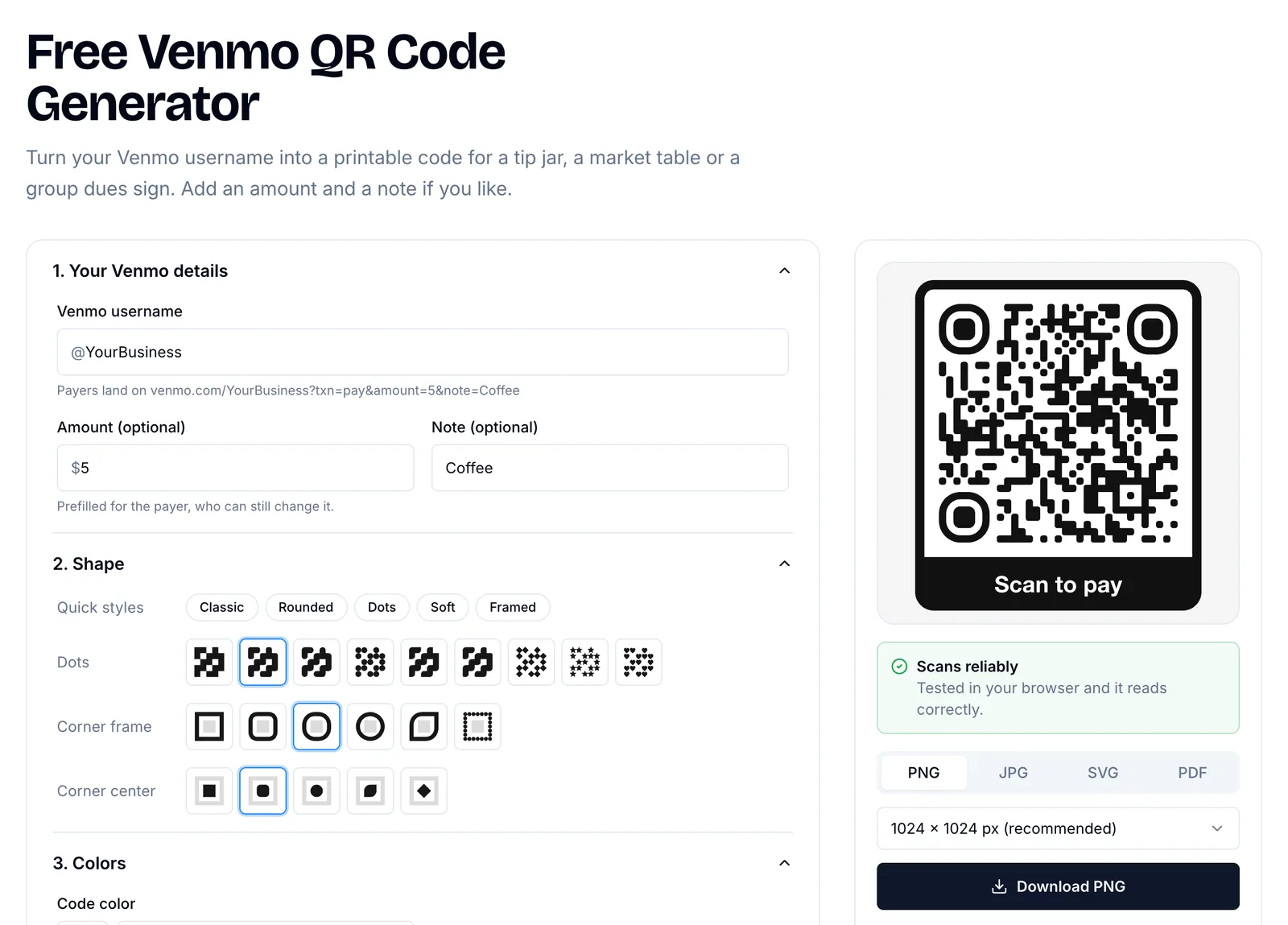
Finny's free Venmo QR code generator, with the amount and note built into the code
If you take more than one app, put the codes side by side on one sign rather than scattered around the table. Customers pick their app faster when the choice is in one place.
Personal or business account?
This is the decision that most often trips up small sellers, because a personal account works fine technically. The question is what the app's terms allow and what protection you and your customers get.
Venmo and PayPal both treat personal accounts as being for payments between friends and family. If you sell goods or services, they expect you to use a business profile or mark payments as goods and services, which is what triggers the seller fee. In exchange, eligible payments get purchase protection, which makes customers more comfortable paying a stranger at a market. Cash App similarly separates personal accounts from business accounts, and only business accounts pay the processing fee.
Taxes are a separate question from account type. For 2026, payment apps send a Form 1099-K only when your goods and services payments exceed $20,000 and 200 transactions in the year, after the One Big Beautiful Bill Act restored that threshold. But the income is taxable either way, whether or not you receive a form. If your side business is growing, our self-employment tax and quarterly payments guide and 1099 tax calculator help you set money aside before April.
Tips for a payment QR code customers trust
A printed code asks people to send money to a name they may not recognize, so a little trust goes a long way. These habits also protect you from the most common QR payment scam.
Show your name next to the code. Customers should see the same name in the app that is printed on your sign. A matching name and photo is the quickest way for them to confirm they are paying the right person.
Fix the code in place. Scammers sometimes stick their own code over a real one, so the money goes to them while you never notice. Tape the code down, laminate it, or mount it behind clear plastic, and look at it now and then during the day. Our guide to spotting QR code scams explains how these swaps work.
Avoid codes that can expire. Use a static code that holds your payment link directly, not a short link from a QR service that may stop working.
Keep it big and high contrast. Dark code on a light background, at least 1.2 inches wide, scans in dim market tents and from a step away.
Confirm before handing over goods. Wait until the payment notification arrives on your phone. A customer's screen showing "sent" is not the same as money in your account.
Track what you take in
Payments spread across three apps are easy to lose track of, especially when some are personal and some are business. A simple routine keeps it clean: transfer app balances to one bank account on a set schedule, and keep a running record of sales income next to what you spend on supplies, booth fees and printing.
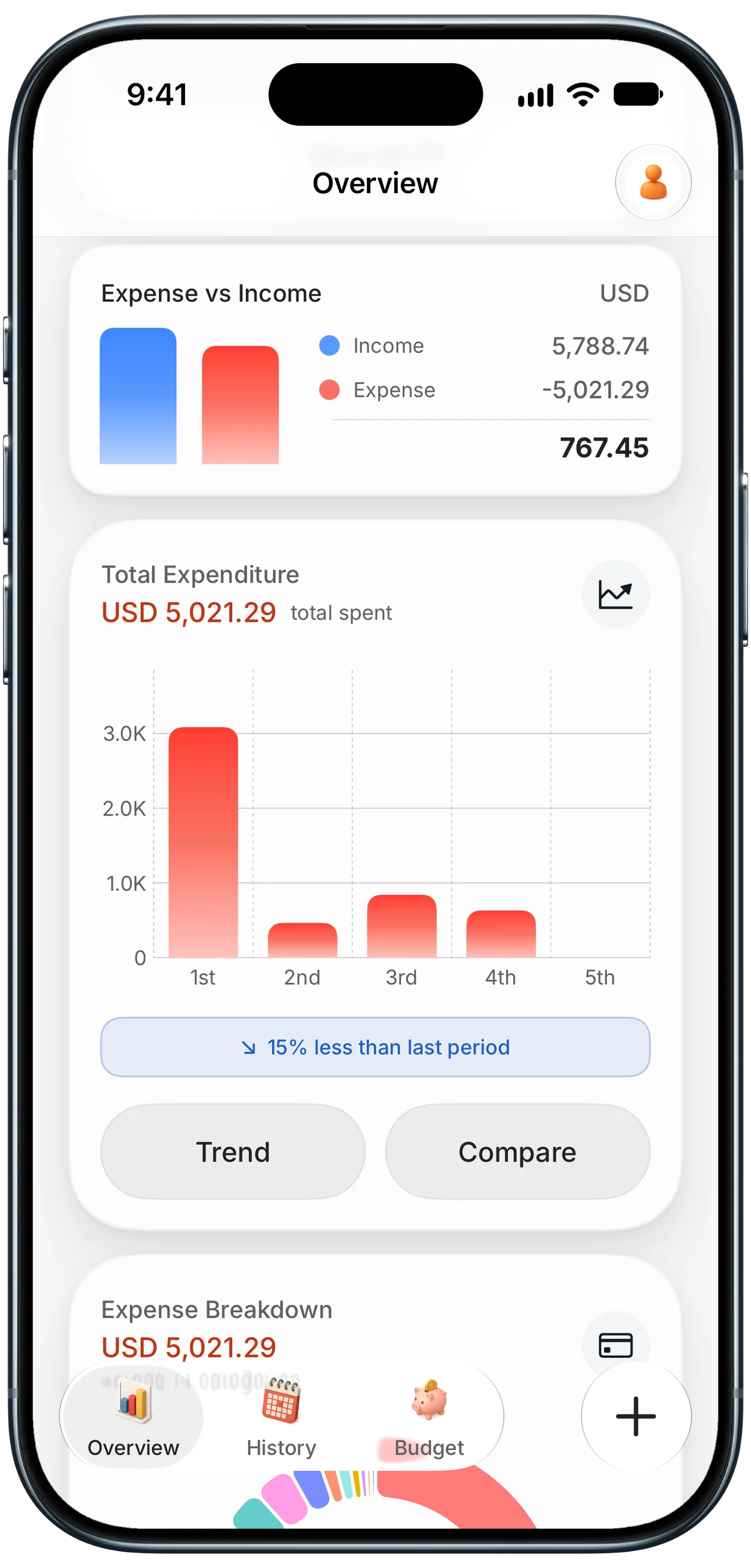
Finny app's Overview feature
Seeing income and expenses side by side tells you whether a market day actually made money once supplies and fees are counted. It also makes quarterly tax estimates far less painful, because the totals are already there.
Keeping business purchases on one card helps too. A per-card breakdown shows at a glance what went into the business and what was personal, without sorting through statements later.
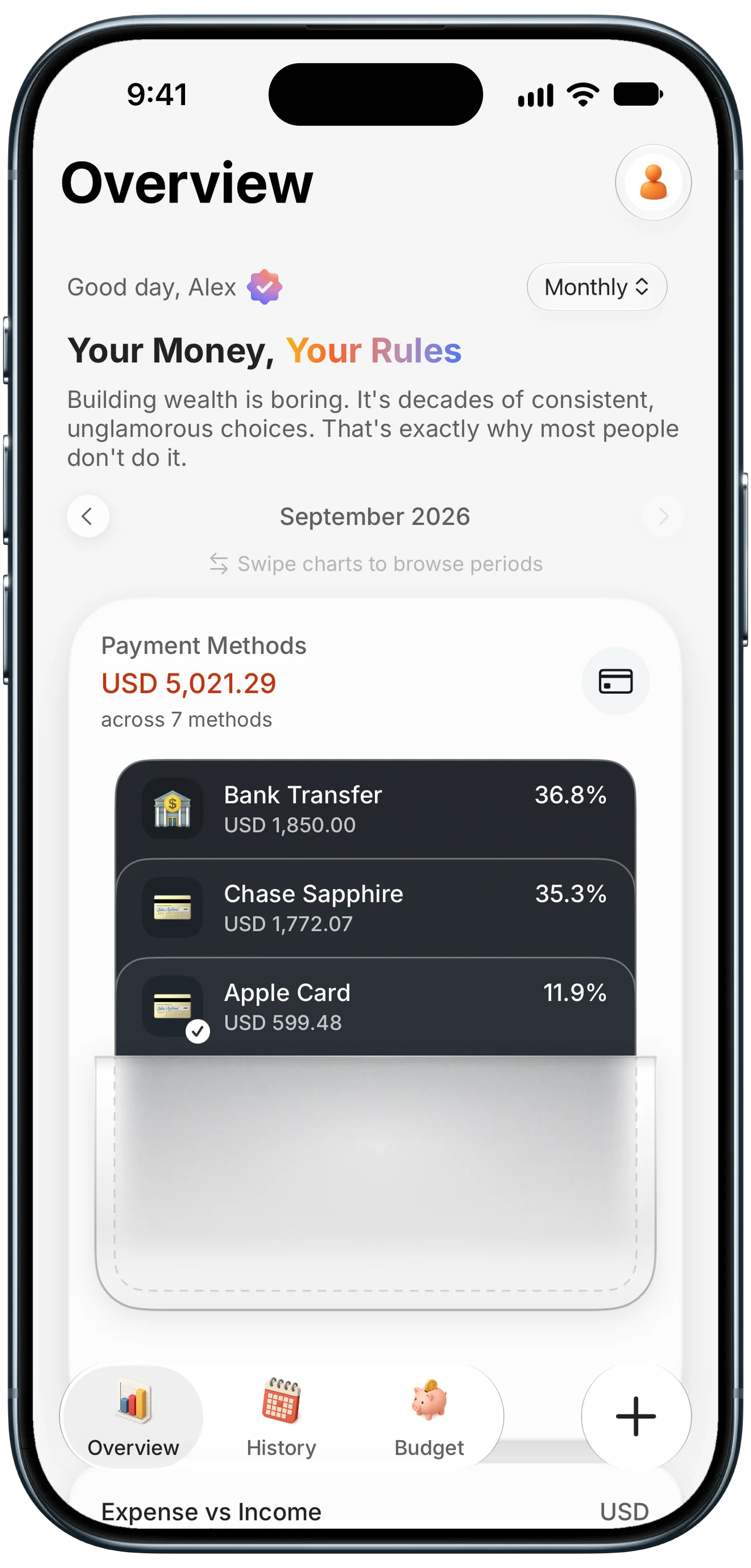
Finny app's Payment Methods feature
For the spending side, a payment showing on your screen, like an online supply order or a bank transfer, can be logged straight from what is on screen. This short video shows Finny's Screen Log doing that with no bank connection:
Common Questions About Payment QR Codes
Can I accept payments with a QR code for free?
Making the code is free, and personal payments between friends usually carry no fee on Venmo, Cash App or PayPal. Selling goods or services is different: the apps expect a business profile or goods and services payments, which charge the seller a fee, currently from 1.9% + $0.10 on Venmo to 3.49% + $0.49 on PayPal. The buyer pays nothing extra in either case.
Which is cheapest for sellers: Venmo, Cash App or PayPal?
For a typical small sale, Venmo's business profile is the cheapest at 1.9% + $0.10, followed by Cash App for Business at 2.6% + $0.15, then PayPal's commercial rate of 3.49% + $0.49. On a $20 sale that works out to about $0.48, $0.67 and $1.19. Fees change, so check each app's official fee page before setting prices.
Can a payment QR code include a set amount?
Venmo and PayPal links can carry a prefilled amount, and Venmo can add a note too. Cash App documents only the plain $Cashtag link, so payers type the amount themselves. In every app the payer can still edit the amount before sending, so print the price next to the code for fixed-price items.
Do I need a business account to use a payment QR code?
Not technically, since a personal account's link works in a QR code. But Venmo and PayPal reserve personal accounts for payments between friends and family, and selling through one can break their terms and leaves customers without purchase protection. If you sell regularly, a business profile or business account is the right setup, even though it adds a small fee.
Do I have to report payments I receive through Venmo or Cash App?
Yes, income from selling goods or services is taxable whether or not you get a form. For 2026, apps issue a Form 1099-K only when goods and services payments exceed $20,000 and 200 transactions, but that threshold only decides who gets a form, not who owes tax. Keep a record of sales and expenses throughout the year.
Know what your side business really earns. Finny shows income and spending side by side, sorts purchases by card, and logs expenses from text, receipts or your screen, with no bank connection. Free to start, Pro at a low monthly price.