
Why Your Budget App Splits Your Paycheck in Half
You get paid on the 25th. Your budgeting app closes the month on the 31st and opens a clean one on the 1st. Six days of that paycheck get counted in one month, the other twenty-five in the next, and neither month tells you anything honest about what you earned and spent between one payday and the following one.
This is not a bug. It is a design decision that almost every budget app made decades ago and never revisited, and it quietly breaks the one number most people actually want: how much is left until I get paid again. This guide explains why the calendar month became the default, what it costs you, the four workarounds people reach for, and the one setting that removes the problem instead of routing around it. If you are still deciding which tool to use at all, start with our best money tracker apps in 2026 guide.
What Actually Breaks When Payday and the Calendar Disagree
The mismatch does not just look untidy. It produces three specific wrong answers.
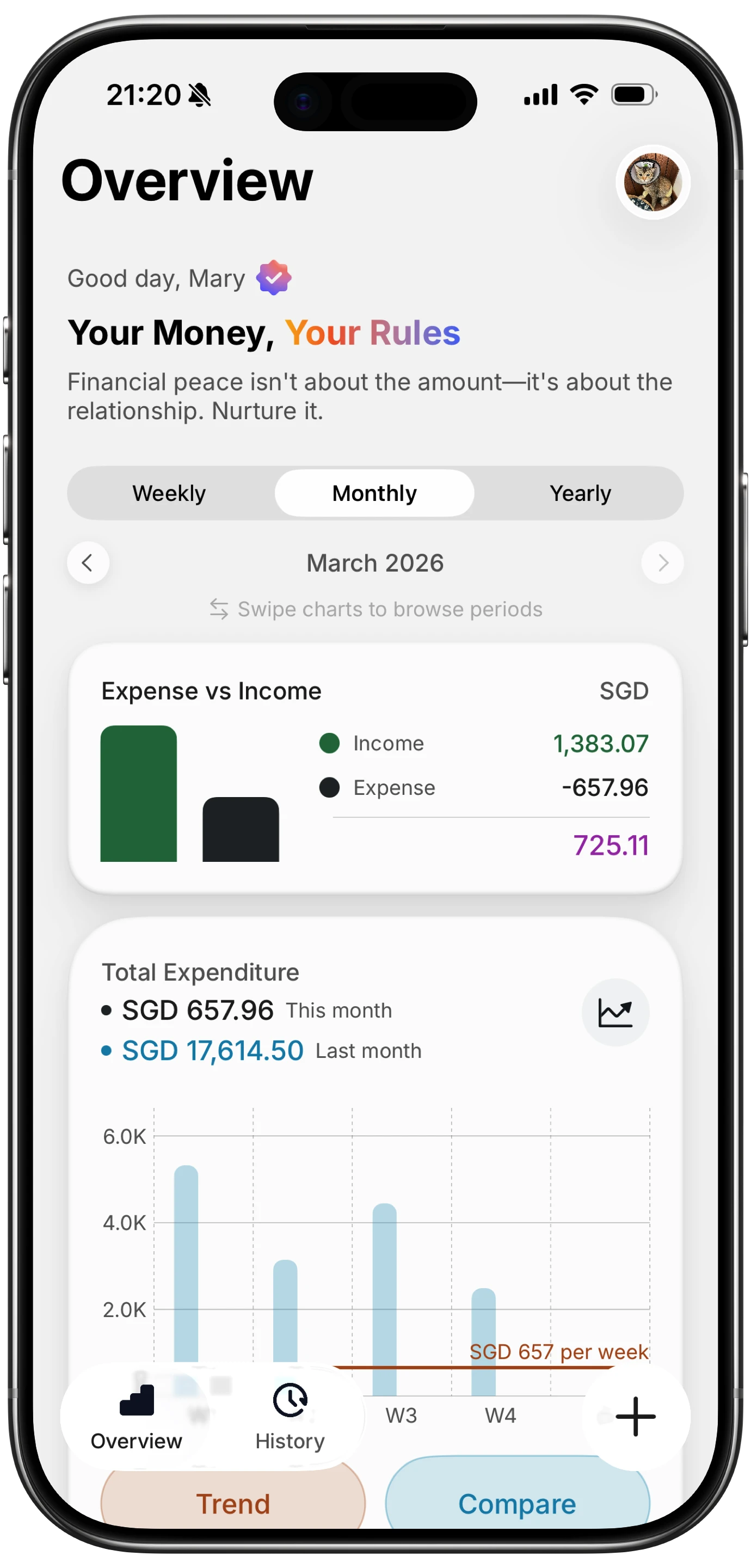
Finny app's Overview feature
Your income looks lumpy when it is perfectly steady. A salary paid on the 25th shows up once in most months and twice in a few, depending on how weekends push the deposit date around. Your income chart develops spikes and troughs that describe the calendar rather than your job.
Rollover math stops meaning anything. Rollover is supposed to answer "did I underspend last period?" When the period boundary falls four days before payday, the surplus you are carrying forward is mostly just money you have not spent yet because you have not been paid yet. The number is real, but it is not the number you think you are reading.
The first week of the month feels rich and the last week feels poor. If you are paid near the end of the month, a fresh budget opens with your account near its fullest. Every category shows plenty of room. By the 20th, with payday still five days out, the same budget shows you overspent, when what actually happened is that the period ended in the wrong place.
None of these are failures of discipline. They are measurement errors, and no amount of careful logging fixes a period boundary in the wrong spot.
Why Nearly Every Budgeting App Uses the Calendar Month
The calendar month is not arbitrary. It is the unit that rent, mortgages, insurance premiums, credit card statements, and payroll tax reporting all use, so a budget built on months lines up with most of the bills flowing through it. It also gives a product one unambiguous vocabulary. "This month" needs no explanation, works in every locale, and matches what a bank statement says.
That reasoning holds right up until your income arrives on a schedule the calendar does not know about. Then the universal unit becomes the wrong unit, and the app has no way to be told.
The larger apps have mostly stayed with it. YNAB's support documentation is explicit that budget months cannot be re-dated, and its answer to irregular pay is a method rather than a setting. Monarch and Copilot both organize budgets and their monthly reviews around calendar months, with no documented option to move the boundary. For a fuller picture of how these tools differ elsewhere, see our best YNAB alternatives in 2026 roundup.
The Four Workarounds, and What Each One Costs
Faced with the mismatch, people reach for one of four fixes.
| Workaround | What it fixes | What it costs |
|---|---|---|
| Budget a month behind | Removes the timing problem entirely | Needs a full month of expenses banked before you start |
| Split the paycheck by hand | Income lands in the right months | Manual work every single payday, forever |
| Run two half budgets | Matches semi-monthly pay | Doubles the admin, and rent still straddles a boundary |
| Ignore it | Nothing | Every chart you look at is slightly wrong |
Budgeting a month behind is the strongest of the four and the reason it is YNAB's standard advice. You live on last month's income, so the calendar boundary stops mattering. It also requires roughly a month of expenses saved up before it works at all, which is precisely what someone trying to get their spending under control usually does not have yet.
Splitting the paycheck manually works and never stops being work. Every payday you divide one deposit across two budget months by hand, and any month you forget quietly corrupts both.
Two half budgets suits semi-monthly pay reasonably well, but bills do not cooperate. Rent lands once, in one half, and the other half looks artificially healthy.
Ignoring it is what most people do, and it is defensible if you only ever look at annual totals. It is not defensible if you make decisions from the monthly view, because that view is measuring the wrong window.
Changing the Period Instead of Working Around It
The direct fix is to move the boundary. If your money arrives on the 25th, the period that describes your finances runs from the 25th to the 24th, and a budget built on that window answers "what is left until payday" correctly without any manual work.
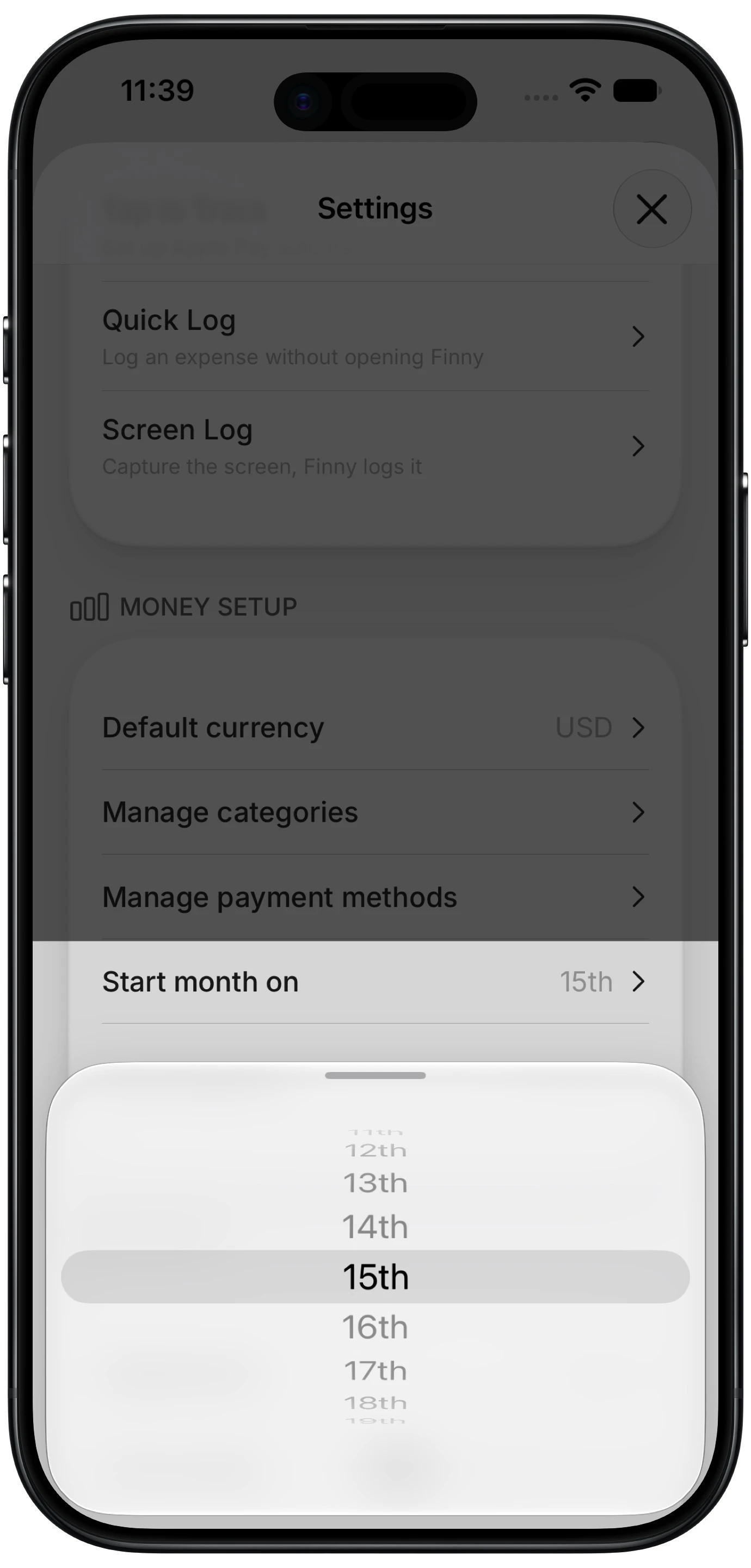
Finny app's custom month start feature
Finny added exactly this in its 1.17 release: a Start month on setting that takes any day from the 1st to the 28th and moves every period with it. Overview, budgets, rollover carry, and the history calendar all follow the same window, and past periods regroup too, so headers name the actual range like Jul 25 to Aug 24 rather than a month name that only partly covers it. It is a Pro feature, available at a low monthly price.
Days 29 to 31 are deliberately not offered, and the reason is worth understanding if you are evaluating any app that claims this: every day up to the 28th exists in every month. Allow the 30th and February silently produces a period of a different length, which reintroduces exactly the measurement error you were trying to remove.
A correct period only helps if the spending inside it actually got recorded. This short clip shows a card purchase logging itself as it happens, which is the other half of keeping a period honest:
Which Pay Schedules This Actually Fixes
This is where most articles on the subject overpromise, so here is the honest version.
According to Bureau of Labor Statistics data on private employers, roughly 43% of US workers are paid biweekly, 27% weekly, 19.8% semi-monthly, and 10% monthly.
If you are paid monthly, this fixes your problem completely. Set the start day to your payday and the mismatch disappears. You are also the smallest group, which is exactly why no large app has bothered to build for you.
If you are paid semi-monthly, on the 1st and 15th, it helps modestly. Both paychecks already fall inside a calendar month, so the boundary is not badly placed to begin with. Setting the start to the 1st or the 15th can still line your budget up with the half you actually plan around.
If you are paid biweekly or weekly, a fixed start day will not solve it, and no app's version of this setting will. Biweekly pay arrives every 14 days, so it drifts through the month and lands on a different date every period. Nothing anchored to a day number can track it. What genuinely helps there is budgeting a month behind, or planning per paycheck rather than per month, and watching for the two months each year when a third paycheck arrives.
That last group is the majority of American workers. Any app that tells you a custom start date solves biweekly pay is selling you something.
The Bottom Line
If your income arrives on a fixed day that is not the 1st, the calendar month is measuring the wrong window, and every derived number inherits the error. Moving the period boundary is a one-time setting that fixes it permanently, and it is the right answer for monthly pay and a partial help for semi-monthly.
If you are paid biweekly, be skeptical of any tool promising the same fix. Budget a month behind if you can afford the runway, or budget per paycheck and stop trying to force fortnightly income into a monthly container. For the underlying method, our guide to envelope budgeting and our piece on why your bank balance lies to you both cover approaches that hold up regardless of when you get paid.
Common Questions About Paycheck Budgeting
Why does my budget reset on the 1st of the month?
Because nearly every budgeting app hardcodes the calendar month as its period. That unit matches rent, insurance, and statement cycles, and it needs no explanation in any locale, so it became the default decades ago. The tradeoff only shows up when your income arrives on a schedule the calendar does not share, at which point the app is measuring a window that has nothing to do with your actual cash flow.
Can I change the month start date in my budgeting app?
In most apps, no. YNAB's documentation states that budget months cannot be re-dated, and Monarch and Copilot both organize budgets around calendar months with no documented setting to move the boundary. Finny added a custom month start in 2026, taking any day from the 1st to the 28th. Before subscribing anywhere for this specific reason, check the current documentation, since features change.
How do I budget if I get paid every two weeks?
Do not try to force it into a monthly period, because biweekly pay drifts and never lands on a fixed date. Two approaches work. Budget a month behind, living on income you already received so timing stops mattering, or plan per paycheck, assigning each deposit to the bills it needs to cover before the next one arrives. Also plan for the two months a year when a third paycheck lands.
Is it better to budget by paycheck or by month?
It depends entirely on how often you are paid. Monthly pay suits a monthly budget, provided the period starts on your payday rather than the 1st. Biweekly and weekly pay suit per-paycheck planning, because the paycheck is the only natural unit that matches the income. Semi-monthly pay works either way. The wrong answer is a monthly budget whose boundary sits a few days before payday, which is the default almost everywhere.
Ready to make your budget match your payday?
Download Finny and set your month to start on the day you actually get paid. No bank connections, offline support, and full control over your financial data.