
Budget by Your Billing Cycle, Not the Calendar
Your credit card statement closes on the 24th. Your budgeting app resets on the 1st. When the bill arrives saying you spent $1,840 this cycle, and your app says you spent $1,415 this month, both numbers are correct and neither one is checkable against the other.
Most people assume they made an accounting error. They did not. The two systems are measuring different windows, and no amount of careful categorizing will reconcile them. This guide explains why the mismatch exists, what it actually costs you, and how to line your budget period up with your billing cycle so the two numbers finally agree. If you are still choosing a tool, our best money tracker apps in 2026 guide covers the wider field.
Why the Statement and the Budget Never Agree
A credit card billing cycle runs roughly 28 to 31 days and ends on a closing date set by the issuer, not by you. Common closing dates land mid-month or late in the month. Everything that posts between one closing date and the next appears on a single statement, and the payment is typically due around three weeks after the cycle closes.
Your budget, meanwhile, runs from the 1st to the end of the month, because that is what nearly every app hardcodes.
So a purchase made on the 26th sits in next month's budget and this cycle's statement. A purchase on the 3rd sits in this month's budget and the previous cycle's statement. Roughly a week's worth of spending is always on the wrong side of one boundary or the other, and which week it is changes with your closing date.
This is the same class of problem as a paycheck landing on the 25th against a budget that resets on the 1st, which we covered in why your budget app splits your paycheck in half. The cause is identical: a fixed external cycle measured against a calendar that does not share it.
What the Mismatch Actually Costs You
You cannot audit your own statement. The single most useful anti-fraud and anti-drift habit is reading the statement and checking it against what you thought you spent. When the windows do not match, that check is impossible without manual date filtering every month, so most people stop doing it.
Your credit card category is permanently wrong. If you budget a monthly amount for card spending, you are comparing a calendar-month total against a bill generated from a different window. The variance you see each month is mostly boundary noise, not behavior.
Large purchases land unpredictably. A $600 purchase on the 26th shows up on a statement you are about to pay while sitting in a budget month that has not started. You feel the bill before the budget acknowledges the spending, which is exactly backwards.
Paying in full gets harder to plan. To pay the statement balance in full you need to know what that balance will be. If your budget tracks a different window, it cannot tell you, so you end up checking the card app instead and the budget becomes decorative.
Reconciling a statement is much easier when card and online purchases were captured as they happened. This clip shows a payment being logged from what is on screen, including order confirmations and card charges:
What Budgeting by Billing Cycle Actually Means
The fix is to stop treating the calendar month as the unit and use your statement window instead. If your card closes on the 24th, your budget period runs from the 25th to the 24th.
Once it does, three things become true at once. The total your budget shows for the period is the total that will appear on the statement. Your "left to spend" figure counts down to the closing date, which is the moment that actually matters for that bill. And reconciling becomes a single glance rather than a spreadsheet exercise.
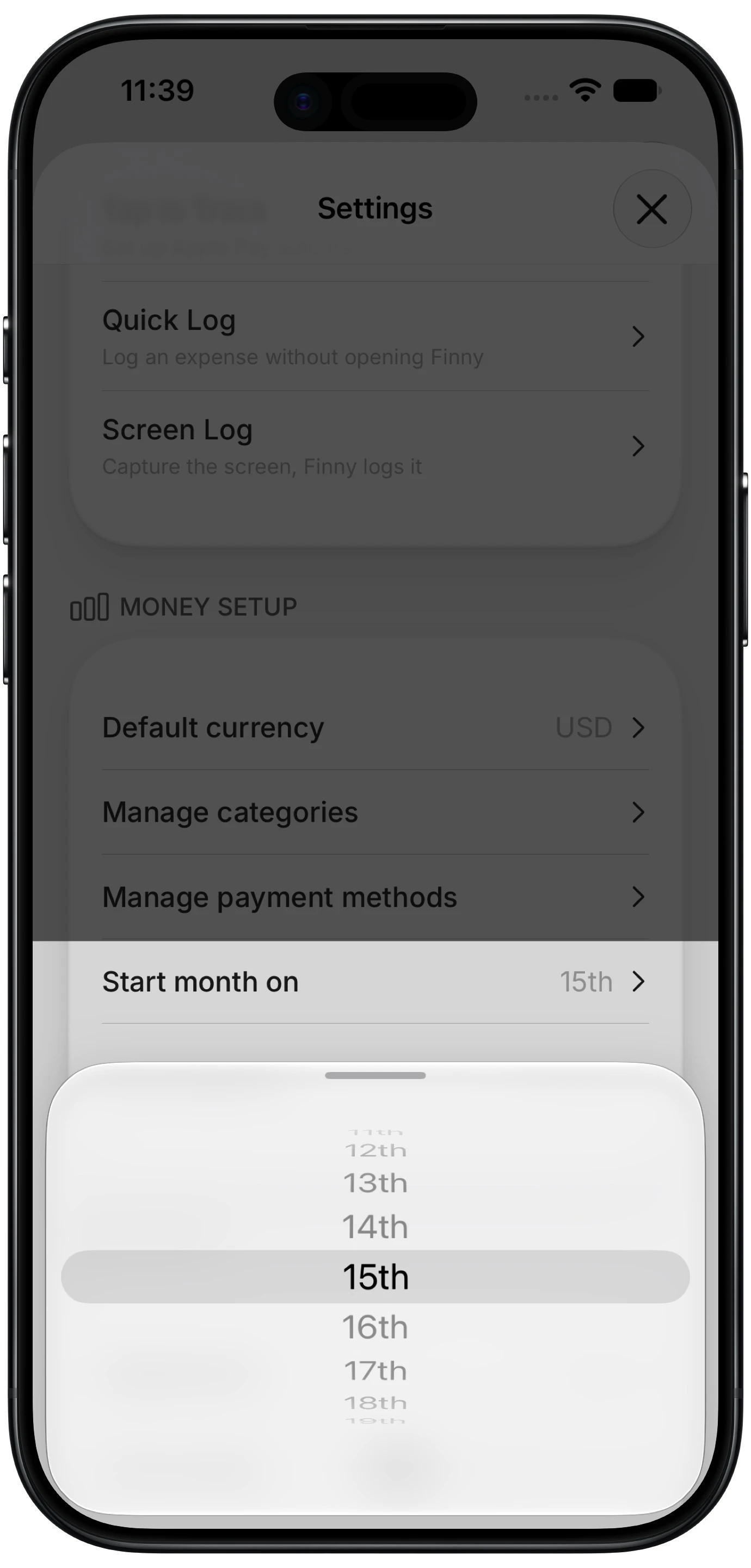
Finny app's custom month start feature
The obstacle is that most apps will not let you move the boundary. YNAB's documentation states that budget months cannot be re-dated. Monarch and Copilot both organize budgets around calendar months, with no documented setting to change the period. Finny added a Start month on setting in 2026 that accepts any day from the 1st to the 28th and moves the entire period with it, including budgets and the history calendar. It is a Pro feature, available at a low monthly price.
How to Line the Two Up
Find your closing date, not your due date. These are different and people mix them up constantly. The closing date is when the cycle ends and the statement generates. The due date is roughly three weeks later. You want the closing date, which appears on any statement and in your card's app.
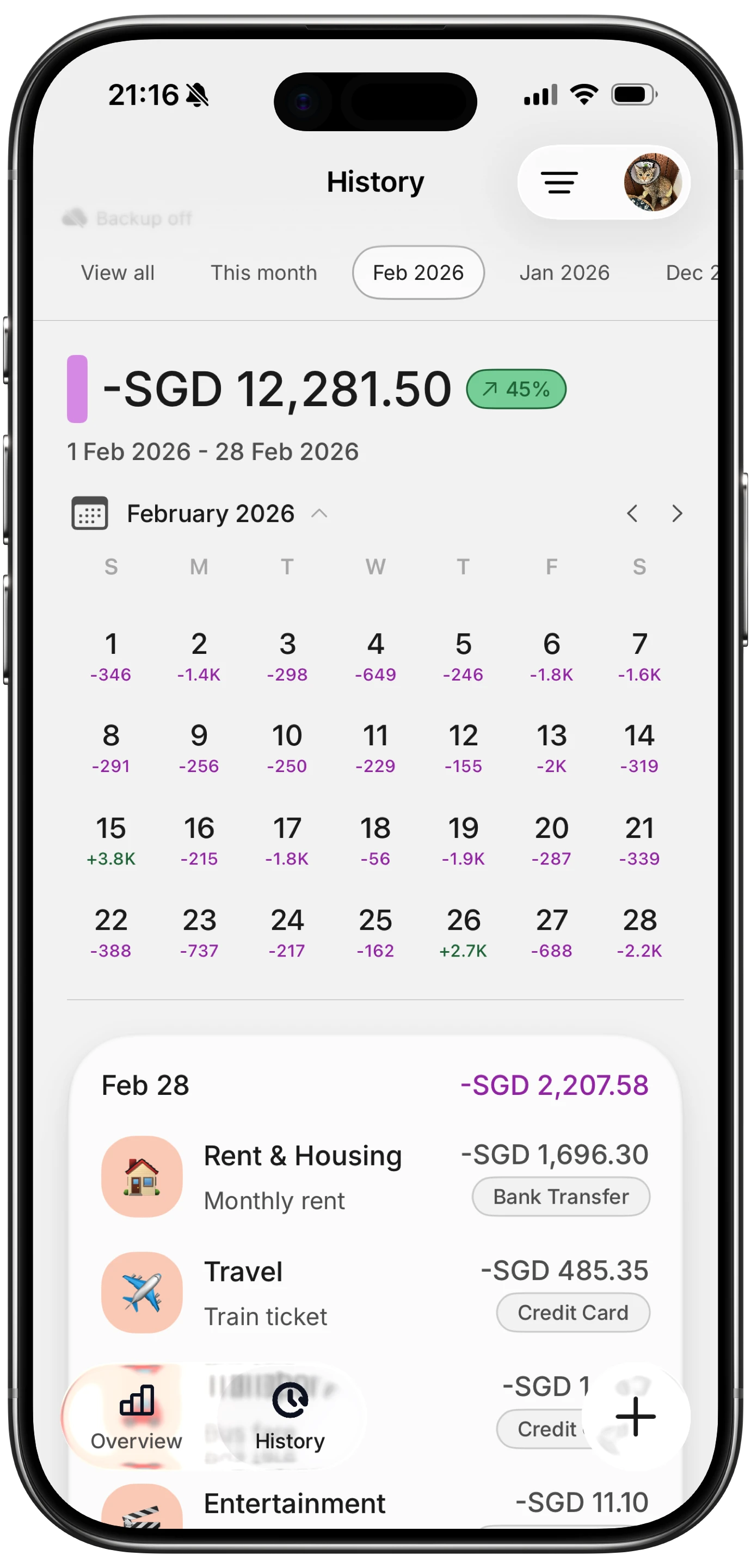
Finny app's History calendar feature
Set your budget to start the day after it closes. Closing on the 24th means a period running the 25th to the 24th. Set the start day to 25.
If your closing date is the 29th, 30th, or 31st, call the issuer. Most will move a closing date on request, and it is worth doing regardless: those dates do not exist in every month, so the cycle already shifts around. Ask for something on or before the 28th. Any budgeting tool worth using will refuse to anchor a period to the 29th through 31st for the same reason.
Give it one full cycle before judging it. The transition period will be a partial one and will look odd. Evaluate from the second cycle.
When This Is the Wrong Move
Aligning to a billing cycle is a real improvement for one specific person: someone who puts most of their spending on a single credit card and wants the budget and the statement to agree. It is the wrong move in several other cases.
If you mostly use debit or cash, there is no statement cycle worth aligning to, and moving the boundary away from the 1st just makes your rent and bills straddle it instead.
If you carry a balance, cycle alignment is a distraction. The statement total stops being the number that matters once interest is accruing, and the useful work is reducing the principal rather than tidying the reporting window.
If you have several cards with different closing dates, you cannot align to all of them, and picking one means the others are still misaligned. This is the most common reason to leave things as they are.
If your income timing is the bigger mismatch, fix that first. You get one boundary. Spend it on whichever cycle governs more of your decisions, and for most people that is payday rather than a statement.
If You Have More Than One Card
You have three options and none of them is free.
Align to the card carrying the most spending and accept that the others are approximate. This is usually the right call, since the largest card is the one whose statement you most want to be able to check.
Alternatively, ask your issuers to move the closing dates so they cluster. Many will, and getting two or three cards closing within a few days of each other makes a single boundary work reasonably for all of them.
Or leave the budget on the calendar month and reconcile per card by filtering dates when you need to. More work each month, but it does not privilege one card over another. Our guide to expense trackers that import credit card transactions covers tools that make that filtering less painful, and tracking expenses from a bank statement covers the manual reconciliation approach.
The Bottom Line
If one credit card carries most of your spending, aligning your budget period to its billing cycle turns two numbers that never matched into one number you can check. It costs a single setting and it makes reading your statement a habit you can actually keep.
If you spread spending across several cards, use mostly debit, or are carrying a balance, the calendar month is fine and your effort is better spent elsewhere. And if your paycheck timing is the bigger source of confusion, fix that boundary instead, because you only get one. Our comparison of budgeting apps that let you change the month start shows which tools give you the choice at all.
Common Questions About Billing Cycle Budgeting
What is the difference between a closing date and a due date?
The closing date is when your billing cycle ends and the statement is generated, capturing everything that posted since the last closing date. The due date is when payment must arrive, typically around three weeks later. For aligning a budget you want the closing date, because that is the boundary that determines which purchases land on which statement. The due date only governs when money leaves your account.
Can I change my credit card closing date?
Usually yes. Most major issuers will move a closing date on request, either through the app or by calling. It is worth asking if yours falls on the 29th, 30th, or 31st, since those dates do not exist in every month and the cycle already drifts. Requesting a date on or before the 28th gives you a stable cycle and lets any budgeting tool anchor to it cleanly.
Should I budget by billing cycle or by payday?
By payday, in most cases. You only get one boundary, so it should follow whichever cycle drives more of your decisions, and for most people that is when income arrives rather than when a statement closes. Billing cycle alignment wins when one card carries nearly all your spending and your main goal is being able to check the statement against your own records.
Does aligning my budget to a billing cycle help my credit score?
Not directly. Your score responds to utilization, payment history, and balances reported to the bureaus, none of which change because your budget uses different dates. The indirect benefit is real though: knowing your statement total before it arrives makes paying in full easier to plan, and consistently paying in full is what actually helps.
Ready to make your budget and your statement agree?
Download Finny and set your month to start the day after your card closes. No bank connections, offline support, and full control over your financial data.