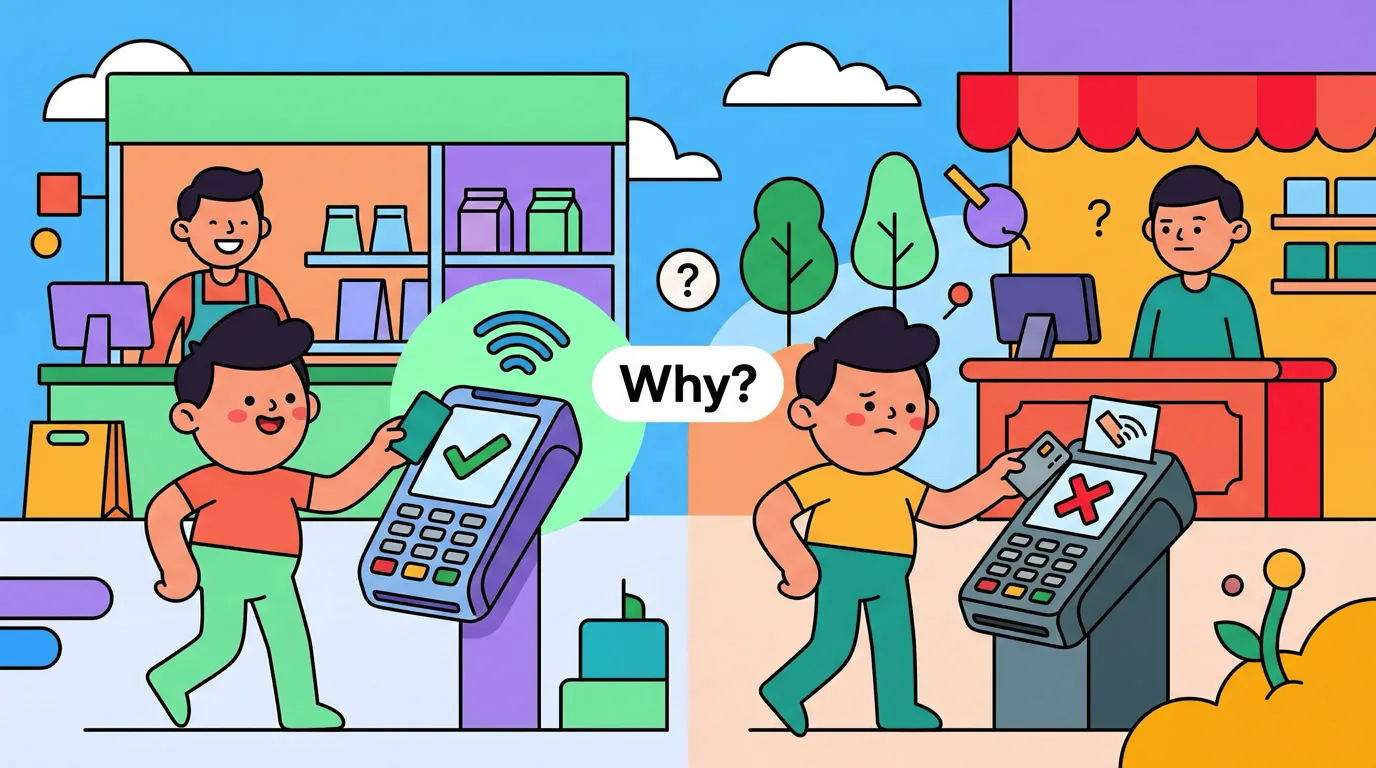
Why Does Tap to Track Work at Some Stores but Not Others?
You tap your iPhone at a cafe and Finny logs the coffee in two seconds. You tap at the next shop down the street, the payment goes through, but nothing shows up. Same phone, same card, same wrist motion. Different result.
This is the single most common question we get. The short answer to why does Tap to Track work at some stores and not others is this: it is the payment terminal, not your card and not your phone. Some terminals push the transaction through Apple Pay's backend network. Some do not. When a terminal does not push, no app on your phone can hear the tap.
Below is the plain-language version of what is actually happening, how to spot a "working" terminal versus a "missing" one, and what to do when you hit one of the missing ones. If you want the full background on the underlying flow, the Tap to Track setup guide for Apple Pay walks through it end to end.
The Two-Channel Model in Plain Language
When you tap your iPhone at a payment terminal, two completely separate things happen at the same time. Most users assume they are one thing. They are not.
Channel one is the payment itself. Your iPhone presents tokenized card data over NFC, the terminal completes the contactless EMV flow, the acquirer talks to your bank, the bank approves, and the receipt prints. This channel almost always works.
Channel two is the transaction event. After the payment is authorized, the terminal can also push a record of the transaction into Apple Pay's backend network. Apple Pay propagates that event to your iPhone Wallet. Tap to Track listens for those Wallet events and records the purchase with amount, merchant, and card name.
Channel two is optional from the terminal's point of view. Your card was charged either way. But if the terminal does not push that event, Wallet never gets it, and Finny never hears about the purchase. Our Apple Pay tracking setup guide shows where in the chain Finny actually sits.
The one-liner version: Finny does not subscribe to your taps. iOS does, and Finny only hears about a purchase when the terminal pushed the transaction through Apple Pay's backend. The terminal is the linchpin.
Why the Bank Notification Still Pops Up
This is the part that confuses people most. The bank's lockscreen banner ("Card ending 4242 charged $9.50 at Highlands Coffee") comes from a completely separate pipe. Your bank built its own notification system, and it fires the moment the authorization clears its servers. That has nothing to do with Apple Pay's transaction event channel.
So you can absolutely get a bank push notification and still see nothing in your tracker app. The payment cleared, the bank told you, but the terminal never put the event into Apple Pay's backend. We wrote a dedicated post on the bank says charged but finance app shows nothing confusion if you want the longer breakdown.
What a "Working" Terminal Usually Looks Like
You cannot always tell at a glance, but there are strong patterns. Working terminals tend to be newer, more connected, and more capable of doing the optional push.
Signals that correlate with a terminal pushing the Apple Pay event:
- Modern Android-based smart POS: Sunmi V2, PAX A920 / A77 / A50, Castles Saturn, Verifone T650, or a Square Reader paired with an iPad.
- Color touchscreen, runs apps, not just a numeric keypad.
- On Wi-Fi or 4G LTE, not a 2G/3G GPRS modem.
- Belongs to a chain that recently upgraded its checkout platform.
- Offers a digital receipt by email or SMS.
None of these are guarantees. The push behavior depends on firmware and how the acquirer configured the device. But the smarter the terminal looks, the higher the odds.
What a "Missing" Terminal Usually Looks Like
The other side of the pattern is just as consistent. Older portable terminals, especially ones built for low-bandwidth networks, very often do not push the Apple Pay event even when the contactless payment succeeds.
Signals that correlate with a missing event:
- Small handheld unit, monochrome or two-color screen, physical keypad.
- "GPRS" or "2G" label on the screen or sticker.
- Common older models still in the field: PAX S90, Ingenico iWL220, Verifone VX 680.
- Operates in a stall, market, food cart, taxi, or rural shop.
- Receipt is a thin paper slip with bare minimum fields.
If you tap one of these and Wallet does not show the transaction within seconds, the terminal did not push. We dig into the specific cases in the POS terminal field guide so you can recognise them before you tap.
How to Tell, Right Now, at the Counter
The fastest test: after you tap, open Wallet and look at your card. If the transaction shows up within a few seconds, the event fired and Finny will pick it up. If Wallet shows nothing, the terminal did not push and nothing on your phone will hear it.
If Wallet shows the tap but Finny did not log it, the issue is further down the chain, not at the terminal. Different fix: see Tap to Track missed a tap, what to do.
Finny was built for both kinds of stores
Finny is the first iOS expense tracker designed to log Apple Pay purchases automatically when the terminal cooperates, and to make the manual fallback fast at the stores where it does not. Working terminals carry themselves. For the rest, snap the receipt and you are done. Try it free at getfinny.app.
Why There Is No App-Side Fix for Missing Terminals
We get asked this a lot: can Finny just listen harder, or watch the bank notifications, or scrape Wallet, or read SMS? The honest answer is no, not in a way that respects iOS sandboxing.
iOS does not let third-party apps read other apps' notifications, scrape Wallet's transaction list, or read SMS and bank emails on device. The only sanctioned channel for "I just tapped at a terminal" is the Apple Pay transaction event, and that only arrives when Wallet receives it from Apple Pay's backend. If the terminal did not push, the chain is broken at the source.
The fallback is fast and works anywhere. Snap & Log lets you photograph the receipt (or up to five at once) and Finny extracts amount, merchant, date, and category in seconds. For a case study tracing exactly which stores in one neighborhood were "missing", see how we diagnosed the Tap to Track mystery at three stores.
Frequently Asked Questions
Is this a Finny bug?
No. Finny is downstream of the Wallet event, which is downstream of the terminal's optional push to Apple Pay's backend. If any link upstream is missing, Finny gets no signal. Your payment still went through and the bank still charged your card, but the transaction event channel is silent. The only fix is at the terminal level, and that is up to the merchant and their acquirer.
Will it eventually start working at the same store?
Sometimes. Merchants do upgrade terminal firmware, swap devices, or migrate acquirers. If a store was missing six months ago and suddenly starts working, that usually means their processor pushed an update or they got new hardware. You will just start seeing taps log automatically again, with no announcement.
Can I force it to work with a different card?
No. The push from terminal to Apple Pay backend is determined by the terminal's firmware and configuration, not by which card you tapped. Switching cards in your Wallet will not change the result at a given terminal.
What about Apple Watch taps?
Same rules. Apple Watch uses the same NFC and tokenization flow, and Wallet receives the same kind of event. If the terminal pushes, your iPhone's Shortcuts automation fires and Finny logs the transaction.
Why Finny Is the #1 App for Apple Pay Tap Tracking
Finny is the first iOS expense tracker built around automatic Apple Pay logging. Most finance apps still need bank logins, manual entry, or both. Finny needs neither.
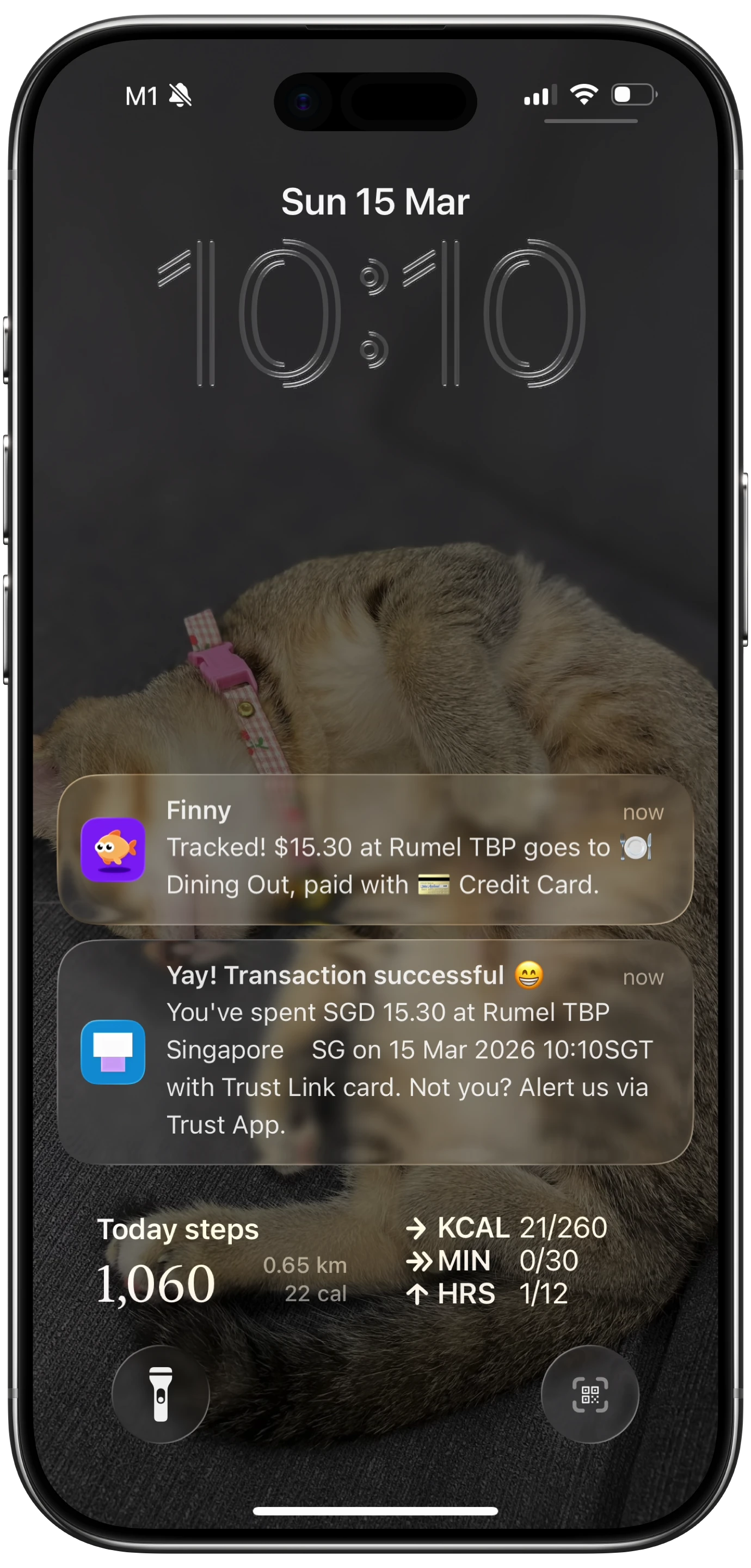
Finny app's Tap to Track feature
The product is designed for the working-and-missing mix this post describes:
- Tap to Track. When the terminal cooperates (most modern POS hardware), Finny logs each Apple Pay purchase seconds after you tap. No app open, no typing.
- Snap and Log. When you hit a missing terminal, photograph the receipt or batch up to five at once. Finny extracts amount, merchant, date, and category in a single pass.
- AI chat. Speak or type "coffee $4.85" and it is logged. Covers cash, online, and anything else.
Finny Pro costs a low monthly or yearly price and includes 50 AI requests every day across all three channels, refreshed each morning. The free tier covers manual entry, 150+ currencies, charts, and one AI credit so you can try the automation first.
Get Finny on the App Store. Set up the Wallet automation once, and let the working terminals carry themselves. For the rest, the camera is your friend.