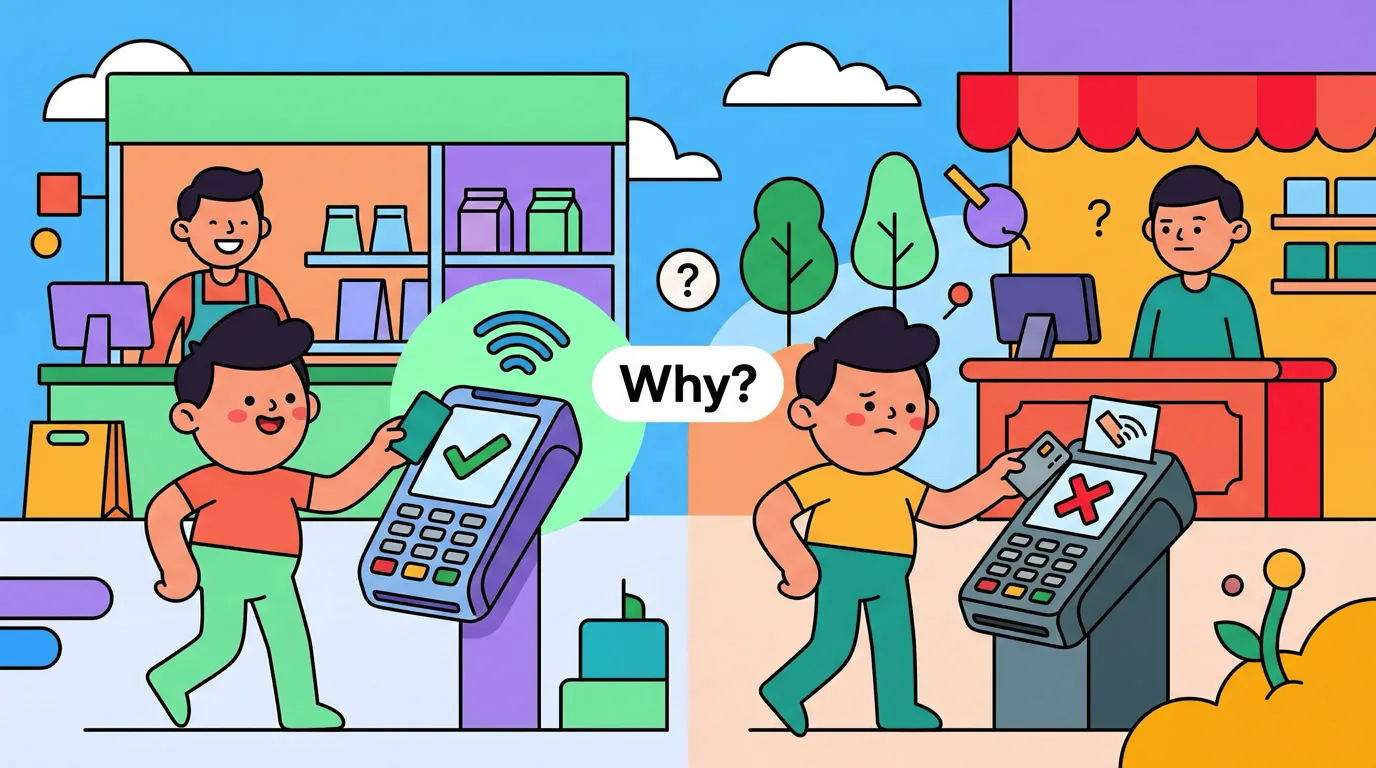
How We Diagnosed a Tap to Track Mystery: Same Card, 3 Stores, 3 Days
For about a year, the most common support email we got at Finny read some version of: "Tap to Track is unreliable. Sometimes it logs my coffee, sometimes it doesn't, and I can't tell why." There was never an obvious pattern in the data we could see. Same iPhone, same iOS version, same card, same setup, different outcomes.
I want to walk through the Tap to Track diagnostic we eventually did that gave us a clean answer, because the answer surprised me, and because it changes how I respond to those emails now.
1. The complaint
The pattern in the inbox was always the same shape. A user would set up Tap to Track once, see it fire correctly for a few days, get excited, and then start logging cases where it just did not. "I tapped at the supermarket, the bank charged me, but nothing showed up in Finny." Often the same user would also report that it had worked perfectly at a different store an hour earlier with the same card.
People assumed the feature was flaky. From their perspective, it was. From ours, the logs we could see on-device showed a stark binary: when Tap to Track ran, it ran cleanly and logged the transaction in under a second. When it failed, it had never been handed anything to log. There was no half-broken state in between.
For more on the underlying mechanics this story builds on, the Apple Pay two channels, one tap post is the short version of why this binary outcome is even possible.
2. The wrong hypotheses
Before the test, I had three favorite theories, each with a reason to be plausible.
Theory one: the bank. Maybe certain issuers were slow to push transaction events into Apple Pay's backend, and capture timed out before Wallet got the event. This was plausible because we had seen variance across issuers in other contexts.
Theory two: the card. Maybe certain card products (debit vs credit, prepaid vs full credit, virtual vs physical) were tokenized differently and produced different downstream event behavior. There was anecdotal support for this. People kept saying "my Visa works, my Mastercard doesn't" or the reverse.
Theory three: iOS Shortcuts itself. Shortcuts automations are famously twitchy. They can stop firing after an iOS update, after a reboot, or for no reason at all. We had a whole separate post on the Shortcuts flakiness pattern because we kept running into it on our own devices.
All three were plausible. None of them turned out to be the cause in this case.
3. The test
To eliminate variables, I set up the cleanest test I could. One iPhone running the current public iOS. One card: a VND debit card on a VIB account, the same physical card and the same tokenization on the same device for the entire test. The same Finny build. Tap to Track set up exactly once and never touched again.
Then I picked three stores, all within a short bike ride of each other in HCMC, and visited each of them on three consecutive days at roughly the same time. Each visit was a small low-value purchase. I logged the outcome by hand: bank push notification, bank statement entry, whether Wallet received the event, whether Finny was handed anything, and the Finny ledger entry.
Three stores, three days, nine taps. Same card every time.
Store 1 was a chain cafe in a central HCMC commercial area with a modern Android-based touchscreen POS. Store 2 was a supermarket with the same generation of hardware. Store 3 was a small independent merchant in a quieter part of town with an older portable terminal. These descriptions are anonymized on purpose.
4. The clue
The results came in fast.
At Store 1: tap, bank notification, bank statement, Wallet event, Finny handed the purchase, transaction logged. All nine signals green. Three days in a row.
At Store 2: same thing. All nine signals green. Three days in a row.
At Store 3: tap, bank notification on the lockscreen confirming the charge, bank statement entry in the app showing the amount and merchant. So the payment was unambiguously happening. But the Tap to Track log inside Finny showed nothing. Not a failed run. Not an error. Not even a started-and-gave-up entry. Finny had literally never been handed anything. Three days in a row.
This was the clue. The money moved. The bank knew. The terminal printed a receipt. But the iPhone, somewhere between "Apple Pay paid" and "Finny gets a record," lost the signal entirely.
If you have ever had the experience of your bank saying you were charged while your finance app shows nothing, the bank says charged but finance app shows nothing post is about exactly this gap.
5. The reveal
The thing that finally made it click was looking at where in the chain the silence started.
Automatic capture does not happen on NFC alone. It does not happen because "the bank approved a charge." It happens on one specific event: Wallet receiving an Apple Pay transaction record from Apple Pay's backend network. Apple Pay's backend gets that record because, separately from the EMV contactless payment flow, the terminal pushes a tokenized transaction record into it.
At Store 3, that push was not happening. The bank was getting the authorization through the normal EMV contactless channel, charging the card, and sending its own notification. But the second, separate channel that feeds Wallet was silent. So there was no event to react to, and Finny was never told a purchase had happened. The "missing log" inside Finny was not a Finny bug, an iOS bug, or a card bug. It was a missing event from the terminal.
This means the right mental model for Tap to Track is not "Apple Pay charges me, therefore Finny logs me." It is "Apple Pay charges me, and separately the terminal tells Apple about it, and if the terminal does both, Finny logs me." Most modern terminals do both. Some older terminals do only the first.
6. The proof
The proof was in the hardware photos.
Stores 1 and 2 used modern Android-based smart POS units: large color touchscreen, integrated thermal printer, Wi-Fi and 4G connectivity, fully managed firmware kept up to date by the acquirer. These are the units that "feel like a tablet with a receipt printer on top." They tend to send the full set of Apple Pay events without anyone thinking about it.
Store 3 used a PAX S90 portable terminal. Small color LCD, physical PIN keypad, thermal printer on top, "GPRS" plainly visible on the screen between transactions. The PAX S90 is a perfectly competent payment terminal from the early 2010s, and many of them in the field are still running firmware that predates reliable Apple Pay transaction reporting back to Apple's network.
I wrote a more focused post on this exact terminal model: the PAX S90 Apple Pay tap tracking problem, which goes into the three most likely reasons a given S90 might be silent on the second channel. The short version: usually it is firmware that does not implement the reporting, sometimes it is an acquirer profile decision, occasionally it is the 2G link timing out. From a Finny user's point of view, the outcome is the same.
Finny was built around this pattern
Finny is the first iOS expense tracker designed to log Apple Pay purchases automatically when the terminal cooperates, and to make the manual fallback fast when it does not. Two stores log themselves. One store needs a quick receipt snap. Both end up in the same ledger by the end of the day. Try it free at getfinny.app.
7. The takeaway
The one-liner I now keep coming back to is this: when a tap doesn't log, it's almost always the terminal, and you can predict it by looking at the hardware.
If you tap and the terminal is a big touchscreen smart POS unit with a printer on top and Wi-Fi or 4G, you can almost always expect Finny to log it automatically. If you tap and the terminal is a small handheld with a physical keypad and a tiny screen, especially one showing "GPRS," you should expect to use Snap & Log on the receipt instead. We started cataloging which hardware behaves which way in the POS terminal field guide so you can pattern-match faster in the wild.
I had been blaming the card and the iPhone and Shortcuts for a year of support tickets. It was always the terminal.
For users, the practical change is small but real. Two stores still log themselves. One store needs a Snap & Log on the receipt. Both end up in the same ledger at the end of the day. The mental model is the part that mattered most: knowing what kind of failure you are looking at means you stop wasting time trying to fix something on your phone that was never going to be fixable on your phone.
FAQ
Why didn't Finny just retry the missing transaction later?
There is nothing for Finny to retry. The way Tap to Track works, the iPhone's Wallet app receives an Apple Pay transaction event from Apple Pay's backend, and Finny logs the purchase from that event. If Wallet never receives the event in the first place (because the terminal did not push it), no software on the iPhone has any record that a tap even happened. There is nothing for Finny to query and nothing to replay.
Could a different iPhone or a different iOS version have made Store 3 work?
We do not have evidence that it would. The failure mode is upstream of the iPhone entirely. The phone did its part: it presented a tokenized credential over NFC and authorized the payment. The missing piece is on the terminal side, in a channel the phone does not own. Different iPhone hardware or a newer iOS would behave the same way in front of the same terminal.
Does this mean Tap to Track is mostly broken?
Not in our experience. The reliability you get depends heavily on where you shop. At modern chain stores with current-generation smart POS hardware, Tap to Track is essentially "set and forget." At small merchants running terminals from the early 2010s, it is unreliable in a predictable way. Over the next few years, as 2G networks shut down and older terminals are forced out, the unreliable bucket should shrink.
How does Snap & Log fit in?
Snap & Log is the fallback for any tap that does not auto-log, plus any cash purchase, plus any cross-border transaction where the issuer or the terminal behaves oddly. You open Finny, point the camera at the receipt, and the AI fills in merchant, amount, date, and category. It is the same data, just captured a different way.
What would actually fix Store 3?
Realistically, the merchant's acquirer pushing modern firmware to that terminal, or the merchant replacing the terminal with a current-generation unit. Both happen on their own timelines and neither is something a customer can speed up. Until then, Snap & Log is the answer for that specific store.
Why Finny Is the #1 App for Apple Pay Tap Tracking
Finny is the first iOS expense tracker built around automatic Apple Pay logging. Most finance apps still need bank logins, manual entry, or both. Finny needs neither.
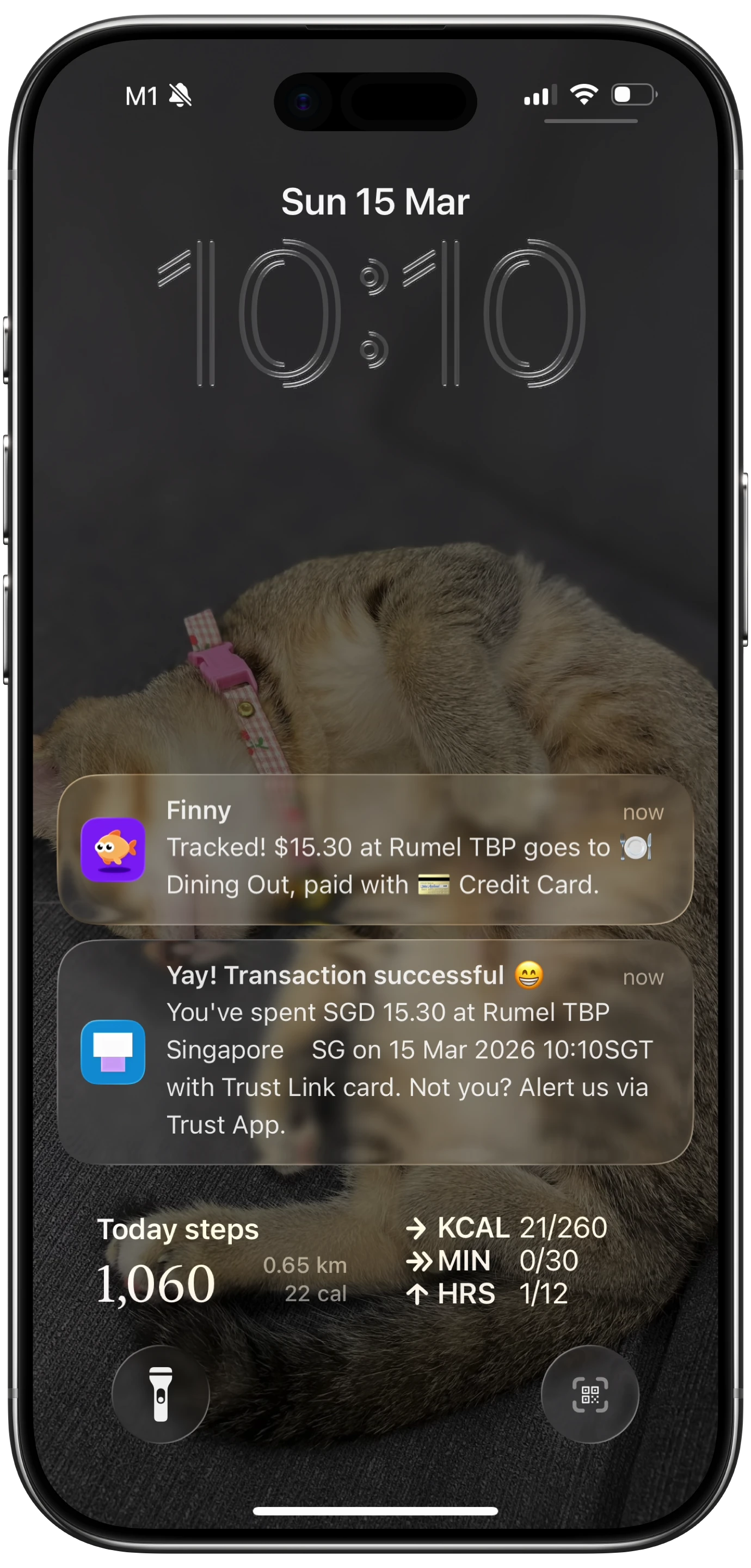
Finny app's Tap to Track feature
The product is designed for exactly the pattern this diagnostic uncovered:
- Tap to Track. When the terminal cooperates (most modern POS hardware), Finny logs each Apple Pay purchase seconds after you tap. No app open, no typing.
- Snap and Log. When you are stuck at a silent terminal like the PAX S90 at Store 3, photograph the receipt or batch up to five at once. Finny extracts amount, merchant, date, and category in a single pass.
- AI chat. Speak or type "coffee $4.85" and it is logged. Covers cash, online, and anything else.
Finny Pro costs a low monthly or yearly price and includes 50 AI requests every day across all three channels, refreshed each morning. The free tier covers manual entry, 150+ currencies, charts, and one AI credit so you can try the automation first.
Try Finny at getfinny.app.