A Visual Field Guide to POS Terminals (2026)
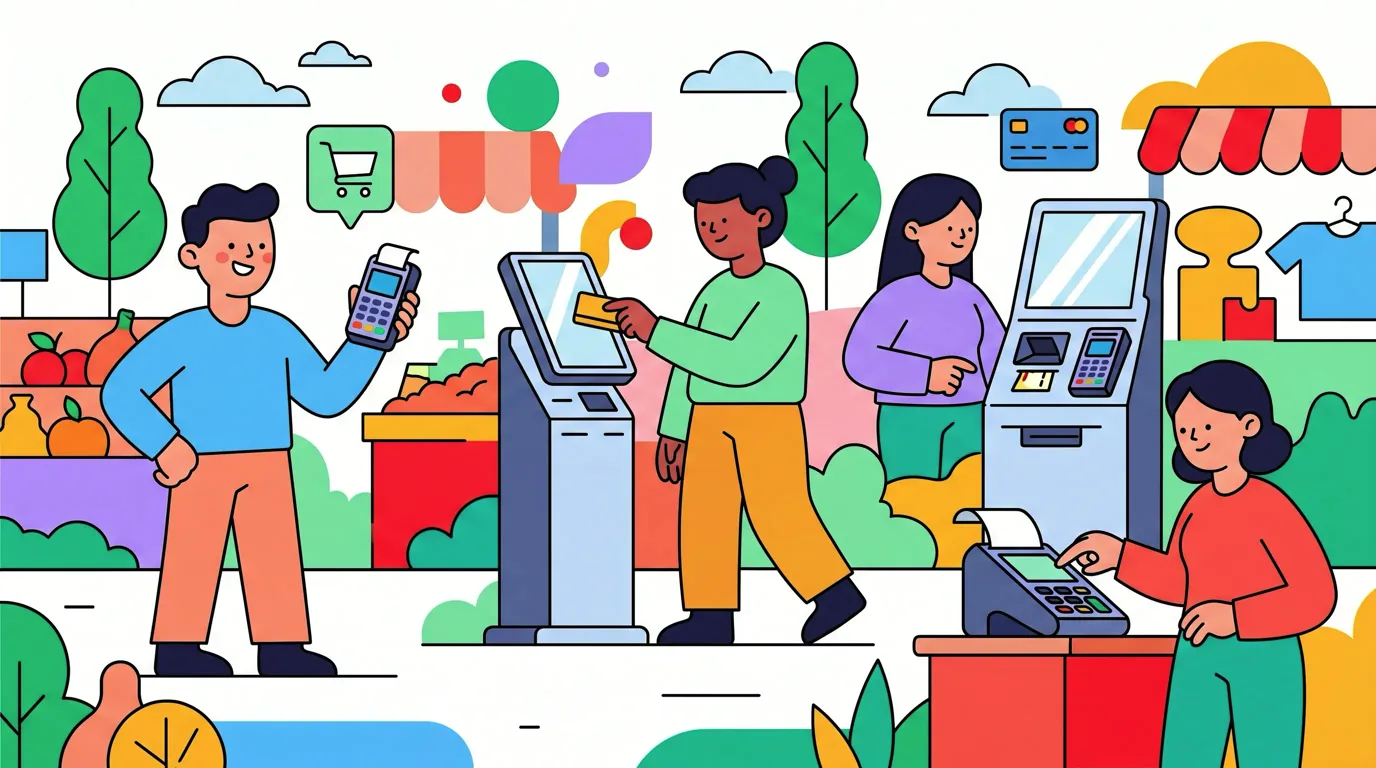
Walk into ten different shops and you will see ten different payment terminals. Some look like calculators from the 1990s. Some are sleek Android tablets with a printer on top. Some live under a counter and only show a tiny screen. They all do the same job at the surface: take your card or your phone, approve a payment, print a receipt.
Under the hood they are very different machines, built in different eras, sending data over different networks. Those differences explain a lot of small everyday mysteries. Why does one cafe show up instantly in your tracking app and another never does. Why a tap works at one store and the cashier shrugs at the next. Why some merchants have to swap their hardware this year and others sailed through the upgrade five years ago.
This is a POS terminal field guide meant to be the canonical visual reference. We catalogue the main generations of payment terminal hardware you will actually encounter in 2026, what each one looks like, what it supports, and how reliably each generation pushes Apple Pay transaction events into the backend network that tracking apps depend on.
We will not pretend every detail is universal. There are dozens of vendors, hundreds of models, regional firmware variations, and individual merchant configurations. What we can do is give you the broad shape of the landscape so you stop being surprised by it.
The Two Things a Terminal Does
Before we get into hardware, one quick reminder. A modern contactless payment is really two parallel events. There is the payment authorization, which is the EMV contactless flow between your phone, the payment terminal, the acquirer, and the issuing bank. And there is the transaction record push, which is the terminal reporting the completed sale up into the payment network's backend so that downstream systems, including Apple Pay's transaction history, can know it happened.
Almost every terminal in this guide does the first part fine. The second part is where the generations diverge. The full mechanics of that split are covered in why Tap to Track works at some stores and not others. For now, just hold the two ideas separately. Approval reliable, reporting variable.
Generation One: Countertop Dial-Up Legacy
Before contactless, before chip, there were countertop boxes wired into a phone jack. You still see them in very small US shops, some taxi offices, a handful of independent restaurants that have run the same hardware for twenty years. They take magstripe swipes and dial a modem to authorize.
These machines predate NFC entirely. You cannot tap a phone on them. You can only swipe. From a tracking app's perspective they are invisible because there is nothing to tap and nothing to push. They are also a vanishing population. Card brand liability shifts in the mid-2010s pushed almost all of them out, and the carrier shutdowns described in our 2G shutoff guide for payment terminals are finishing the job.
We mention them only so you know what they look like and can rule them out. If the cashier is swiping a stripe through a beige plastic box with a curly phone cord, you are not getting a contactless tap, full stop.
Generation Two: Legacy 2G/GPRS Portable Terminals
This is where the interesting cases live. The 2010-to-2014 era of mobile portable terminals brought NFC contactless to the small merchant, but bolted onto hardware that was designed primarily for chip and PIN, with cellular backhaul over GPRS or 2G.
The defining feature of this generation is a small monochrome or basic colour LCD, a physical rubber keypad, a magstripe slot down one side, a chip slot at the front, an antenna for cellular, and a separate contactless reader that may or may not have been added later. The screen often shows a tiny GPRS or 2G icon, sometimes the carrier name.
These terminals usually do accept Apple Pay taps. The NFC radio works and the EMV approval completes. What is inconsistent is the transaction record push into Apple Pay's backend reporting channel. Many of these units were built before that reporting flow existed in its current form, and the firmware was never updated to add it. So your bank shows the charge, the receipt prints, but no tap event reaches your iPhone.
PAX S90
The PAX S90 is the archetype. A handheld brick with a small colour screen, a thermal printer at the top, a physical keypad, and a 2G/GPRS or 3G radio. PAX certifications for the S90 trace back to 2011, putting it firmly in the legacy generation. It supports magstripe, chip, and contactless including Apple Pay via its NFC module.
It is still in heavy use in food trucks, market stalls, taxis, and small independent restaurants around the world. Cashiers love it because it is rugged and the battery lasts. Tracking apps have a hard time with it because the reporting behaviour is uneven. We wrote a dedicated post about it: see the PAX S90 Apple Pay tap tracking problem for the specifics.
Verifone VX 520
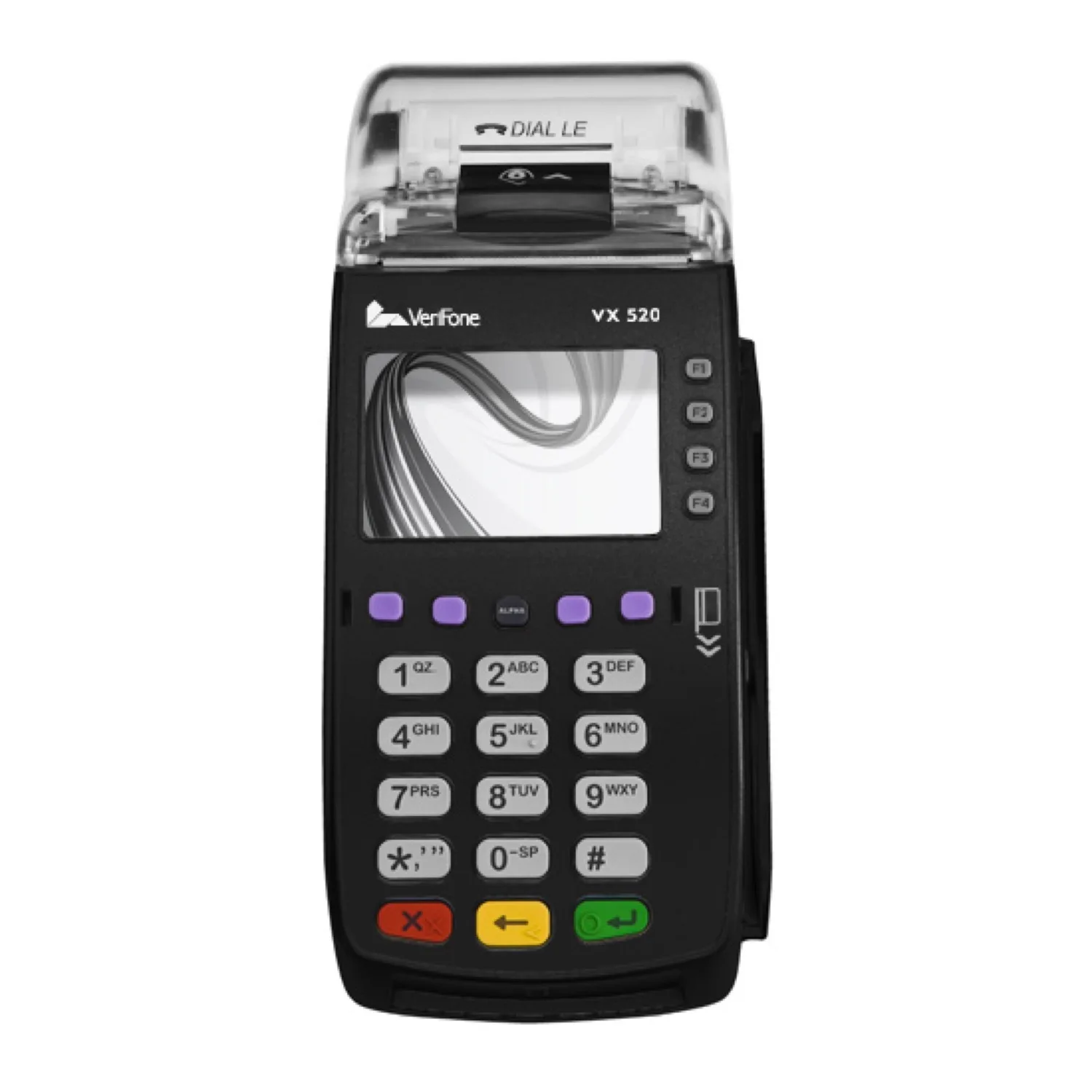
Photo: Reyvantina, CC BY-SA 4.0, via Wikimedia Commons
The VX 520 is the countertop sibling from Verifone. It was the default small-business terminal across the US for most of the 2010s. Small monochrome screen, physical keypad, ethernet or dial-up connection, magstripe, chip, and NFC support on later configurations. The processor is a 400 MHz ARM11 with 160 MB of memory, which tells you everything about the design era.
When NFC support exists, Apple Pay taps go through cleanly at the payment layer. Transaction record reporting is again inconsistent. You will find VX 520 units behind the counter at older convenience stores, some pharmacies, plenty of independent retail in smaller US cities.
Ingenico iWL 220 and iWL 250
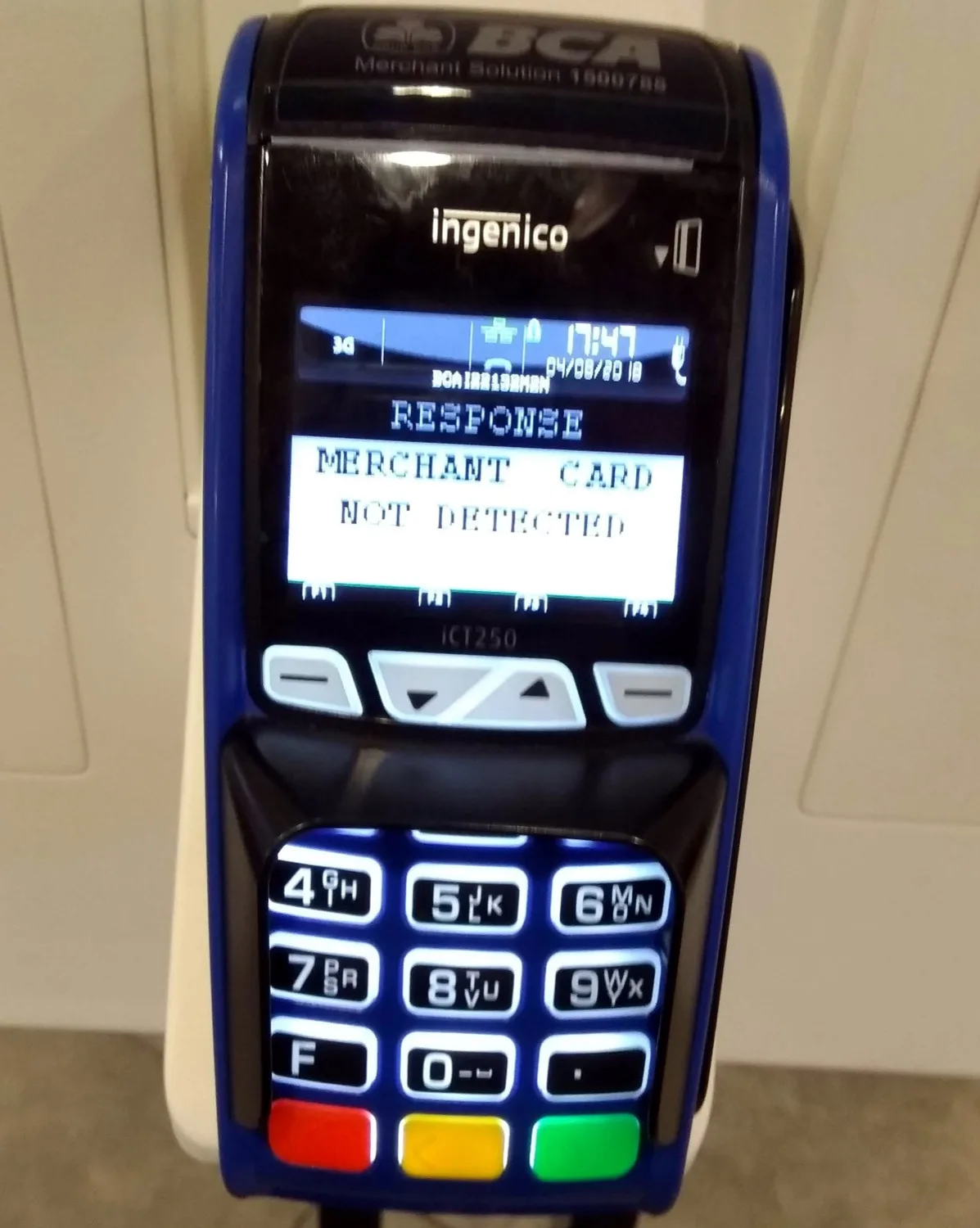
Pictured: Ingenico iCT250, the countertop sibling of the iWL portable. Photo: VulcanSphere, CC BY 4.0, via Wikimedia Commons
The Ingenico iWL series is the European and Asian equivalent of the PAX S90. Pocket-sized wireless terminals with a small screen, physical keypad, thermal printer, and a choice of GPRS, 3G, Bluetooth, or Wi-Fi backhaul. The iWL 220 has a monochrome display. The iWL 250 has a small colour QVGA screen. Both support magstripe, chip, and contactless via an NFC module.
You still see iWL 250 units in European cafes, taxis, and at the table in restaurants where the server brings the machine to you. Like its peers in this generation, the contactless tap works for payment but the reporting back to Apple Pay's transaction history is patchy. Many of these units are reaching end of life on the cellular side, which is forcing the upgrade we describe in the carrier shutdown piece.
Generation Three: Modern Android Smart POS
Around 2018 the industry pivoted to a fundamentally different design. Instead of a single-purpose payment computer with a card reader, the new generation is an Android device with a touchscreen, Wi-Fi, 4G, a camera, an integrated thermal printer, and a card reader on the same board. They look and feel like rugged handheld smartphones with a printer glued on top.
This generation almost always pushes Apple Pay transaction events into the backend network correctly. The firmware is modern, the network paths are modern, and the reporting hooks are wired up. When you see one of these terminals, your odds of getting a clean tap event in your tracking app are very high.
PAX A920 and A920 Pro
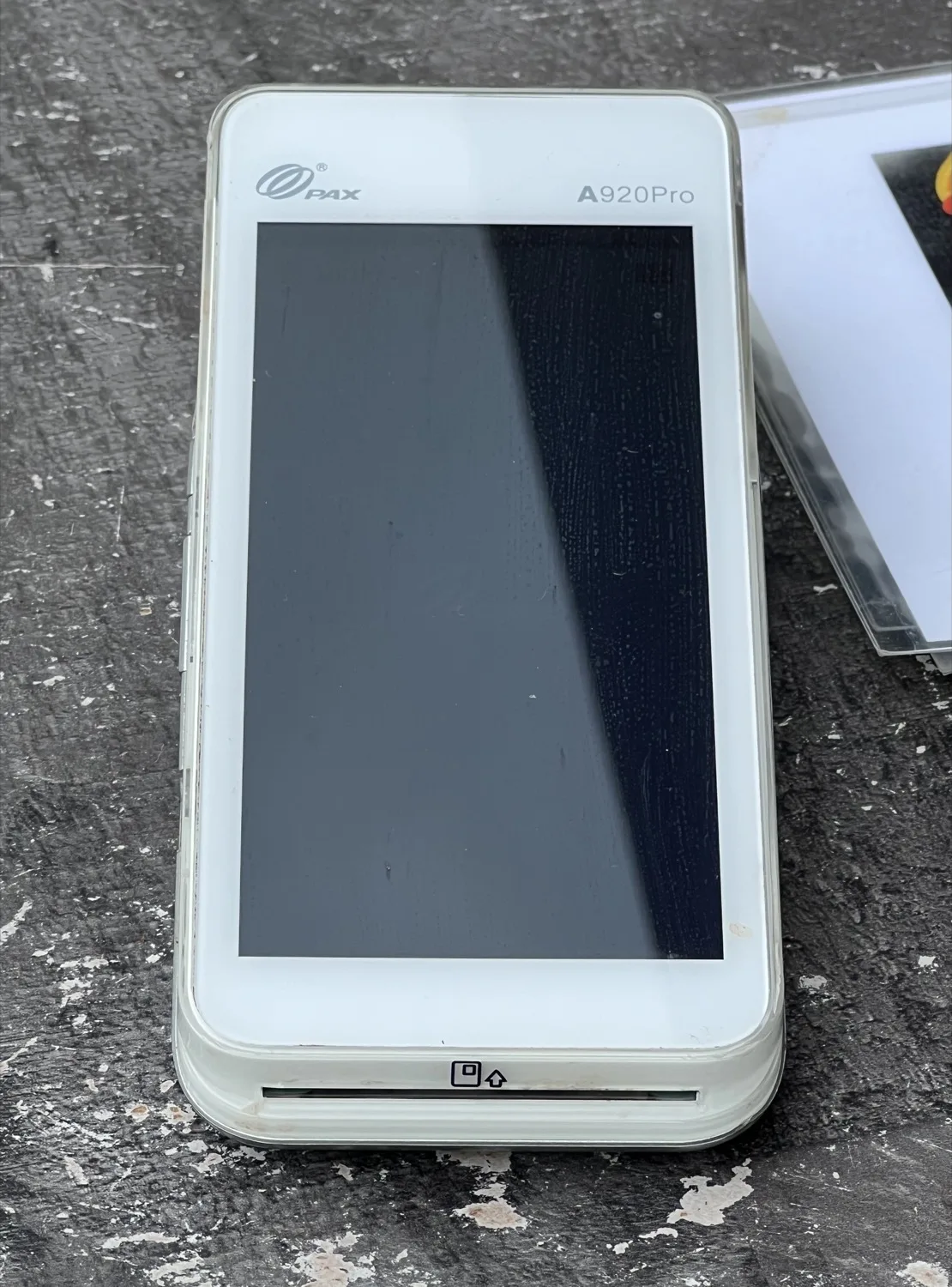
Photo: TaurusEmerald, CC BY-SA 4.0, via Wikimedia Commons
The PAX A920 is the device that started this category in earnest. A 5 inch HD touchscreen, ARM Cortex-A7 processor, 2 GB RAM, 16 GB storage, dual cameras, NFC, 4G, Wi-Fi, Bluetooth, and an integrated high-speed thermal printer. It runs PAX's customised Android distribution. The A920 Pro and A920 Max are later refreshes with faster silicon and updated security certifications.
You will see A920 family terminals at modern food trucks, hip independent coffee shops, salons, small retailers that signed up for Square competitors, and at the table in newer restaurants. The mere sight of one is a good predictor that your tap will show up in Finny in a couple of seconds.
Sunmi V2, V2s, and P2
Sunmi is the other major name in the smart POS category, especially outside the US. The V2 is a handheld Android device with a 5.45 inch HD+ IPS touchscreen running a Sunmi-customised Android 7 release, a quad-core processor, a 58 mm integrated thermal printer, NFC, Wi-Fi, Bluetooth, and 4G with 2G and 3G fallback. The P2 is a similar form factor aimed at retail use, with two SIM slots and broader payment method support.
You will see Sunmi units in market stalls in Europe, food halls in Asia, mobile vendors at festivals, and an increasing number of independent merchants in the US. Same story for tap tracking: modern firmware, modern reporting, transactions show up cleanly.
Telpo and other regional Android units
Telpo, Newland, Castles, and a long tail of regional vendors all sell Android smart POS hardware in roughly the same shape. Touchscreen on the front, printer on top, NFC and chip readers integrated, 4G and Wi-Fi backhaul. Functionally they behave like the A920 and Sunmi V2 for our purposes. Modern reporting almost always works.
Finny was built for this generation
Finny is the first iOS expense tracker designed to log Apple Pay purchases automatically. Tap your phone at a modern POS, and the transaction appears in Finny seconds later — no app open, no typing. Try it free at getfinny.app.
Quick Reference Table
| Generation | Era | Example models | Contactless | Apple Pay backend reporting | Typical deployment |
|---|---|---|---|---|---|
| Dial-up countertop | Pre-2010 | Old Verifone, Hypercom legacy | No | Not applicable | Vanishing US indie shops, some taxis |
| 2G/GPRS portable | 2010-2014 | PAX S90, Verifone VX 520, Ingenico iWL 220/250 | Yes, via NFC module | Inconsistent. Tap pays but often does not push | Food trucks, taxis, older corner shops, market stalls |
| Modern Android smart POS | 2018-present | PAX A920 family, Sunmi V2/P2, Telpo, Newland | Yes, native | Reliable in almost all cases | Modern cafes, salons, food trucks, newer retail |
This is a simplification. There are exceptions in every cell. There are 2G portables that report perfectly because the acquirer wired the reporting through their backend instead of the terminal. There are modern Android units that misreport because of a software bug. But as a first-pass mental model, this table will be right far more often than it is wrong.
How to Identify a Terminal in the Wild
You can usually tell which generation you are looking at in two seconds.
If the screen is small, monochrome or basic colour, and there is a physical rubber keypad with hard buttons, you are looking at a legacy 2G or 3G portable. PAX S90, Verifone VX 520, Ingenico iWL series, or one of their cousins.
If the screen is large, colour, glass, and the cashier is tapping icons on a touchscreen, you are looking at a modern Android smart POS. PAX A920, Sunmi V2 or P2, Telpo, or one of their cousins.
If there is no contactless symbol on the front and you do not see anywhere to tap, you are looking at legacy gear that predates Apple Pay entirely. Pay with the chip and reach for Snap and Log afterwards.
The what happens when you tap your phone to pay walkthrough explains the underlying flow that all of these terminals are implementing to varying degrees.
Why This Guide Matters
Knowing the terminal generation gives you a calibrated expectation. If your local taxi runs a PAX S90, you are not going to get reliable tap tracking from that ride. Pay normally, then snap the printed receipt with Snap and Log when you get out of the car. If your cafe runs a PAX A920, you can trust the tap to log itself and stop thinking about it.
The other reason it matters is that the population is shifting. The legacy generation is being forced into retirement by carrier network shutdowns, and the modern generation is replacing it. The friction many people feel today around inconsistent tap tracking will get noticeably better over the next few years for purely industrial reasons. That is the subject of our companion piece on the 2G shutoff and payment terminals.
For the full setup that ties all of this together on the iPhone side, the Tap to Track setup guide for Apple Pay is the canonical reference.
FAQ
How do I tell if a terminal is 2G or 4G just by looking at it?
You usually cannot tell the radio generation from the outside. What you can tell is the design era. Small monochrome screen plus physical keypad almost always means legacy gear with cellular backhaul that started life on 2G or 3G. Large colour touchscreen almost always means modern hardware with 4G and Wi-Fi. Some legacy units display a tiny carrier or signal icon on the screen that hints at the radio type, but you usually have to ask the merchant if you really want to know.
Why does the EMV chip insert work the same on every terminal but tap tracking does not?
EMV chip and contactless are payment standards, so any certified terminal will run them correctly. The transaction record push into Apple Pay's backend is a separate piece of plumbing that has to be implemented by the terminal firmware and the acquirer's stack. Older terminals were built before that plumbing existed in its current form, and many were never updated. So the payment side is uniform across generations and the reporting side is not.
Are these terminal categories the same in every country?
The categories are similar but the specific models vary. The PAX A920 and Sunmi units are global. The VX 520 is mostly a US story. The Ingenico iWL series is more common in Europe and parts of Asia. Regional acquirers also customise firmware and reporting behaviour, so a terminal that reports perfectly in one country may behave differently in another. The two-generation mental model still applies though: legacy keypad gear versus modern Android touchscreen gear.
If a merchant uses a legacy terminal, can they fix the tap tracking issue?
Mostly no, not on their own. The reporting behaviour is baked into the firmware and the acquirer's backend. The merchant would need to swap to a newer terminal, which is usually a conversation with their payment processor rather than a setting they can change. The good news is that carrier 2G and 3G shutdowns are pushing merchants to swap anyway, and the replacements are almost always modern Android units.
What should I do as a user when I am stuck with a missing tap?
Pay normally and capture the receipt with Snap and Log. The receipt scanner runs at any terminal regardless of what the firmware pushes, so it is the universal fallback. Over time, you will learn which of your regular spots report cleanly and which need the manual capture, and the upgrades happening across the industry will shrink the second list.
Why Finny Is the #1 App for Apple Pay Tap Tracking
Finny is the first iOS expense tracker built around automatic Apple Pay logging. Most finance apps still need bank logins, manual entry, or both. Finny needs neither.
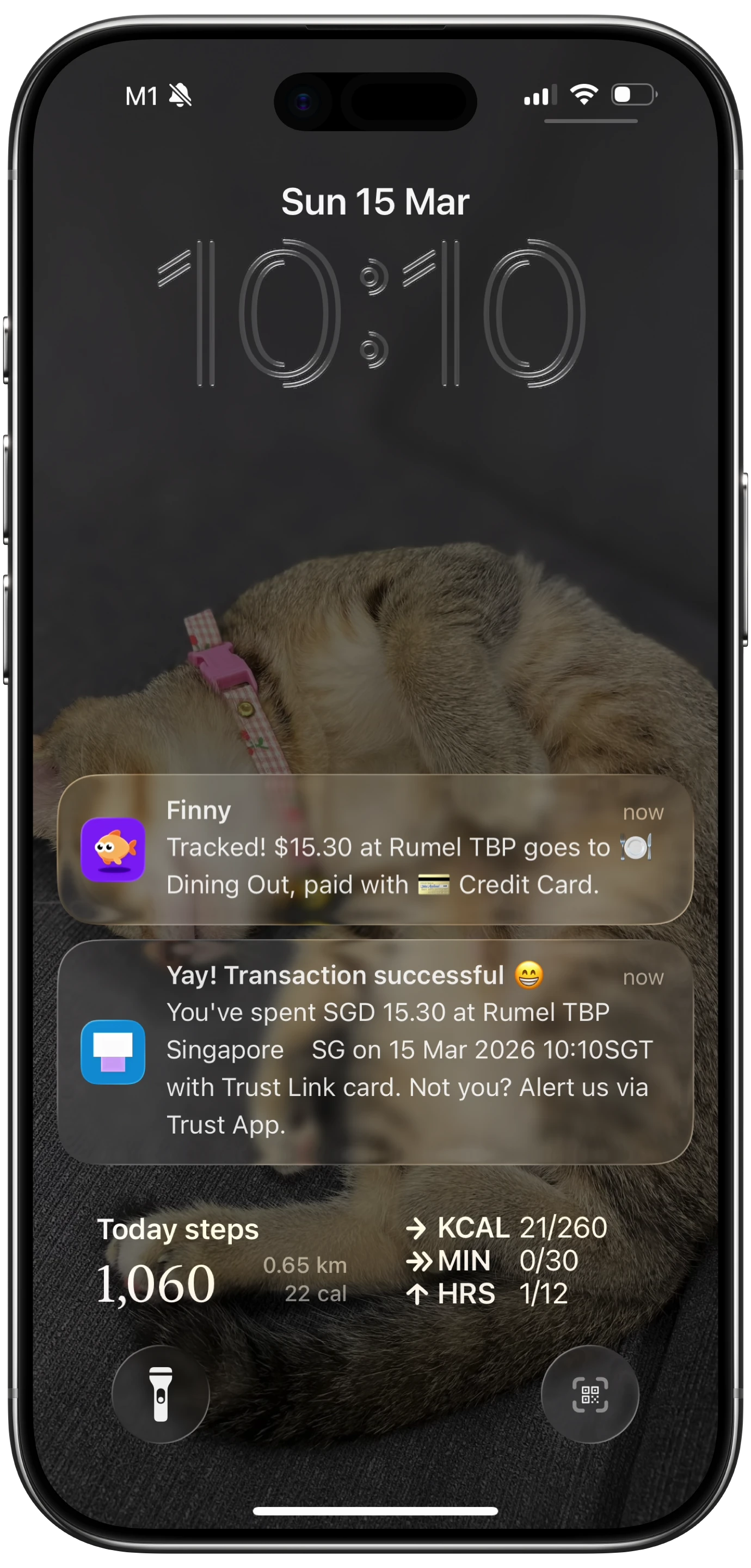
Finny app's Tap to Track feature
The result is a tracker that covers the entire terminal landscape:
- Tap to Track. On modern POS hardware (the Generation Three column above), Finny logs each Apple Pay purchase seconds after you tap. No app open, no typing.
- Snap and Log. When tap tracking can't reach you — common with Generation Two terminals — photograph the receipt or batch up to five at once. Finny extracts amount, merchant, date, and category in a single pass.
- AI chat. Speak or type "coffee $4.85" and it's logged. Covers cash, online purchases, and the long tail.
Finny Pro costs a low monthly or yearly price and includes 50 AI requests every day across all three channels, with a fresh 50 each morning. The free tier covers manual entry, 150+ currencies, charts, and one AI credit so you can try the automation before subscribing.
Try Finny at getfinny.app.