Best Voice Expense Tracker Apps in 2026
A year ago there was barely a category here. Now there are a dozen apps whose entire pitch is that you say what you spent and it gets recorded. That is a real shift, and it happened because speech recognition finally got good enough at numbers and merchant names to be trusted with a ledger.
The best voice expense tracker apps solve a narrow, genuine problem: the transactions people fail to record are the ones where typing was impractical at the time. Hands full of groceries, walking out of a shop, driving between errands. This compares the apps competing in that space and the criteria that actually separate them.
For the broader method, see our guide to logging expenses without typing.
What Separates a Good One
Number accuracy. "Fifteen" and "fifty" sound similar, and a tracker that confuses them is worse than no tracker. This is the single most important property and the hardest to evaluate from a listing page.
Confirmation before saving. You should see what was parsed before it becomes a record. Apps that save silently produce clean-looking wrong entries that are very hard to find later.
Offline capability. Most voice apps send audio to a server. If yours does, it cannot log in a parking garage, a basement shop, or a rural area, which is where cash spending concentrates.
Category inference. Saying "twelve dollars lunch" should land in the right category without a follow-up question, or the speed advantage evaporates.
Multi-currency handling. If you travel, the app needs to know whether "forty" meant dollars or euros.
The Comparison
| App | Voice | Receipts | Offline | Notable |
|---|---|---|---|---|
| Ledgy | Yes | Yes | No | Logs from inside ChatGPT and Claude |
| SpendVoice | Yes | Limited | No | Speed-focused, minimal interface |
| Vocash | Yes | No | No | Voice-only, simple by design |
| Receiptix | Yes | Yes | No | Receipt-first, multi-currency |
| Vossa | Yes | Yes | No | Positions around a 5 minute daily habit |
| ExpenseEasy | Yes | Limited | No | Voice to text focus |
| Finny | Yes | Yes | Yes | Also captures card payments, no bank link |
Ledgy
Ledgy is the most ambitious of the group. Beyond voice logging and receipt scanning, it connects to ChatGPT and Claude, so you can log and query transactions from inside an assistant you already use.
That integration is genuinely novel and it is the reason to look at Ledgy specifically. The caveat is dependence: a workflow built inside another company's assistant lasts as long as that integration does. We cover the field in Ledgy alternatives.
SpendVoice
SpendVoice optimizes for one thing: the seconds between deciding to log and being finished. The interface is deliberately minimal.
If speed is the only axis you care about, it is a reasonable pick. The narrow feature set becomes limiting once you want budgets or analysis.
Vocash
Vocash is voice-only and does not pretend otherwise. Its argument is consistency: speaking is fast enough that you actually keep doing it.
No receipt capture is a real gap if paper receipts are part of your spending.
Receiptix
Receiptix approaches from the receipt side and adds voice, with multi-currency support. If your spending produces paper, this ordering suits you better than a voice-first app that treats receipts as secondary.
Vossa
Vossa combines receipt scanning and voice entry around a daily habit framing. The positioning is behavioral rather than technical, which suits people whose problem is consistency rather than speed.
Finny
Finny accepts spoken expenses, parses them into an amount, merchant, and category, and shows the result for confirmation before saving.
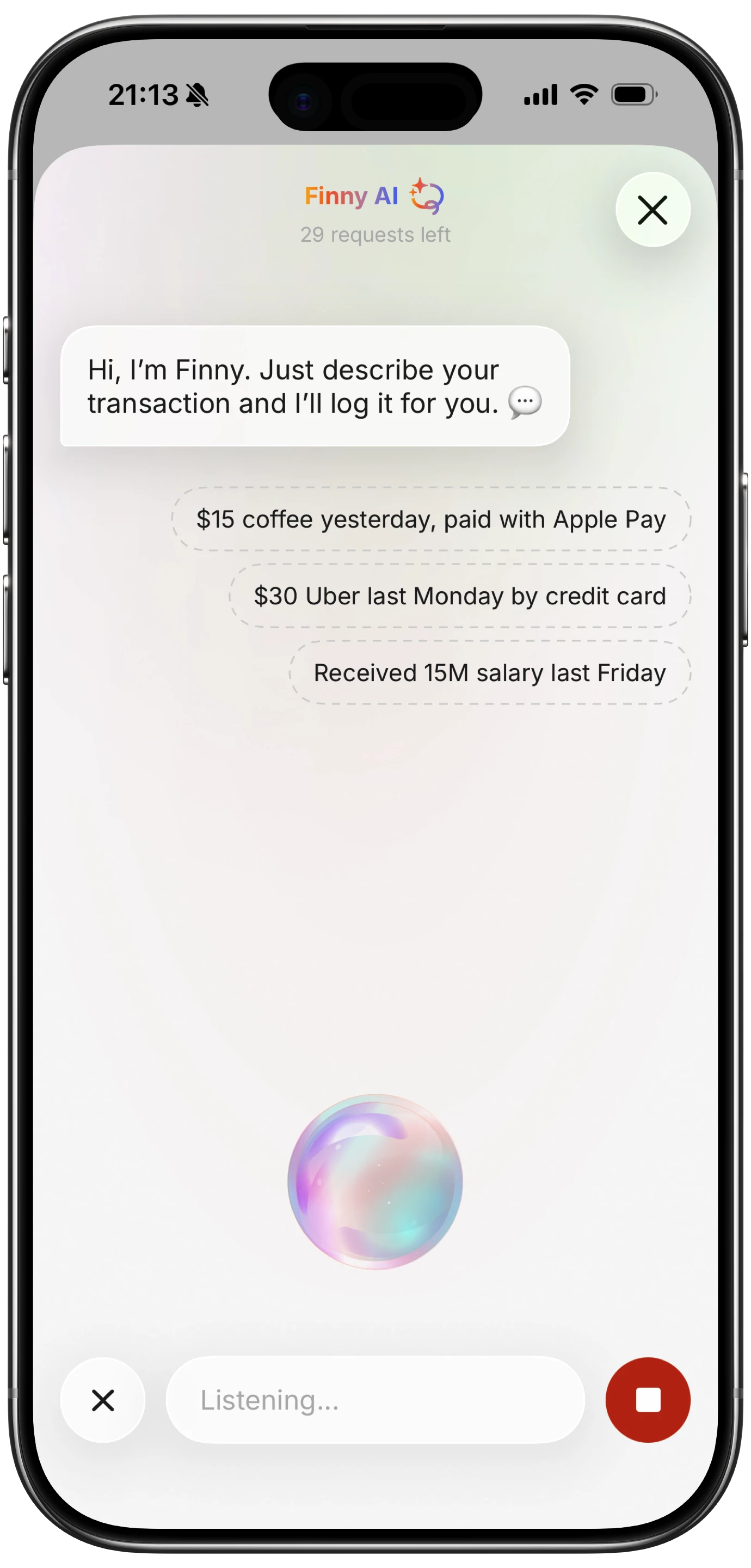
Finny app's voice input feature
Two differences from the rest of the list. It works offline, so a spoken entry in a basement shop records rather than failing. And card payments get captured as you make them, which means the fastest log is the one you never had to speak at all.
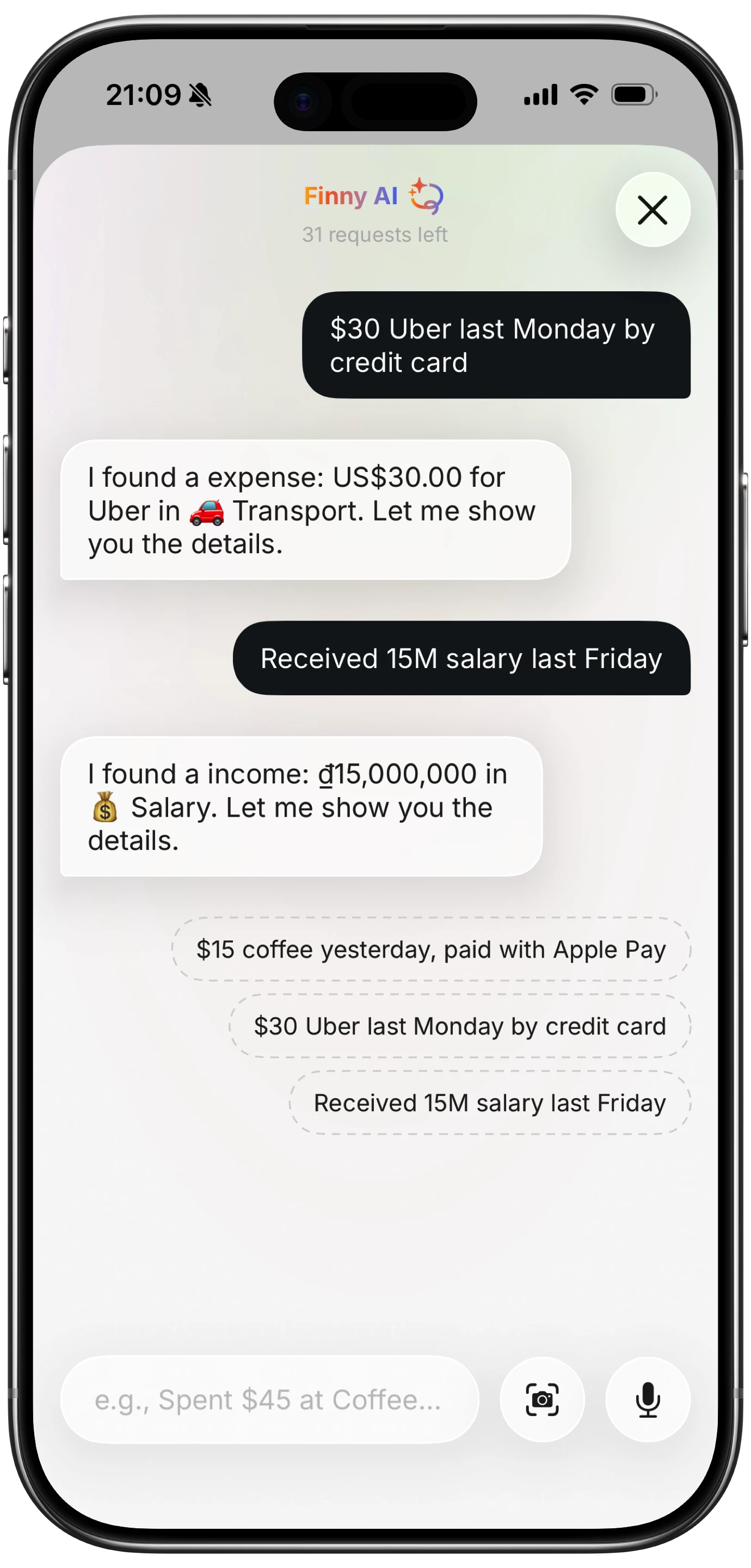
Finny app's AI chat feature
The Honest Case Against Voice
Voice is not universally better, and three situations make it worse.
In public. Saying "forty two dollars at the pharmacy" out loud in a queue is something many people will simply not do. Typing is private and voice is not.
In noise. Recognition accuracy falls in exactly the environments where you are most likely to be spending: cafes, shops, streets.
With unusual merchant names. Local businesses, non-English names, and anything unusual get transcribed inconsistently, which fragments a merchant into several variants in your data.
Voice earns its place as one option among several rather than as a replacement. The apps that treat it as the only input are pleasant to demo and limiting in practice. Our test of voice tracker accuracy covers the error rates involved.
How to Choose
- Already working inside ChatGPT or Claude? Ledgy.
- Want the fastest possible single entry? SpendVoice.
- Mostly paper receipts? Receiptix.
- Struggle with consistency rather than speed? Vossa's habit framing.
- Spend in places with poor connectivity, or want more than one input method? Choose on offline support and card capture rather than on voice alone.
For iPhone specifically, see our guide to logging expenses with Siri.
Common Questions About Voice Expense Trackers
What is the best voice expense tracker app?
It depends which constraint binds. Ledgy is the most capable overall and uniquely logs from inside ChatGPT and Claude. SpendVoice is the fastest for a single entry. Receiptix suits people whose spending produces paper receipts. If you need entries to record in places with no signal, offline support matters more than any voice feature, and most apps in this category require a connection.
Are voice expense trackers accurate?
Parsing is good and error rates are not zero. The recurring problems are similar-sounding numbers such as fifteen and fifty, background noise in shops and cafes, and unusual merchant names that transcribe inconsistently and fragment into several variants. The mitigation that matters is a confirmation step showing the parsed result before it saves, since catching a mistake immediately is far easier than finding it weeks later.
Can I log expenses by voice without an internet connection?
Rarely. Most voice trackers send audio to a server for processing, so they fail exactly where cash spending concentrates: parking garages, basement shops, rural areas, and abroad without data. If that describes your spending, check offline behavior before committing, since an app that silently drops entries when disconnected produces data with gaps in the least recoverable places.
Is voice faster than typing an expense?
Usually, by a few seconds, and the gap widens when your hands are occupied. The advantage disappears in public where speaking aloud is awkward, and in noisy environments where recognition degrades. The practical answer is that voice is best as one input option alongside typing and receipt capture rather than as the only one, since no single method suits every spending moment.
Ready to track expenses with less friction?
Download Finny to log expenses using AI, receipts, or text. No bank connections, offline support, and full control over your financial data.