How Much Have I Spent at Costco? Find Your Total (2026)
Costco trips have a way of ending at $300 no matter what was on the list. Each item is a good deal on its own: the paper towels, the rotisserie chicken, the jeans you did not plan to buy. Over a year, though, those trips add up to one of the biggest lines in many household budgets, and most members have never seen the total.
This guide answers how much have I spent at Costco with the tools Costco offers as of November 2026: Orders & Purchases on costco.com and in the Costco app, your Executive reward, and your card statements. It also does the math on whether the Executive membership pays for itself, and shows what to do with the yearly number. If Costco is mostly where your groceries come from, pair this with our guide on how to budget for groceries.
Why Costco does not show you a yearly total
Costco keeps your receipts, but it does not add them up. Purchase history is a list of individual trips, shown in six-month blocks, with no running total and no export. A few more things make the number slippery:
- Two years is the limit online. Costco's receipt help page says in-warehouse receipts go back up to two years. Older trips need a visit to the membership counter.
- Gas only goes back so far. Gas station purchases appear only for purchases on or after September 30, 2024.
- Some counters never show up. Food Court, Optical, Travel and Instacart orders are not in warehouse history.
- Receipts include sales tax, while the Executive reward is based on pre-tax spending, so the two figures will never match exactly.
- Returns come later. A refund does not change the original receipt, so you subtract it yourself.
None of this makes the total hard, just manual. For most members, adding up one year takes 20 to 30 minutes.
Method 1: Orders & Purchases on costco.com
The website is the easiest place to work through a year, because you can keep a spreadsheet open beside it. Per Costco's help pages:
- Make sure your membership is verified on your costco.com account. Warehouse receipts only appear once it is.
- Sign in and select Orders & Returns in the upper right of the home page.
- Choose the In-Warehouse tab under Orders & Purchases.
- Use the Showing dropdown to pick a six-month period.
- Open each receipt with View Receipt and note the total.
Online orders are on the same page. Costco's online order help says costco.com orders from the last two years can be opened with View Order Details and printed with Print Invoice.
Good for: an exact two-year record of warehouse and online spending. Limits: you only see the membership linked to the account you are signed in to, new trips can take up to 24 hours to appear, and every receipt has to be opened and copied one at a time.
Method 2: The Costco app
The Costco app shows receipts for both in-warehouse and online purchases, which makes it handy for checking a recent trip at home or in the parking lot.
In current versions, tap the Account icon at the bottom of the screen, sign in, and open Orders & Purchases, then switch to the warehouse view. Labels move around between app updates, so if yours reads slightly differently, look for orders or receipts under your account. The same two-year window and six-month blocks apply, because the app reads the same purchase history as the website.
The app is fine for a quick look and less fine for totals. Scrolling a year of receipts on a phone is slow, and Costco's help has said the app has no receipt printing, so use the website when you want a printed copy for a return or warranty claim.
A useful trick while you are there: open a big receipt and scan the line items. Costco receipts use short abbreviated item names, but you can usually tell groceries from household goods from a TV, which is the split you will want later. Our guide to keeping receipts for returns and warranties covers which ones are worth saving.
Method 3: Your Executive reward and card statements
If you are an Executive member, Costco has already done rough math for you. Costco's Executive terms say the reward is approximately 2% of qualifying pre-tax purchases, less refunds, and it is issued on your Renewal Statement about three months before renewal. Divide the reward by 0.02 and you have an estimate of your qualifying spending for that period. A $90 reward means roughly $4,500 of qualifying purchases.
Treat that figure as a floor. The reward excludes gas, tobacco, Costco Shop Cards, postage, food court, membership fees, taxes and shipping, plus alcohol and prescriptions in some states, so your real Costco spending is higher.
Card statements fill the gaps. Every Costco charge on your card, including gas and the food court, is listed with a date. Search a year of statements for "Costco," add the amounts, and subtract refunds. This is also the only route that catches spending older than two years without a trip to the membership counter.
Is the Costco Executive membership worth it?
Once you know your yearly spend, this question answers itself. According to Costco's membership comparison, Gold Star costs $65 a year and Executive costs $130 a year, plus sales tax where applicable. The upgrade is the $65 difference. The 2% reward is capped at $1,250 for any 12-month period.
The break-even math is short:
- $65 upgrade ÷ 2% reward = $3,250 in qualifying pre-tax purchases a year.
- That is about $271 a month at the registers that count.
- The $1,250 cap is reached at $62,500 a year.
| Qualifying spend per year | 2% reward | Net after $65 upgrade |
|---|---|---|
| $2,000 | $40 | Lose $25 |
| $3,250 | $65 | Break even |
| $5,000 | $100 | Gain $35 |
| $8,000 | $160 | Gain $95 |
Two caveats. Costco says the reward is not guaranteed to equal or exceed the upgrade fee, and purchases made before you upgrade do not count. If the math stops working, you can downgrade; Costco's terms say any reward already issued is subtracted from the upgrade refund. Executive also adds extra savings on some Costco Services and Travel products, which may tip the decision for some households.
What to do with your Costco number
A yearly total is the start. The useful part is what it was made of. Split it into the categories you actually budget: groceries, household supplies, gas, clothing, electronics, gifts. Costco is a store, not a category, the same lesson our guide to seeing how much you've spent on Amazon makes about online shopping.
Then run two checks:
- The grocery check. Divide the grocery share by 12 and compare it with your monthly grocery budget. If Costco alone uses most of it, the budget is fiction or the bulk buys are crowding out the rest.
- The waste check. For one month, note anything from Costco you throw away: produce that went soft, the second tub of spinach, snacks nobody liked. A lower unit price only saves money if you use the whole pack.
From there, set a Costco cap per month, or per trip, based on the real figure rather than a guess. A monthly trip with a list is also far easier to cap than weekly trips without one.
Track Costco spending going forward
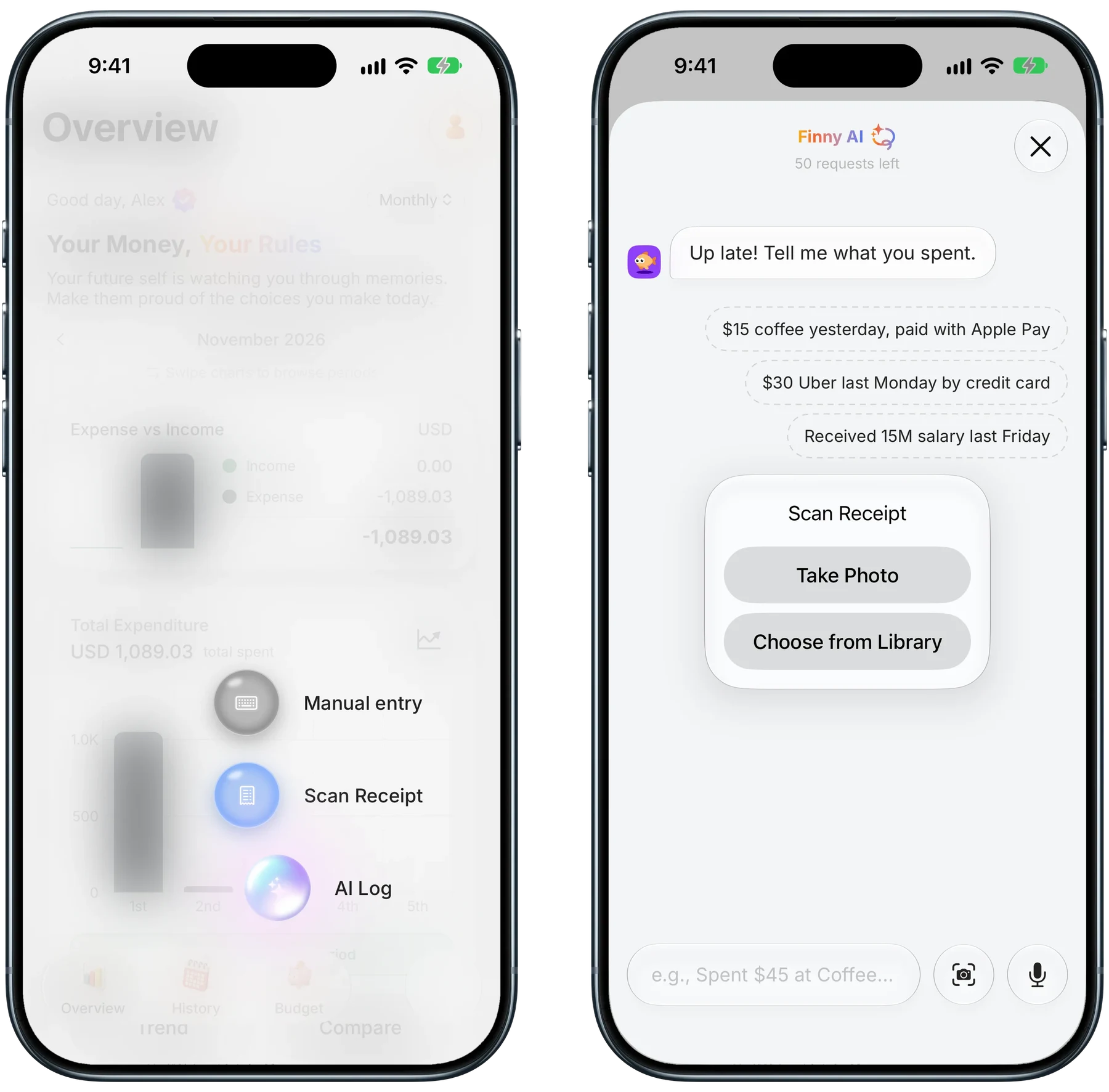
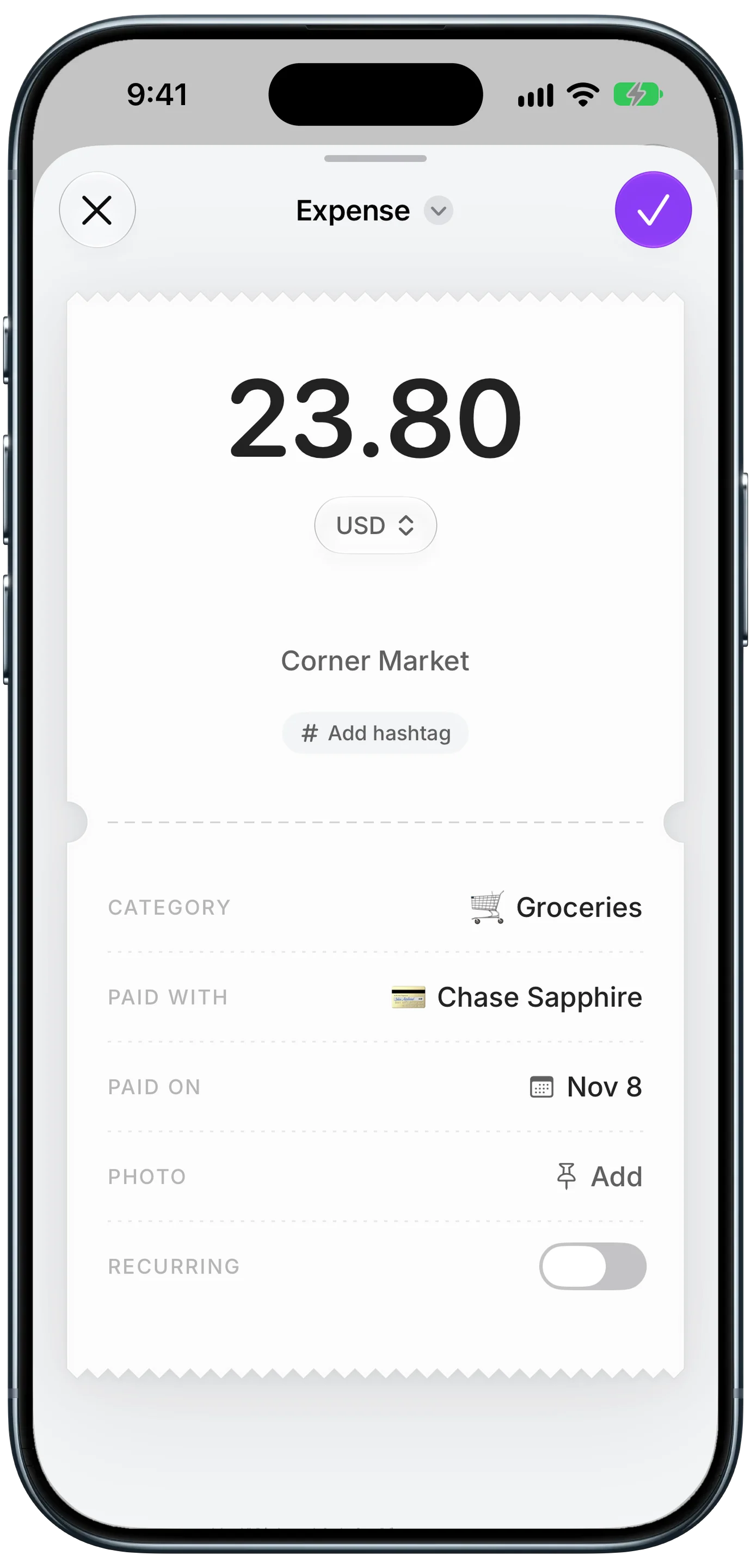
Finny app's Scan Receipt feature
The easiest way to never dig through two years of receipts again is to log each trip as it happens. In Finny, the add menu has a Scan Receipt option: take a photo of the receipt or choose one from your library, and AI reads it into an entry. Receipt scanning is part of Pro, which has a 3-day free trial.
Finny app's Scan Receipt feature
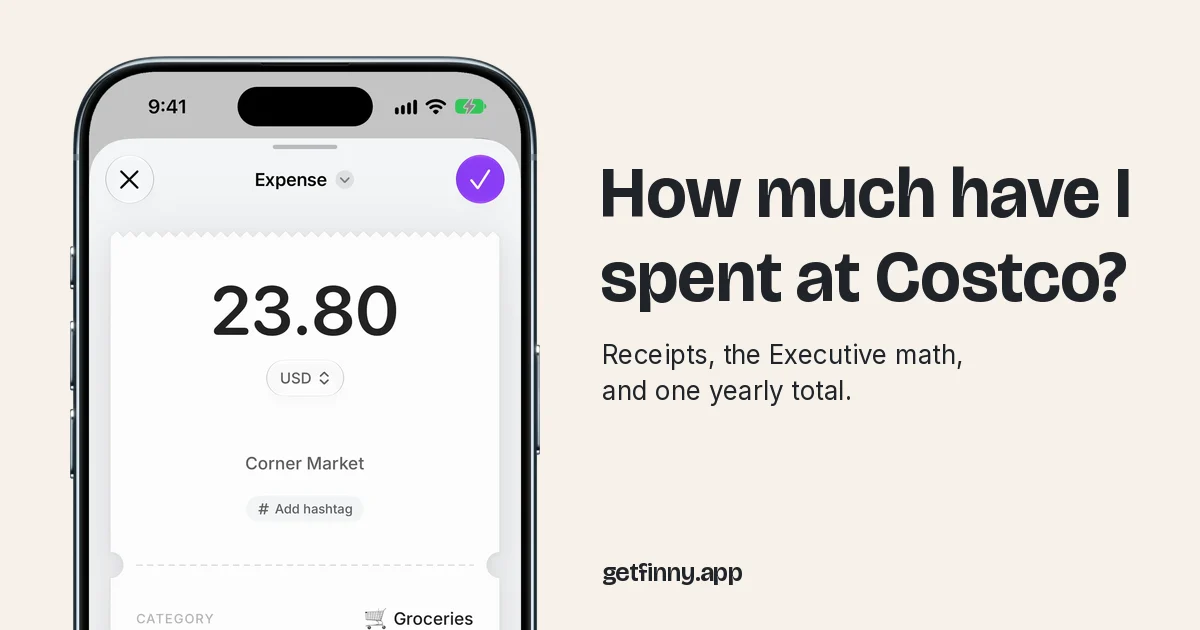
Here a corner store receipt became a $23.80 Groceries entry with the store, card and date filled in, and a long Costco receipt works the same way. If one trip includes a big non-food item, log it as its own entry so your grocery total stays honest. Later, searching "Costco" in History shows a receipt-style total for every trip, split by category and payment method, free on every plan.
If you pay by card, Finny can also log the payment as you make it:
No bank connection is needed on any plan, and CSV export is free, so when your renewal comes around you can pull a year of Costco entries into a spreadsheet and run the Executive math with real numbers.
Common Questions About Costco Spending
How far back can I see my Costco purchase history?
Online, up to two years. On costco.com, open Orders & Returns, choose the In-Warehouse tab under Orders & Purchases, and pick a six-month period from the Showing dropdown. Costco.com orders also go back two years. For older warehouse receipts, bring a photo ID, your membership number and the purchase date to the membership counter at your local warehouse, and staff can print a copy.
Can I download or export my Costco purchase history?
Not as a spreadsheet. Costco lets you view and print individual receipts on costco.com, and print invoices for online orders, but there is no export of your full history. To build a yearly total, copy each receipt total into a spreadsheet, or add up the Costco charges on your card statements, which also include gas and food court purchases.
Why are my Costco gas purchases missing from my receipts?
Costco says gas purchases appear in warehouse history only for purchases on or after September 30, 2024. Anything earlier will not show, and food court, optical and travel purchases are never included. Gas is also excluded from the Executive 2% reward. Your card statement is the most reliable record of Costco gas spending.
How much do I need to spend for Costco Executive to be worth it?
About $3,250 a year in qualifying pre-tax purchases, or roughly $271 a month. The upgrade costs $65 on top of the $65 Gold Star fee, and the 2% reward returns $65 at that spend. Gas, tobacco, food court and several other categories do not count, so check your real qualifying spending before upgrading.
Know your Costco number before your next renewal.
Download Finny to scan each Costco receipt into an entry, split it into real categories, and see your total for any search, with no bank connection.