How Much Have I Spent on Uber? Rides and Eats Totals
Uber is really two habits on one account. There are the rides: the airport run, the late night home, the morning you were running behind. And there is Uber Eats, which can quietly outpace the rides. Both usually hit the same card under the same name, so the total blurs.
This guide answers how much have I spent on Uber, with rides and Eats counted together and separately. It covers Uber trip history in the app and on riders.uber.com, Uber Eats orders, the "download your data" request and what it leaves out, business profiles, and whether Uber One pays for itself. Then it turns the number into a decision, including whether your rides cost as much as a car.
Rides, Eats, and Uber One: three numbers, one account
Uber does not show a lifetime or yearly spending figure. Its help article on receipts says your account "contains a history of all the trips you've taken and receipts," but the history is a list, not a sum.
Before you start adding, separate what you are actually counting:
- Rides. Fares change with demand, and tips are often added after the trip, so the final charge can differ from the price you saw when booking.
- Uber Eats. Restaurant, grocery, and convenience orders, each with its own fees, tax, and tip.
- Uber One. The membership bills as its own recurring charge, separate from any trip or order.
- Business rides. Trips on a business profile may be paid by your employer or reimbursed, so they do not belong in your personal budget.
- Uber Cash and credits. Rides paid with gift cards or Uber One credits never reach your card statement.
Most people want three figures in the end: personal rides, Eats, and the membership. Keep them in separate columns from the start.
Uber trip history and Uber Eats order history
Uber's help center describes the ride history path in the app like this, though labels can vary by app version and region:
- Open Activity from the app menu.
- Select a completed trip to see the route, pickup, and destination.
- Tap Receipt for the full price breakdown.
- Scroll to the bottom and choose Download PDF, or Resend email to get it in your inbox again.
On a computer, sign in at riders.uber.com and open My Trips.
Uber Eats orders live in their own list. Uber's reorder help article says to tap the receipt icon at the bottom of the Uber Eats app to see your past orders. Each order opens to a receipt with food, fees, tax, and tip itemized.
Build one sheet with a tab for each. For rides, log the date, fare, tip, and whether the trip was personal or business. Short trips you could have walked and airport fares usually stand out. For Eats, split food subtotals from fees, tax, and tips. That gap is what convenience costs, and it competes with your grocery budget, not your commute. If delivery is your bigger habit, our guide on how much you have spent on DoorDash goes deeper on fees.
Download your Uber data, and what it leaves out
Uber's Privacy Center, in the account or settings area of the Uber and Uber Eats apps, includes a Download Your Data tool. It is the most complete copy of your history, but check what is in it before relying on it for dollars.
According to Uber's help page on what's in your data download:
- Eats Order Details lists items ordered, prices, customizations, and order times, so Eats is fairly easy to total.
- Trips Data Summary, for riders, is described as the times and locations each trip was requested, started, and ended, plus distance traveled. Uber's description does not mention fares, so you may get trip counts and miles rather than dollars.
- Pricing calculations and promotions are excluded for proprietary reasons, as are Eats delivery fee calculations and discount details.
So the export is excellent for counting rides and miles, which matter for the car comparison below. For ride dollars, use receipts or your card statement: search your card app for "Uber" across 12 months. The statement shows what you actually paid, tips and membership included, though splitting rides from Eats may take the receipts.
Business rides: profiles, travel reports, and reimbursements
Keep work trips out of your personal number. Uber's business profiles page describes separate business and personal profiles so each trip charges the right payment method, plus weekly or monthly travel reports and automatic receipt uploads to expense providers such as Concur, Expensify, Certify, Chrome River, and Coupa.
Three habits keep this clean:
- Toggle the profile before you book. A work trip on your personal profile lands on your personal card.
- Turn on travel reports. A monthly report doubles as a running total of work rides.
- Track what is still owed to you. A ride you paid for is money out of your pocket until the reimbursement arrives. Our guide to tracking reimbursable work expenses covers how to mark these so nothing slips.
Subtract reimbursed rides from your personal Uber total. If you are self-employed and the rides are deductible, keep them in their own category: that figure matters at tax time and is not a lifestyle cost to cut.
Is Uber One worth it? Rides and Eats break-even
Uber One costs $9.99 a month or $96 a year in the US, per the Uber One membership page. Uber's US Uber One page lists $0 Delivery Fee and up to 10% off eligible orders over the minimum subtotal, plus 5% back on rides as Uber One credits, which expire after 60 days.
Run the two sides separately:
- Rides only. At 5% back, you need about $200 a month in eligible rides to earn $10 in credits, roughly the monthly fee. Credits are not cash: they only help if you ride again within 60 days.
- Eats only. Pull your last few Eats receipts and add up the delivery fees you paid on orders that would have qualified. If that beats $9.99 a month, the membership pays off on delivery alone.
- Both. Add the two estimates. Uber One usually wins for people who use rides and Eats every week.
The caveat: a membership makes the next order feel free. If your Eats count climbed after joining, the savings may be smaller than the spending they invited.
What to do with your Uber number: commute or car?
Annualize your personal ride total, then compare it with the alternatives. AAA's 2026 Your Driving Costs study puts the average cost of owning and operating a new vehicle at $12,863 a year, about $1,072 a month, in its September 2026 release. Our breakdown of the true cost of owning a car in 2026 walks through what is inside that figure.
Now a hypothetical: two $25 rides a day, 21 workdays a month, is $1,050 a month, nearly the same as the AAA average for a new car, without counting weekend trips. Two rides a week is about $200 a month, far below a car payment plus insurance. The answer depends on your count, which is why the trip export's ride counts and miles are useful here. Transit passes, a bike, or car sharing for occasional trips belong in the comparison too.
If rides win, keep them and stop feeling guilty. If they lose, a car or a monthly transit pass may be the cheaper way to cover the same trips.
Track Uber spending by card
Most riders put Uber on the same one or two cards every time, often a rewards card that earns extra on rides or dining. That makes the per-card view a quick way to watch the habit without opening Uber, and a useful check that the card you think earns the most is actually the one getting charged.
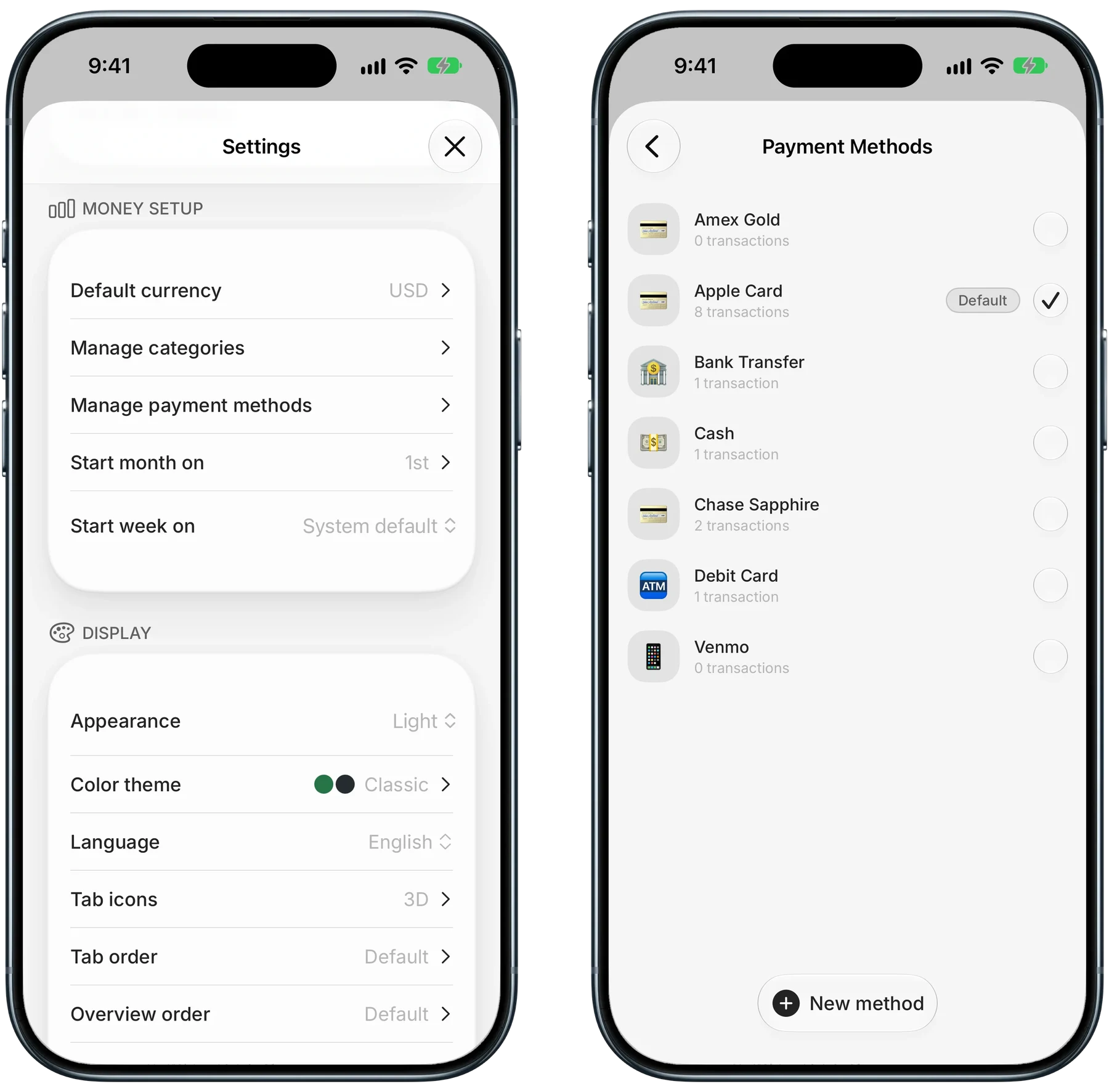
Finny app's payment methods feature
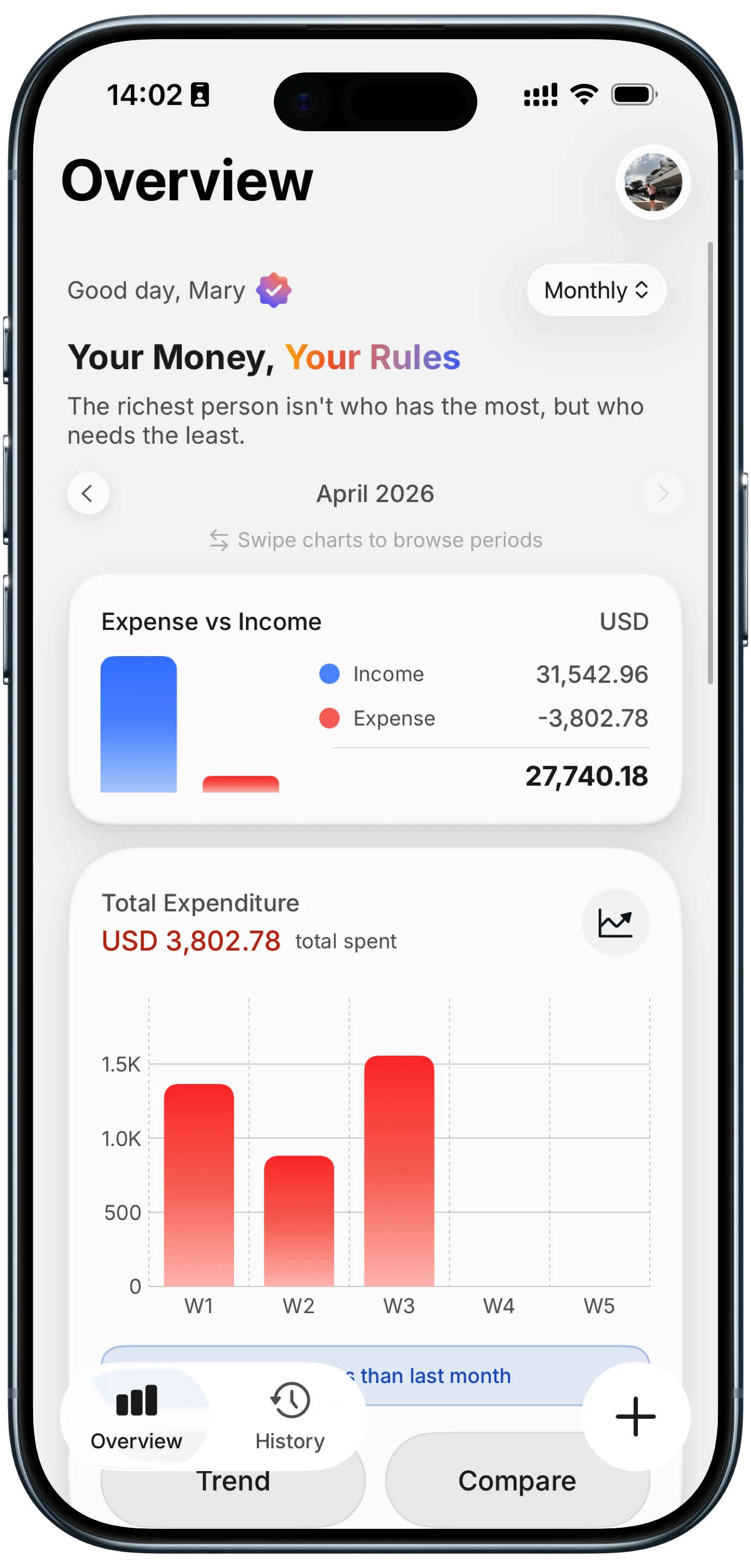
In Finny, you add each card under Manage payment methods in Settings: the Amex, the Apple Card, the debit card, even cash, Venmo, or a bank transfer. Once your entries carry a payment method, Overview shows spending per method as a wallet, so if one card is quietly absorbing every ride and every late dinner, you see it at a glance. Our guide on seeing spending by credit card explains why that split matters for rewards and budgets. One tip: give reimbursed work rides their own category so they stay out of your personal total.
Log Uber spending as it happens
The easiest yearly total is one you never have to rebuild. Log each ride or order when it happens, ideally before you even get out of the car, and the number is always current.
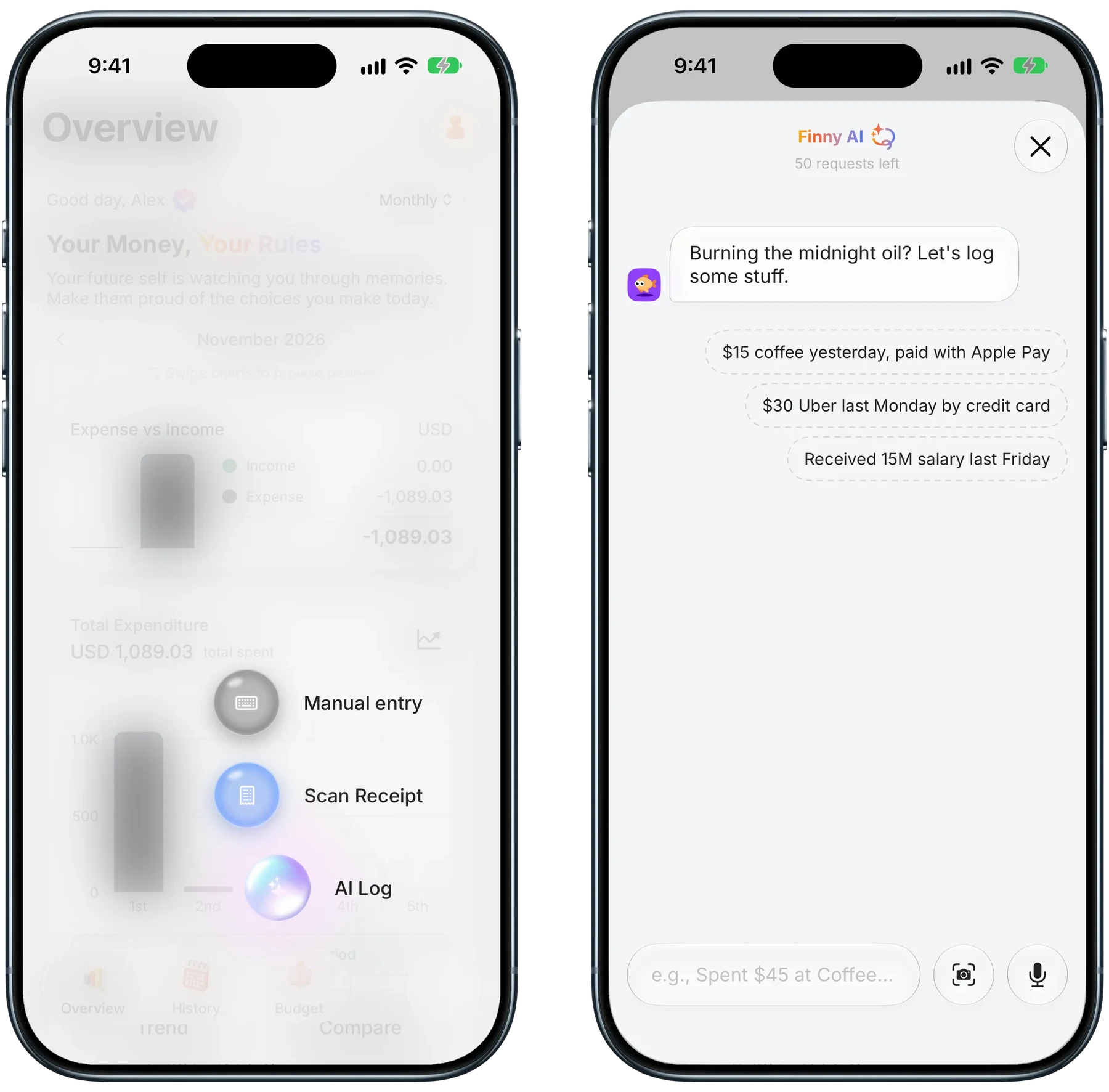
Finny app's AI Log feature
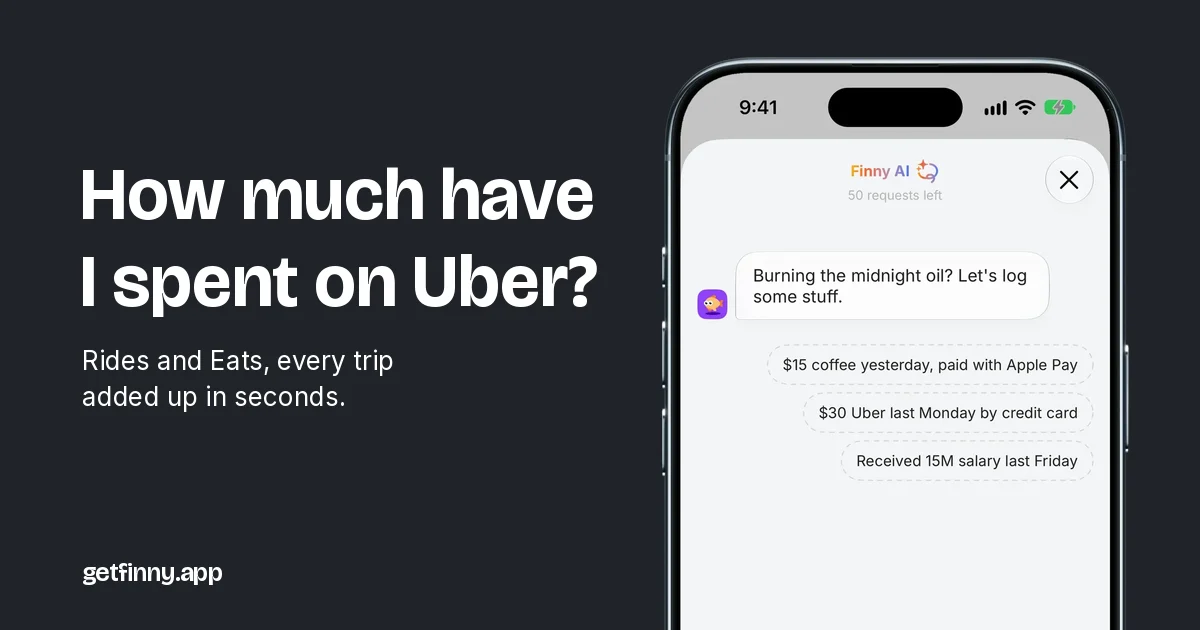
With Finny Pro, type a sentence like "$30 Uber last Monday by credit card" into AI Log and it becomes an entry with the amount, date, and card filled in for you to confirm. Pro includes a 3-day free trial. Searching History for "Uber" then shows a receipt-style total in your home currency, split by category and payment method, so rides under Transportation and Eats under Dining Out stay separate. Search totals are free.
You can also log a ride straight from the receipt on your screen:
Log the final charge after the tip, not the fare quoted at booking. Surge pricing and a tip added later both move the number, and logging the quote makes your Uber total drift below your card statement.
Common Questions About Uber Spending
How do I see all my Uber trips at once?
Open Activity in the Uber app, or sign in at riders.uber.com and open My Trips to scroll your Uber trip history on a larger screen. For one complete file, use Download Your Data in Uber's Privacy Center. Uber says the rider file lists trip times, locations, and distance, so use receipts or your card statement for dollar amounts.
Does Uber trip history include Uber Eats orders?
Treat them as separate lists. Uber Eats order history sits behind the Orders (receipt) icon in the Uber Eats app, while ride receipts sit under Activity in the Uber app, though some app versions may show both. In Uber's data download, Eats orders come in their own folder with item prices, separate from the rider trip summary.
Can I download my Uber data to see what I spent?
Partly. Uber's Download Your Data tool includes Eats order details with prices, which makes Eats easy to total. The rider trip summary is described as times, locations, and distance, and Uber excludes pricing calculations and promotional discounts. For ride dollars, add up receipts from Activity or riders.uber.com, or search your card statement for "Uber."
Is Uber One worth it if I only take rides?
Usually only for frequent riders. Uber One costs $9.99 a month or $96 a year and pays 5% back on eligible rides as credits that expire after 60 days. You need about $200 a month in rides to earn back the monthly fee, and only if you ride again before the credits lapse. Members who also order Uber Eats get more value.
Want your Uber total without digging through receipts?
Download Finny to log every ride and order in seconds and see your Uber total with one search, with no bank connection required.