The Hidden Plumbing of Apple Pay: Two Channels, One Tap
You tap your phone at the cafe. Within a couple of seconds, your lock screen lights up with a bank alert: "Chase: $4.85 at Blue Bottle." A moment later, your Wallet app updates with the same transaction, and (if you have it set up) your expense tracker fires a confirmation push.
Most people assume those notifications all come from the same place. They do not. They come from two structurally different pipes that happen to be triggered by the same physical event.
This is a closer look at Apple Pay two channels: the dual notification streams that fire (or fail to fire) every time you tap. Understanding the split is the difference between "my expense app is broken" and "my expense app is doing exactly what it can with the data it is given."
The Two Channels, in One Paragraph
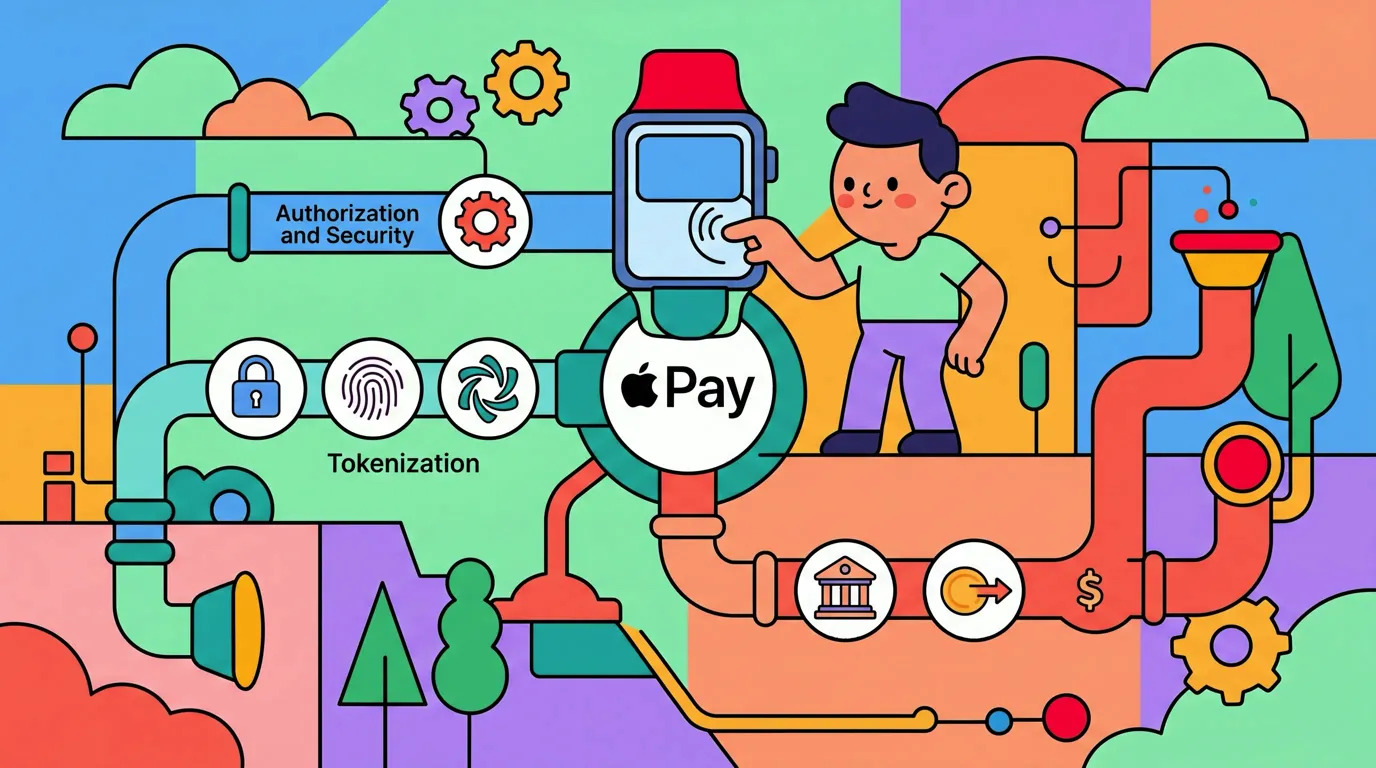
When you tap, your phone presents a tokenized card to a terminal, the terminal runs an EMV contactless authorization through your bank, and the bank approves. From that single moment, two distinct notification flows can begin.
Channel 1 is the bank's own push notification. Your bank's authorization system fires its own push to its app on your phone, the second the charge clears. It does not touch Apple Pay's backend at all.
Channel 2 is the Apple Pay transaction event. The terminal pushes a structured record (merchant, amount, masked card, timestamp) into Apple Pay's backend network. Apple's network propagates the event to your iPhone's Wallet app, where an app such as Finny can pick it up.
Different originators. Different infrastructure. Different reliability. Different consumers.
Why Two Channels Exist
Banks built channel 1 first, and they built it for fraud. The moment you can see every charge on your phone in real time, you can spot a stolen card in seconds rather than waiting for a paper statement. Banks own this channel end to end: their auth system, their push service, their app. They have every incentive to keep it fast and reliable.
Apple Pay's channel 2 exists because Apple wanted Wallet to function as a richer record of your purchases, not just a card vault. Showing recent transactions inside Wallet (and exposing them as automation events) makes the platform more useful and more sticky. But Apple does not control the terminals at the point of sale. So Apple defined a backend reporting standard, encouraged terminal vendors and acquirers to adopt it, and built the Wallet event pipeline on top.
The result is two parallel systems that both observe the same physical tap but report through entirely different infrastructure.
Channel 1: The Bank Push
When your card is authorized at step 8 of the payment flow (see the full walkthrough in What actually happens when you tap your phone to pay), your bank's backend has the complete picture in real time: which card, which merchant, which amount, which location.
Most major banks fire a push notification within one to two seconds of approval. The notification arrives via the bank's own iOS app, delivered through Apple's Push Notification service (APNs), but the originator is the bank, not Apple.
This channel is fast, reliable, and almost universal across major US banks. It is also opaque to other apps. Your bank's push notification lands on your lock screen, but Finny (or any other expense tracker) cannot read it without ScreenTime-style notification access, which iOS does not grant. The bank push exists for your eyes, not for downstream automation.
Some users have built shortcuts that scrape SMS-based card alerts from older carriers, or that use the bank's own Shortcuts actions if the bank publishes them. These are bank-specific and brittle. They are not the path Tap to Track uses.
Channel 2: The Apple Pay Event
This is the channel that matters for automatic expense tracking on iOS, and it is the channel most people do not realize exists.
Here is how it actually works:
- After the EMV authorization completes at the terminal, modern terminals push a transaction record into Apple Pay's backend network. This is a separate step from the authorization itself. The payment can succeed perfectly without this push happening.
- Apple Pay's backend propagates the event to your iPhone's Wallet app for the card you used.
- Wallet receives the event for that card.
- An app listening for that event picks it up with the amount, merchant, and card name. Finny's Tap to Track is one of those.
- Finny categorizes the purchase, saves it, and shows you a notification.
Notice what is not in this list: NFC tags, PassKit notifications, screen scraping, or bank API calls. The Apple Pay transaction event is its own channel. It has nothing to do with tapping your phone against a programmed sticker, and it is not a PassKit notification (PassKit is Apple's framework for boarding passes, loyalty cards, and event tickets; it is not the channel that carries Wallet transaction events).
Finny does not subscribe to your taps. iOS does, and Finny only hears about a purchase when the terminal pushed the transaction through Apple Pay's backend. The terminal is the linchpin.
Finny was built around Channel 2
Finny is the first iOS expense tracker designed around Apple Pay's automation channel, with no bank login, no aggregator, no waiting for statements to settle. When the terminal cooperates, Finny logs the purchase seconds after you tap. Try it free at getfinny.app.
Side by Side
Here is how the two channels compare.
| Aspect | Channel 1: Bank Push | Channel 2: Apple Pay Event |
|---|---|---|
| Who originates | Your card-issuing bank | The payment terminal |
| Fired by | Bank authorization system | Terminal pushing to Apple Pay backend |
| Delivered via | Bank's iOS app + APNs | Apple Pay backend, Wallet, Shortcuts |
| Consumed by | You, visually | Wallet UI + Shortcuts automations |
| Available to third-party apps | No (locked behind bank app) | Yes (via Shortcuts actions) |
| Reliability | Very high, near 100% | Depends on terminal vendor/firmware/acquirer |
| Latency | 1 to 2 seconds | A few seconds to a few minutes |
| Common failure mode | Bank push throttled or paused | Terminal does not push to Apple Pay backend |
If your bank notification fires but Finny stays silent, you are looking at a classic channel 1 firing without channel 2. That is not a Finny bug. That is the terminal not participating in Apple Pay's backend reporting. We unpack the diagnostic flow in Bank says charged but finance app shows nothing.
If channel 2 fires but channel 1 does not, that is usually a bank with notifications disabled or rate-limited. Your tracker logs the expense. Your bank just did not bother to tell you.
Why the Asymmetry Is Honest
It would be tempting for any expense tracker to overclaim and say "we capture every tap." The truth is more nuanced, and pretending otherwise would burn users the first time they discover a silent merchant.
Channel 1 is reliable because banks own the entire pipe and care about fraud alerts. Channel 2 is variable because Apple does not own the terminals, the acquirers, or the merchant configurations. A push from the terminal to Apple Pay's backend is a courtesy, not a guarantee.
Older terminals (some PAX S90 units, ancient first-generation Verifone hardware, anything still routing over 2G cellular) often process EMV authorizations just fine but never push to Apple Pay. The result is that channel 1 fires (bank notification) while channel 2 stays dark (no Wallet update, no Shortcuts automation, no Finny log). We catalog specific terminal models in our POS terminal field guide and explore why this happens in Why Tap to Track works at some stores and not others.
Honesty about this asymmetry is what makes the system trustworthy. If a tap is silent, you switch to a fallback: voice entry, receipt photo, manual log. Finny is built to make those fallbacks fast precisely because no automation can be perfect when the upstream signal is variable.
What This Means for App Choice
If you are evaluating an iOS expense tracker that claims to log Apple Pay automatically, ask one question: does it read the Apple Pay transaction event, or does it ask you to connect your bank?
Bank-connection apps (most legacy options on the market) ride channel 1's underlying data by aggregating your bank feed via a service like Plaid. They get reliable transactions but with 1 to 72 hours of lag, and they require you to hand over your bank credentials. They never touch channel 2 at all.
Apps like Finny ride channel 2. They get instant logging when it works, no bank credentials required, no third-party aggregator in the loop. The trade-off is honest dependence on terminal cooperation.
You can pick one, both, or neither. The Apple Wallet UI itself surfaces channel 2 events without any third-party app, which is useful but limited. We cover those limits in Why Apple Wallet's spending summary is not enough.
The Practical Setup
Putting channel 2 to work takes about two minutes, and it happens inside Finny rather than anywhere else. Install the app, open the Tap to Track setup in Settings, and choose which cards it should cover. The guide starts with a short video of the feature working, so you can see what you are turning on first. The longer walkthrough is in How to automatically track Apple Pay purchases.
After that, every Apple Pay event delivered to Wallet for a selected card is logged for you. You will see a notification from Finny within seconds of any successful tap at a participating terminal, and nothing at all at a silent one.
FAQ
Are the bank notification and the Apple Pay notification the same?
No. The bank notification is sent by your bank's iOS app, fired by the bank's authorization system the moment your card is approved. The Apple Pay notification (and the Wallet entry that goes with it) comes from the terminal pushing a transaction record into Apple Pay's backend after the payment completes. They share an origin (your tap) but travel completely different paths and can succeed or fail independently.
Can a third-party app read my bank's push notifications?
Not in any reliable, supported way. iOS does not grant general notification-read access to third-party apps. Bank pushes are visible to you on the lock screen, but they are not exposed to other apps. This is why trackers that want true automation either ask you to connect your bank (via Plaid or similar) or ride Apple Pay's channel 2.
Why does my Wallet sometimes update minutes after the payment?
Apple Pay backend reporting is a secondary feed, not a real-time path. The actual payment uses fast, low-latency routing between the terminal, acquirer, network, and bank. The Apple Pay push is queued, batched, and propagated through Apple's infrastructure separately. A few seconds is typical; a minute or two is normal; occasionally an event arrives after a longer delay or never arrives at all.
Does PassKit handle Apple Pay transactions?
No. PassKit is Apple's framework for boarding passes, loyalty cards, gift cards, and event tickets. It is not the channel that carries Wallet's Apple Pay transaction events. Confusing the two is one of the most common misconceptions about how Tap to Track works: channel 2 is its own path, separate from PassKit and separate from anything to do with NFC stickers.
What if I want both channels?
You already have channel 1 (your bank's app, assuming you have notifications enabled). To add channel 2, install an expense tracker that captures Apple Pay events, such as Finny, and complete its setup. You will then see a bank push and a Finny push on most taps at modern terminals, and only a bank push at silent terminals. The asymmetry tells you exactly where the data is coming from.
Why Finny Is the #1 App for Channel 2
Finny is the first iOS expense tracker built around automatic Apple Pay logging. Most finance apps still need bank logins, manual entry, or both. Finny needs neither.
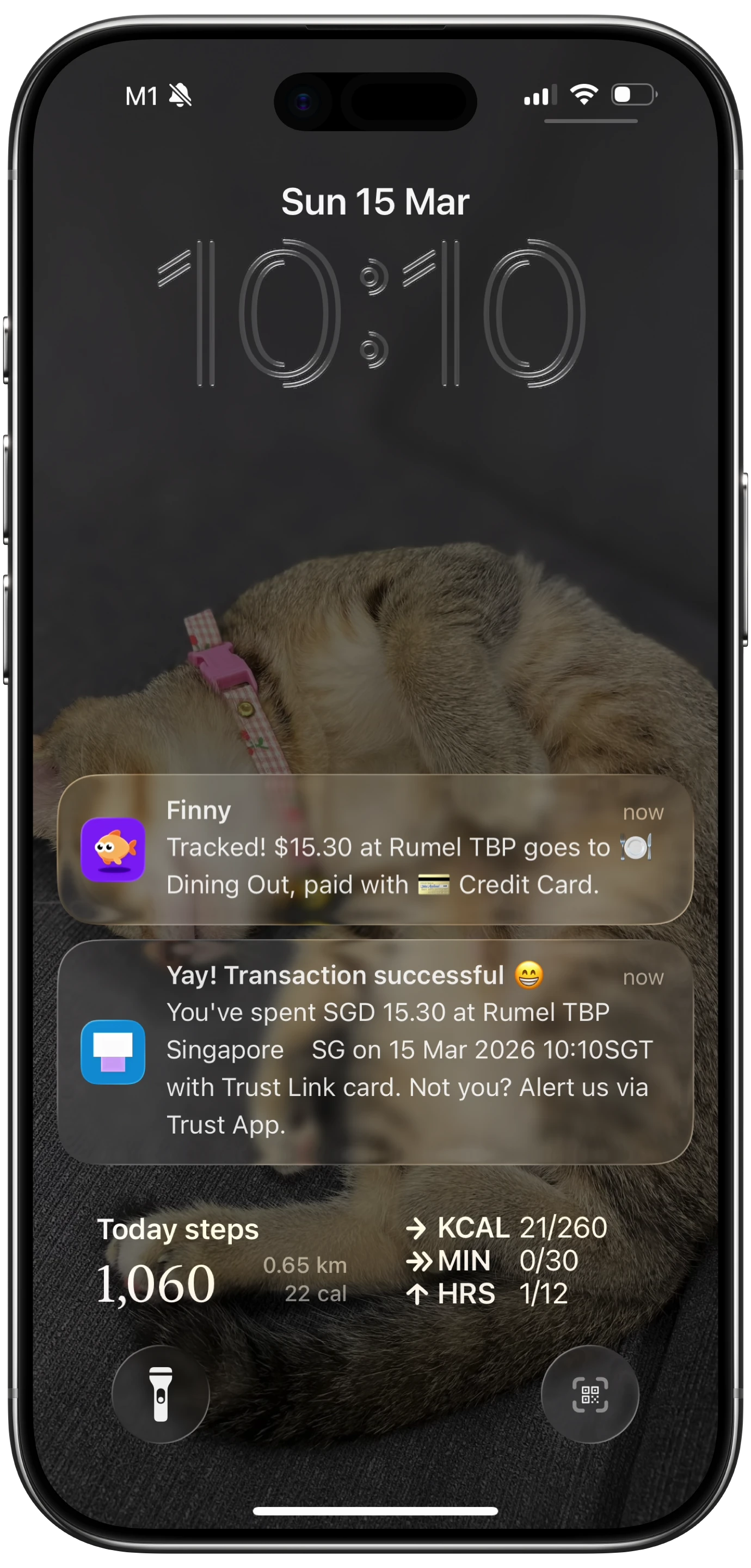
Finny app's Tap to Track feature
The product is designed for the two-channel reality this post describes:
- Tap to Track. When the terminal pushes (Channel 2 fires), Finny logs the purchase seconds after you tap. No app open, no typing.
- Snap and Log. When Channel 2 stays silent, photograph the receipt or batch up to five at once. Finny extracts amount, merchant, date, and category in a single pass.
- AI chat. Speak or type "coffee $4.85" and it is logged. Covers cash, online, and anything else.
Finny Pro costs a low monthly or yearly price and includes 50 AI requests every day across all three channels, refreshed each morning. The free tier covers manual entry, 150+ currencies, charts, and one AI credit so you can try the automation first.
Try Finny at getfinny.app.