iOS 27 Expense Tracker: Payment Alerts That Log Themselves
Your phone already knows what you spent today. Your bank pinged you when the coffee cleared, your card app buzzed when the online order went through, and a payment app told you when a friend paid you back for dinner. Every one of those alerts has the amount, and most have the merchant. Then they disappear into Notification Center, and your budget never hears about any of it.
An iOS 27 expense tracker can close that gap. With Finny's Notification Log, the payment notifications you already get from the apps you pick become expense or income entries on their own, without opening Finny and without connecting a bank. This guide covers what it does, who it suits, what it catches that card-tap capture misses, where its limits are, and how it handles privacy. If you are still deciding whether to link a bank at all, our guide to tracking expenses without linking your bank covers the bigger trade-off.
What Notification Log does
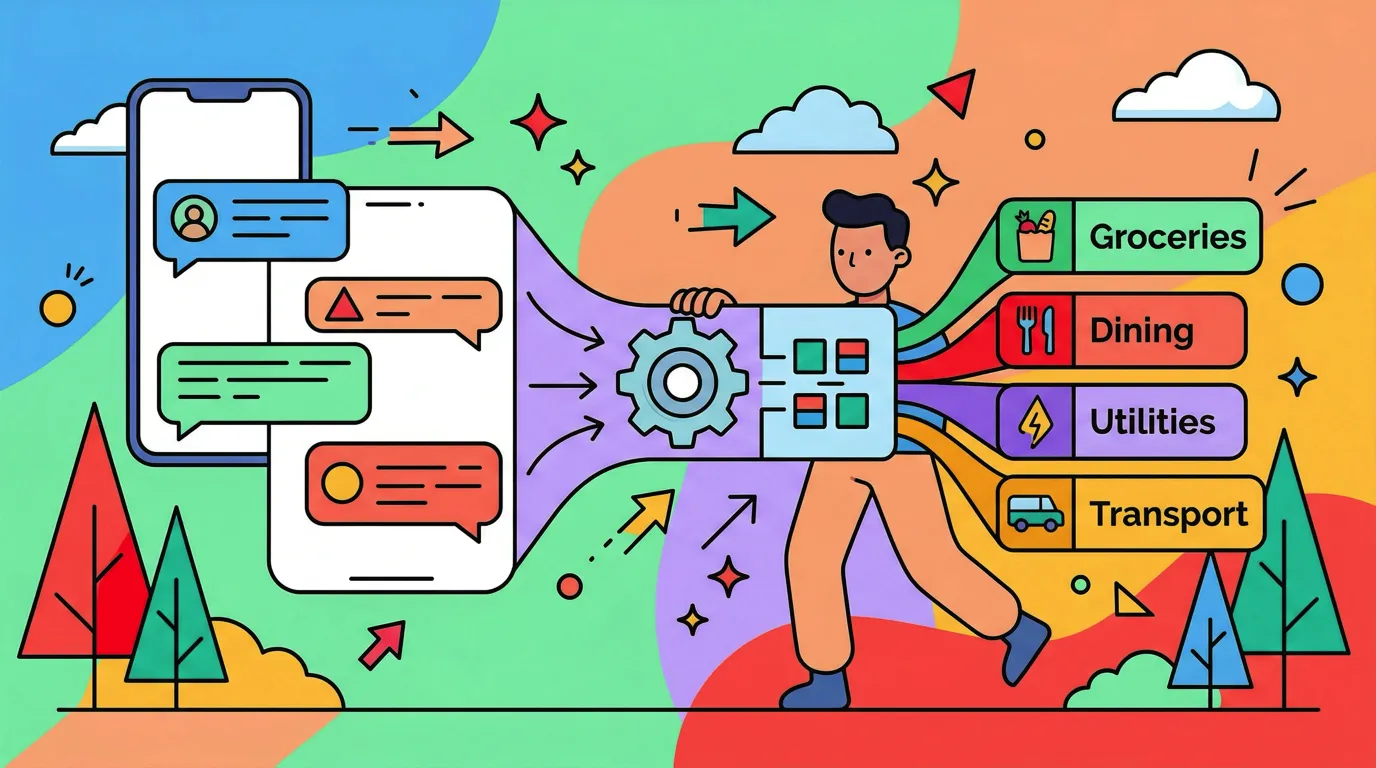
Notification Log turns a payment alert into a logged entry. When one of the apps you picked sends a notification that a payment happened, Finny reads it and files the entry for you: the amount, the currency, the merchant or person, a category, and a payment method. A short confirmation shows you what was logged, for example:
Got it! USD 12.40 at Blue Bottle, filed under Coffee & Drinks via Chase Sapphire
It works in both directions. A "you paid" alert from your bank becomes an expense. A "you've received" alert becomes income. The amount and currency come straight from the notification, so a charge in euros on a trip is logged in euros, and your totals still add up in your home currency.
Finny guesses the category and payment method from each notification. When an alert doesn't name a card, Finny uses your default payment method. If you want a specific app to always land on the same card or category, you can set a category and a card per app. That is the reliable way to get the right card every time, since many alerts mention the bank but not which of your cards was used.
Notification Log needs iOS 27 and Finny Pro. You set it up from the guide in Finny's Settings, and you choose exactly which apps it listens to.
What it catches that card-tap capture misses
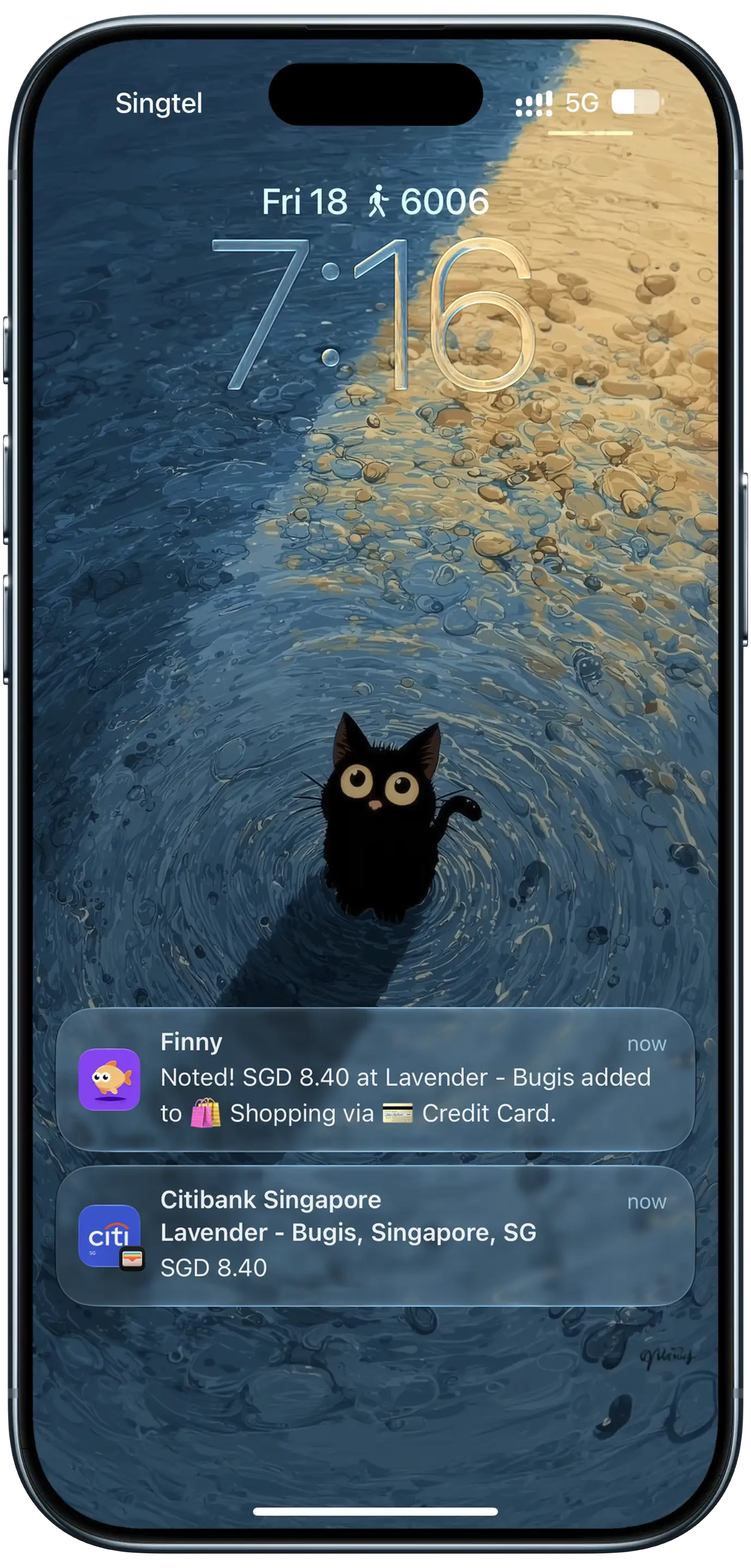
Finny app's Tap to Track feature
Finny already had a way to log card spending as it happens: Tap to Track, which logs Apple Pay card payments as you make them, with no bank connection. The screenshot above shows that kind of confirmation sitting on the lock screen. Tap to Track is great at the register. The trouble is that a lot of money never touches an Apple Pay tap.
Notification Log fills the spaces between taps:
- Online purchases. Checkouts where you typed a card number or used a saved card on a website. If your card issuer sends an alert, that alert can become the entry. Our guide to tracking online purchases on iPhone compares the ways to catch them.
- Bank transfers and person-to-person payments. Rent sent by transfer, a payment to a friend, a bill paid from the bank app. If the bank or payment app notifies you, it can be logged.
- Payment apps. Apps like Venmo send a push notification when money moves. If you pick the app, those payments can show up in Finny. See logging Venmo, Cash App and PayPal payments for each app's settings.
- Transit and fares. If your transit or fare app sends a notice when you pay or top up, that notice can be logged too.
- Income. Paychecks, refunds, and money friends send you. Card-tap capture only sees spending. Notification Log sees "you've received" just as well as "you paid."
- Cards that aren't in Apple Wallet. A card you only use by inserting it or typing its number never produces an Apple Pay tap. If its issuer sends an alert, Notification Log can still log it.
If you have ever looked at your budget at the end of the month and found it short by every transfer and online order you made, this is the piece that was missing. For transfers specifically, our guide to tracking Venmo and Zelle payments in your budget covers the habits that keep person-to-person money from vanishing.
Who it's for
Notification Log suits people who already get a steady stream of payment alerts and want them to count for something. A few patterns where it fits especially well:
- You turned on "every transaction" alerts with your card issuer. Each charge already pings you within seconds. Now each ping can also become an entry. Our guide to turning bank alerts into an expense tracker shows where those settings live at four big US banks.
- You pay a lot of people. Roommates, babysitters, a weekly game night pot. Person-to-person payments are the category most trackers lose.
- You get paid in more than one place. Freelance income through a payment app, a paycheck by direct deposit, a refund to a card. If each one sends a "you've received" alert, it lands as income. Freelancers and sellers can go further with tracking side hustle income from payouts.
- You shop online more than in stores. If most of your spending happens in a browser, card-tap capture will only ever see a fraction of it.
- You don't want a bank connection. No bank login, no data aggregator, no broken connection to fix every few months. Here's how automatic expense tracking without your bank compares with bank-sync apps.
It is less useful if your bank sends no alerts, or if you mostly pay cash. In those cases, quick manual entry and the receipt scanner do more of the work. If your card stays quiet, see our guide to tracking a credit card that doesn't send notifications.
Here's Notification Log turning a payment notification into an entry:
The limits, stated plainly
Notification Log is useful, and it has edges worth knowing before you rely on it.
It needs iOS 27 and Finny Pro. It is not available on iOS 26 or earlier. iOS 27 runs on iPhone 11 and later, plus the second-generation iPhone SE and later, so most phones from the last several years qualify. If you're on an older iPhone, our guide to iOS 27 money features on older iPhones covers what you get. Still on the fence? Our take on whether iOS 27 is worth updating to for expense tracking can help you decide.
It works best with apps that mostly send payment alerts. A bank or card app that only notifies you about transactions is ideal. An app that also sends promotions, social updates, or offers is a weaker fit. If you pick one of those, turn off its non-payment notification types in that app's own settings where you can.
Pick one capture per bank if your bank alerts on every Apple Pay tap. Some banks send a push alert for every tap. If you use Tap to Track and also pick that bank for Notification Log, the same coffee would be logged twice. Choose one or the other for that bank.
Transfers between your own accounts can log twice. Moving money from checking to savings often produces two alerts, one for each side. Both can become entries. That includes the payday and month-end savings moves that our list of iPhone money automations reminds you to make. Delete the extra, or leave those apps out if you move money between your own accounts often.
Some alerts don't say who was paid. A notification like "A payment of $42.00 was made from your account" has an amount but no merchant. The entry still gets logged, but its name can look odd. A quick rename fixes it.
None of this touches your past entries. Notification Log only adds new entries as new alerts arrive.
Privacy: what Finny reads and what it keeps
Payment notifications are personal, so the rules here are simple:
- Finny only reads notifications from the apps you pick. Your messages, email, and every other app are left alone.
- Finny doesn't keep the notification. It takes what it needs to log the entry and does not store the alert itself.
- No bank connection and no bank login. Finny never asks for your banking credentials and never connects to your bank through a data aggregator.
Compare that with a bank-sync budgeting app, which needs ongoing access to your accounts through a third party and sees your full transaction history. Notification Log works from alerts your phone already received. Our deep dive on whether it's safe to let an app read payment notifications compares the two side by side. For a wider look at apps that skip the bank login entirely, see our roundup of the best expense trackers with no bank login.
How it fits with Finny's other ways to log
Finny app's expense entry feature
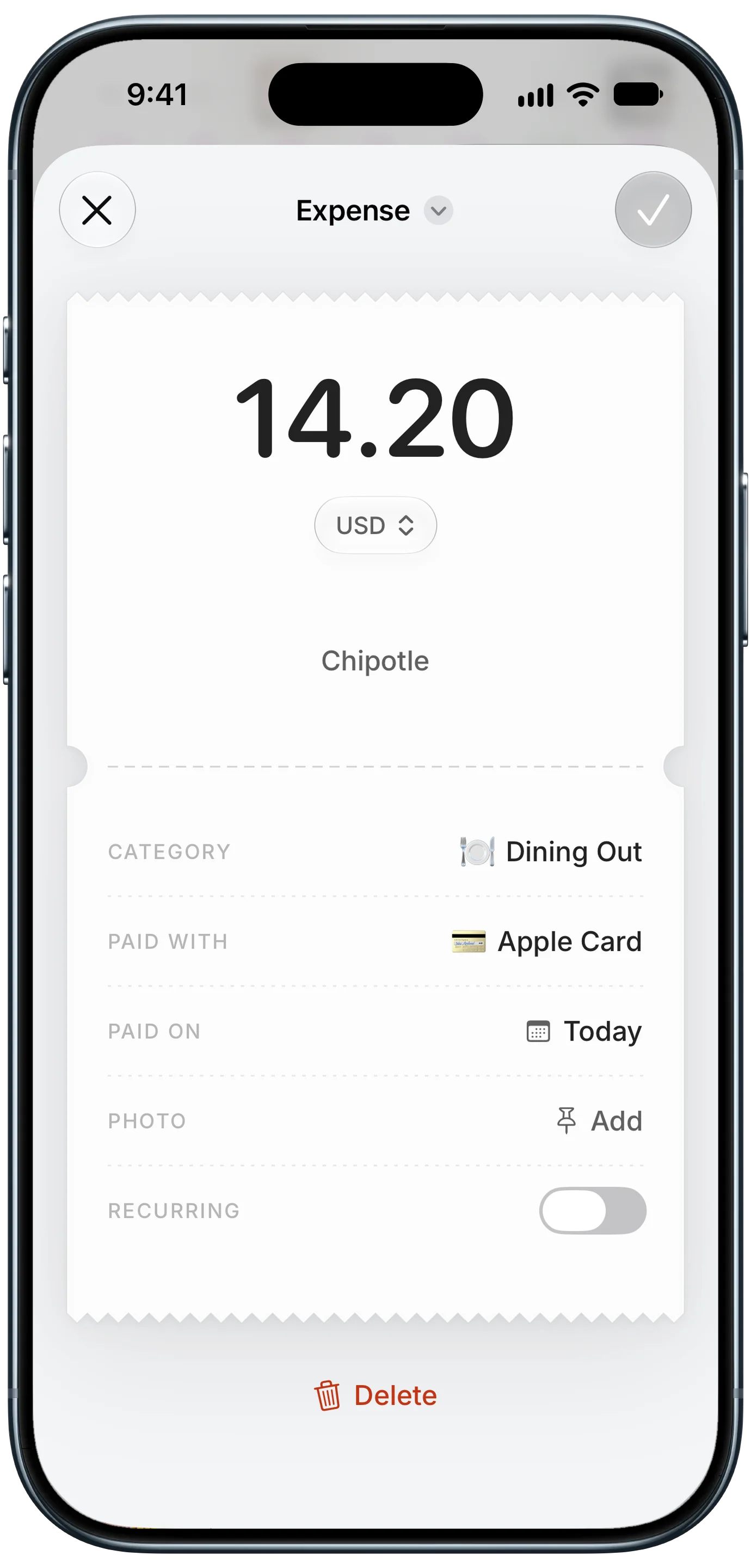
Every entry Notification Log creates is a normal Finny entry. You can open it, change the category, switch the card, add a note, or delete it, the same as anything you typed yourself. It shows up in your history, your charts, and your budgets right away.
Notification Log is one of several ways to get spending into Finny, and they cover different gaps:
| Way to log | Best for |
|---|---|
| Notification Log | Bank and card alerts, transfers, payment apps, income |
| Tap to Track | Apple Pay card payments as you make them |
| Screen Log | A payment showing on your screen, like an order confirmation |
| Snap and Log | Paper receipts, several at once |
| Quick Log, chat, and voice | Cash and anything else, typed or spoken |
Most people end up using two or three. A common setup: Tap to Track for in-store Apple Pay, Notification Log for the banks and payment apps that don't overlap with it, and quick manual entry for cash. If you're weighing the first two against each other, our comparison of Tap to Track vs Notification Log goes situation by situation.
The bottom line
On iOS 27, the payment alerts you already get don't have to be dead ends. Notification Log turns them into entries, expenses and income alike, with the amount and currency from the alert and a category and card filled in. It catches the money that card-tap capture misses: online orders, transfers, payment apps, and income. It needs iOS 27 and Pro, works best with apps that mostly send payment alerts, and asks you to pick one capture per bank where both would log the same tap. It never needs your bank login, and it doesn't keep the notification.
Common Questions About Logging Payment Notifications
Can my iPhone automatically log expenses from bank notifications?
Yes, on iOS 27 with an app built for it. Finny's Notification Log turns payment alerts from the apps you pick into expense or income entries without you opening Finny. It needs iOS 27 and Finny Pro. You set it up from the guide in Finny's Settings and choose which bank, card, and payment apps it listens to. Each entry uses the amount and currency from the alert.
Do I need to link my bank account for this to work?
No. Notification Log works from the notifications your bank or payment app already sends to your phone. Finny never asks for your bank login and never connects to your bank through a data aggregator. The trade-off is that it can only log what your apps notify you about, so turn on transaction alerts in your bank or card app for the best coverage.
Does Notification Log work on iOS 26?
No. Notification Log needs iOS 27, which runs on iPhone 11 and later and the second-generation iPhone SE and later. On iOS 26 or earlier you can still use Finny's other ways to log, including Tap to Track for Apple Pay card payments, Screen Log for payments on your screen, receipt scanning, and quick manual entry.
Will a payment get logged twice if I also use Tap to Track?
It can, if your bank sends a notification for every Apple Pay tap and you've picked that bank for Notification Log. Both would log the same purchase. The fix is to use one or the other per bank: Tap to Track for that card's Apple Pay taps, or Notification Log for that bank's alerts. Transfers between your own accounts can also log twice, one alert per side.
Is it safe to let an app read my payment notifications?
Finny only reads notifications from the apps you pick, and it doesn't keep the notification after logging the entry. No bank login is involved, and your other apps and messages are never read. That is a narrower kind of access than a bank-sync app, which holds an ongoing connection to your accounts through a third party.
Ready to let your payment alerts do the logging?
Download Finny to turn payment notifications into entries on iOS 27, log Apple Pay taps as you make them, and track every currency in one home-currency total. No bank connection required.