Is iOS 27 Worth Updating To If You Track Spending?
iOS 27 has been out for almost four weeks, the first bug-fix release has landed, and the update badge on your Settings icon is still sitting there. If you keep a budget or log your spending, the question is narrower than "is iOS 27 good?" It is whether anything in it changes how you track money, and whether that is worth the risk of a major update on a phone you rely on to pay for things.
This is a decision guide, not a feature tour. We sort the iOS 27 changes that touch money, check which iPhones actually get them, look at what changes for an expense tracker app, and end with honest reasons to wait. If you have already updated, our iOS 27 money settings to change on day one is the next step. If your phone is an iPhone 11 to 15, our guide to which iOS 27 money features an older iPhone gets goes model by model.
The short answer
Update if you have an iPhone 15 Pro or any iPhone 16 or later, you use Apple Pay with more than one card, or you want your expense app to pick up payments for you without a bank connection. Those are the groups with the most to gain.
Wait a little if you have an iPhone 11 or 12 that is already slow, you depend on a banking app that has not been updated since summer, or you are in the middle of travel and cannot afford a day of battery drain while the phone reindexes.
It does not matter much if you track spending in a spreadsheet once a week and never use Apple Pay. Nothing in iOS 27 changes that workflow, and staying on iOS 26 for now still gets you security fixes: Apple shipped iOS 26.7.1 on the same day as iOS 27.0.1.
The rest of this guide explains where those lines come from.
What changed for money in iOS 27
Apple's iOS 27 release notes and its June services announcement are the primary sources. Here is the money-relevant part, in rough order of how often you will notice it.
A redesigned Apple Pay checkout. You swipe to switch cards instead of digging through a list, and tapping a card opens a grid of every eligible card. For eligible cards the sheet also shows rewards balances, debit account balances and pay-later options. Merchants still control what the sheet asks for. The convenience is real; so is the nudge, since a pay-later option is now one tap away at checkout. Our piece on pay later at Apple Pay checkout in iOS 27 covers what to watch for.
Apple Card recurring charges. Apple Card gets a Recurring section in Wallet that shows regular charges on a monthly calendar or as an upcoming list, plus optional alerts before a predicted recurring charge goes through, as 9to5Mac reported. Useful if Apple Card is where your subscriptions live, and invisible if it is not. Our subscription tracking on iPhone in iOS 27 guide covers the rest.
Bill splitting with Apple Cash. Scan a receipt, tap your items, pay your share. Apple's footnote limits it to the US and to Siri AI on an Apple Intelligence iPhone. The bill splitting walkthrough has the details.
Safari Notify Me. Safari can check a page periodically for changes like a price drop or an item coming back in stock, and notify you. It is the closest thing iOS 27 has to a built-in price tracker, and our guide to Safari price drop alerts shows it on a subscription pricing page.
Smaller changes. Wallet can create a pass by pointing the camera at a card with a barcode. Tap to Share passes your contact or shipping details to a merchant's iPhone during a Tap to Pay purchase (iPhone 12 and later). Screen Time was redesigned for parents, with time allowances and schedules that double as an in-app purchase brake for kids. If you want your iPhone to nudge you on payday or before a bill is due, our list of the best iPhone automations for your money has ideas you can build yourself.
What is missing matters too. Wallet's spending Insights launched in select territories and is not part of the US release, which we covered in iOS 27 Wallet: bill splitting, Insights and the gaps. And none of this gives you a budget, categories, cash tracking or totals across cards. iOS 27 makes paying smoother. It does not keep track of what you paid.
Which iPhones get what
iOS 27 runs on iPhone 11 and later, including the second-generation iPhone SE and newer, and Apple dropped no models this year. The split is Apple Intelligence: Apple's release notes list Siri AI and most Apple Intelligence features for the iPhone 15 Pro, iPhone 15 Pro Max and every iPhone 16 model and later. MacRumors' feature-by-model breakdown adds that the standard iPhone 15 and 15 Plus get iOS 27 but not the new Siri.
| Money feature | iPhone 11 to 15 | iPhone 15 Pro, 16 and later |
|---|---|---|
| Apple Pay checkout redesign | Yes | Yes |
| Apple Card Recurring section | Yes | Yes |
| Bill splitting with Apple Cash | No | Yes (US) |
| Siri mode in Camera (ask about a receipt) | No | Yes |
| Describe a Shortcut in plain English | No | Yes |
| Tap to Share | iPhone 12 and later | Yes |
| Expense app that logs payment alerts | Yes, on iOS 27 | Yes, on iOS 27 |
| Expense app search that understands questions | Word matching only | Yes, in apps that support it |
The last two rows are the expense tracking part, which is next.
What iOS 27 changes for expense tracking
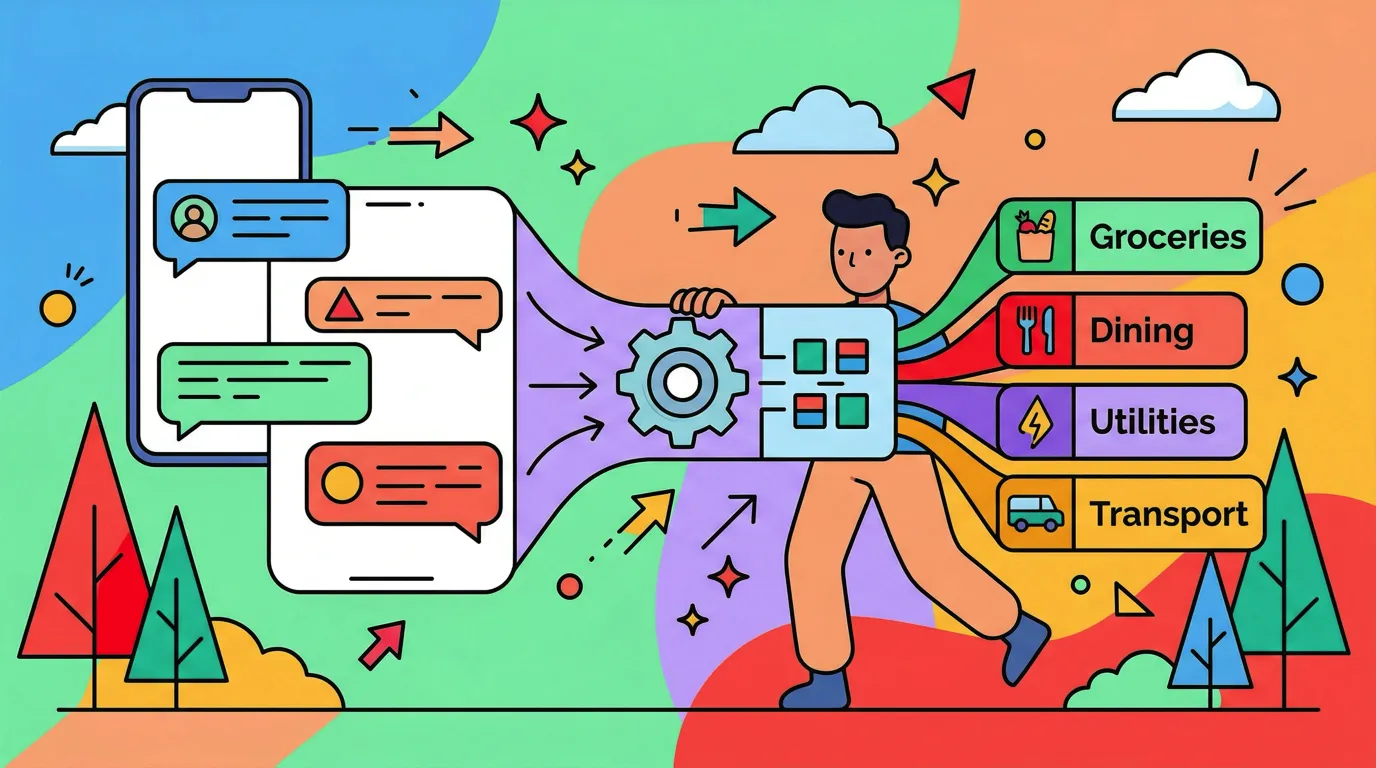
Most of the iOS 27 money features help you pay. The changes that help you keep a record come from apps that build on iOS 27, and they fall into two groups. On any iPhone that runs iOS 27, an expense tracker built for it can turn the payment alerts you already get into entries, so the record fills itself in without a bank connection. On an Apple Intelligence iPhone, an app's search can also understand a plain question instead of matching exact words, with the work done on the device.
Both matter more than they sound. The first takes away the typing that makes tracking feel like a chore. The second turns months of entries into answers you can actually use.
Payment alerts that become entries
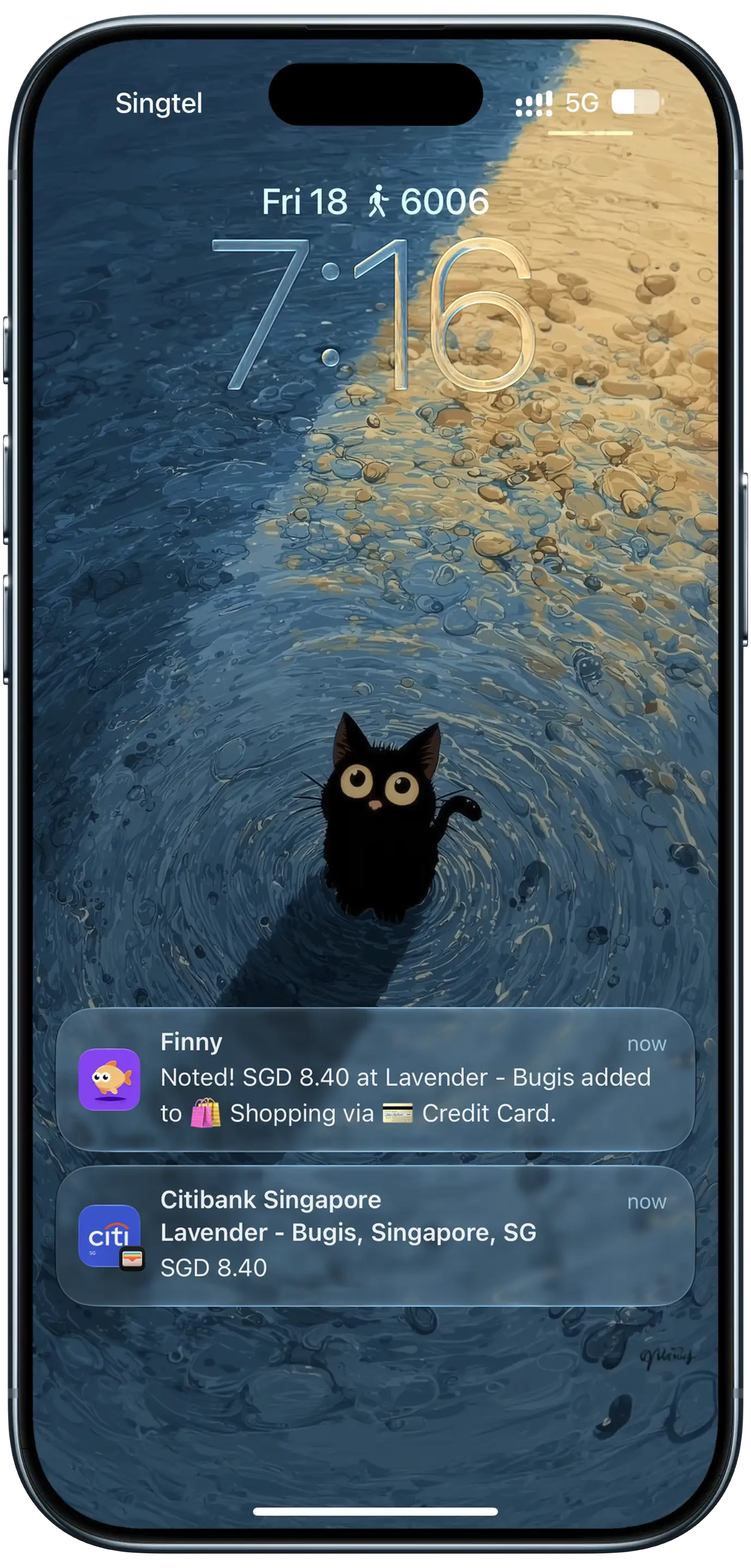
In Finny, the first change is Notification Log, which shipped in version 1.21. You pick the apps whose payment notifications you want logged: your bank's "you paid" or "you've received" alert, a transit or payment app's fare notice. When one of those notifications arrives, it becomes an entry on its own, without you opening the app. A confirmation notification shows what was logged. It files an expense or income depending on what the notification says, with the amount and currency from the notification. The category and payment method are guesses, and you can set them per app so your bank's alerts always land on the right card.
This short clip shows a payment alert turning into an entry.
It needs iOS 27 and Finny Pro; see how Notification Log works and its limits. On the privacy side, it only reads notifications from the apps you pick, does not keep the notification itself, and never connects to your bank. If you are wondering whether it is safe to let an app read payment notifications, we walk through exactly what an alert contains.
If you are not ready for iOS 27, the gap is smaller than it sounds. Tap to Track logs card payments as you make them, Screen Log picks up a payment showing on your screen, and Snap and Log reads receipts. None of them need iOS 27. Notification Log is the piece that covers what those miss: bank transfers you receive, transit fares, and payment apps that never touch a card.
Finny app's Tap to Track feature
Search that understands a question
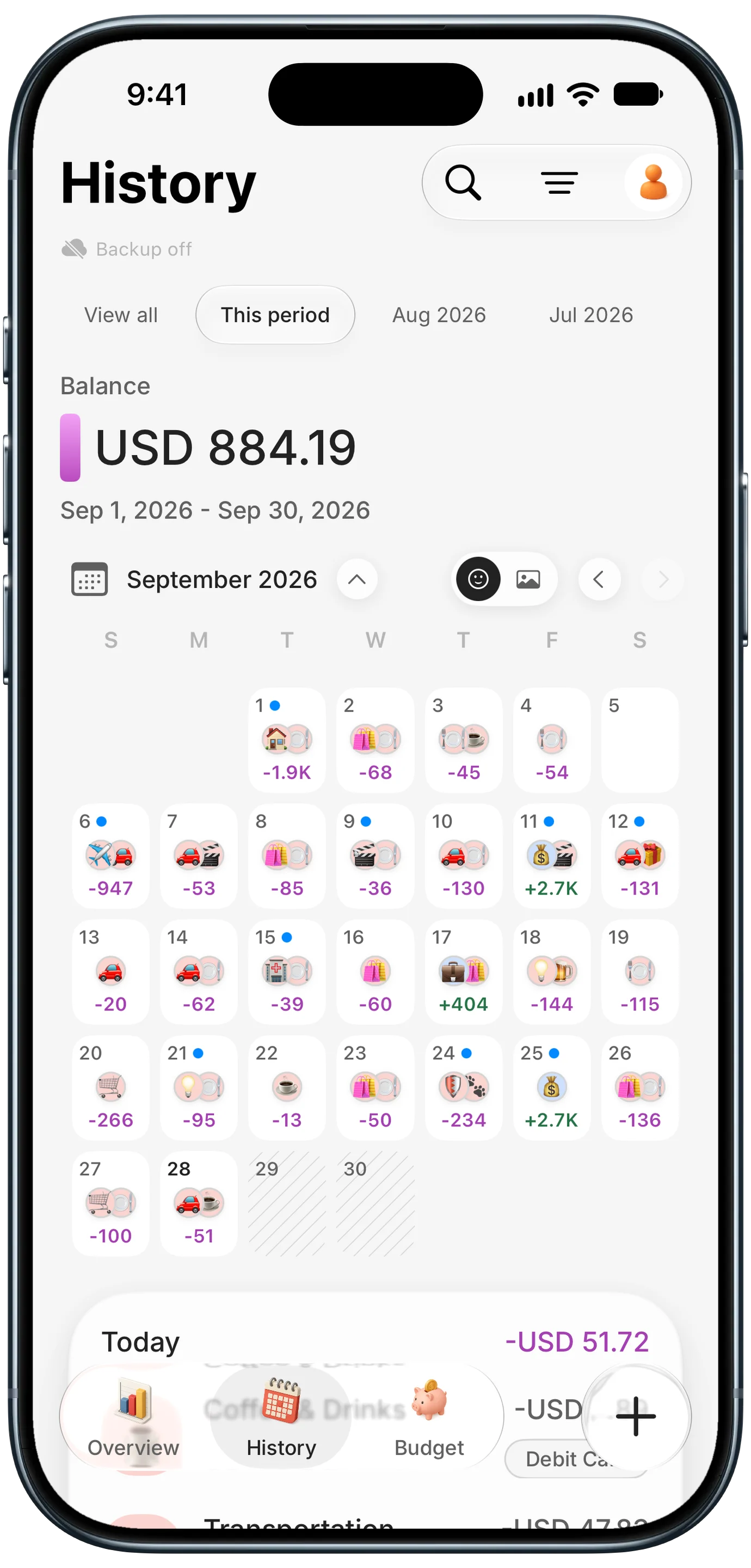
Version 1.21 also changed History search, and this is where Apple Intelligence matters. On an iPhone with Apple Intelligence, you can type a question like "dining out last month" and History finds the entries that match, with the understanding done on the device. On every other iPhone, search still matches words in your entries the way it always has.
Every search, on any iPhone, now ends with a receipt-style total in your home currency, so "Tokyo" or "Uber" gives you one figure even if the entries were in yen and dollars. Pro users also get hashtags, which group a trip or an event across categories: tag the weekend away and the total includes the hotel, the dinners and the gas. The app shows the figures; it does not write commentary on them.
Finny app's History calendar feature
For more on what Apple Intelligence can and cannot do with money, see our Apple Intelligence and personal finance overview and our test of whether the new Siri can tell you what you spent.
Reasons to wait
None of these are dealbreakers, but they are real.
Your phone is an iPhone 11 or 12 and already slow. A major update on older hardware tends to bring a day or two of heavier battery use while the system reindexes for the improved search, and none of the Apple Intelligence money features arrive on those phones anyway. The non-AI wins (the checkout redesign, Apple Card Recurring, payment alerts that turn into entries) are worth having, but not worth a phone you cannot get through the day on.
A bank or card app you rely on has not shipped an update. Check the App Store version history of your banking apps before you update. If one has not been updated in months, it is more likely to have a rough first week.
You were waiting for the first fix. That release is out. iOS 27.0.1 arrived on September 28 with fixes including a touchscreen freeze that could hit any iPhone when Notification Center and Control Center were opened together. If "wait for the .0.1" was your rule, the condition is met.
You have no use for the new features. If you pay with a physical card, never split bills and track spending by hand, staying on iOS 26 is a reasonable choice for now, and it is still getting security updates.
The bottom line
For most people who track spending, iOS 27 is worth installing now that the first fix is out. The Apple Pay changes are a small daily improvement for everyone, Apple Intelligence phones get bill splitting and smarter search, and the biggest expense tracking change is that your payment alerts can now become entries without you lifting a finger.
If that last part is the reason you are reading, update. If it is not, there is no rush: the logging features that matter most work on the iOS you already have. For a wider look at the field, our best money tracker apps in 2026 roundup compares the options.
Common Questions About Updating to iOS 27
Is iOS 27 stable enough to update now?
For most people, yes. iOS 27 launched on September 14, and Apple released iOS 27.0.1 on September 28 to fix early bugs, including a touchscreen freeze that could affect any model. If you rely on a specific banking app, check that it has been updated recently first. Older phones like the iPhone 11 may see a day or two of heavier battery use after updating.
Which iPhones can update to iOS 27?
iPhone 11 and later, including the second-generation iPhone SE and newer. Apple dropped no models this year. The Apple Intelligence features in iOS 27, such as bill splitting and plain-English shortcut creation, need an iPhone 15 Pro, iPhone 15 Pro Max or any iPhone 16 model or later. The standard iPhone 15 and 15 Plus get iOS 27 but not the new Siri.
Can an expense tracker log payments from notifications on iOS 27?
Yes, with an app built for it. Finny's Notification Log turns payment notifications from the apps you pick into entries on their own, with the amount, currency and whether it is an expense or income taken from the notification. It needs iOS 27 and a Pro subscription, and it is not available on iOS 26 or earlier. The notification is not kept, and no bank connection is needed.
Do I need Apple Intelligence to track spending on iOS 27?
No. Logging, budgets, receipts and totals in an expense tracker app do not depend on Apple Intelligence. Where it helps is search: in an expense app that supports it, an Apple Intelligence iPhone can understand a question like "dining out last month" on the device. Without Apple Intelligence, search falls back to matching the words in your entries, which still finds most things.
Will staying on iOS 26 stop my money apps from working?
Not right now. Apple released iOS 26.7.1 alongside iOS 27.0.1, so iOS 26 is still receiving fixes, and most apps support more than one iOS version. You will miss iOS 27 features, including the Apple Pay checkout redesign and anything an app builds on iOS 27, such as turning payment alerts into expense entries.
iOS 27 makes paying smoother. Finny keeps the record. Finny turns payment alerts, card taps, receipts and typed notes into entries, totals them in your home currency, and never connects to your bank. Free to start, Pro at a low monthly price.