
Best AI Chat Expense Trackers in 2026
A new category appeared over the past year: expense trackers where the primary interface is a conversation. You send a message like "18 on lunch," and the app parses it into a structured expense. No forms, no category dropdown, no amount field.
The best AI chat expense trackers solve a real problem, because the reason most tracking habits collapse is the form, not the discipline. This compares the apps building in this space, what separates them, and the limitation the whole category shares.
If you were considering using a general assistant for this, we tested that separately in can ChatGPT track my expenses.
Why Chat Beats a Form
A traditional expense entry screen asks for amount, merchant, category, date, and payment method. Five decisions for a $4 coffee. The rational response is to skip it, and skipped entries are why most people's tracking data is too incomplete to be useful.
A sentence carries all five fields implicitly. "Coffee 4.50 at the place downstairs" contains an amount, a merchant, an implied category, today's date, and nothing you had to choose from a menu. The AI reconstructs the structure.
That is the entire pitch, and it is a good one. The differences between apps come down to what happens after the parse.
The Comparison
| App | Input methods | Where records live | Notable |
|---|---|---|---|
| DrakeAI | Chat, voice notes, receipt photos | App database | 14 languages, 40 currencies, free tier |
| ChatExpense | Chat, images, voice | Web app | Browser-based, no install |
| Ledgy | Voice, receipts, AI assistant | App database | Logs from inside ChatGPT and Claude |
| Receiptix | Receipts, voice | App database | Receipt-first, multi-currency |
| Finny | Text, voice, receipts, card capture | On device, offline capable | Works without a bank connection or internet |
DrakeAI
DrakeAI accepts plain text messages, voice notes, and receipt photos, turning each into a spending record. Its distinguishing feature is breadth: 14 languages and 40 currencies, with a free tier.
The multilingual support is more useful than it sounds. Parsing "almuerzo 12 euros" correctly matters if you think about money in one language and live in another, which describes a lot of people.
ChatExpense
ChatExpense runs in a browser rather than as an app, accepting chat, uploaded receipt images, and voice. The web-first approach removes the install step, which lowers the barrier to trying it.
The tradeoff is that a web app is a worse fit for the moment that matters most. Capturing a purchase at a counter favors something already on your home screen.
Ledgy
Ledgy is the most interesting of the group because of where it puts the interface. Alongside its own voice logging and receipt scanning, it connects to ChatGPT and Claude, so you can log, query, and edit transactions from inside the assistant you already have open.
That is a genuinely new idea. It treats the AI assistant as the front end and the app as the database, which resolves the memory problem that makes a general assistant unusable as a ledger on its own.
The open question is durability. Building your habit inside someone else's assistant means the integration is only as stable as that platform's policies.
Receiptix
Receiptix leads with receipt scanning and adds voice, with multi-currency support. It is the closest in this group to a conventional expense tracker that gained a conversational layer, rather than a chat app that gained a ledger. We covered the alternatives in Receiptix alternatives.
Finny
Finny accepts the same natural language input, by text or voice, and reads receipts from your photo library.
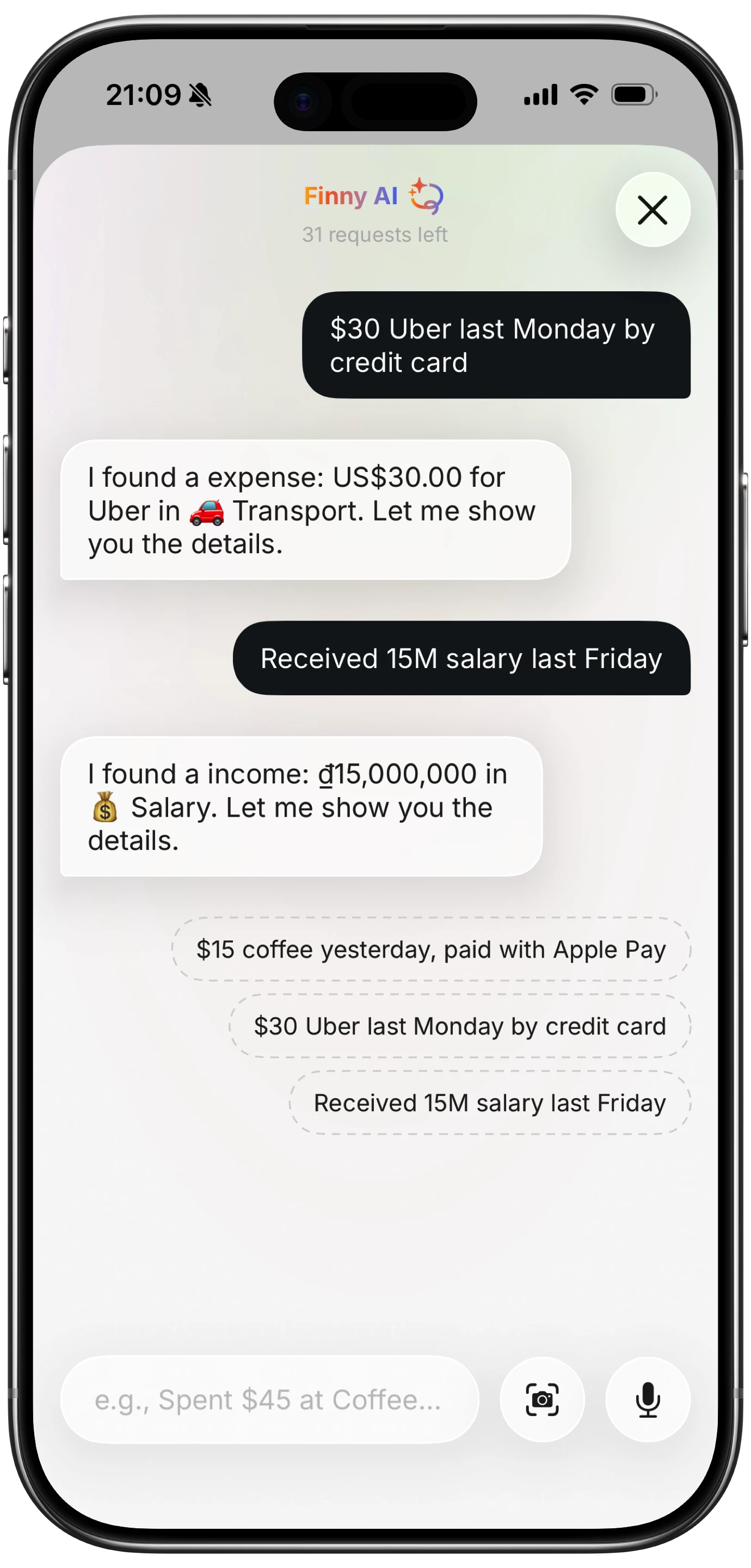
Finny app's AI chat feature
Two differences from the rest of the category. Card payments get captured as you make them, so the fastest entry is the one you do not type at all. And it works offline, which matters because a chat-first app that needs a server round trip fails in exactly the places people spend cash.
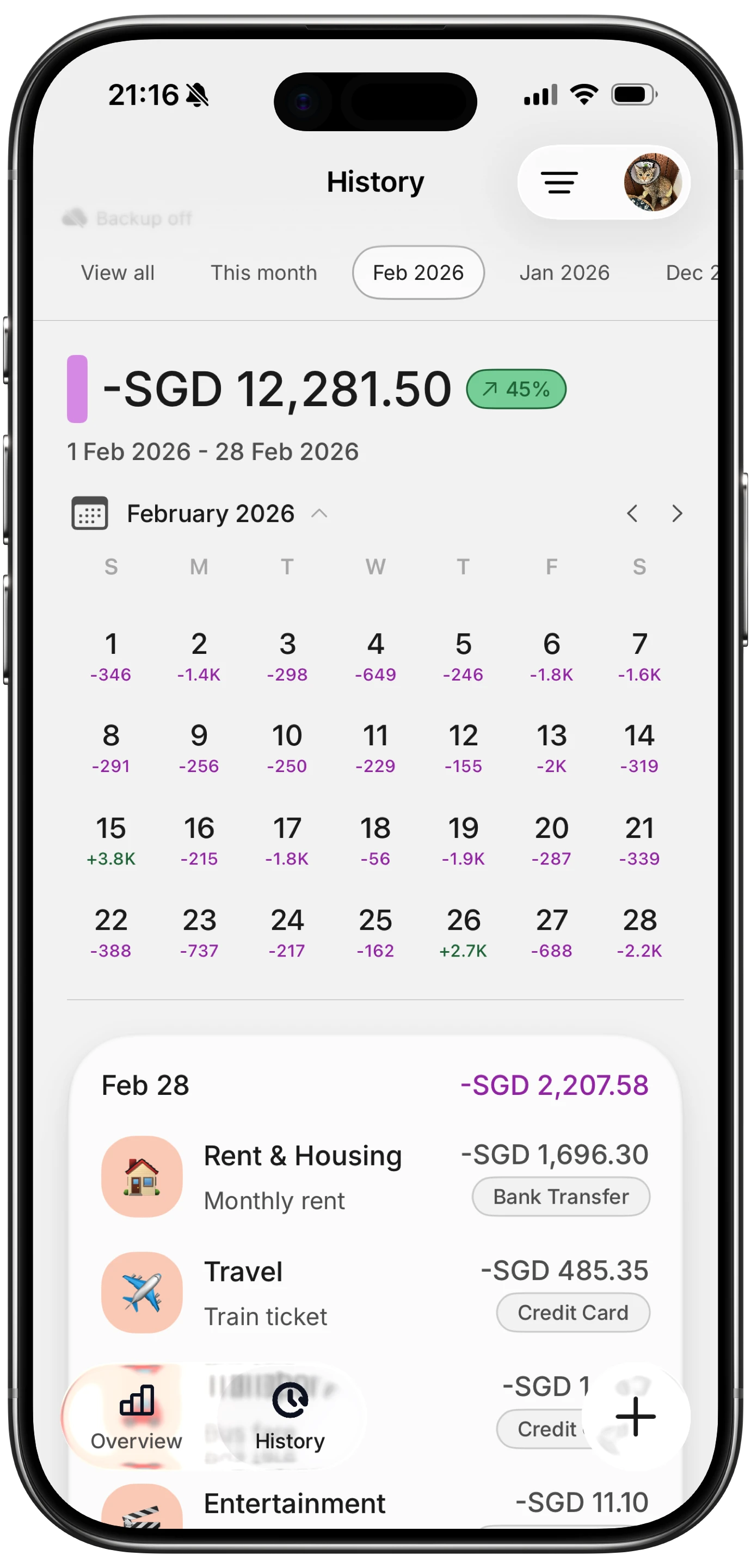
Finny app's History calendar feature
The Limitation the Whole Category Shares
Parsing is not the same as accuracy, and every app here inherits the same failure mode: the AI produces a confident, structured, wrong result.
"Lunch 15" from a restaurant that also sells groceries. A spoken "fifty" heard as "fifteen." A receipt total read from the subtotal line. Each produces a clean-looking entry that is incorrect, and clean-looking errors are the hardest to catch later.
The mitigation is a confirmation step: the app shows what it parsed before saving. This is slower than pure automation and considerably more accurate, because you catch the error while you still remember the purchase. When comparing these apps, check whether you see the parse before it commits.
Our test of AI expense categorization accuracy covers how often this goes wrong.
How to Choose
- Think about money in more than one language? DrakeAI's multilingual parsing.
- Want to try it without installing anything? ChatExpense.
- Already live inside ChatGPT or Claude? Ledgy's integration is unique right now.
- Receipts are the bulk of your spending? Receiptix or a dedicated scanner.
- Want capture that does not require typing at all, and works offline? A tracker with card capture and offline support.
For the wider field, see our guide to the best AI budget apps.
Common Questions About AI Chat Expense Trackers
What is an AI chat expense tracker?
It is an expense tracker where the main way you add a transaction is by writing or speaking a sentence rather than filling in a form. The AI extracts the amount, merchant, and category from natural language and creates a structured record. The point is removing the five separate decisions a conventional entry screen asks for, since that friction is the main reason tracking habits collapse within a few weeks.
Are chat expense trackers accurate?
They parse well and still make confident structured errors, which is the category's shared weakness. Ambiguous merchants get miscategorized, spoken numbers get misheard, and receipt totals get read from the wrong line. The important feature is a confirmation step that shows the parsed result before saving, since catching an error while you still remember the purchase is far easier than finding it in a monthly review.
Can I log expenses from inside ChatGPT?
Ledgy currently connects to ChatGPT and Claude so you can log, query, and edit transactions from within the assistant, with the records stored in its own database. That design solves the memory problem that makes a general assistant unreliable as a ledger on its own. It also means your workflow depends on that platform's integration policies remaining available, which is worth weighing before building a habit around it.
Do AI chat expense trackers work offline?
Most do not, because parsing usually happens on a server. That matters more than it appears, since cash spending often happens where connectivity is poor: markets, basements, parking garages, rural areas. An app that cannot record an expense until it reconnects will miss exactly the transactions least likely to appear on a statement later. Check offline behavior before relying on one.
Ready to track expenses with less friction?
Download Finny to log expenses using AI, receipts, or text. No bank connections, offline support, and full control over your financial data.