
How to Budget When You're Paid Once a Month
One deposit has to cover the next thirty-one days. There is no second paycheck mid-month to correct a bad first week, no natural checkpoint, and no way to feel your way through it. Get the first ten days wrong and you find out on the 22nd, when there is nothing left to adjust with.
Budgeting on monthly pay is a different problem from budgeting on biweekly pay, and most advice quietly assumes the latter. This guide covers what actually changes when you are paid once a month, the three failure modes specific to a single deposit, and a setup that handles them. If you are earlier in the process and still choosing a tool, our best money tracker apps in 2026 guide is the better starting point.
Monthly Pay Is Rarer Than the Tools Assume
Bureau of Labor Statistics data on private employers puts monthly pay at around 10% of US workers, against roughly 43% biweekly, 27% weekly, and 19.8% semi-monthly. Several states restrict monthly payroll outright.
That 10% explains a lot about why budgeting apps feel slightly wrong if you are in it. The defaults, the advice, and the templates are all written for someone getting topped up every two weeks. Salaried professionals, many teachers and public sector workers, some commission and contract roles, and most people paid outside the US on a local schedule land in the smaller group and get generic advice built for the larger one.
The distinguishing feature is not the amount. It is that you make one allocation decision per month and then live with it for four and a half weeks.
The Three Problems With One Paycheck a Month
The long tail. Weeks three and four are where monthly budgets die. Spending in the first week feels weightless because the balance is enormous, and the account does not push back until the damage is already done. With biweekly pay, a mid-month deposit interrupts the slide. With monthly pay, nothing does.
The boundary in the wrong place. If you are paid on the 25th and your app resets on the 1st, every period contains six days of one paycheck and twenty-five of another. Your income chart develops spikes that describe the calendar, not your salary, and rollover reports a surplus that is really just money you have not been paid long enough to spend. We covered the mechanics of this in why your budget app splits your paycheck in half.
Bills that arrive before the money does. Anything due between the 1st and your payday has to be paid out of last month's deposit. That is manageable once you plan for it and brutal when you do not, because it makes the final week look like overspending when it is really a scheduling artifact.
Step One: Move Your Month to Your Payday
Fix the measurement before fixing the behavior. If your money arrives on the 25th, your financial month runs from the 25th to the 24th, and every number derived from it becomes readable: income arrives once per period, rollover means what it says, and "left to spend" counts down to the next deposit instead of to an arbitrary date.
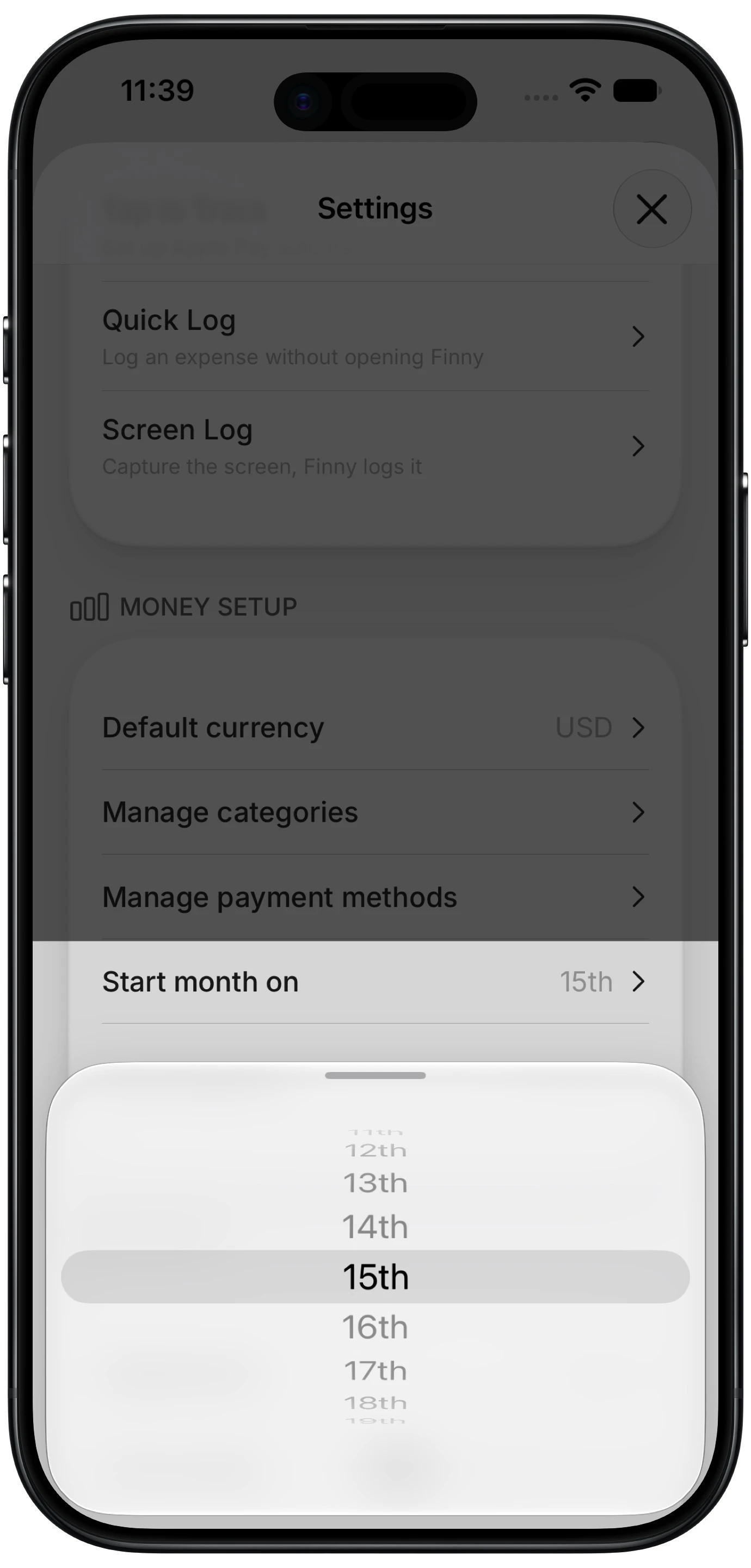
Finny app's custom month start feature
Most apps cannot do this. YNAB's documentation states that budget months cannot be re-dated. Monarch and Copilot both organize budgets around calendar months with no documented setting to change it. Finny added a Start month on setting in 2026 that takes any day from the 1st to the 28th and moves the whole period with it, including budgets, rollover carry, and the history calendar. It is a Pro feature, available at a low monthly price.
If you are paid on the 29th, 30th, 31st, or the last working day, pick the 28th. Those later dates cannot exist in February, so a period anchored to them would silently change length once a year.
Step Two: Front-Load the Fixed Bills
With one deposit, sequencing matters more than it does on any other pay schedule. On payday, before anything discretionary happens, account for every fixed cost due before the next payday: rent or mortgage, utilities, insurance, subscriptions, loan payments, childcare.
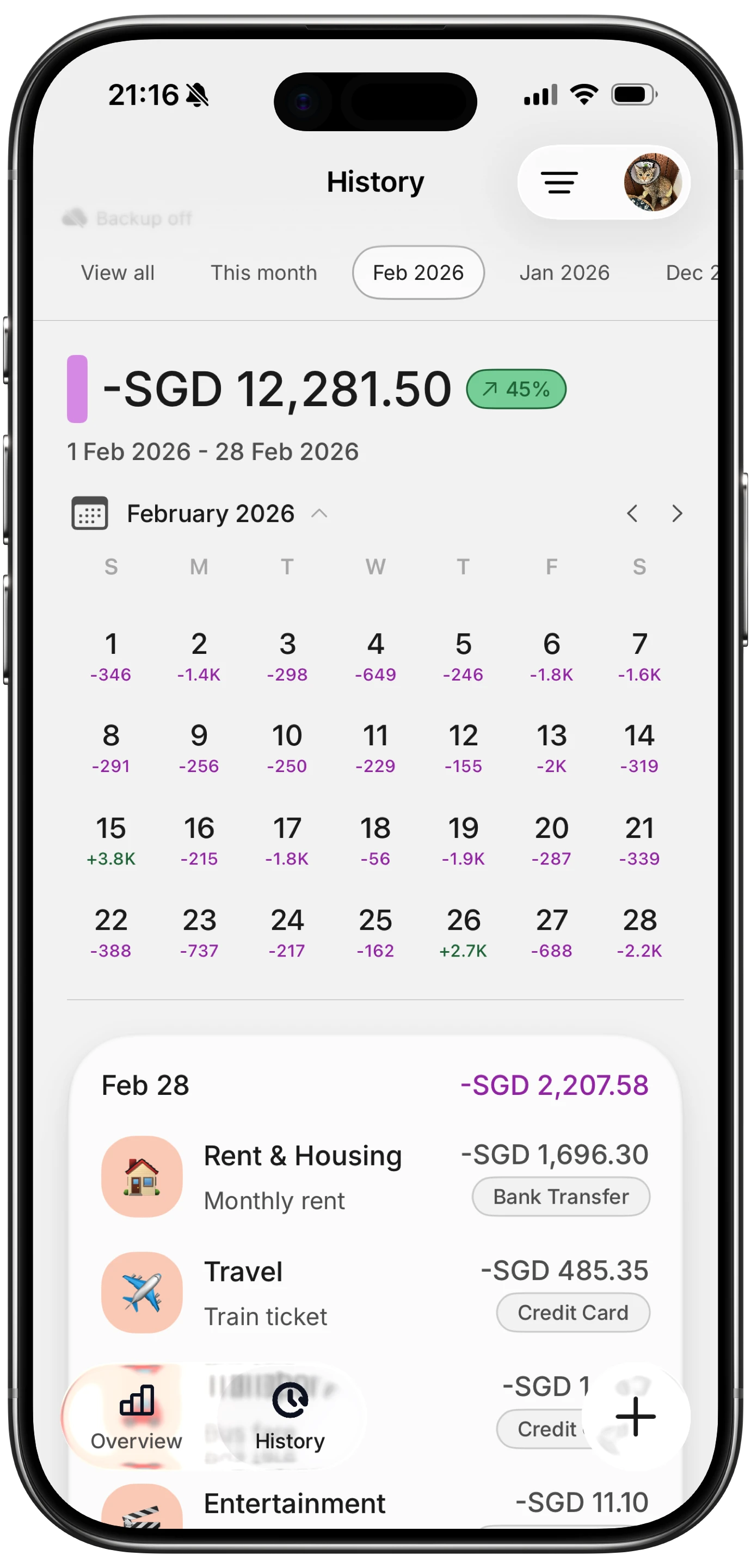
Finny app's History calendar feature
Do this in whatever order the money actually moves. If a bill autopays on the 3rd and your period starts on the 25th, it is still this period's bill. The point is that the number you are left with afterward is genuinely spendable, rather than a balance you will later discover was spoken for.
This is the same principle behind envelope budgeting, applied at a single point in time rather than continuously.
Step Three: Give the Long Stretch Its Own Number
After fixed costs, divide what remains by the number of days until the next payday and treat that daily figure as the real constraint. Not because you should spend evenly, but because it is the only number that makes week one and week four comparable.
A weekly version works too, and some people find it easier to hold: take the remainder, divide by four and a bit, and check in every seven days. Either way, the mechanism you need is a checkpoint that arrives before the money runs out, because monthly pay does not supply one on its own.
A daily figure is only as good as the record behind it. This clip shows a payment being logged straight from what is on screen, which keeps the running total current without a bank connection:
For the allocation itself, the 50/30/20 rule is a reasonable starting split, though monthly earners usually need a larger fixed-cost share than the standard 50% because a full month of bills lands in a single window.
A Worked Example: Paid on the 25th
Say $4,200 lands on the 25th of each month, and the period runs the 25th to the 24th.
| Step | Amount | Running balance |
|---|---|---|
| Paycheck arrives on the 25th | $4,200 | $4,200 |
| Rent, due on the 1st | $1,650 | $2,550 |
| Utilities, insurance, phone | $380 | $2,170 |
| Subscriptions and childcare | $290 | $1,880 |
| Savings transfer, same day | $500 | $1,380 |
| Left for 31 days of variable spending | $1,380 | about $44 per day |
The important line is the last one. Without the sequencing, the account shows $4,200 on the 26th and the daily figure feels irrelevant. With it, $44 a day is the actual constraint from the first day of the period, not a discovery you make in week three.
Note the savings transfer sitting above the line rather than below it. On monthly pay, savings that depend on what is left over rarely happen, because "what is left over" is only knowable on the 24th.
What About Bills That Land Before Payday?
If you are paid on the 25th and rent is due on the 1st, that rent is covered by the deposit you already received. Once your period runs the 25th to the 24th, this stops being confusing: the bill and the paycheck that funds it sit in the same window, which is precisely what the calendar month was getting wrong.
The one month that needs care is the transition. When you first move your period, the days between your old boundary and your new one belong to a short partial period. Expect that first stretch to look strange, and judge the setup from the second full period onward.
The Bottom Line
Monthly pay is not harder because the money is tighter. It is harder because you get one decision, no mid-month correction, and a set of tools built for people who get two.
Fix the period boundary so your month starts on payday, front-load every fixed cost on the day the money arrives, and give yourself a daily or weekly checkpoint so week four is not a surprise. The apps that can move the boundary are a short list, so if this is your situation it is worth checking before you subscribe to anything. Our comparison of budgeting apps that let you change the month start covers where each one stands.
Common Questions About Budgeting on Monthly Pay
How do I make one paycheck last a whole month?
Sequence it on payday rather than rationing it later. Subtract every fixed cost due before your next deposit, move savings out immediately rather than leaving it to chance, then divide the remainder by the number of days until payday. That daily figure is your real constraint, and knowing it on day one is what prevents the week-three shortfall that catches most monthly earners.
Should my budget month start on payday or the 1st?
On payday, if your app allows it. A period that starts on the 1st while you are paid on the 25th splits every paycheck across two months, which distorts your income chart and makes rollover meaningless. Starting the period on payday puts each deposit and the bills it funds in the same window. Most apps cannot do this, so check before assuming yours can.
Is it harder to budget when paid monthly?
It is a different problem rather than a strictly harder one. Monthly pay means fewer transactions to track and one clean planning moment, which some people prefer. The difficulty is the absence of a mid-month correction point: a bad first week cannot be offset by a second deposit. That makes front-loading fixed costs and setting a daily or weekly checkpoint more important than on any other schedule.
What day should I pick if I am paid on the last working day?
Pick the 28th. Days 29 to 31 do not exist in February, so a period anchored to them changes length once a year and reintroduces the measurement problem you were trying to remove. The 28th is the latest day that exists in every month, so it keeps every period the same shape while sitting close enough to a month-end payday to be useful.
Ready to make one paycheck readable for a whole month?
Download Finny and set your month to start on the day you actually get paid. No bank connections, offline support, and full control over your financial data.