
Expense Tracker With Photos: Remember What You Spent On
Look at last month's transactions and try to remember them. "Shake Shack, 29.85" is easy. "Target, 64.20" is a mystery. By the third month, most rows in a spending history are just numbers, and numbers are easy to ignore.
An expense tracker with photos fixes that by attaching a picture to a purchase: the dinner, the receipt, the concert, the thing you bought. A photo turns a line item back into a memory, and memories are much harder to shrug off than numbers. This guide covers why photos change how you track spending, the practical uses beyond memory, and how to use them without it becoming a chore. If you track day by day, pair this with our guide to a spending calendar app.
Why photos make spending feel real
Numbers are abstract. A photo is specific. When you see the ramen, the flowers you bought for your mom, or the bookstore haul next to their prices, two things happen:
- You remember the purchase, which makes reviewing your spending faster and more honest.
- You judge it by value, not amount. A USD 96 sushi dinner with a friend might feel completely worth it. A USD 38 order you can't even picture might not.
That's the core of conscious spending: spending freely on what you value and cutting what you don't. Photos make the difference between the two visible.
Photo mode: your month as a board of moments
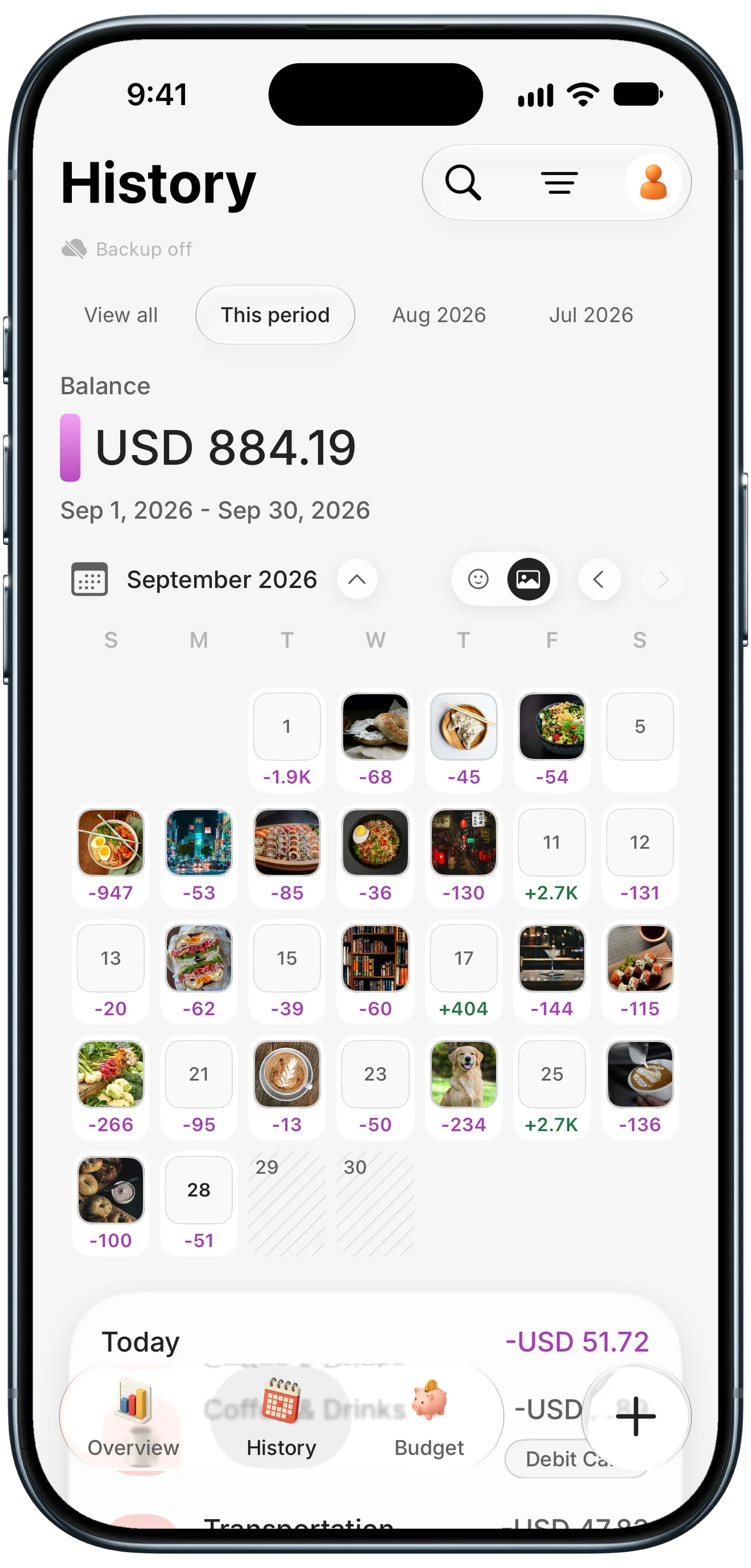
The most striking way to use photos is on a calendar. In Finny's History tab, photo mode replaces each day's category icons with the photo from that day's expense. A month becomes a board: a bagel on the 2nd, dim sum on the 3rd, a week of Tokyo, the dog's new food, a latte on a quiet Tuesday.
It's a spending history you'll actually want to scroll. Travelers use it as a trip journal with prices attached. Parents use it to remember what the kids' activities cost. Everyone uses it to see, at a glance, which days were worth it.
Practical uses for expense photos
Photos aren't only for memories. They're proof and context:
| Photo | Why it helps |
|---|---|
| Receipt | Proof of purchase for returns, warranties, and taxes |
| The item itself | Remember what an unclear charge was, like "Target, 64.20" |
| Serial number or label | Faster warranty claims and insurance records |
| Shared bill | Show friends what a split was for |
| Work expense | Reimbursement proof without keeping paper |
| Travel moments | A trip journal with the cost of each day |
For the receipt side specifically, our guide on how to keep receipts for returns and warranties covers return windows and warranty claims.
How photo expense tracking works in Finny
Adding a photo takes a second when you're logging anyway:
- From your library. When you add or edit an expense, attach a photo from your gallery in the Photo row.
- From a receipt scan. When you scan a receipt to log a purchase, the scan is attached to the entry automatically.
- On the calendar. Switch History to photo mode to see the month as photos.
Photo attachments and the photo calendar are part of Finny Pro, which costs a low monthly or yearly price. The free tier covers unlimited manual tracking, categories, and charts.
Where your photos are stored
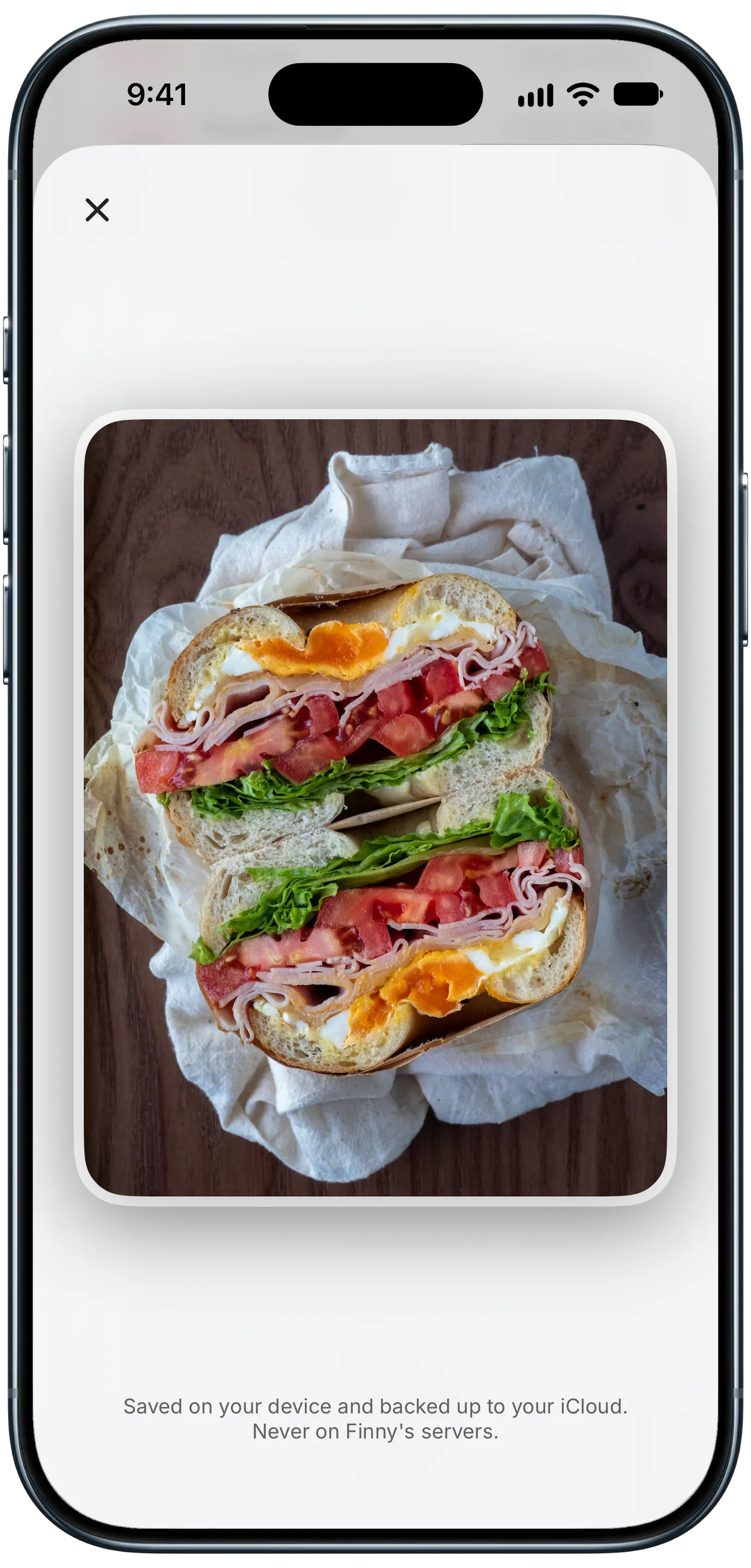
Photos of receipts and daily life are personal, so storage matters. Finny keeps entry photos on your device and backs them up to your own iCloud. They're never stored on Finny's servers. That's worth checking in any app you choose: some upload images to the company's cloud, and a receipt photo can show your card's last four digits, the store, and sometimes your name.
Here's Screen Log recording a payment from the iPhone screen, which keeps the screenshot attached to the entry as its picture:
Tips for a photo habit that sticks
You don't need a photo for every coffee. A light habit works better:
- Photograph what you'll want to remember or prove: meals out, trips, gifts, anything with a warranty, anything shared.
- Skip the routine stuff. Rent, subscriptions, and gas don't need pictures.
- Take the photo before you eat, unwrap, or leave the store. It takes two seconds then, and it's impossible later.
- Review the photo calendar monthly. Ask which days were worth it, and let that guide next month's budget.
For trips, photos pair well with a travel budget. Our guide to budgeting a trip abroad around exchange rates shows how to track a trip in the local currency.
Frequently Asked Questions
Is there an expense tracker that lets you add photos?
Yes. Several expense trackers let you attach a photo to an expense, most often for receipts. Finny lets you attach a photo to any expense, attaches receipt scans automatically, and can show your photos on a spending calendar, so a month of spending becomes a board of the things you bought.
Why add photos to expenses?
Photos help you remember what a purchase was, which makes reviewing your spending faster and more honest. They also serve as proof for returns, warranty claims, reimbursements, and taxes. And seeing what you bought, not just the amount, helps you judge whether each purchase was worth it.
Where are expense photos stored?
It depends on the app. Some store images on the company's servers, others on your device or in your own cloud storage. Finny keeps entry photos on your device and backs them up to your iCloud, never to Finny's servers. Check an app's privacy details before attaching receipts, since they can include card and personal details.
Do I need to add a photo to every expense?
No. Photograph the purchases you'll want to remember or prove, like meals out, trips, gifts, and anything with a warranty. Routine expenses like rent, subscriptions, and gas rarely need a picture. A light habit is easier to keep than photographing everything. You can always add a photo later from your library if you remember one you took.
The bottom line
An expense tracker with photos turns a spending history from rows of numbers into something you remember. Attach a photo to the purchases that matter, let receipts attach themselves when you scan, and look at your month as a calendar of moments. You'll remember more, prove more, and spend more on the things that are actually worth it.