Home Renovation Budget Tracker: A Simple 2026 Setup
Renovations rarely go over budget in one dramatic moment. They go over in small, reasonable steps: a better faucet, an outlet that has to move, a permit that cost more than the website said, three weeks of takeout while the kitchen is a shell. Each one makes sense on its own. Together they are why the final number surprises people.
A home renovation budget tracker is how you see those steps while you can still respond to them. This guide covers what common projects cost right now, how to size a budget and a contingency, what to record beyond the contractor's invoices, a spreadsheet layout you can copy, and the records worth keeping for the day you sell. If you are saving up before the work starts, our guide to sinking funds covers how to build the money in advance.
What a Renovation Costs in 2026
The most widely cited national benchmark is the Cost vs. Value report published by the Journal of Light Construction. Its 2025 edition, released in September 2025, is still the most recent one as of November 2026. These are national averages for a contractor-built job, so treat them as a starting range, not a quote.
| Project (2025 national average) | Job cost | Cost recouped at resale |
|---|---|---|
| Minor kitchen remodel, midrange | $28,458 | 113% |
| Major kitchen remodel, midrange | $82,793 | 51% |
| Major kitchen remodel, upscale | $164,104 | 36% |
| Bathroom remodel, midrange | $26,138 | 80% |
| Bathroom remodel, upscale | $81,612 | 42% |
| Wood deck addition | $18,263 | 95% |
Two things stand out. The spread inside one project type is enormous: a kitchen remodel budget can mean $28,000 or $164,000 depending on scope. And most larger projects return well under their cost at sale, so a renovation is usually a decision about living in the home, not an investment. Local labor rates move these numbers a long way, which is why three written bids beat any national table.
Set the Budget, Then Add a 10 to 20 Percent Contingency
Start with the bids, not the average. Take the contractor's price, add everything the contract excludes (appliances, fixtures you are buying yourself, paint, permits if you are pulling them), and that is your base budget.
Then add a renovation contingency: a separate line, usually 10 to 20 percent of the base, reserved for things nobody can price in advance. Older homes, anything involving walls, plumbing or electrical, and projects where you have not finalized finishes sit at the high end. A cosmetic refresh with fixed quotes can sit near 10 percent.
For a minor kitchen remodel with a $28,000 base, 15 percent adds $4,200, for a planned total of $32,200. The important part is that the contingency is not spending money. It does not get allocated to the nicer backsplash on day one. It gets drawn down only by genuine surprises and approved change orders, and you track it as its own balance so you can see how much is left.
If you cannot fund the contingency, shrink the scope now rather than hope the project goes perfectly.
Track Every Payment Type, Not Just the Invoices
The contractor's invoices are the easy part. To track remodel costs accurately, record six kinds of money movement.
Deposits. Note the amount, date, and what the contract says it covers. Rules vary by state: in California, for example, the Contractors State License Board caps a home improvement down payment at $1,000 or 10 percent of the contract price, whichever is less.
Materials. Everything you buy directly, including delivery fees and the second trip for the right size of screws.
Labor. Progress payments to the contractor and any separate trades, tied to work completed.
Permits and inspections. Easy to forget because they are paid to the city, not the contractor.
Change orders. Any change in scope or price should be written and signed before the work, with the added cost stated. Log each one against the contingency the day you sign it, not when it is billed.
Returns and credits. Leftover tile, a damaged vanity, a refund for a cancelled item. Log these as negative amounts against the line they came from, and keep a short list of returns you are still waiting to see credited. Store credits count only when you actually use them.
A Renovation Budget Spreadsheet Layout That Works
A renovation budget spreadsheet does not need to be clever. It needs one row per payment and enough columns to answer three questions: what did this cost, what was it for, and where is the proof.
| Date | Item | Type | Budgeted | Actual | Paid with | Proof |
|---|---|---|---|---|---|---|
| Oct 3 | Contractor deposit | Labor | $1,000 | $1,000 | Check | Signed contract |
| Oct 10 | Building permit | Permit | $450 | $612 | Credit card | Permit number |
| Oct 18 | Cabinet doors and hardware | Materials | $6,500 | $6,940 | Credit card | Receipt, 1-year warranty |
| Oct 24 | Change order 1: move outlet | Change order | $0 | $380 | Check | Signed change order |
| Oct 30 | Returned extra tile | Return | $0 | -$145 | Credit card | Return receipt |
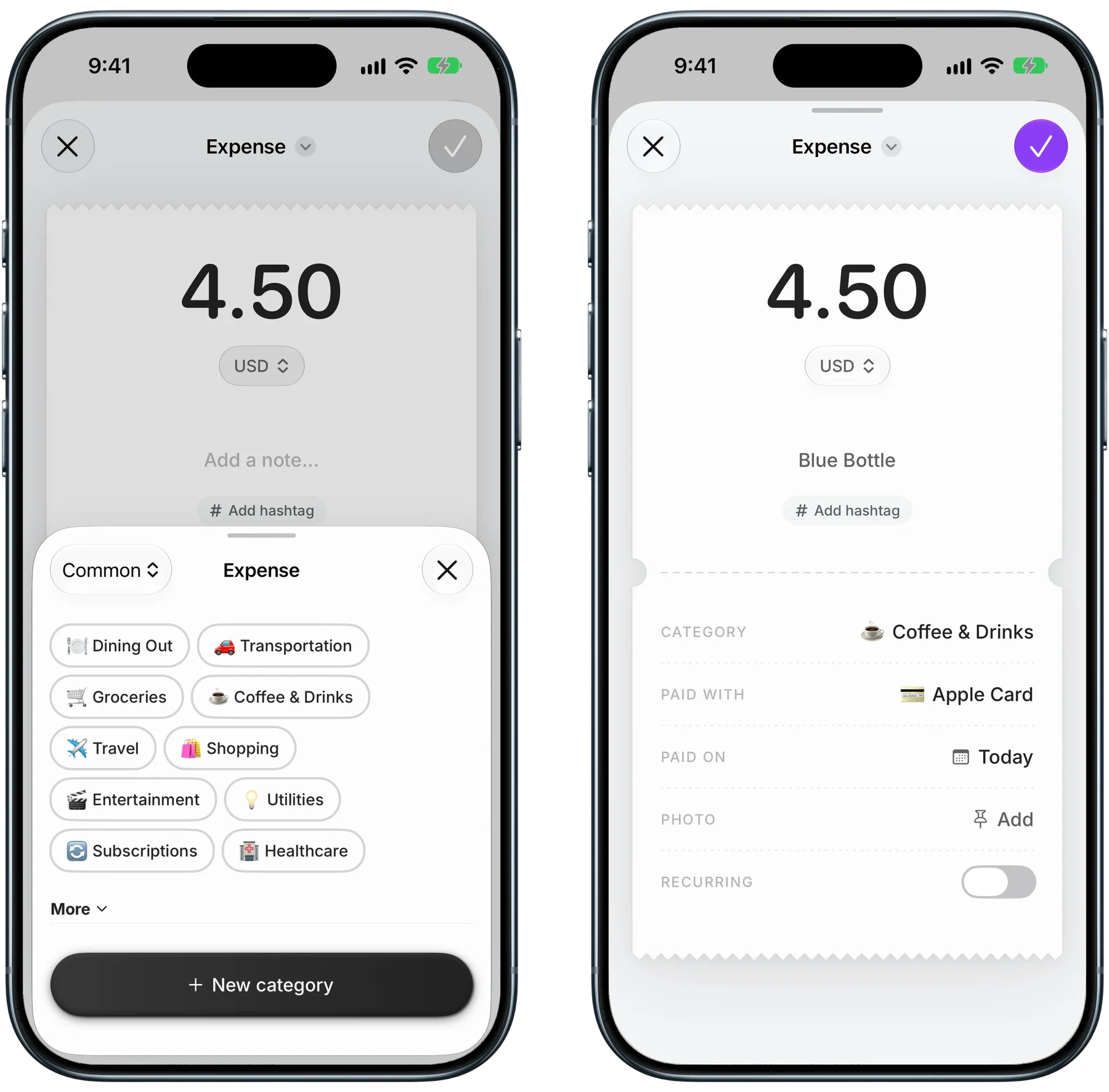
Whether it is a spreadsheet row or an entry in an app, each payment needs the same core fields: the amount, a category, and how you paid, which is what you reconcile against card statements later.
Finny app's Manual entry feature
Add three summary cells at the top: total budget including contingency, spent so far, and committed but unpaid (signed contracts and change orders not yet billed). Remaining equals budget minus spent minus committed. Skip that last subtraction and a project looks fine right up until the final invoice.
Receipts, Warranties, and Your Home's Cost Basis
Renovation receipts do three jobs at once: they support returns while the window is open, prove purchase dates for warranty claims on appliances and fixtures, and document improvements for tax purposes when you sell. Our guides on keeping receipts for returns and warranties and how long to keep receipts cover the first two.

Finny app's Scan Receipt feature
The tax part is easy to overlook. IRS Publication 523 explains that improvements which add value, prolong your home's life, or adapt it to new uses are added to your basis, which reduces your gain when you sell. Routine repairs generally are not, though repair-type work done as part of a larger remodel can count. Improvements you later remove, such as carpet you replaced, drop out. Most sellers of a main home can exclude up to $250,000 of gain, or $500,000 for joint filers, but basis records still matter for gains above that and homes that do not fully qualify. The IRS says to keep basis records until three years after the return for the year of sale is due. This is general information, not tax advice.
In Finny, a receipt scan (Pro) turns the photo into an entry and keeps the image attached to it, so the proof and the amount stay together. Online orders and transfers to a contractor can be logged too: this short clip shows a payment on your screen becoming an entry, with no bank connection.
A 15-Minute Weekly Check-In
A tracker only helps if the numbers are current when you make decisions, and renovation decisions happen weekly. Pick a fixed time, such as Sunday evening, and run the same short routine.
- Log anything paid this week that is not in the tracker yet, including small hardware runs.
- Match the week's card charges against your rows. Our guide to matching receipts to a bank statement shows a quick way to do it.
- Update committed amounts for any contract or change order signed this week.
- Compare contingency used against how far along the project is. Spending half the contingency at 20 percent complete is an early warning; spending it at 80 percent is normal.
- Chase returns that have not been credited yet.
- File receipts, warranty cards, and manuals in one folder per project.
Step four is the useful one: it turns a vague worry into a specific question for the contractor before the next decision, not after it.
Tracking a Project Across Categories in Finny
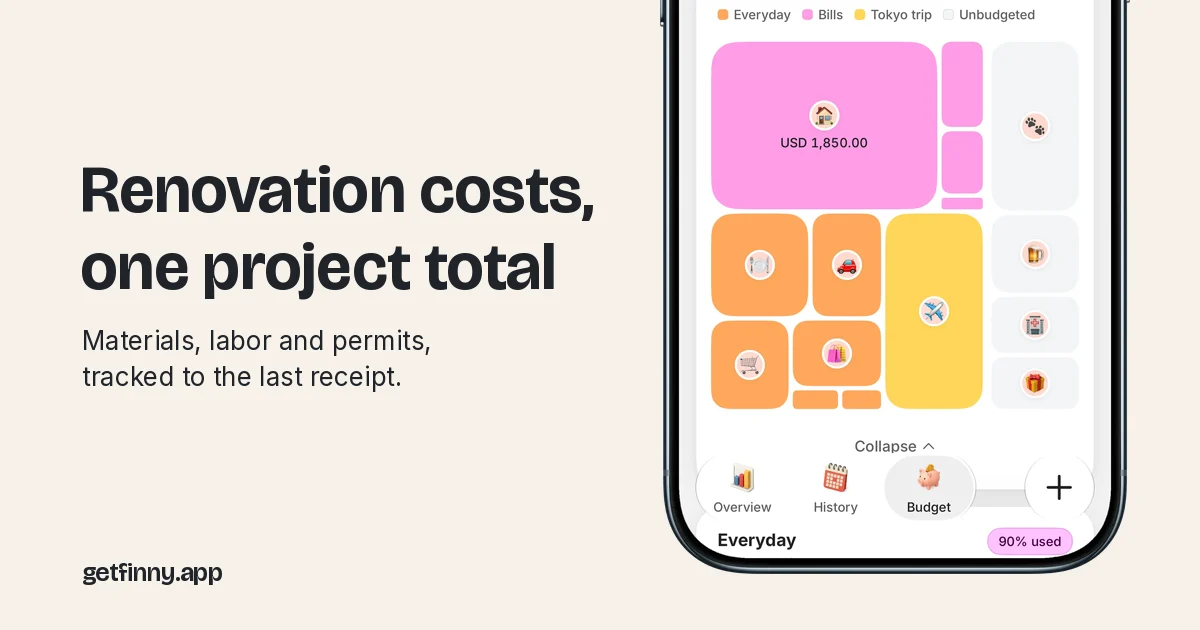
A renovation spills into categories that have nothing to do with construction. The fridge sits in appliances, the hotel night during floor refinishing in travel, the takeout during demolition in dining out. A spreadsheet handles this with a project column. In Finny, the equivalent is a hashtag.
Finny app's Budgets feature
Give the project one tag, such as #kitchen, and add it to every related entry whatever its category. Searching the tag shows a receipt-style total in your home currency, split by category and payment method, so the takeout and the hotel night count toward what the kitchen really cost without distorting your normal dining out figures. Adding tags needs Finny Pro, which also includes receipt scanning, at a low monthly or yearly price; searching and seeing tags is free.
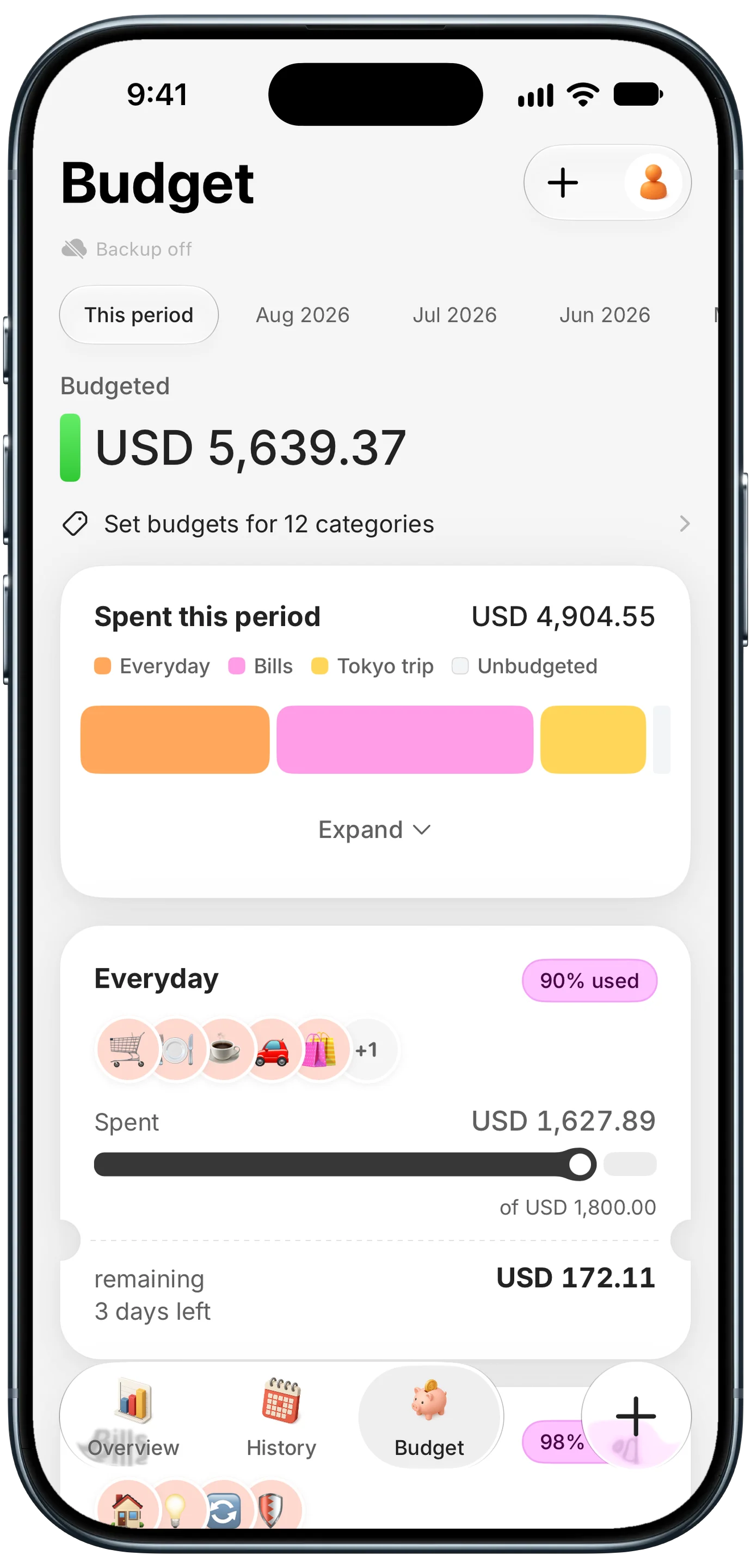
For the core spend, a budget with an end month suits a project well. Create a budget for your renovation category, set its cap to your planned total including contingency, and give it a last month. The Budgets screen shows its progress next to your everyday budgets while the work runs, and when the project ends the budget closes itself out but stays browsable for every month it covered.
Common Questions About Home Renovation Budget Trackers
How much contingency should I add to a renovation budget?
Plan for 10 to 20 percent of the base budget. Use the low end for cosmetic work with fixed quotes and finishes already chosen, and the high end for older homes or anything that opens walls or touches plumbing and electrical. Keep the contingency as its own line with its own balance, and draw on it only for genuine surprises and signed change orders. If you cannot fund it, reduce the scope before work starts.
What is the best way to track remodel costs?
Record every payment as its own row or entry: deposits, materials, labor, permits, change orders, and returns as negative amounts. Include the date, a type, the payment method, and where the proof lives. Track committed but unpaid amounts separately, because signed change orders are real costs before they are billed. A weekly check-in that matches card charges to your entries keeps the totals honest.
Can home renovation costs be deducted from taxes?
For a main home, improvements are generally not deductible in the year you pay for them. According to IRS Publication 523, qualifying improvements are added to your home's basis instead, which can reduce the taxable gain when you sell. Routine repairs usually do not count. Rules differ for rental property and home offices, so check with a tax professional for your situation. This is general information, not tax advice.
How long should I keep renovation receipts?
Keep improvement receipts for as long as you own the home, then for at least three years after the due date of the tax return for the year you sell, which is the guidance in IRS Publication 523. Keep appliance and fixture receipts for the length of their warranties, and return receipts until the credit posts. Scanning them into one place per project protects against faded thermal paper.
Ready to see what your renovation really costs?
Download Finny to log every deposit, receipt, and change order, and see the whole project's total in one search. No bank connections, offline support, and full control over your financial data.