
How to Track Every Subscription on iPhone in iOS 27
The average American household carries somewhere between ten and twenty recurring charges, and the ones that hurt are not the big ones. They are the $4.99 that quietly became $7.99, the annual renewal nobody remembered agreeing to, and the trial that never got cancelled. Every one of them is easy to find once, and hard to keep watching.
iOS 27 adds one genuinely new tool for this, and it is worth knowing exactly who it helps. This guide covers how to track subscriptions on iPhone end to end: the new Apple Card Recurring hub, the App Store subscriptions list Apple has had for years, what the new Wallet Insights feature would add if it were available here, and what to do for the majority of charges that hit a Chase, Amex, Capital One or debit card and never touch Apple at all. If you are shopping for a dedicated tool, our best subscription tracker apps roundup compares them.
What is new in iOS 27 for subscriptions
Two things, and they reach very different numbers of people.
The Apple Card Recurring hub. In the Wallet app, open your Apple Card, tap the three-dot button in the top right, and there is a new Recurring option. It lists your upcoming recurring transactions on that card, either as a calendar month view or as a list, so you can see what is due and when before it lands. 9to5Mac's Wallet roundup has screenshots of both views.
This is a real improvement over scrolling a statement, and it is free. It is also Apple Card only. If your subscriptions are spread across a Chase Sapphire, an Amex and a debit card, which is most people, the hub sees only the slice on Apple Card.
Wallet Insights. This is the bigger feature: connect financial accounts to Wallet and it shows spending, recurring transactions and balances across all of them. It is launching in select territories, with UK banks first, and is not in the US release after being pulled from US betas over the summer. We covered the details in iOS 27 Wallet: bill splitting, Insights and the gaps and compared it with a budgeting app in Wallet Insights vs a budgeting app, and the honest US answer for now is that it does not exist yet.
So for an American reader on day one, iOS 27 gives Apple Card holders a nice calendar, and everyone else nothing new. The rest of this guide is about what actually works.
Method 1: The App Store subscriptions list
This has been on every iPhone for years and it is still the first thing to check, because it is the only complete list of anything.
- Open Settings and tap your name at the top.
- Tap Subscriptions.
- Review the Active list. Each entry shows the renewal price and date, and tapping one lets you change the plan or cancel.
- Scroll to Expired to see what you have already dropped, which is useful for spotting a trial that rolled into a paid plan and then lapsed.
- Turn on Renewal Receipts on the same screen if it is off, so every App Store renewal emails you.
The limit is scope: this list covers subscriptions billed through Apple. Netflix billed by Netflix, Spotify billed by Spotify, your gym, your insurance and your utilities are all invisible here. Our guide to managing subscriptions on iPhone goes deeper on this screen, and cancelling subscriptions on iPhone covers what to do once you find one.
Finny app's expense entry feature
Method 2: The Apple Card Recurring hub
If you have Apple Card and you have deliberately routed subscriptions to it, the new hub is the best free view on the platform. Our Apple Card recurring transactions guide also covers the Upcoming Transactions alerts and how accurate the predictions are.
- Open Wallet and tap your Apple Card.
- Tap the three-dot button in the top right.
- Choose Recurring.
- Switch between the calendar view, which shows what is due on which day, and the list.
- Tap any entry to see the merchant's past charges, which is where you catch a price that crept up.
A practical tactic if you want this to cover more of your life: move subscriptions to Apple Card on purpose. It is not for everyone, but a single card for all recurring charges makes any tracking method easier, and this one in particular. Our guide to tracking Apple Card spending covers the rest of that setup.
Method 3: Your bank's own recurring view
Most large US banks now flag recurring charges somewhere in their app, under a heading like Recurring or Subscriptions in the card's details. Chase, Capital One and Amex all do some version of it. Coverage and naming vary, and none of them talk to each other, so with three cards you have three lists. We compared what each one offers in banks with the best money management tools.
This is worth doing once as an audit. It is a poor way to keep watching, because nothing rolls the three lists into one number.
Method 4: A dedicated subscription tracker
This is where the bank-sync apps live. Rocket Money is the best known: it connects to your accounts, identifies recurring charges automatically, and its Premium tier, priced on a sliding scale of roughly $7 to $14 a month according to Rocket Money's own pricing page, will cancel subscriptions on your behalf. Copilot and Monarch both surface recurring charges as part of a full budgeting app.
The trade is the same one Wallet Insights asks for: a bank login in exchange for automation. If that is fine with you, these work well, and our Rocket Money pricing breakdown covers whether the paid tier earns its fee. If it is not, or your bank is not supported, read on.
Method 5: Log recurring charges yourself, once
The manual approach sounds like the most work and is usually the least, because a subscription is the one kind of expense you only need to log once.
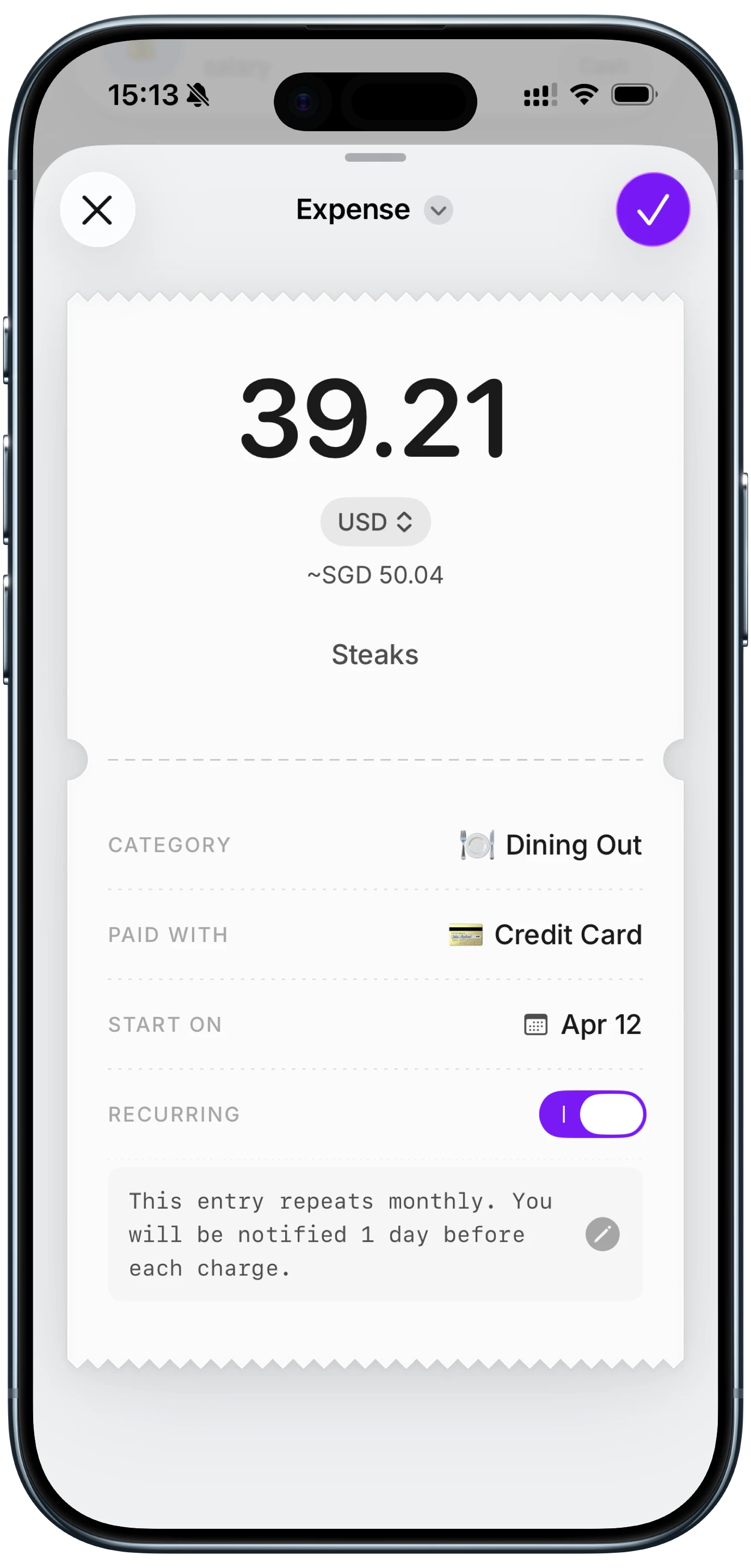
Set each subscription up as a recurring entry in a money tracking app with the amount, the renewal day and a reminder. From then on the app expects the charge, counts it in the month it lands, and warns you before it does. When a streaming plan goes from $9.99 to $11.99, you notice, because the number you logged is the number you agreed to and the number on your card is not.
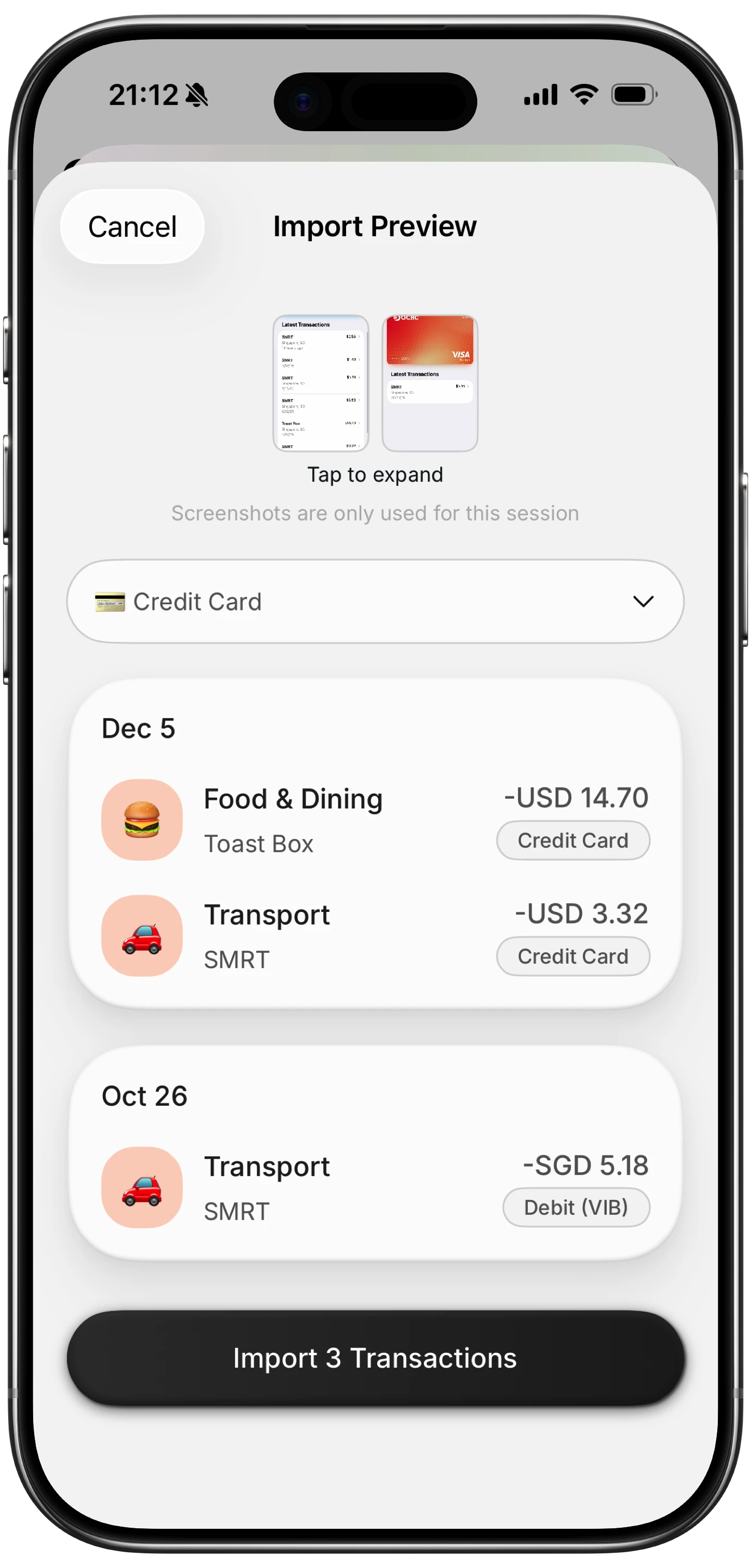
Finny does this with a recurring toggle on any entry, a reminder before the renewal, and a recurring card on the overview that totals what was actually paid this period rather than what the schedule predicted. Card payments can also be logged as you make them, so a renewal that hits your card shows up without a bank connection. The point is not that it is automatic. The point is that it covers every card and every bill, including the ones no bank feed reaches.
Finny app's screenshot import feature
Here is a short look at a card payment getting logged as it happens, which is how a renewal on any card ends up in your totals without you typing it.
Which method for which person
| Your situation | Best method |
|---|---|
| Most subscriptions billed through Apple | App Store list (Method 1) |
| Apple Card holder, subscriptions on it | Recurring hub (Method 2) |
| Cards at several banks, fine with bank login | Dedicated tracker (Method 4) |
| Cards at several banks, no bank login | Log recurring entries once (Method 5) |
| Just want a one-time audit | Bank apps (Method 3) plus the App Store list |
Whatever you pick, do the audit first. Our 20-minute subscription audit is the checklist, and apps that catch subscription price increases covers the specific problem of a charge that grew.
Finny app's Monochrome theme feature
One more iOS 27 note. Safari's new Notify Me feature can watch a web page and alert you to changes, and Apple's own iOS 27 release notes name price changes as the use case. It is built for products, but pointing it at a service's pricing page is a cheap way to hear about a plan increase before it hits your card.
Common Questions About Tracking Subscriptions on iPhone
Does iOS 27 have a built-in subscription tracker?
Partly. iOS 27 adds a Recurring hub to Apple Card in the Wallet app, with a calendar and list of upcoming recurring charges, but it covers Apple Card only. Wallet Insights, which tracks recurring transactions across connected accounts, is launching in select territories and is not in the US release. The App Store subscriptions list under your name in Settings covers anything billed through Apple.
How do I see all my subscriptions on iPhone?
There is no single screen that shows all of them. Settings shows App Store subscriptions, the Apple Card Recurring hub shows charges on that card, and each bank app shows its own. To see everything in one place you need either a bank-sync tracker such as Rocket Money, or a money tracking app where you log each recurring charge once.
Where is the Apple Card Recurring hub in iOS 27?
Open Wallet, tap your Apple Card, tap the three-dot button in the top right, and choose Recurring. You can view upcoming charges as a calendar month or a list, and tap a merchant to see its past charges.
Can I track subscriptions on iPhone without linking my bank?
Yes. Set each subscription up as a recurring entry in a money tracking app with the renewal date and a reminder. It takes a few minutes once, covers every card and every bill, and flags a price change because the logged amount no longer matches the charge. Our privacy-focused subscription trackers guide compares the options.
Is Rocket Money worth it for subscriptions?
If you want automatic detection across several bank accounts and are comfortable connecting them, the free tier finds recurring charges and Premium adds cancellation on your behalf. If you would rather not link a bank, or your bank is unsupported, logging recurring entries yourself gets the same visibility for free.
Subscriptions are the easiest expense to lose track of and the easiest to log once. Finny tracks recurring charges on every card with reminders before they renew, and no bank connection. Free to start, Pro at a low monthly price.