Bank Won't Connect to Plaid? 8 Fixes That Work
Most of the time, a failed Plaid connection is your bank asking for something: a one-time code that never arrived, a password that changed, new terms to accept, or a consent that ran out. Plaid's own trouble connecting page lists exactly these causes.
So when your bank won't connect to Plaid, log in to your bank's website directly, fix the code delivery, then reconnect from inside the app instead of deleting it. Only then suspect an outage or an unsupported account. The eight steps below run in that order.
If you keep fighting the same connection, the last section covers tracking with no bank link at all, and our guide to tracking expenses without linking your bank goes deeper.
Why Plaid Stops Connecting to Your Bank
Plaid sits between your app and your bank, so a change on either side breaks the link. Plaid's error documentation and consumer pages point to a handful of repeat causes:
- Login or MFA changes. A new password, an autofill typo, or changed security settings at your bank.
- One-time codes that never arrive. Plaid gets your phone number from your bank, so an old number on file at the bank means the code goes nowhere.
- Expired or revoked consent. Many large banks now use OAuth, where you log in on the bank's own site and approve what to share. Plaid's OAuth guide says that consent at most of these banks has to be renewed every 12 months. USAA runs on 18 months, and new Chase connections let you pick 6 months, 1 year, or, for some apps, "always."
- Bank migrations. When a bank moves to a new connection system, existing links can need a fresh login. Plaid says Bank of America's migration ended on October 15, 2026, and connections that had not moved over were disconnected.
- Account locks and setup tasks. Plaid notes that three to five wrong login attempts can trigger a bank's fraud protection and lock the account. Unaccepted terms or an unfinished online banking setup also block the link.
- Outages at the bank or, less often, at Plaid.
How to Fix a Bank That Won't Connect to Plaid
Work through these in order and retry after each one.
- Log in at your bank's website, not the app. If that fails, the problem is the login itself. Reset the password, check that your password manager is not adding a space, and wait out any lock before trying Plaid again.
- Fix the one-time code. Update your phone number in your bank's settings and add a backup email if the bank allows it. Then check that iPhone is not hiding the text: go to Settings > Apps > Messages and look under Unknown Senders. If Screen Unknown Senders is on, open Messages, tap the Filters button, and tap Unknown Senders to find the code. Apple's support page covers both screens.
- Finish any setup at the bank. On the bank's website, look under Privacy or Security for a setting such as "Third-Party Sharing" and allow it. Accept any new terms, activate new cards, and confirm your contact details.
- Reconnect from inside the app. Use the app's "reconnect" or "update" prompt rather than deleting the connection. At an OAuth bank you land on the bank's own screen: select every account the app needs, or the link ends in an error.
- Check for an outage. The Plaid status page covers Plaid's own systems only, not individual banks. If Plaid shows no issues, check your bank's website or support channels, and try again in a few hours.
- Rule out the account type. Some accounts cannot provide what the app asks for. Plaid gives credit cards as an example for apps that verify accounts for transfers, and some banks restrict which account types can be shared or block "guest" logins.
- Change the browser or update the app. Plaid says ad blockers and browser extensions can interfere. Try a private window or another device, and update the app you are connecting from.
- Ask the right party. The app's support team can see the error and contact Plaid for you, and Plaid offers chat in its Consumer Help Center. Login and code problems belong to your bank.
What to Do When Your Bank Keeps Disconnecting
A connection that drops every few months is usually working as designed. OAuth consent has an expiry date, and when it passes, the app loses access until you approve it again. Plaid tells the app about a week ahead, so act on a reconnect warning the day you see it.
Other repeat offenders: changing your bank password breaks non-OAuth connections every time. Some banks ask for a one-time code on every login instead of remembering your device, and Plaid's documentation says that blocks the background refreshes apps rely on. Revoking access in your bank's security center also cuts the app off, usually within a day or two.
If you bank with Chase, you can choose a longer consent duration when you reconnect, which cuts down on prompts. Chase began a staged rollout of a Data Security Center in the Chase Mobile app in September 2026, where you can review connected apps, change how long each one has access, choose linked accounts, or unlink an app.
While a connection is broken, the app simply stops seeing new transactions. Our piece on why your bank shows a charge your finance app doesn't explains that gap.
How to See and Remove Your Plaid Connections
Plaid runs a free consumer dashboard called Plaid Portal. You sign in with a mobile phone number and a six-digit code sent by text, and Plaid uses that number to find the apps you have connected through it. Each later login asks for a fresh code.
The dashboard shows which apps are linked and what data each can access. Disconnecting an app stops it from receiving new data through Plaid, and deleting a bank from Plaid stops sharing with every connected app.
Two caveats. First, the list can be incomplete, because Plaid matches connections to the phone number or email you used, so a link made with an old number may not appear. Second, disconnecting does not erase data an app already collected. To remove that, contact the app itself and use its account deletion option.
Disconnecting and then linking again from the app also forces a fresh setup when nothing else works, though you may lose history the app cannot pull again.
Why Bank Connections Are Getting Harder
Some of the friction is new. In July 2025, JPMorgan Chase told fintech groups it would start charging for consumer data it had shared for free. On September 16, 2025, JPMorganChase and Plaid announced a renewed data access agreement that includes a pricing structure. The release says it would not change Plaid's customer agreements or pricing. By mid-November 2025, Reuters reported that JPMorgan had reached similar deals with Yodlee, Morningstar, and Akoya. None of the fee amounts have been disclosed.
The federal rule meant to settle this is in limbo. The CFPB finalized its Section 1033 open banking rule in October 2024, and that rule barred banks from charging for this kind of data access. A federal court has since stayed its compliance dates, and the CFPB began reconsidering the rule in August 2025, including whether fees should be allowed. A revised proposal went to the White House for review in August 2026, and as of this writing the final shape of the rule is still unclear.
None of this breaks your connection today, and Plaid says it connects to more than 12,000 institutions. But who pays for data access shapes which banks and apps keep working together, so reliability is now partly a business question.
Or Skip the Bank Connection Entirely
Bank linking is one way to get spending into an app, not the only one. You can log purchases by hand, scan receipts, or import your bank's CSV export once a month. Finny is built around that model: it never asks for a bank login on any plan and does not use Plaid or any aggregator.
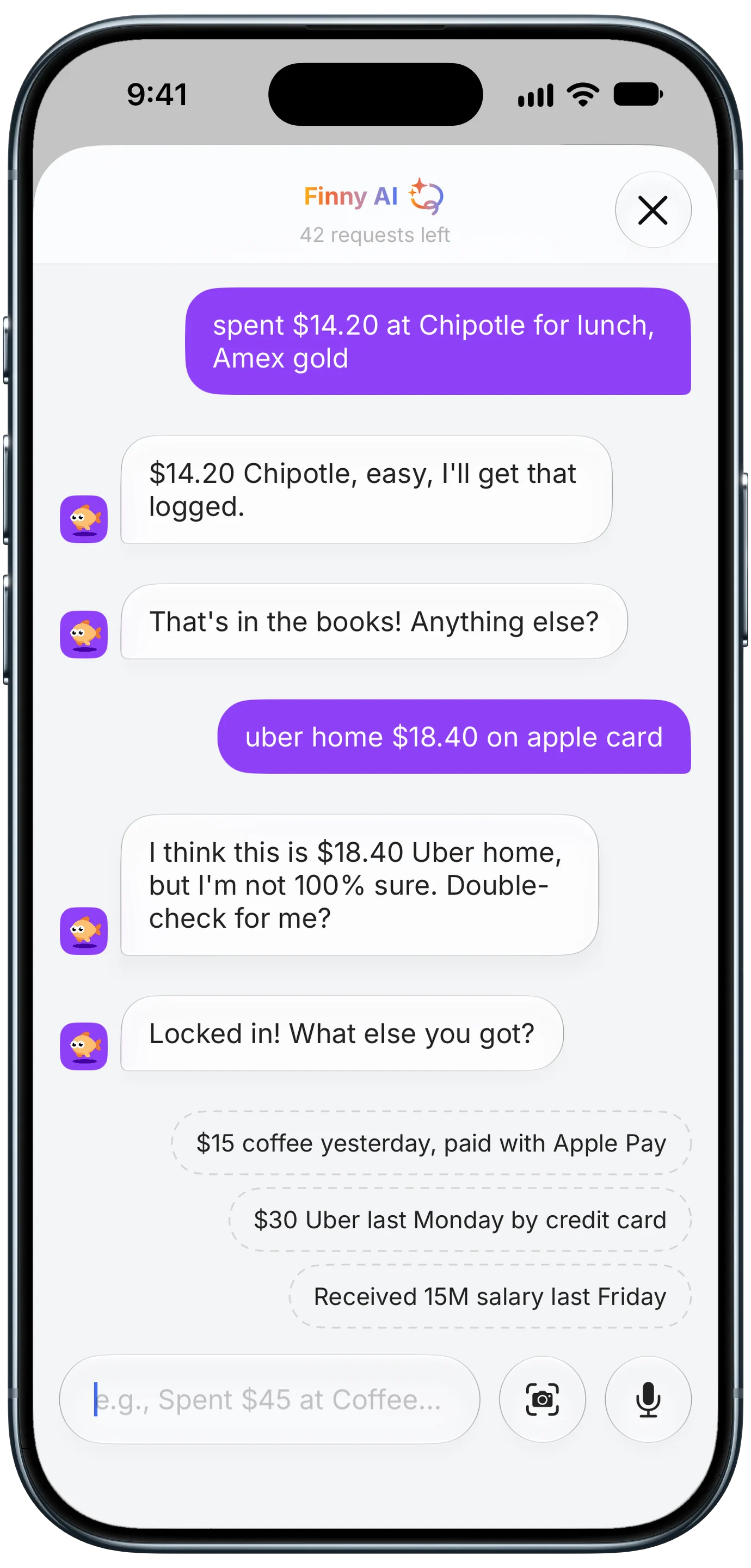
Finny app's AI chat feature
In the chat above, a Chipotle meal and an Uber ride become entries from plain typed sentences, and one reply asks you to double-check before saving. With Finny Pro, Tap to Track logs Apple Pay card purchases as you make them: amount, merchant, and date. Screen Log covers payments that are not Apple Pay purchases, such as a bank app transfer, an order confirmation, or a statement, by logging what is showing on screen.
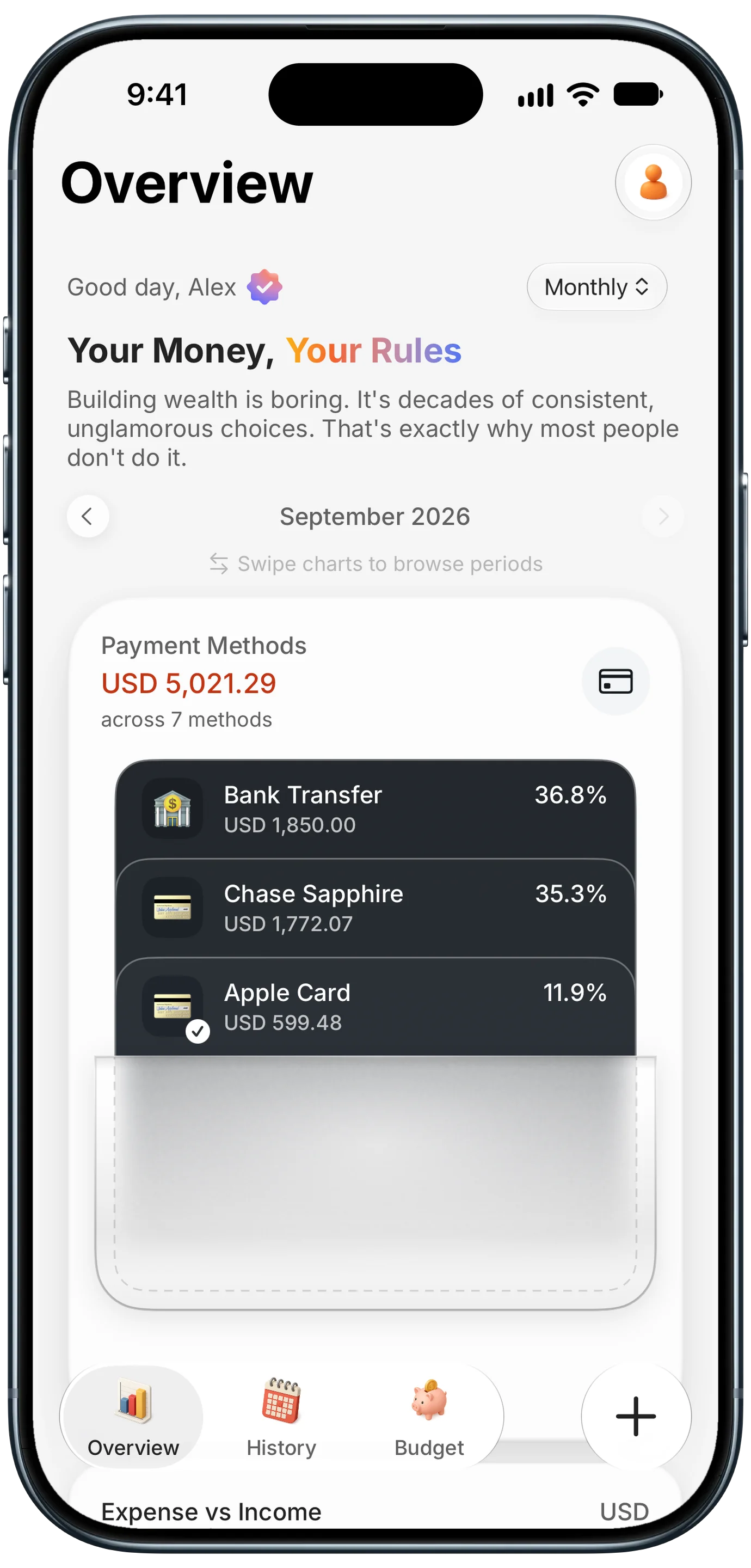
Finny app's Payment Methods feature
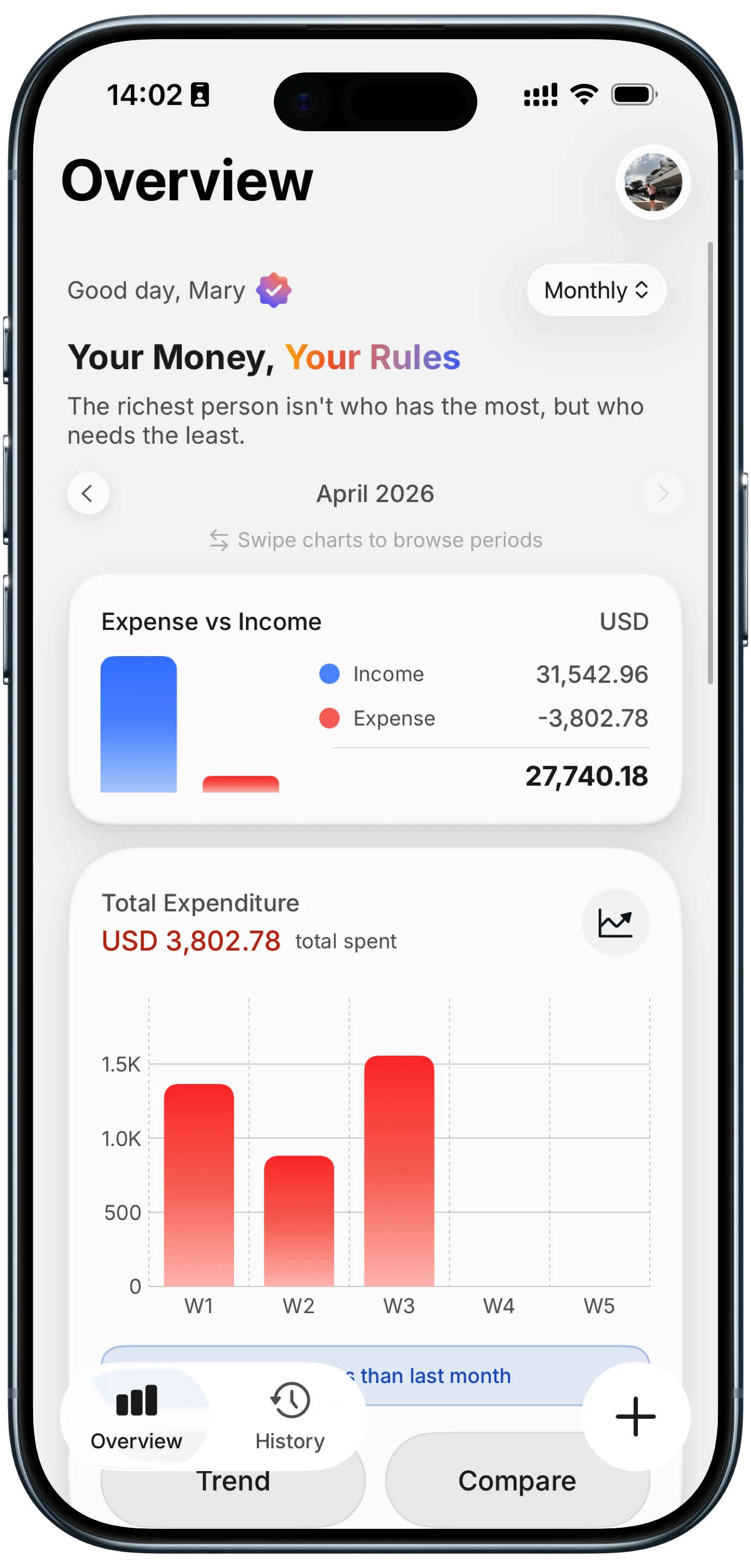
Every entry lands on the payment method you used, so the Overview wallet above shows how spending splits across Bank Transfer, Chase Sapphire, and Apple Card without any bank connection. The tradeoff is real: nothing appears unless you, or your phone, put it there. In return, there is no consent to renew, no outage to wait out, and no third party holding a live feed of your transactions.
Here is Screen Log turning a payment on screen into an entry:
For a wider look at this category, see the best expense trackers without bank login in 2026.
Common Questions About Plaid Not Connecting
Why does Plaid keep asking me to reconnect my bank?
Usually because consent expired. Plaid's documentation says most large US banks that use OAuth require consent to be renewed every 12 months, with exceptions such as 18 months at USAA and a choice of durations at Chase. A password change, revoking access at your bank, or a bank moving to a new connection system also triggers a reconnect prompt. Reconnect from inside the app rather than deleting the account.
Is it safe to connect my bank through Plaid?
Plaid is widely used across US finance apps, and at OAuth banks you log in on your bank's own site, so your password stays with the bank. You also choose which accounts to share. The privacy question is more about how many parties hold your transaction history over time. Our reviews of Monarch Money's safety and YNAB's safety walk through how that tradeoff works in practice.
How do I contact Plaid support?
Start with the app you were connecting, because its support team can see the exact error and contact Plaid for you. Plaid also runs a Consumer Help Center with a chat option at support-my.plaid.com. If the problem is your login, a missing one-time code, or a locked account, your bank has to fix it, since Plaid gets your security details from the bank.
Can I budget without connecting my bank at all?
Yes. Manual tracking, receipt scanning, and monthly CSV imports all work without a bank link, and logging spending yourself tends to keep it front of mind. Apps built for this model skip the connection step entirely, so there is nothing to renew. Our roundup of the free budget apps with no bank account compares several options.
Tired of reconnecting your bank every few months?
Download Finny to track spending by text, receipt scan, or card payments logged as you make them, with no bank login and no Plaid connection.