Best Ad-Free Budget Apps 2026: No Ads, No Offers, No Selling
An ad in a game is an interruption. An ad in a budgeting app is something else, because the app knows your income, your account balances, your debts, and the fact that you overspent on dining three months running. That is the most valuable targeting data anyone could hold, and it is sitting right next to the ad slot.
This is why "free" is the wrong first question for a money app. The right one is: how does this company make money from me?
Here are the best ad-free budget apps in 2026, and the three business models you are actually choosing between.
The Three Ways a Budget App Gets Paid
1. Ads
Straightforward and visible. Banner or interstitial ads, often for financial products, targeted using what the app knows. Common on free tiers of otherwise decent apps.
2. Offers and referrals
Subtler and more common than most people realize. The app is free and ad-free, and it recommends a credit card, a loan, a savings account or an insurance policy. The recommendation earns a commission. Sometimes it is disclosed, sometimes it is buried, and it is very hard to tell from the outside whether you are being shown the best product or the best-paying one.
This model is worth more per user than banner ads, which is exactly why so many free finance apps use it.
3. Subscriptions
You pay, so you are the customer. It is the only model where the app's incentive and yours point the same direction. The trade-off is obvious: it costs money.
There is a fourth, rarer case: open-source apps that make no money at all, which we cover below.
The practical rule: if a finance app is free and shows you no ads, find the recommendations page. That is usually where the revenue is.
The Best Ad-Free Budget Apps in 2026
1. Finny (best ad-free free tier)
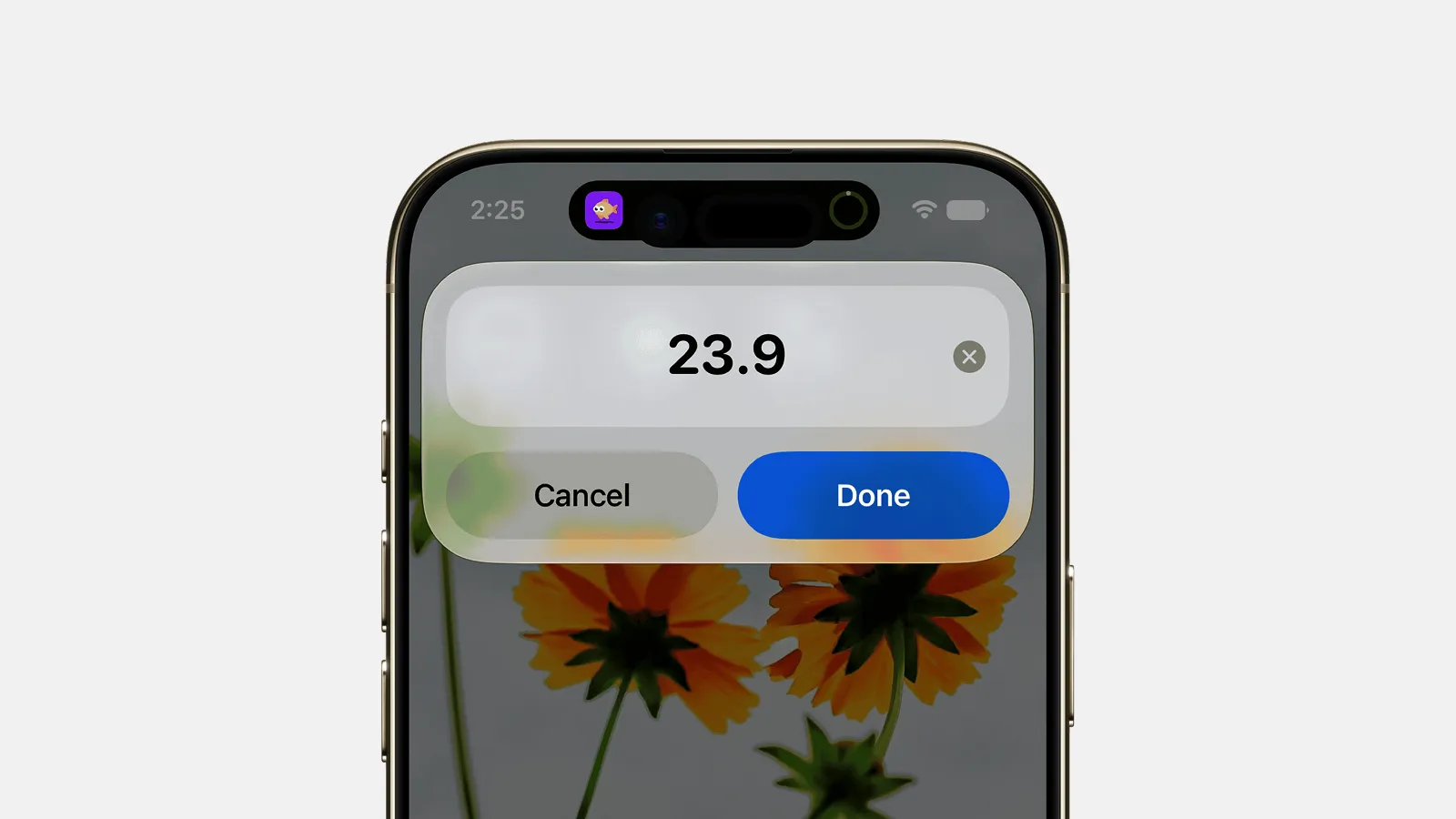
Finny app's Quick Log feature
No ads, no offers, no affiliate recommendations, and no bank connection to begin with. The free tier covers unlimited manual tracking, custom categories, budgets with rollover, recurring rules and their reminders, charts, calendar history, 150+ currencies and CSV export, with Pro adding AI-assisted input for a low monthly price.
The reason there are no offers is structural rather than virtuous: without a bank connection, the app does not hold the data that makes financial product targeting valuable in the first place. You cannot be sold a refinance you were profiled for if nobody profiled you.
Apple Pay purchases still log themselves, without any account being linked:
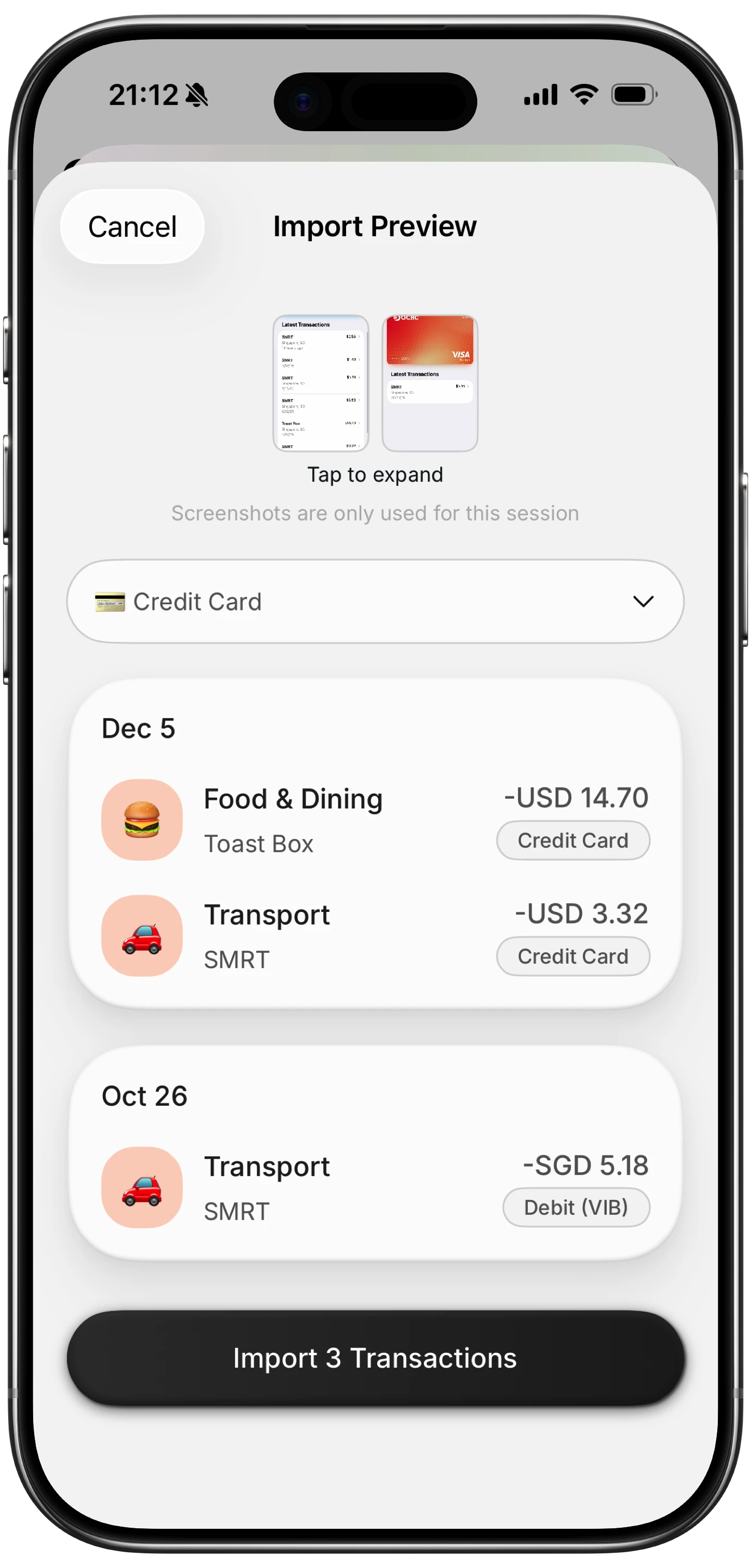
Finny app's screenshot import feature
Trade-off: no automatic bank sync, no investment tracking. It logs what you spend, quickly, and that is the scope.
2. Actual Budget (best free and open source)
Free, open source, MIT licensed, with your budget stored locally. There is no company to sell ads, because there is essentially no company. Full zero-based envelope budgeting with genuine depth.
Trade-off: syncing between devices means running a server or paying a hosted provider, and the mobile app is the weaker half. Our Actual Budget review covers what self-hosting really involves.
3. YNAB (best paid method)
No ads, no offers, no product recommendations. You pay roughly $109 a year and that is the whole business model, which is why YNAB has never needed to sell you a credit card.
Trade-off: it is one of the most expensive apps in the category, and the method demands active participation.
4. Copilot Money (best paid Apple app)
About $95 a year, no advertising, polished, iOS and Mac only. Clean and quiet by design.
Trade-off: the price, the Apple-only restriction, and a required bank connection.
5. Monarch Money (best paid household dashboard)
$99.99 a year for Core, no ads, built for two people on one subscription. See our Monarch Core vs Plus comparison if you are weighing the tiers.
Trade-off: no free tier at all, and everything depends on linked accounts.
6. A spreadsheet (the permanently ad-free option)
No ads, no offers, no subscription, no company. It will never change its terms or get acquired.
Trade-off: manual entry on a phone is slow enough that most people quit within a month. Our post on when to quit spreadsheet budgeting covers the honest failure points.
Comparison Table
| App | Ads | Offers or referrals | Cost | Bank link |
|---|---|---|---|---|
| Finny | None | None | Free tier, Pro a low monthly price | Not required |
| Actual Budget | None | None | Free, plus server or sync costs | Optional |
| YNAB | None | None | ~$109/yr | Optional |
| Copilot Money | None | None | ~$95/yr | Required |
| Monarch Money | None | None | $99.99/yr | Required |
| Spreadsheet | None | None | Free | No |
How to Check an App Before You Trust It
Four checks, about five minutes total.
1. Open the App Store privacy label. It lists what the developer says it collects and whether data is linked to you or used for tracking. "Data Used to Track You" is the line that matters, because tracking means sharing with third parties for advertising.
2. Look for a recommendations or offers tab. If a free app has one, that is the revenue model. Not automatically bad, but you should know it is there before you take its advice about a credit card.
3. Search the privacy policy for "affiliate," "partners" and "marketing." Two minutes with the browser's find function tells you more than any review.
4. Ask what the app would lose if you deleted your account. If the answer is "a customer," the incentives are clean. If the answer is "a data point in an advertising profile," you are the product.
Our guides to finance app security and privacy and whether receipt scanning apps are safe go deeper on what these apps can actually see.
The Connection Between Ads and Bank Links
These two questions are more related than they look.
An app that holds your linked bank data can build a detailed profile: income, employer, balances, debts, spending patterns, which lender you already use. That profile is what makes financial product offers lucrative, because a company can target a refinance pitch at exactly the moment your balance dips.
An app with no bank connection cannot do this, whatever its intentions, because it never receives the data. Manual tracking is not just a privacy preference. It structurally removes the most profitable reason to monetize you.
That is the trade you are making: automatic syncing on one side, and a smaller data footprint with cleaner incentives on the other. Our roundup of best expense trackers with no bank login covers the apps built on the second side of that line, and tracking expenses without linking a bank covers how it works day to day.
Common Questions
What is the best ad-free budget app?
For a free ad-free option, Finny for fast daily tracking with no bank connection, or Actual Budget if you want full envelope budgeting and are willing to run a sync server. Among paid apps, YNAB, Copilot Money and Monarch Money are all ad-free, because subscriptions are their entire business model.
Are free budget apps safe to use?
Free apps are not automatically unsafe, but free means the money comes from somewhere. Usually that is ads, affiliate offers on financial products, or a paid tier. Check the App Store privacy label and look for an offers tab before deciding.
Why do budgeting apps show ads for credit cards and loans?
Because those referrals pay far more than ordinary advertising, and an app holding your financial data can target them precisely. That is also the conflict: the app has a financial interest in which product it recommends to you.
Can I use a budgeting app without linking my bank account?
Yes. Manual trackers cover exactly this, and they tend to have cleaner incentives because they never hold the data that makes profiling profitable. The cost is that you log transactions yourself, so entry speed becomes the feature that decides whether the habit sticks.
Do paid budgeting apps show ads?
Generally no. YNAB, Copilot and Monarch have no advertising, since their revenue comes from subscriptions. Some free tiers of otherwise paid apps do show ads, which is the upgrade prompt, so check the free version specifically rather than assuming it matches the paid one.
No ads, no offers, no bank connection. Finny tracks your spending in seconds a day and makes money one way only: from people who choose Pro. Free to start, Pro at a low monthly price.