Google Wallet Gemini: What It Sees in Your Spending
On November 13, 2026, Google announced that Gemini app users in the US can connect Google Wallet and ask questions about their own spending: what went to eating out last month, which subscriptions went up in price, what last year's holidays cost. It is opt-in, read-only, and rolling out on the web, Android, and iOS, so it does work on an iPhone through the Gemini app.
The short version of Google Wallet Gemini: Gemini reads what Google Wallet holds, and Wallet holds much more once you link your credit cards and bank accounts to it through Plaid. Gemini can only read that data; it cannot move, manage, or invest your money. Google says it does not train AI models directly on Wallet data, but your Gemini chats, which can include summaries of it, may be used to improve its services and reviewed by people.
Below: how to turn it on, what it can and cannot see, the privacy terms in Google's own words, and a route that skips the bank link. For background on why wallets and budgets are different things, see our guide on whether digital wallets track spending.
What Google Wallet's Gemini Connection Does
Gemini has a feature Google calls Personal Intelligence, which lets it draw on apps you connect, such as Gmail and Photos. Google Wallet is now one of those apps, US only. Once it is on, you ask money questions in plain language and Gemini answers from your Wallet data.
Google's announcement gives three examples. Ask for a review of last quarter's spending with a goal, such as saving $1,000 over three months, and Gemini can draw cash flow and budget charts in the chat. Ask which subscriptions you still pay for and whether any rose in price this year, and it looks for recurring charges across linked accounts. Or ask what gifts and travel cost last holiday season to set this year's budget.
The answers are only as complete as the data behind them. Gemini is not a budgeting app with categories and limits you set. It is a question-and-answer layer on top of transactions, and Google's help page carries a plain warning: do not rely on its output for financial advice.
How to Turn On Google Wallet in Gemini
Google's help page sets four requirements before you start: you must be 18 or older, signed in with a personal Google Account (work, school, and supervised accounts are excluded), in an eligible country (Wallet is US only), and have Gemini History turned on. Then:
- Open the Gemini app or go to gemini.google.com.
- On the web, open the menu, then Settings, then Personal Intelligence, then Connected Apps, and add Google Wallet.
- On Android, open the menu, tap your profile picture, then Personal Intelligence, then Connected Apps, and switch Google Wallet on.
- On iPhone, look for the same Personal Intelligence settings in the Gemini app. Google lists iOS as supported but publishes no separate steps.
- Link accounts (optional) in Google Wallet through Plaid if you want answers that cover your bank and card activity.
You can switch the connection off at any time from the same screen, and review or remove what Gemini has saved about you under Profile, then Personal Intelligence, then Memory Summary.
If a bank refuses to link in step 5, that is a Plaid issue rather than a Gemini one, and our guide to when a bank won't connect to Plaid walks through the usual causes.
What Gemini Can and Cannot See
According to Google's Connected Apps help page, the Wallet data Gemini can use includes your payment methods, data from Google services saved in Wallet, and financial account information linked through services such as Plaid.
That list explains the biggest difference between Android and iPhone owners. On Android, Google Wallet is often how you tap to pay in stores, so it records those purchases. On iPhone, Google brought the Wallet app to the US on November 17, 2026, but Google states that tap to pay is not supported on iOS. You still pay at the register with Apple Pay, and Google Wallet never sees those taps. For an iPhone owner, Gemini's view of everyday spending depends almost entirely on the accounts you link through Plaid.
Some things stay out of view either way: cash, and any account you do not link. Google's announcement does not list which banks and card issuers are supported, so coverage is something you find out by trying. If you already use the iOS 27 Wallet spending features, our comparison of Apple Wallet Insights and a budgeting app covers a similar question from Apple's side.
The Privacy Tradeoff, in Google's Own Words
Google's help page is specific, so it is fair to quote its terms rather than guess:
- No direct training on Wallet data. Gemini does not train generative AI models directly on your Google Wallet and payments services.
- Your chats are a different matter. Gemini history, which includes data from apps you connect, is used to improve Google services, including by training generative AI models, if your History setting is on. Since History must be on to use Connected Apps, this applies to everyone using the feature.
- People may read some of it. A subset of Connected Apps data is reviewed by human reviewers, including trained service providers. Google names "interactions, summaries, excerpts, and inferences" from Wallet information among the data reviewed. It says reviewed conversations are disconnected from your account first, unless the review addresses abuse or harm.
- Disconnecting is not deleting. Turning off the Wallet connection does not delete anything already in your Gemini history.
None of this is unusual for an AI assistant, and Google states it openly. The tradeoff is that a spending question you ask today, and the summary of transactions used to answer it, can live on in your history. Google itself advises not to connect apps that contain confidential information. Whether your bank history counts is your call.
Who the Gemini Wallet Connection Suits
It fits best if you already live in Google's ecosystem. An Android owner who pays with Google Wallet, keeps receipts in Gmail, and already uses Gemini gets the most out of it with the least setup. The questions are genuinely useful: a forgotten subscription or a slow rise in a recurring bill is exactly what people miss on a statement.
It also suits people comfortable with bank aggregation. If a budgeting app already reads your accounts through Plaid, linking them to Google Wallet is a similar decision, with an AI assistant on top.
It is a weaker fit in three cases. If you use an iPhone and pay with Apple Pay, Wallet knows little unless you link your accounts. If you would rather not have an AI history containing summaries of your transactions, the History requirement is a hard stop. And if you want a budget you check every few days, a chat window is slower than a screen that already shows where you stand.
Tracking Spending Without a Bank Login
The alternative is to keep the record yourself, so nothing needs read access to your accounts. That used to mean typing every purchase. Today most of it can be done from what is already on your phone, and our roundup of the best expense trackers without a bank login compares the options.
Finny app's AI chat feature
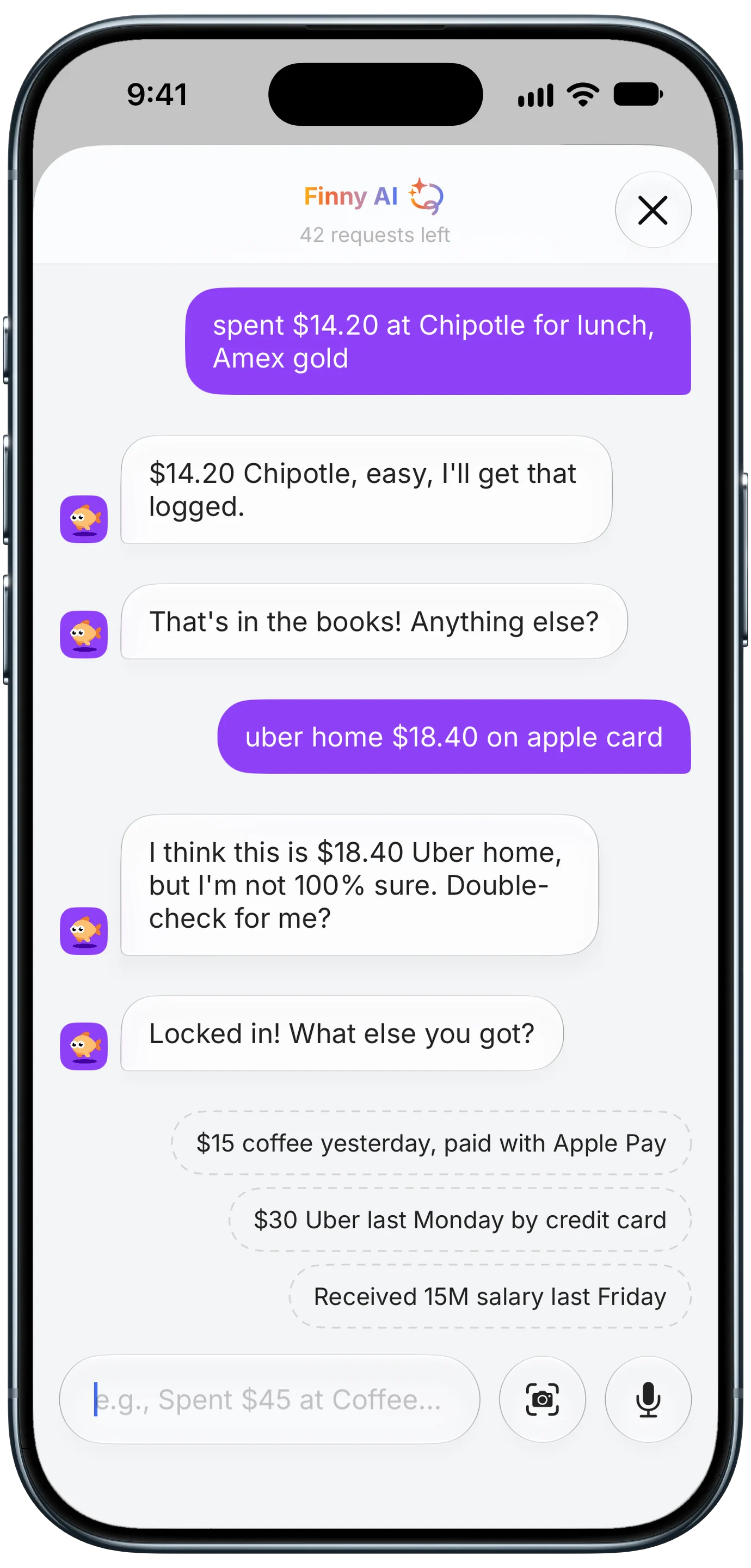
Finny is one of them. It never asks for a bank login and does not use Plaid or any other aggregator, on any plan. You type or say something like "Chipotle 14.20 and an Uber home," and its AI chat turns each sentence into a separate entry, asking you to double-check when it is not sure. Card payments can be logged as you make them, and a payment showing on your screen, such as a bank app or an order confirmation, can be logged from what is on screen.
Here is Screen Log turning a payment on your iPhone screen into an entry:
The tradeoff runs the other way from Gemini's: without a bank feed, nothing surfaces a charge you never logged. For the wider case, see our guide to tracking expenses without linking your bank.
Reviewing Your Month Without an AI Reading Your Accounts
Gemini's best trick is the quarterly review: "here is what you spent, here is where to cut." You can get most of that without a connected assistant, as long as your record is complete.
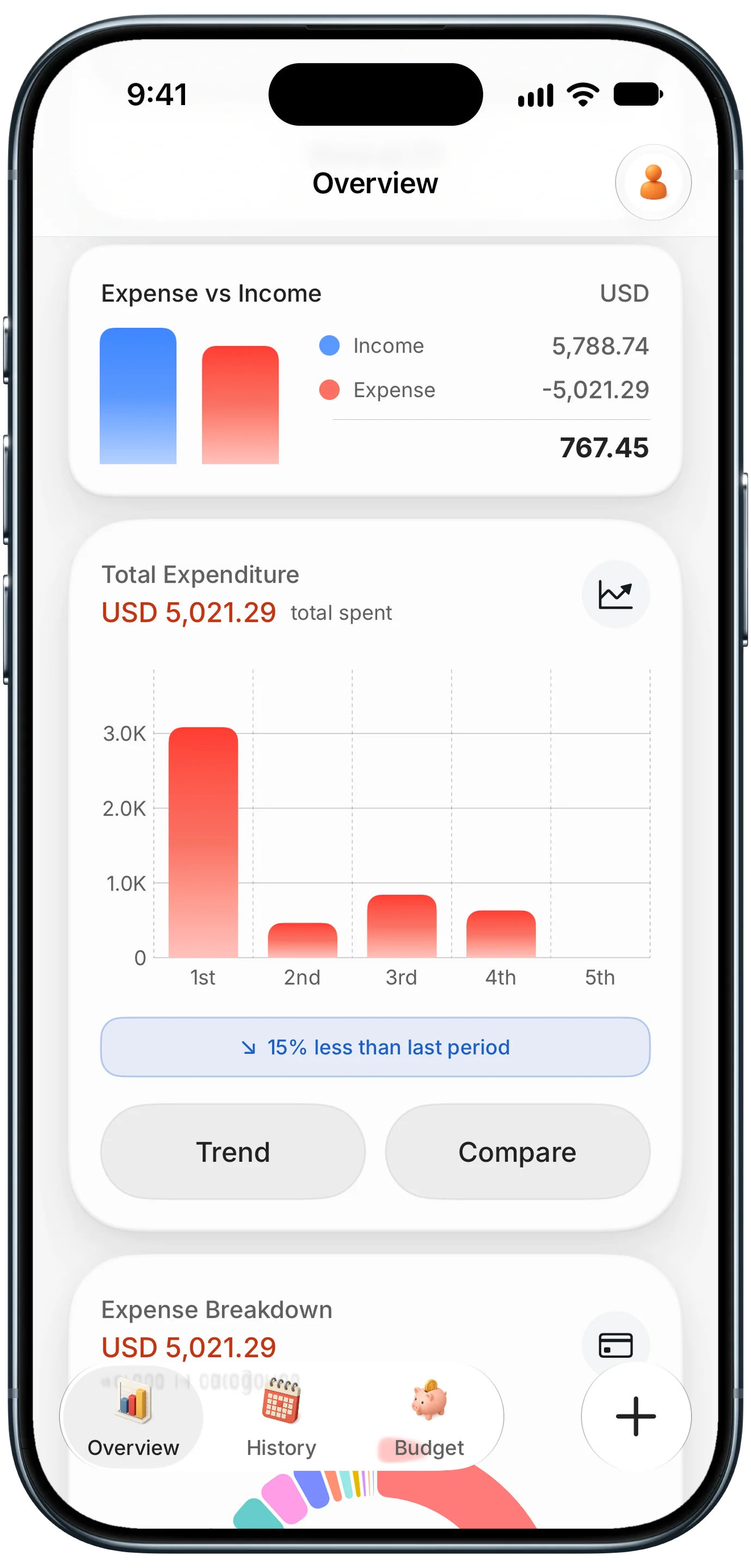
Finny app's Overview feature
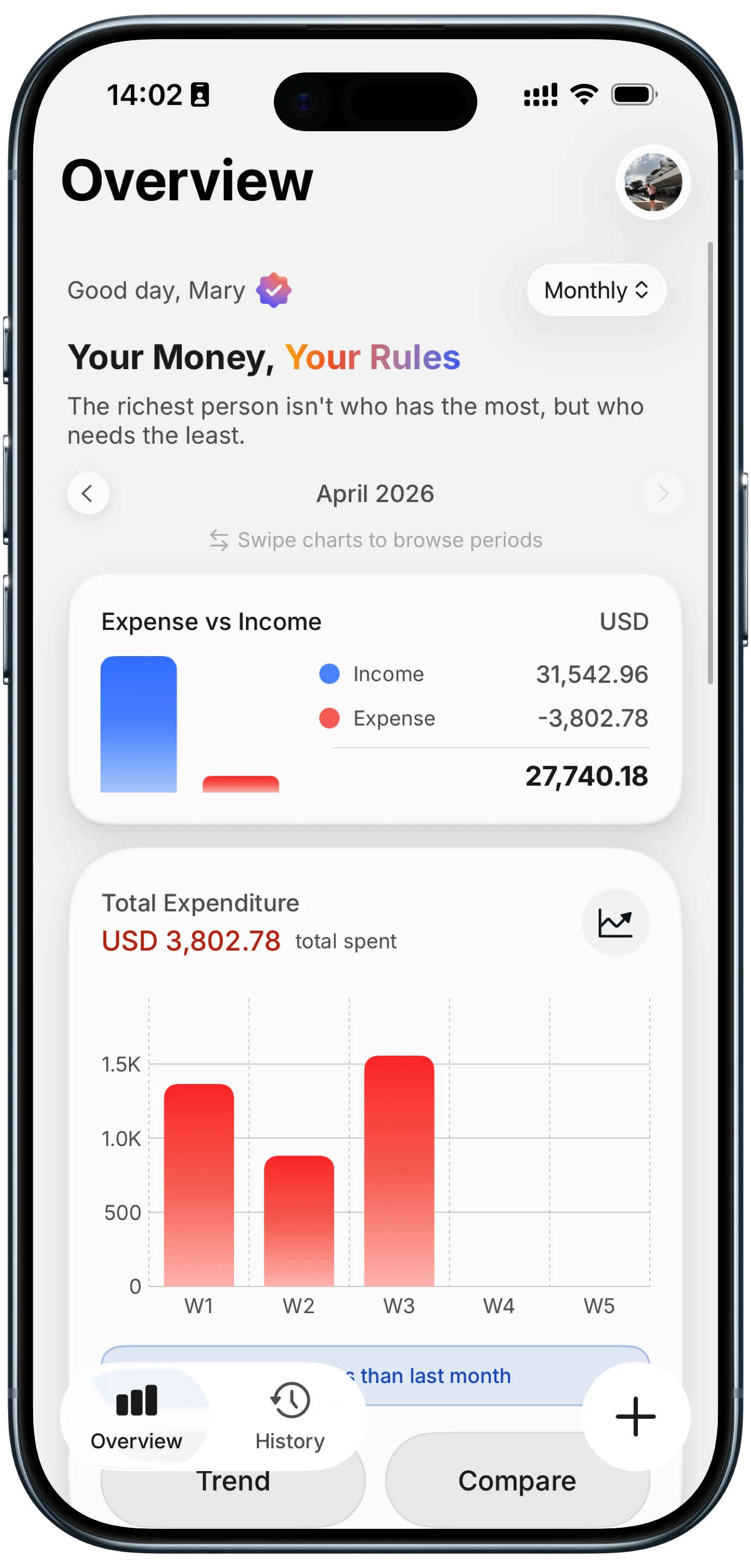
Start with three numbers each month: what came in, what went out, and how that compares with last month. In Finny, the Overview screen shows exactly that, with an Expense vs Income card and a Total Expenditure card that says whether you spent more or less than the last period. Then look at your three biggest categories and ask one question of each: was this planned?
Once a quarter, scan your recurring charges for price changes. None of this needs an assistant with access to your accounts. It needs a record you trust and ten minutes on a Sunday. If you are weighing how much access any finance app should have, our piece on whether it is safe for an expense tracker to read notifications covers the same questions from a different angle.
Common Questions About Google Wallet Gemini
Does Google Wallet Gemini work on iPhone?
Yes. Google says the Wallet connection is rolling out to US Gemini users on the web, Android, and iOS, so it works in the Gemini app on an iPhone. The catch is data. Google Wallet does not support tap to pay on iOS, so your in-store Apple Pay purchases never reach Wallet. To get useful spending answers on an iPhone, you would need to link your cards and bank accounts to Google Wallet through Plaid.
Does Gemini use my bank data to train AI?
Google says Gemini does not train generative AI models directly on your Google Wallet and payments data. However, your Gemini history, which includes connected app data, is used to improve Google services, including training AI models, when History is on, and History must be on to use Connected Apps. Google also says a subset of interactions, including summaries and inferences from Wallet data, is reviewed by people after being disconnected from your account.
Can Gemini move money or pay bills?
No. Google states that Gemini can only read information from your accounts and cannot move, manage, or invest your money. It answers questions and draws charts, but every payment, transfer, or cancellation is still yours to do. Google also advises against relying on Gemini's output for financial advice and suggests consulting a professional.
Do I have to link my bank to use it?
No. Linking is optional. Without it, Gemini works from what Google Wallet already holds, such as saved payment methods and data from Google services stored in Wallet. On Android, where Wallet may handle in-store payments, that can be a fair amount. On iPhone it is usually thin. Linking cards and bank accounts through Plaid is what gives Gemini a fuller view of your spending.
Want spending answers without linking a bank?
Download Finny to log card payments, receipts, and typed or spoken expenses into one private record, with no bank login and no aggregator.